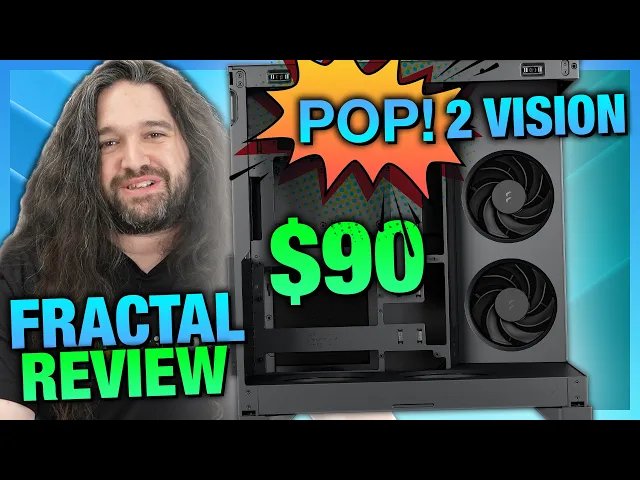
$90 Fractal Pop 2 Vision Case Review & Benchmarks: Cable Management, Thermals, Build Quality
Gamers Nexus
0:01 This is Fractal's $90 Pop 2 Vision, which comes with four fans,
0:05 some impressively sturdy materials, and some obvious cost-cutting measures.
0:10 The case is the first we've reviewed in a long time that makes
0:13 use of DC fans rather than PWM in a clear money-saving move,
0:18 alongside its choice to combine one USB Type-A 5 gigabit per second
0:22 and one USB Type-C 5 gigabit per second on the same cable.
0:26 And you're going to see a lot more of that type
0:27 of thing going deeper into the year as case
0:30 companies in particular are getting hit really hard right now
0:33 by the RAM prices because reducing sales volume by a lot.
0:36 We have a separate video coming up on that.
0:38 But there's a lot of positives we like about
0:40 this case in Fractal's attempt to serve the cheaper case market.
0:44 The angled front wall for the embedded fans should
0:46 improve thermals by angling the fans more toward the components.
0:49 It also just looks different,
0:50 branching out from the height-inspired motif of the Y series.
0:53 The form-fit fans should also benefit from improved performance
0:56 as a result of their chambered design and chamfered edges.
0:59 The back is also enormously deep for extremely easy cable management.
1:03 There's also the unusual,
1:05 but very welcome addition of the bottom filter being a stamped steel sheet.
1:11 It's actually oddly high build quality for a bottom dust filter.
1:16 We like the way they did this.
1:18 Fractal also released the Pop 2 Air recently,
1:21 a follow-up to the colorful budget Pop
1:23 Air that we reviewed positively back in 2022.
1:26 And now it's adding the Pop 2 Vision to the family.
1:29 It's an O11 D-inspired dual chamber fish tank of a PC case,
1:33 and the only thing it really shares in common
1:35 with the Pop family originally is the price.
1:38 Where they're targeting $90 with the model we're reviewing today,
1:41 the blackout simple steel, glass, and no RGB version.
1:47 And then for the RGB version,
1:49 it's $100 for otherwise the same thing, just with lights.
1:53 As you'd expect for a case named Vision,
1:55 Fractal isn't offering a steel panel version of this case.
1:59 It's just all glass.
2:02 Let's get into the review.
2:03 Before that, this video is brought to you
2:05 by ID-COOLING and the Frozen A720 cooler.
2:08 The A720 air cooler performed well in our testing last year.
2:11 The A720 is a relatively high-end dual 140 mm air cooler with seven heat pipes.
2:17 We found the use of larger fans can
2:18 be beneficial to acoustic performance given the thermals.
2:21 Although, you'll want to check your case for compatibility
2:24 given the taller nature of the cooler and its fans.
2:27 ID-COOLING uses an all-black look for its
2:29 A720 and includes mounting hardware for all modern sockets.
2:33 Learn more at the link in the description below.
2:35 We've been wanting Fractal to release a new sub-$100 case for a while now.
2:38 The Pop Air was $80, $90 with RGB.
2:40 We were positive on the case.
2:41 It was kind of strange in good ways, like optical drive support,
2:45 which was abnormal but good to see on a case every now and then.
2:48 Uh this case though, this is difficult to achieve right now because the case
2:53 companies truly are in pretty dire straits by and large.
2:57 Uh and a lot of them are going to be
2:58 forced into cost-cutting moves as they race to the bottom,
3:03 which could have benefits on the consumer side short-term,
3:06 where you get a lot of cheaper cases.
3:08 The downside is going to kind of reset the expectations
3:12 because we're seeing things like DC fans on this.
3:14 It's going to be a lot of pullback on higher-end,
3:17 higher-quality features that you've gotten used to seeing
3:20 as companies try to scrape the bottom of the barrel
3:22 for whatever pennies they can shave off of the case
3:25 uh to try and make up for the reduced volume.
3:27 And that'll reset expectations.
3:30 It means that uh as this period of reduced sales for the companies
3:35 goes on because the RAM prices are so high and the GPU prices,
3:38 people will get more and more used to the reset
3:41 floor of what you expect out of a budget case.
3:43 So, that's the downside.
3:44 On the positive side for this case specifically,
3:46 it is one of the sturdiest that we have worked with for the front corner ever,
3:53 which is impressive, especially for the price of the case.
3:55 I mean, this is fully unsupported right now.
3:58 It's taken the companies a while to figure out like basic I don't know,
4:03 what you'd do in a a bridge model building class in middle school or something,
4:07 but Fractal's done a good job here.
4:09 This is like crazy well supported compared to some of the original fish tank
4:13 cases we saw where they just if you pushed on the core I mean,
4:16 the Trikes Luca L70, you push on that corner, falls out of the case.
4:21 So, this was well done.
4:23 Also, the top panel being well,
4:25 the top filter being a stamped sheet of steel rather than a flimsy,
4:31 you know, magnetic filter you typically see,
4:33 this was another area where Fractal improved upon the build quality.
4:37 So, it seems like they've gone for increasing the build quality
4:41 of the perceived build quality of the structure of the case,
4:43 which is all stamped steel for the most part,
4:46 uh some bends in there, rather than going for all the other features.
4:51 The two glass panels don't contact each other,
4:53 but the panel gap is consistent top to bottom, which is at least good.
4:57 Each of the panels only requires light pressure to unsnap,
5:00 but all of them, including the steel panel,
5:03 have tabs that can be screwed down for shipping,
5:05 which is something we always prefer to see.
5:07 The Fractal tag on the front panel looks like a pull tab,
5:10 which is how we used the tag on the original Pop Air,
5:14 but it's supposed to be purely decorative here.
5:16 The front panel instead has to be pulled out from its
5:18 top edge or from the inside once you've removed the side panel.
5:22 Again, the bottom filter is highly unusual among cases we reviewed.
5:25 You have to remove the side panel to get access to it.
5:28 It's better than having to pull the case away
5:30 from the wall to pull it from the back.
5:31 There are alternatives, though,
5:33 but because of the way they did a stamped sheet of steel,
5:36 they wanted to socket it in cleanly under the side panel.
5:39 One of the things we noticed when building on this, so
5:41 each of us kind of worked on this a bit.
5:43 My tinfoil hat has fallen over where Patrick and Mike worked on early up.
5:48 Mike did test prep.
5:49 I worked on it at the end of the process.
5:51 And one thing Mike and I noticed in particular was that because of the way
5:55 the cable channels are situated on the bottom of the floor of the case,
5:59 it is often easiest to get access to these bottom cable channels
6:04 by tilting the case kind of like this to run the wires,
6:07 which is a little unusual.
6:09 It's not the worst to deal with it, really no problem at all, of course,
6:12 but it is a bit of a negative
6:14 just because the access is somewhat restricted down there.
6:18 Although the upside is that that was the best
6:20 way they could run the cables, Fractal that is,
6:23 without making the case taller and while kind of hiding
6:26 them behind that single sheet for the fans in the bottom.
6:30 So, some ease of access challenges for the bottom of the case.
6:33 The other side of that though is the back
6:35 of the case is ridiculously deep for cable
6:38 management because it's a dual chamber design and there's
6:43 not a whole lot going on back there.
6:44 The flat blank plates that surround the four
6:47 stock fans are visually distinctive and overall we
6:50 think it was a good choice to make the Vision stand out and angle the fans,
6:53 adding an interesting Y70-ish cut off to the corner internally.
6:57 The downside is that the side and bottom fan mounts are
7:00 120 mm only and only in dimensions of Fractal stock fans,
7:05 resulting in a highly restrictive build
7:07 from a fan and liquid cooler mounting standpoint.
7:10 Different from what we expected at first glance
7:12 looking at how sort of encased the fans are.
7:15 Access to the fans is at least better
7:16 than we thought where access to the side fans,
7:19 which in this instance are serving as intake,
7:22 the reverse blade, requires only taking off the side
7:25 panel and then you've got full access to them.
7:27 Access to the bottom fans,
7:29 you remove the dust filter and then you've got full access to those.
7:33 And these are all held in with radiator style mounting screws.
7:37 It's all intake here.
7:38 So, all four of these are reverse blade.
7:41 The end result of that is that you're pulling in air from the side
7:44 and the front and the air is going
7:46 to exhaust wherever there's a hole in the case, mostly at the top and the back.
7:50 What gets interesting though is the PCIE slots, but we'll come back to that one.
7:53 The only real radiator mount in the case is at the top,
7:57 which can theoretically fit up to 360 mm,
8:00 although it would be an extremely tight squeeze.
8:02 We would strongly recommend limiting radiators to 280 mm.
8:06 Now, for us, the obvious elephant in the room is that this really
8:09 has nothing to do with the Pop series other than the price.
8:12 The Pop Air was defined by its brightly colored variants,
8:15 the inclusion of a 5 and 1/4 bay in a modern case, and its mesh front.
8:19 Only the mesh front made it to the Pop 2 Air,
8:22 but as it turns out, that's irrelevant.
8:24 The Pop 2 Vision is a different size, layout,
8:27 and from what we can see, uses different tooling from the Pop 2 Air.
8:31 Our best guess is that Fractal just didn't
8:34 want to launch and brand build another case family.
8:36 A hallmark of dual chamber cases is that there's
8:38 a huge amount of space for routing and storing power cables,
8:42 and the Vision is no exception.
8:44 There are five Velcro straps pre-installed in the case in convenient locations,
8:48 making it easy to bundle everything together.
8:50 Unfortunately, the main cutout for routing cables to the bottom edge
8:53 of the motherboard is really hard to reach with the power supply installed,
8:57 especially if it's a large power supply.
8:59 The CPU power cutouts for normal non-back connect motherboards
9:02 are high up towards the roof of the case,
9:04 which puts them in conflict with any top-mounted fans or radiators.
9:08 This is one of the weakest aspects of the case,
9:11 especially since the top mount is the only good location for radiators.
9:14 We think Fractal tucked the cutouts away
9:17 to maintain the flat and featureless aesthetic,
9:20 but we'd rather be able to actually reach them easily.
9:22 There's one type-C and one type-A port among the front IO,
9:26 but both are routed from a single internal USB 3 header.
9:30 In the original Pop Air,
9:31 Fractal's cost-cutting solution was to include two type-A ports
9:35 and a blank spot for an optional $10 type-C add-in kit.
9:39 At least the new Pop 2 Visions have a type-C port by default,
9:43 but we honestly prefer the original Pop Air's more feature-filled IO.
9:48 Of course, sans type-C, which was optional.
9:50 The more expensive RGB SKU of the Vision also includes RGB button controls,
9:55 which helps to fill in the IO more similarly to the Pop Air.
9:58 The Vision comes directly from the Lian
10:00 Li 011 Dynamic school of dual-chamber case thought,
10:03 even down to the alternate PSU mounting location above the stock mount.
10:07 One of the biggest tells of cost-cutting is the fact
10:10 that all of the case fans are three-pin DC controlled.
10:13 They work fine as is voltage, but it's weird to see reverse blade fans,
10:17 which are typically more expensive due to lower production volume,
10:21 paired with three-pin headers.
10:22 The fans in the original Pop Air were three-pin as well,
10:25 to be fair, so at least this isn't a downgrade.
10:28 The drive bracket and the power supply can trade places.
10:30 There's not much reason to do this aside from using a back connect board,
10:34 but it doesn't hurt anything to have the extra option.
10:36 The drive bracket can also keep stray cables in place, which is useful.
10:40 We appreciate its simplicity.
10:42 It's a single piece of metal that can fit one three
10:44 and a half-inch drive and three two and a half-inch drive simultaneously,
10:48 while also helping with cable management.
10:50 The hard drive mount has rubber vibration dampers, so they didn't skimp here.
10:54 And this is an area where we've seen
10:56 higher-end cases just simply forget to include them, so that was good to see.
11:00 The hard drive screws are knurled for hand tightening.
11:02 Another nice and unexpected touch on an otherwise simple case.
11:06 The expansion slot covers are unventilated,
11:09 which usually has a negative effect on air-cooled GPU
11:12 thermals because air can't enter the case from that location.
11:15 Contrary to common belief,
11:17 typically the air comes in through the rear PCIe slot covers into the GPU,
11:22 rather than going out.
11:23 But in this positive pressure setup,
11:26 where everything else is intake, it more likely act as exhaust.
11:29 Three Three slot covers are merged together into one big plate.
11:33 So, if you want to install add-in cards beyond a GPU,
11:37 odds are you'll have to remove the big plate and leave some gaps.
11:40 So-called E-ATX clearance is claimed up to 274 mm,
11:45 but that's an arbitrary number here.
11:47 There's nothing to obstruct larger boards than that, but anything greater than 1
11:51 cm beyond normal ATX will overhang
11:54 the edge of the motherboard tray without support.
11:56 You will, however, be able to install the port.
11:59 Normally, we might not bother mentioning the Vision's rubber cable grommet,
12:03 but it's an unexpected touch in a case
12:05 that's fighting hard to stay below 100 bucks.
12:08 We kept thermal testing really simple for this case,
12:11 and it's for the simple reason that there's not a lot of reconfiguration
12:15 options on this one because of how they've built the bottom and the sides.
12:18 We did do our standardized fan testing,
12:21 but we're going to skip the results because the layout of the fan slots
12:25 and how they've sized them forced us
12:28 into a nonsense layout for the standardized fan test.
12:31 It just doesn't make any sense to compare it.
12:32 So, we're basically testing it out of the box because for the most part,
12:37 if you buy this case, you should probably keep the fans as they're
12:41 configured for the bottom and the side.
12:43 Do whatever you want for the back of the top,
12:45 but as soon as you start reconfiguring those four fans,
12:48 probably should look at a different case instead.
12:50 That's mostly because you'd be kind of ripping
12:52 apart the entire point of this particular case,
12:55 the aesthetic they tried to build.
12:57 There's a lot of alternatives if you want just to put
12:59 whatever fans you want in the bottom of the side, of course.
13:02 We're going to compare the Pop 2 Vision to the Pop 2 Air because
13:05 they're similar prices and are presented to consumers as part of the same line.
13:09 But again, they really have nothing to do with each other in terms of the style.
13:13 More logical comparisons are budget fish tank cases
13:16 like the Montech HSO2 Pro, which we reviewed,
13:19 as well as the more expensive options like the Antec C8 ARGB,
13:23 also reviewed, and the older Height Y60, also reviewed.
13:27 Corsair also has some options like the Air 5400 and the 6500D,
13:32 the latter of which we've tested.
13:33 And obviously, there's the Lian Li 011 family in its entirety,
13:37 which includes a vision of its own.
13:39 But those are in another price class entirely.
13:41 With fans, the Pop 2 Vision is cheaper than every
13:44 one of those cases at $90 for the non-RGB option.
13:47 There's also the new and cheap 3200D from Corsair,
13:51 but we haven't tested that one just yet.
13:52 And otherwise, the Frame series would be another
13:55 in a line of competition in terms of price.
13:57 So, really you're kind of There's two common classes here,
14:01 where there are direct price competitors,
14:03 $90 but most of them are not dual chamber,
14:06 and that's fine as long as you don't want dual chamber.
14:08 Something like the Frame 4000D is an excellent case,
14:11 and it's on the more affordable side.
14:13 And then there's dual chamber cases,
14:14 which tend to be more expensive or are the same
14:18 price but don't have fans or don't have as many fans.
14:20 So, it's kind of divided that way.
14:22 Fractal slots itself in in the middle.
14:24 We'll start our thermal testing with noise normalized benchmarks,
14:27 where we use our hemi-anechoic chamber to measure noise levels at 1 m,
14:30 then adjust down the fan speeds to hit a total
14:33 of 27 dBA system noise level for the target.
14:36 CPU temperatures averaged 50° C over ambient on the P
14:39 cores and 47° overall for the Pop 2 Vision.
14:42 That's not good placement on the chart overall,
14:45 but other bottom intake fish tank cases usually don't perform well here either.
14:49 The side intake should help the CPU and does,
14:52 which is why the Pop 2 Vision is ahead of some competitors.
14:55 The H502 Pro averaged 52 on the P cores.
14:58 The C8 ARGB was at 54, and the Y60 was at 57.
15:02 So, it's better than these.
15:03 The Fractal case is okay,
15:05 but other similarly priced cases include the $83 Lancool 207,
15:09 which is both cheaper and better performing at 44.5° on the P cores.
15:13 That's a significant improvement.
15:15 It has downsides like cable management complaints from us in the review.
15:19 We don't have those with the Pop 2 Vision.
15:21 And obviously, the 207 isn't dual chamber, so it's not strictly the same.
15:25 The Corsair Frame 4000D RS also isn't dual chamber.
15:28 It's $90 though, and it has great build quality.
15:31 And that runs at 47° over ambient.
15:33 If you want dual chamber though,
15:34 the Pop 2 Vision remains one of the best options on this chart at its price,
15:38 possibly the best overall at its price as we work through this.
15:40 GPU thermals are next, still noise normalized.
15:43 The Pop 2 Vision's layout is better suited to GPU cooling.
15:46 It averaged 44° C above ambient for the GPU itself, while the VRAM averaged 49.
15:52 Its competitors have the same advantage in GPU cooling
15:55 and put up more of a fight here as well,
15:56 with the H510 Pro at 43° on the GPU and the C8 ARGB at 42 over ambient.
16:02 Although, the Y60 stock performance was comparatively abysmal at 53.
16:07 The two reverse blade 120s do an adequate job of GPU cooling, but not great.
16:11 And this isn't a case where swapping fans makes a whole lot of sense.
16:15 Again, the non-dual chamber 207 for slightly cheaper did better.
16:19 The Lancool 207 is nearly the best on the chart.
16:21 The Frame 4000D falls slightly below the Pop 2 Vision in this one,
16:25 as does the Antec Non-Pro Flux.
16:27 Moving on to full speed case fans,
16:30 the Pop 2 Vision was fairly quiet for a case with four stock fans at 34 dBA.
16:34 So, this is a major positive for Fractal.
16:36 The four Aspect 12x reverse fans included with the case are rated for 1650 RPM.
16:42 And in testing, we observed speeds well
16:44 within tolerances between 1600 and 1700 RPM.
16:47 Its competitors were louder and hotter for the most part,
16:50 with the H510 Pro at 36 dBA and 49° above ambient on the P-cores,
16:55 and the C8 ARGB at 37 dBA and 49° as well.
16:59 The Y60 was quieter at 30 dBA, but still the hottest on the entire chart at 55°.
17:05 We don't have a noise number for the Pop 2 Air right now,
17:08 but it did manage a 45° average delta T for the P-cores.
17:12 For a dual chamber case at this price, the Pop 2 Vision is overall doing well.
17:16 Again, more standard towers remain competitive.
17:19 The Antec Flux Non-Pro runs louder at 41.9 dBA, but also cooler.
17:24 The Lian Li 207 is also louder at 41.6, but way cooler at 41.6 over ambient.
17:30 We already know it's better noise normalized as well.
17:33 The Frame 4000D only outdoes the Pop 2 Vision
17:35 by a few degrees here and is significantly louder.
17:38 So, overall, the Pop 2 Vision is relatively well positioned.
17:41 The 207 is somewhat of an outlier in its price category.
17:44 Lian Li is ruthless competition at the budget
17:46 side of cases and we see that here.
17:49 Again, also at full speed, GPU thermals are a stronger competitive point
17:52 for a bottom intake configuration like the Vision's.
17:54 The GPU averaged 42° above ambient and the VRAM averaged 46.
17:58 Effectively tied the H510 Pro and the C8
18:01 ARGB with the C8 performing just a little better.
18:05 Although, both of these cases had slightly better VRAM temperatures at 45°.
18:10 The Y60 is completely out of the running here at 52 on the GPU.
18:14 The Pop 2 Air actually had significantly
18:16 warmer GPU temperatures than the Vision at 46°.
18:19 That makes some sense with the Vision's bottom intake configuration,
18:22 but it also means that the Air doesn't have
18:24 much of an overall thermal advantage versus the Vision,
18:27 at least with the stock fans at full speed.
18:30 For standard layout cases, the 207 remains at the top.
18:33 The Frame 4000D ties roughly the Pop 2
18:35 Vision and the Antec Non-Pro falls below it.
18:38 Returning briefly to noise normalized testing,
18:40 the Pop 2 Vision had unusually good VRM and DRAM temperature
18:43 readings layout with active intake at the bottom of the case.
18:46 The VRM averaged 31° above ambient, which places it in the middle of the chart.
18:51 As for the SPD hub average, it was 22° above ambient,
18:54 matching the Torrent and the Flux Pro.
18:57 There's an unusually large gap between the top
18:59 of the motherboard and the roof of the case,
19:01 which may contribute to better thermals among the components in that area.
19:05 We went back and forth on this case.
19:07 When Fractal originally offered it to review, we almost said no.
19:10 And that was because when we looked at the renders of it,
19:12 it looked like every other fish tank case on the market,
19:15 and we've reviewed a lot of them at this point.
19:18 We reviewed a lot of them the $100 to $120 mark,
19:21 and it just it didn't really seem from a glance
19:24 like it would be doing that much different.
19:26 We decided to get it in anyway, took a look,
19:28 and the thing that jumped out at us that we were happy,
19:31 you know, we had said yes to look at it for was
19:34 the way they did the fans were the angled front side intake.
19:38 That's pretty That's different.
19:40 We've seen it before on more expensive cases,
19:43 but it's pretty rare to see an attempt at angling the fans for better cooling,
19:49 including the fans, and being $90.
19:52 So, that made it interesting.
19:53 The bottom also pretty interesting.
19:55 Now, the biggest downside to both of these, again,
19:57 as we keep kind of pointing out,
19:59 is that these really heavily restrict your options
20:02 for what makes any sense to do with this case.
20:04 So, as long as if you're going for like
20:06 you want it to look like this, dual chamber, and you want it to be cheap,
20:10 and there's kind of no room for compromise otherwise,
20:12 then this case starts to make sense.
20:14 If you want to really customize it, and you want to have a lot of radiator
20:18 options or custom fan options or just more fan positions,
20:22 cuz these are pretty fixed,
20:23 although the positions at least make sense, you know, where they're pointed,
20:26 then this case isn't going to work for you because it doesn't have that.
20:29 It's just not as open to customization or it
20:31 makes a lot less sense to customize because
20:35 you're starting to rip the case apart in core
20:37 ways for what the case is selling itself as.
20:40 So, it's really This is a They're going for the budget market, which is great.
20:46 We need more of that.
20:47 You just need to be aware that really what you're
20:49 sacrificing is some of the extra customization options, and, you know,
20:53 if you're on a strict budget,
20:54 and you want to use the four fans it comes with, then great.
20:58 That helps because it keeps the price down.
21:00 So, just be aware of that restriction in exchange for the lower price.
21:04 The thermal results are middling overall.
21:06 It's not impressive, it's okay,
21:08 but they're just they're not doing a ton with this uh and for $90,
21:12 maybe that's what you could expect.
21:14 Overall though, our final opinion is that because of the price, basically only,
21:19 this is one of the best options out
21:20 there for a budget dual chamber ATX fish tank.
21:25 If you cut the dual chamber requirement out
21:27 of your case needs and you just buy a normal case,
21:29 there's a ton of other options
21:31 that have really high performance for airflow cooling.
21:34 Other cases at the same or similar price would include the Antec Flux non-Pro,
21:38 which we've tested on our charts.
21:40 That's almost a given.
21:41 The Vision has a sealed glass front, so not a big surprise.
21:44 There are also nicer glass cases with much better
21:47 liquid cooling support if you were going that direction,
21:49 but budget builds probably typically
21:51 aren't other than close-loop liquid coolers.
21:53 The Lian-Li O11 family would be among them.
21:56 A lot of those though are significantly more expensive.
21:58 Other options again include the Corsair Frame 4000D,
22:02 which is an excellent case for thermals
22:04 and is often available around the same price,
22:06 but there's kind of the asterisk of whether or not
22:09 the version with all the fans is on sale or not.
22:12 We've seen it as low as $100 or so.
22:15 But the Frame 4000D, if you don't want a fish tank,
22:18 is one of the better options that we could recommend right now.
22:21 There's also the Lancool 207,
22:23 which is one of the best performing cases on the charts,
22:26 period, and it's stupid cheap for what it is.
22:30 But that case is way different from this one as well.
22:32 So, if it's really if the size and sort of the shape doesn't matter to you,
22:36 you have a ton of options open.
22:38 The 207 is much narrower.
22:40 The cable management, unlike this one, it's like the opposite problem.
22:43 The 207 can be kind of hard to close the side panel.
22:45 There's not a lot holding it on if you have a lot
22:48 of cables to deal with or if you have a non-modular power supply,
22:51 if they're thicker cables or something like that or thicker sleeves at least.
22:55 Uh so, that's the downside for that one.
22:56 Thermal performance though was excellent.
22:58 So, uh that would be another alongside the Frame
23:01 series that we'd recommend for a non-dual chamber case.
23:04 But back to dual chambers,
23:05 the alternatives around this price point are the H 512
23:08 Pro or maybe the Corsair 3500X if they're on sale.
23:12 And Fractal's sturdy build quality for at least the chassis
23:15 itself makes it our main choice among those three.
23:18 Corsair also has its new 3200D,
23:21 which poses serious competition in the non-dual chamber cases again,
23:24 but we haven't tested that one yet.
23:25 We didn't test the RGB version of the Pop 2 Vision.
23:28 This might be one of the few cases in a long time where
23:31 the RGB tax might be worth it because for this one in particular,
23:35 the $10 extra includes an RGB controller with baked-in
23:38 lighting patterns and also external controls for RGB fans.
23:43 And then the RGB case is also available in white in addition to black.
23:47 So, maybe maybe that 10 bucks is worth
23:49 it for you if that's what you're looking for.
23:50 Um we still wish the Pop 2 generation included some
23:53 of the alternative colors and skew complexity that the first one did,
23:58 but just like with the fan DC versus PWM
24:02 and the fact that there's a grommet in here is impressive.
24:05 Uh skew complexity is expensive right now and you're going to see a lot less
24:09 of that because specifically of the uh dire straits that a lot of these case
24:15 companies are in and cooler companies and power supplies as well but not as bad
24:20 uh because people can't buy computers like they used to because of RAM prices.
24:24 I mean, this is a We'll talk about it in depth in an upcoming piece.
24:28 Um but anyway, that's the Pop 2 Vision and overall,
24:35 there's things that impressed us with it
24:37 that we didn't expect to be impressed by.
24:39 There's also way better cooling options on the market for about the same price,
24:43 sometimes slightly cheaper, sometimes slightly more.
24:45 Uh we've listed all those.
24:46 So, depends what you're looking for.
24:48 If you have your heart set on something that looks like this case,
24:52 dual chamber and everything, then it's fine.
24:54 It kind of serves that purpose.
24:56 Uh just be aware of the restriction that you're exchanging for the price.
24:59 So, that's it for this one.
25:00 Thanks for watching.
25:01 Subscribe for more as always.
25:02 Go to store.gamersnexus.net to support us directly and patreon.com/gamersnexus
25:06 if you'd like to help us out there as well.
25:08 We've another case review coming up shortly also with a crossflow fan.
25:12 That'll be interesting.
25:13 So, check back for that and subscribe for more.
25:15 We'll see you all next time.