Introducing Keras Recommenders: state-of-the-art recommendation techniques at your fingertips
Google for Developers
0:00 Keras provides user friendliness and accessibility,
0:02 while JAX offers high performance numerical computation.
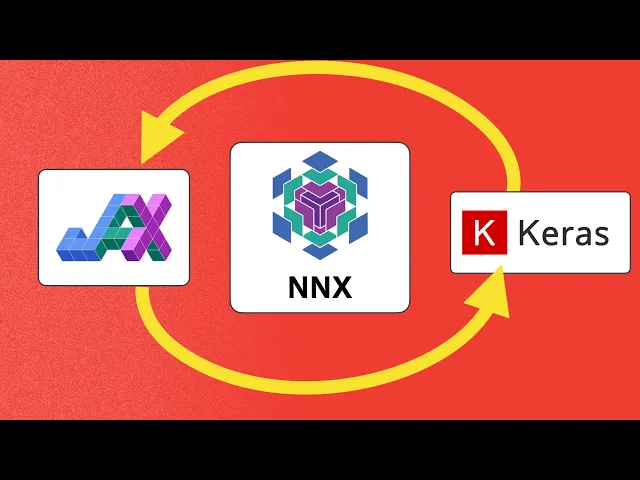
0:05 We can now leverage the strengths of both,
0:08 especially for detailed state management and advanced
0:11 training capabilities within the JAX ecosystem,
0:14 all thanks to a new integration of KRAS with flex and nx.
0:19 Hi there, my name is Yufeng and today,
0:21 we're going to check out how to use Keras with the flex nx module system,
0:27 demonstrating how this integration enhances
0:30 your variable handling and training control.
0:33 Keras is highly valued for its high level API and intuitiveness,
0:37 making deep learning development straightforward.
0:40 JAX is excellent for high performance machine learning,
0:43 research, and scalability,
0:45 and nx is a modular neural network library designed for simplicity and power.
0:51 Built on top of JAX,
0:52 it promotes ease of use through standard Python classes for modules,
0:57 and offers explicit state management via typed variable collections.
1:02 The integration of KRAS within an allows you
1:05 to use the modularity of KRAS for model construction,
1:09 while benefiting from the power and explicit control of NNX
1:13 and JAX for variable management and advanced training loops.
1:17 So to activate this feature,
1:19 we must first set two environment variables before importing Keras.
1:25 This enables NNX as an opt in feature.
1:28 We set the back end to JAX and then explicitly enable
1:32 NNX mode by setting the Keras NNX enabled environment variable to true.
1:39 The core of this integration lies in the Keras variable,
1:43 which is designed to be an instance of NNX variable from the Flax NNX ecosystem.
1:49 This means you can freely mix Keras and NNX components,
1:53 and NNX is state management tools will successfully track your Keras variables.
1:58 Here is an example of what that looks like.
2:01 We've got an NGINX module that has a linear
2:04 layer we've called linear and a vector value.
2:07 I've named NNX variable so we can easily keep track of things.
2:11 I've also added a Keras variable as part of the model called custom variable.
2:17 We can see in the call function,
2:20 we're adding the x variable and the custom variable
2:24 to the results of the linear transform being applied.
2:27 Once we have the model instantiated, there are a couple of tests we can run
2:31 to really verify that the custom variable is set up, just as we'd expect.
2:36 First, we check to see that the Keras variable has what's called a trace state,
2:42 meaning that NNX has successfully traced through this variable,
2:46 allowing it to just in time compile it along with the rest of the model.
2:51 We can do this by confirming that it has the attribute trace state.
2:55 Second, we want to make sure that NNX is counting
2:59 this variable among all the variables it's aware of using NNX variables.
3:05 This shows all the variables that NNX is tracking.
3:08 And indeed we do see that our custom variable is listed.
3:13 Third, and finally, let's confirm that the variables
3:16 value can be accessed directly by NNX nx.
3:20 Even though it's a Keras variable inside of model,
3:24 the nx model has no problem fetching its value.
3:28 Hopefully, I've convinced you by now
3:30 that KRAS variable is successfully integrated with nx,
3:34 allowing Keras state and in nx state to coexist seamlessly.
3:39 This integration provides two powerful training workflows.
3:42 The first one is going to feel just like classic Keras,
3:46 but it runs in nx modules inside of KRAS,
3:51 letting Keras manage the training workflow.
3:54 The other approach uses x to run the training
3:57 workflow with Keras models inside of nx training loops.
4:03 So in this first version, your existing high level Keras code,
4:07 including model.compile and model.fit it all works
4:10 out of the box and under the hood.
4:12 This productive experience is powered by JAX and nx.
4:17 Here we have the other path for maximum flexibility and fine grained control.
4:23 You can treat any Keras model or layer as an NGINX module.
4:28 This allows you to write your own custom training loop using Ajax
4:32 libraries such as opt for optimizers
4:34 while mix and matching the models components.
4:38 Just as we saw in our very first example with custom variable.
4:42 You can think of this as Keras inside of NGINX.
4:46 Here we see an example of a Keras model with a couple of dense layers.
4:50 And once that model is created,
4:52 the rest of the workflow is entirely NGINX and Ajax code.
4:57 We'll select an optimizer.
4:59 We'll write a custom train step to compute the loss the gradients,
5:02 and perform the updates to the model weights.
5:05 Notice that we're using the decorator NGINX Git instead of Git.
5:10 This special decorator speeds up your NGINX
5:13 code by using just in time compilation,
5:16 and our Keras model gets the benefit from it too.
5:19 In short, a Keras model object gets to do everything that an NGINX model can do.
5:25 It's able to be passed seamlessly to NGINX optimizer,
5:30 differentiated using NGINX grad and use
5:33 with the broader JAX ecosystem of libraries.
5:36 The Keras and nx integration offers a significant step forward,
5:40 providing a unified framework for both rapid prototyping and high performance,
5:46 customizable research.
5:48 You can leverage the entire JAX ecosystem,
5:51 including nx and libraries like optics,
5:54 while still using familiar Keras APIs like model.fit and model.save.
6:01 The code shown today was an adapted sample
6:05 of a complete guide on the keras.io website,
6:08 so if you're ready to dive in and try out Keras with nx for yourself,
6:12 definitely go through that guide first.
6:15 It's the perfect starting point to get hands on.
6:18 So what are you going to be building with keras?
6:20 Along with the nx backend?
6:23 Share your thoughts in the comments below.
6:25 Remember, for the complete guide and code examples,
6:28 hit up that link in the description.
6:30 Thanks for watching and I'll catch you in the next one.