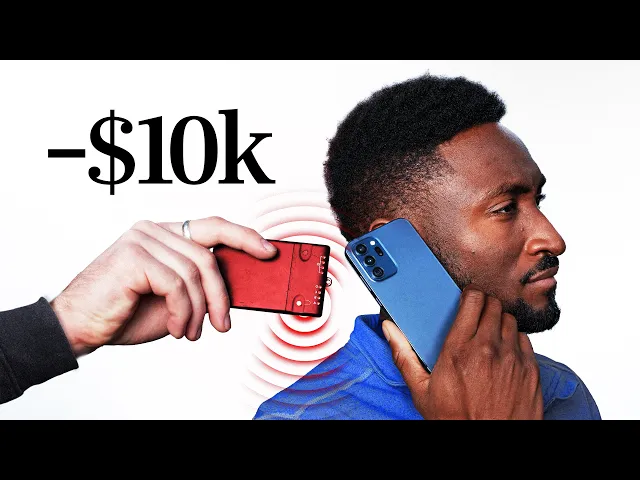
How easy is it to steal $10,000 from a locked phone?
Veritasium
0:00 I'm here with MKBHD,
0:01 and we're gonna try to steal $10,000 from his locked iPhone.
0:04 Really hope it doesn't work.
0:05 Really hope it doesn't work.
0:07 I'm gonna get you to put that phone down on top of this device.
0:10 [Marques] Okay.
0:10 Just put it down there.
0:11 Just put it on like a, all right.
0:13 I feel like I'm a bit of a magician, but I'm like-- Yeah.
0:15 I haven't changed anything, right?
0:16 Okay.
0:17 Yeah.
0:17 It's still locked.
0:18 It's locked.
0:19 Nothing else.
0:19 Yeah.
0:20 This is just a regular payment terminal.
0:21 Yeah.
0:21 Nothing weird about that.
0:22 Seen these.
0:23 And we'll start with a little, like, maybe 100.
0:25 No, maybe $5?
0:26 Let's start with something like-- Yeah, five.
0:27 Five.
0:28 Start with five.
0:28 That sounds great.
0:29 Yeah.
0:29 Five bucks.
0:30 Do you think that we can take, like,
0:31 will we be able to get this out of your phone?
0:34 I hope not, but I kinda feel like you will.
0:40 Let's see.
0:42 So, now I'm gonna charge $5 on this device.
0:44 Your phone's still locked, right?
0:46 Yep.
0:47 I haven't done anything.
0:48 It's like a David Blaine.
0:49 [Henry] It's like the nerdiest David Blaine.
0:51 Yeah.
0:51 (chuckles)- Sweet, so.
0:53 Just try to tap.
0:55 We'll go.
0:56 (phone chimes)- What just happened on my phone?
1:02 Approved?
1:02 Whoa, whoa, approved.
1:04 (coins clinking) So, okay.
1:05 I heard something happen on my phone while you tapped this on this.
1:08 Yes.
1:12 We got a little receipt for you.
1:17 Credit verified on device, $5.
1:20 So, I'm gonna check my phone.
1:24 Ah, oh, I have a new $5 charge.
1:30 And it's time stamped right now.
1:34 I don't like that at all.
1:37 So, that's concerning.
1:39 Oh, so my phone had to be on this thing?
1:42 [Henry] Yes.
1:42 Did it have to be on this thing?
1:44 Or like, near it, I guess?
1:46 So the way, well, I could explain how it works-- Yeah.
1:49 But maybe before that, $5, it's not very much.
1:53 Yeah.
1:54 Do we want to try upping it a bit?
1:57 I...
1:58 I'm gonna enter a slightly larger amount.
2:00 Careful.
2:01 Careful with that.
2:02 Careful, careful.
2:04 That's a lot of zeros.
2:05 Careful with that.
2:06 Oh my God.
2:07 Okay.
2:08 Do you even think it's possible?
2:10 Firstly, $10,000.
2:11 I mean, the credit, the limit on the card is above that.
2:15 I don't know if Apple Pay will let you do that.
2:19 The question is also are you used to spending
2:21 this amount of money on this card, you know?
2:23 Not from my phone.
2:25 It's like a big screen activity.
2:27 Yeah.
2:28 Like, $10,000 purchase, I gotta be checking everything.
2:32 So, yeah, no.
2:32 This would be unusual.
2:34 Let's see it.
2:34 Let's see if it works.
2:35 Okay, I'm gonna do it again.
2:36 Okay.
2:37 We're just, all we gotta do again.
2:38 Put your phone locked.
2:40 Phone-- On this device.
2:41 Locked on that device.
2:45 [Henry] Yes, exactly.
2:47 And okay, we're gonna start the script again.
2:53 Okay.
2:54 (suspenseful music) (phone chimes)- [Marques] Uh-uh.
3:05 (coins clinking) Uh-uh.
3:07 No.
3:09 No?
3:10 (laughs)- It's just green.
3:12 Approved.
3:13 Print that out.
3:14 Print that.
3:15 (receipt sprinting) That is crazy.
3:20 Oh my God.
3:21 So, so, yeah, I'm gonna need that back.
3:24 Yeah.
3:25 (laughs)- For sure, I'm gonna need that back.
3:28 But also, did that just?
3:29 Yeah, wow.
3:31 It worked.
3:33 $10,000.
3:33 All right.
3:34 I believe you.
3:35 I definitely believe you.
3:38 How do we get this back?
3:39 We do like a little Venmo or like PayPal?
3:42 How do we even?
3:42 You know, do we give it back though?
3:44 Reverse the transaction.
3:45 I don't even know.
3:46 Do I call my company?
3:47 Yeah, that's crazy.
3:48 Yeah, exactly.
3:49 You can keep this if you wanna-- Yeah.
3:50 Get it framed.
3:51 Yeah.
3:51 A receipt of the damage.
3:53 I never unlock my phone.
3:54 I never put in a password.
3:56 I never did what I would normally do to verify a transaction on my phone.
4:00 Yes.
4:01 It just happened to be on top of that.
4:04 So, how did we do it?
4:05 Well, we teamed up with two cybersecurity experts,
4:08 Professors Ioana Boureanu and Tom Chothia.
4:10 And we went to visit them at the University of Surrey,
4:13 where they ran us through a unique hack that they developed to bypass
4:16 the phone's lock screen and then to drain funds from inside its mobile wallet.
4:20 Without unlocking my phone is the real magic part.
4:23 That's crazy.
4:24 And the craziest thing of all is that this hack was made public back in 2021.
4:28 So, people have known that it's possible to take
4:30 money from locked phones in this way for five years.
4:33 So, what kind of amounts does this?
4:36 The only limit is how much someone has in their bank account.
4:39 (suspenseful music)- Yet the loophole still hasn't been fixed.
4:44 So, how does it work?
4:46 Well, whenever you use Tap to Pay,
4:48 your phone and the reader exchange information about the transaction.
4:52 But they send this information through the air by a shared magnetic field,
4:56 so we can intercept the communication and alter it.
4:59 All we need to do is to insert
5:01 our own devices in between the phone and the reader.
5:04 First, we tap Marques's phone against this.
5:07 It's an NFC device called the Proxmark.
5:08 To Marques's phone, the proxmark looks like a typical card reader.
5:12 So, it happily sends over its transaction data.
5:15 That proxmark then sends that data straight to our laptop,
5:18 where we run a Python script to modify it.
5:21 Next, the laptop sends the data to our burner phone,
5:24 which I tap on the actual card reader.
5:26 To the reader, my phone looks just like Marques's.
5:29 So, both Marques's phone and the card
5:31 reader think they're talking directly to each other,
5:34 when in fact all their communication goes through our series of devices.
5:38 This is a classic man-in-the-middle attack.
5:44 Now, getting in the middle to intercept the data is actually the easy part.
5:47 The hard part is what you need to do to that data
5:49 to trick the phone and the reader into authorizing the transaction.
5:53 See, to actually steal money using this attack,
5:55 you have to get past three layers of defense on both systems.
5:58 And to do that, we have to tell three lies.
6:01 Two to the phone, and one to the reader.
6:05 So, the first layer of defense is the simplest.
6:08 The phone is locked.
6:10 And in an ordinary transaction, you have to unlock your phone to pay.
6:13 But this is no ordinary transaction.
6:15 So, you know, if you ever go to the subway,
6:17 there's a feature that Apple's created where you know, when you walk through,
6:20 they don't want a bunch of people lining up and having to unlock their face.
6:23 And you know, maybe they're wearing a coat and glasses and stuff.
6:26 Oh.
6:26 Express Transit Mode.
6:27 Apple introduced express transit mode in 2019 to let
6:30 you make transit transactions without having to unlock your phone.
6:35 The way this works is that the payment terminals on the subway
6:38 or on the bus broadcast a message that identifies them as a transit terminal.
6:42 Then, when you tap your phone to pay,
6:44 it looks for whatever card is in the transit slot
6:46 of its mobile wallet and it pays without needing to unlock.
6:50 This is super convenient, but we can also abuse it.
6:53 We found out how this worked by going
6:55 to the London Underground with our laptops and our equipment,
6:59 and actually scanning the signals and seeing
7:02 what the gate was saying to the phone.
7:05 And that's how we discovered this code the gate send which unlocked the phone.
7:10 We used the proxmark to broadcast that same code,
7:13 which fools Marques's phone into thinking that it's a transit reader.
7:16 So, when we tap Marques's phone against the proxmark,
7:18 it's now expecting to receive another message
7:21 with the details about the transit transaction.
7:24 Here's what that message would typically look like in binary code.
7:27 Each of these bits carries important information about the transaction.
7:31 Now, the important part of this message for us is this bit.
7:34 An authentic transit transaction would have a 1 right here.
7:38 This tells the phone that the reader may be offline.
7:40 Like if it's underground on the subway.
7:42 In which case the phone would need to send an extra layer of authentication.
7:46 So, when Marques's phone receives the transaction request
7:49 from what it thinks is a transit reader,
7:51 it's gonna be expecting that value to be set to 1.
7:54 But in reality, the device sending the request is our retail reader,
7:58 and this reader is online, which means that that bit is currently set to zero.
8:02 Therefore, to trick the phone into accepting the transaction,
8:05 we intercept the message from the reader,
8:07 pass it through our computer, and we change that 0 to a 1.
8:10 So by the time the message gets to Marques's phone,
8:13 it looks like a transit transaction.
8:17 As this communicates through our computer,
8:20 we're convincing the phone that it is in fact talking to a transit terminal.
8:24 But now there's a second line of defense we need to break.
8:28 With this first lie, we bypassed the need to unlock the phone.
8:31 And we can now trick it into making small payments of a few dollars.
8:34 Kind you'd expect on the subway.
8:36 But if we suddenly went and asked the phone for $10,000,
8:40 well, its guard would go way back up.
8:42 After all, it's pretty unusual for a transit reader
8:45 to ask for such a large amount of money.
8:48 So, this activates a second layer of defense.
8:50 Customer verification.
8:52 On contactless payments like this, there are two categories of transaction.
8:56 We got high value and low value.
8:58 Any transaction that's classified as high
9:00 value requires additional verification from the customer.
9:03 For example, in the UK, most banks require a pin or a fingerprint
9:07 or facial recognition for any transaction over 100 pounds.
9:11 So, for us to get this $10,000 payment through without customer verification,
9:16 we need to trick the phone into thinking
9:18 that $10,000 is in fact a low value transaction.
9:23 And that's actually surprisingly simple.
9:26 That's because to determine whether the transaction is high value,
9:28 Marques's phone doesn't actually look at the numerical value of $10,000.
9:33 It just looks at another single bit of information in the transaction data.
9:37 A 1 here means high value and 0 means low.
9:40 The reason for this is that the boundary between
9:42 high and low value varies from country to country.
9:45 And of course, different countries operate in different currencies.
9:48 So, a simple label allows the flexibility to deal with these variations.
9:52 And it allows the limits to be changed
9:53 without the banks needing to issue new cards.
9:57 So, all we need to do is intercept the message from the reader,
10:00 flip that bit to a zero, and then the phone will believe that this transaction
10:04 is low value even though it's for $10,000.
10:07 Then, when the phone receives our request for a $10,000 transaction,
10:11 it doesn't ask for customer verification.
10:13 It just goes ahead and authorizes the transaction.
10:19 Now, you might be asking, why is this data so easy to tamper with?
10:22 And we'll get to that in just a minute.
10:24 But we have one final security check to overcome.
10:27 See, with these first two lies,
10:28 we bypassed unlocking the phone and then tricked it
10:31 into making a high value transaction without asking for verification.
10:35 So, the phone is fully convinced and it's ready to make the payment.
10:38 But we still need to convince the reader that the transaction's valid.
10:42 And this is where our third lie comes in.
10:45 When Marques's phone replies, it says it's approved the $10,000 transaction.
10:49 But it also says that it hasn't asked for customer verification.
10:53 No pin, no fingerprint, no facial recognition.
10:55 But if the reader sees this, it'll reject the transaction because it
10:59 knows that the $10,000 payment it originally asked for is high value.
11:03 It should therefore require customer verification.
11:06 So, now we need to trick the reader
11:07 into thinking that the customer has verified the payment.
11:12 So, we intercept the response from Marques's phone and look
11:15 for the bit of information that says customer verification hasn't been done.
11:19 Then we change it to say that the payment
11:21 has been verified by flipping this 0 to a 1.
11:25 Now, the reader's happy.
11:26 It forwards the information onto the bank, and the bank authorizes the payment.
11:31 After all, it sees a transaction that's
11:32 been verified by the customer on their device.
11:35 (upbeat lively music) (notification beeps) Green approved.
11:44 (coins clinking)- That is crazy.
11:46 Verified on device?
11:47 Yeah, verified.
11:48 You didn't, you didn't verify it.
11:50 Right.
11:51 So, why isn't all this information encrypted?
11:54 That would make it impossible to secretly tamper with.
11:56 Well, the way the phone and reader communicate
11:58 has to be compatible with thousands of different devices,
12:01 which would be impossible to update all in one go.
12:04 So for that reason, the information we've looked
12:06 at so far is just sent across unencrypted.
12:10 Even still, phones, readers and banks all have checks
12:12 in place to make sure an attack like this can't happen.
12:15 And normally, it can't.
12:17 Except if you happen to use a specific
12:19 type of phone and a specific type of card.
12:22 Because when you combine them in this particular scenario,
12:26 they create a loophole.
12:28 So, our hack relied on a specific phone and credit card combination.
12:32 And we also use a sophisticated method developed by cybersecurity experts.
12:36 But hackers or scammers online, well, they don't need to be that smart.
12:40 Often they can just buy information to target you.
12:43 When I started working at Veritasium,
12:44 I was on a work trip to go meet Derek for the first time.
12:47 And I got an email from somebody was
12:49 saying he was Derek asking for my phone number.
12:52 That made a ton of sense.
12:53 I was leaving the airport.
12:54 So, I just responded by sending my phone number.
12:56 I immediately was like, "Wait, let me look at that." I checked the email.
12:59 Not Derek.
12:59 Of course, for the next few months I was just getting scam call after scam call.
13:03 That's one way they can get you.
13:04 I felt like an idiot.
13:05 But it's not just scam calls like that.
13:08 I've also had that feeling after news of a major data breach.
13:10 I've wondered whether me using some website has led to my personal
13:14 information being exposed somewhere without me even knowing about it.
13:17 But you can protect your personal info with today's sponsor, Incogni.
13:21 See, whenever scammers purchase your email, phone number,
13:24 and even your home address from data brokers,
13:26 Incogni automates the grueling process of requesting
13:28 that these data brokers delete your information.
13:31 Okay, so I've had this since June 2025.
13:33 And since then, we've had 94 different removal requests.
13:38 And I really like how you can track the progress in this dashboard here.
13:41 They've estimated that that saved me 70 hours and 30 minutes
13:44 of my own time if I were to reach out to these people myself.
13:47 And with Incogni's new custom removal feature in their unlimited plans,
13:50 you can point to any specific site where your information is visible.
13:53 And then, one of their privacy agents will take care of the rest.
13:56 So, to take your data off the market today,
13:58 go to incogni.com/veritasium and then use code Veritasium for 60% off.
14:04 You can click the link below or you can scan this QR code
14:07 to claim that 60% off and get your personal data off the market.
14:11 I wanna thank Incogni for sponsoring
14:12 this video about taking money from Marques Brownlee.
14:16 And now, let's get back to that thing.
14:20 So, which combination of card and phone make this hack possible?
14:23 Firstly, the phone has to be an iPhone.
14:26 As we saw earlier, when an iPhone
14:28 is deciding whether to ask for customer verification,
14:31 it doesn't look at the numerical value of the transaction.
14:34 It only looks at the high value or low value label provided by the reader.
14:38 But other phones don't work that way.
14:40 For example, when a Samsung phone goes into transit mode,
14:43 it doesn't rely on this low value label from the reader.
14:46 It looks at the actual numerical value of the transaction
14:49 and it only accepts a payment of $0.
14:52 Then it relies on the transport provider to count
14:55 up all the times you've used the subway,
14:56 and then to send you a bill at the end of the day.
14:59 So, if a Samsung phone saw a transit terminal
15:02 trying to charge you $10,000 for a single tap, it would immediately reject it.
15:07 But it's not just Apple's transit mode that makes this hack possible.
15:11 You've gotta have one specific type of card in the transit slot.
15:15 It was truly a design feature that was
15:17 introduced by the way you mixed Apple and Visa.
15:21 And the reason that this works with a Visa card, but wouldn't, with say,
15:24 a MasterCard comes down to the different
15:26 processes they use to verify transactions.
15:29 So, what is it about Visa's verification process that makes this hack possible?
15:34 In a previous video, we saw that any card transaction relies on a secret
15:38 cryptographic key shared by the card and the bank.
15:41 When you tap the card or phone onto a reader,
15:44 the reader sends across a long string of transaction details.
15:47 The card then applies its secret key to garble
15:49 that message into a unique code for the transaction.
15:52 The card sends this to the reader,
15:54 which the reader forwards onto the bank, along with the raw transaction details.
15:59 The bank then applies its own secret key to the raw data as well.
16:02 And if the output matches the one from the card,
16:04 the bank authorizes the transaction.
16:07 This is called symmetric cryptography since the card
16:10 and the bank use the same secret key.
16:13 And this step is required in all transactions.
16:15 No matter whether you have a Visa, a MasterCard, or something else.
16:19 But there's actually another layer of security
16:21 which MasterCard uses in all of its transactions.
16:24 But in this particular case, Visa doesn't.
16:26 This layer of security is not between the card and the bank,
16:29 but between the card and the reader.
16:32 And it's at this step where MasterCard thwarts our attack.
16:36 The second step relies on asymmetric cryptography.
16:40 So-called because it uses two different keys.
16:43 A private key for the card and a public key for the reader.
16:46 It starts with the reader sending across
16:48 the transaction details to the card just like before.
16:51 The card then uses its private key to garble
16:53 that message into another long string of digits.
16:57 This is the card's digital signature for the transaction.
17:00 The card sends this signature back to the reader along with the public key,
17:03 which the reader then uses to verify that the signature
17:06 came from that specific card for this specific transaction.
17:10 To illustrate how this works, let's consider a simple example.
17:14 The private key and public key both have two components.
17:17 N is a shared number.
17:19 In this case, let's say 55.
17:21 D is the card's private number.
17:23 Let's say 7.
17:24 And E is the public number.
17:26 Let's say 3.
17:27 Now, when the reader sends across the raw transaction data,
17:30 it represents it as one long number.
17:32 But for simplicity, we'll use a much smaller one.
17:34 Let's say 2.
17:36 To sign for the transaction,
17:37 the card or the phone raises the transaction number,
17:39 in this case 2, to the power of its private number, so we get 128.
17:45 And then divides this by the shared number,
17:48 128 over 55, which leaves a remainder of 18.
17:52 And this is the card signature, 18, which it sends on to the reader.
17:57 Now, the reader needs to know whether the transaction is valid.
18:00 So, it takes the card signature and raises it to the power of the public number.
18:05 Then, it takes the remainder when you divide by the shared number 55.
18:09 And you get 2.
18:10 This matches the original transaction data the reader sent to the card.
18:14 The reason this works is that the private and public numbers
18:17 are specifically chosen so that when combined with the shared number,
18:20 the public key effectively reverses the operation of the private key.
18:24 And this allows the reader to verify that the card
18:26 signature is valid without ever having seen its private number.
18:31 This is based on a type of cryptography called RSA.
18:34 In reality, the numbers involved are much larger.
18:36 But that makes it incredibly secure because that makes
18:39 it virtually impossible to reverse engineer the card's private key.
18:43 And it also means that even a one digit change in the transaction
18:46 data will produce a different result
18:48 when the reader checks the phone's signature,
18:50 in which case the reader won't approve the transaction.
18:53 This is a problem because we've modified the data.
18:55 The reader's expecting a signature for a high value retail transaction.
19:00 But we intercepted the communication.
19:01 So the phone signature is actually for low value transit transaction.
19:06 This wouldn't pass the asymmetric signature check.
19:09 But while MasterCard always requires this asymmetric verification,
19:13 which would spot our hack, Visa doesn't.
19:16 They only require this signature in certain situations.
19:19 Like, when the reader's offline.
19:21 For example, when you're underground with no signal,
19:23 there's no way for the reader to communicate
19:25 with the bank for that first layer of symmetric cryptography.
19:28 At least not until it comes back online.
19:31 So, during our attack, we make sure the reader is online the whole time.
19:34 That way, it doesn't bother using the asymmetric layer of security,
19:38 which contains the signature that would unravel our lies.
19:41 But the funny thing is we've tricked the phone
19:43 into thinking it's interacting with the transit reader.
19:45 And transit transactions are one of those times
19:47 where Visa does require the asymmetric signature,
19:50 since the reader could be underground on the subway, and therefore offline.
19:54 So, the phone actually does send across its signature to the reader,
19:58 but the reader doesn't check it.
19:59 Because in reality, the reader's online.
20:02 So, instead it just relies on that first layer of security with the bank,
20:06 even though if it did check the phone signature,
20:09 it would've all the evidence it needed to stop the hack.
20:11 (screen whooshing) So yeah, you go.
20:14 Makes sense that it's that sophisticated 'cause it shouldn't be that easy,
20:16 but that still seemed way too easy.
20:19 And Marques was not the only victim.
20:21 I thought it was only fair that I first try it out on myself.
20:24 (phone beeping)- Approved it.
20:27 Woohoohoo!
20:28 Yeah, here.
20:29 You souvenir from the UK from Tom and me.
20:32 Oh, what a lovely receipt for this theft.
20:35 (chuckles) And then I got another victim with a bit of a bigger budget.
20:39 Our channel has a CFO basically, who lives very nearby.
20:43 What we're doing is we're setting it to be your transit card.
20:45 Okay.
20:45 So that means that if you're in, London you have to use the tube-- Yeah.
20:48 It'll take money from this card.
20:50 Something just happened.
20:51 Yeah.
20:52 (everyone laughs) How you feel about that?
20:56 Oh my goodness me.
20:57 Oh my-- [Henry] There you go.
20:59 We were just gonna meet for a drink.
21:02 That's what, you know, that was the agreement.
21:04 In the real world, say you had your phone in your pocket.
21:08 Yeah.
21:09 I would walk by you-- Yeah.
21:11 Doing this.
21:11 And Tom would have this in the shop and pay.
21:14 The easiest way for this to actually be a crime would be a stolen iPhone.
21:18 [Henry] Sure.
21:19 And then someone goes and spends thousands of pounds.
21:23 So you know, you could buy a car with us.
21:25 Jesus.
21:25 Yeah, yeah.
21:26 Theoretically.
21:26 Geez.
21:27 Yeah.
21:28 Wow.
21:28 I guess from your perspective,
21:29 you've revealed all this information publicly and you're telling us.
21:31 We're walking through it in great detail.
21:34 How do we stop people from using this for- Or can we stop people?
21:39 Like, whose responsibility is it to stop this?
21:42 Oh, whose responsibility is it is an interesting question.
21:44 Yeah.
21:45 But you can stop it by turning transit mode off.
21:47 Or not turn it off, but not have a Visa card in transit mode on an Apple.
21:51 Yes.
21:51 And you do need to be careful because as soon
21:53 as you have a suitable card in your Apple wallet,
21:55 Express Transit Mode is turned on by default.
21:59 This hack was first made public way back in 2021
22:03 after the professors had informed Apple and Visa privately.
22:07 And to get to the bottom of why it's still possible,
22:09 we reached out to Apple, and they didn't agree to an interview.
22:13 But here's what they said.
22:14 "This is a concern with the Visa system,
22:16 but Visa does not believe this kind of fraud
22:18 is likely to take place in the real world.
22:20 Visa has made it clear that their cardholders
22:21 are protected by Visa's zero liability policy." This is
22:26 exactly the same as their position when
22:27 the hack was first made public back in 2021.
22:31 So, it seems like Apple are basically saying, "Well,
22:33 this is a Visa problem." So, we went and asked Visa what they thought.
22:38 I think this specific vulnerability is likely within a controlled setting.
22:42 Very unlikely from a scaled real world setting.
22:45 And then, kind of the last point is from a consumer perspective,
22:48 is that in the cases where this is successful,
22:51 they have the ability to dispute this transaction
22:54 and get their refunds returned to them.
22:57 I think that's fair.
22:57 You're saying it's not entirely scalable,
22:59 and then even if it does happen, we'll give you your money back.
23:02 Like, that's a great, that's a great stance.
23:04 I still think though, a lot of people,
23:06 and I think our audience would really wanna hear that you're
23:09 actually making the technical changes to stop this from ever happening again.
23:13 'Cause when you think about it
23:15 from a scale perspective and whether the network level
23:18 defenses that we have are effective in making
23:21 sure that this type of vulnerability is isolated, we believe it is effective.
23:26 Because if it wasn't,
23:27 you would hear a lot more data about how this is an issue, and it simply isn't.
23:32 The point that I'm making is that you're never gonna be able
23:35 to completely eradicate any specific type
23:39 of fraud 'cause it's going to exist, right?
23:42 Yes.
23:42 What I'm saying is that we have the right detections
23:45 in place to ensure that this type of fraud is not endemic.
23:51 Would it not be even better to just say this type of fraud is not possible.
23:55 Why not just say it's not probable?
23:56 Why not just totally get rid of it by implementing an actual technical change?
24:01 If you think about for every $100 of spend that occurs on card payments.
24:07 10 cents of that is lost to fraud.
24:10 So, every $100 it's 10 cents.
24:13 If you look at in-person transactions,
24:15 which is what kind of this topic is really much more related to.
24:19 That number goes down to 2 cents for every $100 of fraud that's being made.
24:27 So, I've been thinking about this hack and it reminds
24:28 me a lot about people who are afraid of flying.
24:32 Statistically, you're a lot more likely to crash on the drive
24:34 to the airport than you are in the air.
24:37 So, I do understand Visa's argument generally.
24:40 Compared to other kinds of fraud, this is just a drop in the ocean.
24:44 But airlines don't accept a small number of crashes
24:47 each year as an inevitable cost of doing business.
24:50 No.
24:50 Anytime there's a crash, they analyze it meticulously.
24:53 And then they do everything in their power
24:55 to make sure that it's never gonna happen again.
24:57 Visa says that they'll get you your money back and that's great.
25:02 But you've still gotta notice the charge, dispute it, and then wait.
25:06 Imagine waking up to see $10,000 gone from your account.
25:09 That's money for rent, insurance, car payment, or a medical bill.
25:14 Even if the refund does come, the stress before is gonna be very real.
25:18 So for me, the question is whether just saying
25:20 they're gonna refund it after the fact is good enough.
25:23 Or when a system touches the lives of so many people, should we expect better?
25:33 Okay, yeah.
25:33 That's the whole demo.
25:34 I will now give you your money back.
25:36 Yes.
25:39 [Henry] Okay, we gotta.