Introducing the Grab Captions Chrome Extension
We've had grabcaptions.com running for a while now - paste a YouTube URL, pick a track, download your subtitles. It works, people use it, and we're happy with it.
But there's a friction point we kept hearing about: "I'm already on the YouTube video. Why do I have to open another tab, copy the URL, paste it, wait for it to load..."
Fair point. So we built a Chrome extension.
What It Does
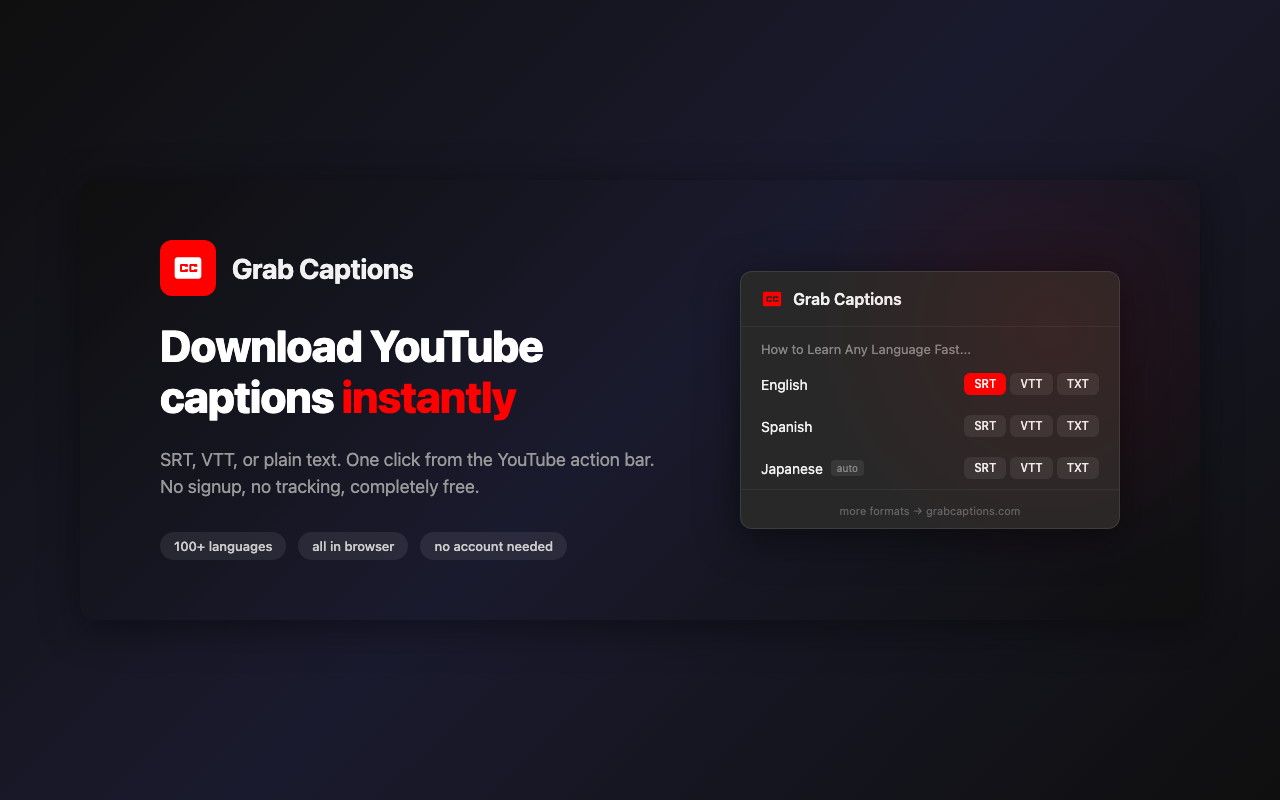
The Grab Captions extension adds a download button directly on YouTube. When you're watching a video:
- Click the Grab Captions icon in your toolbar
- See all available caption tracks (with language and manual/auto labels)
- Click
.srt,.vtt, or.txtto download instantly
That's it. No new tabs, no URL copying, no waiting. The captions download right from the YouTube page you're already on.
Why We Built It
The website works great for occasional use. But some of our users download subtitles dozens of times a day - language learners working through video playlists, content creators repurposing videos, researchers collecting transcripts. For them, the tab-switch workflow adds up.
We also noticed that "YouTube subtitle download extension" is one of the top search queries that brings people to our site. People want this to live in their browser, not in a separate tab. So we built what they were looking for.
Privacy First
This was non-negotiable for us. Here's what the extension does and doesn't do:
Permissions: The extension uses only activeTab permission. This means it can only access the page you're currently viewing, and only when you click the extension icon. It cannot read your browsing history, access other tabs, or run in the background.
No tracking: No analytics, no usage tracking, no data collection. We don't know what videos you download subtitles from. We don't want to know.
No account required: No sign-up, no email, no login. Install and use.
Open permissions model: The extension only requests access to youtube.com. Compare that to many subtitle extensions that request access to "all websites" - that's a red flag you should watch for.
How It Works Under the Hood
For the technically curious, here's a brief look at how the extension works:
YouTube loads caption data through its InnerTube API. When you open a video, the player fetches metadata that includes a list of available caption tracks with their URLs. The extension intercepts this data from the page context, extracts the track list, and presents it in the popup UI.
When you click a download button, the extension fetches the raw caption data and converts it to your chosen format (SRT, VTT, or plain text) entirely in your browser. No data passes through our servers - the conversion happens client-side.
The extension is built with Manifest V3 (Chrome's latest extension platform) and uses:
- A content script that runs in the page's main world to access YouTube's player data
- A background service worker that coordinates between the content script and the popup
- A popup UI that displays tracks and handles downloads
Extension vs. Website - When to Use Which
| Use case | Best option |
|---|---|
| Quick download while watching | Extension |
| Download from a shared URL | Website |
| Preview captions before downloading | Website (Caption Viewer) |
| Convert between SRT/VTT | Website (Converter) |
| Mobile | Website |
| Frequent downloads | Extension |
| No install needed | Website |
They complement each other. The extension is faster for the common case (you're on YouTube, you want subtitles). The website has more tools (viewer, converter, format conversion) and works on any device.
Get the Extension
Grab Captions - Download YouTube subtitles in one click.
Add to Chrome - It's FreeThe extension is free, lightweight (under 50KB), and will stay free. No premium tier, no feature gates, no ads.
FAQ
Does it work on Firefox or Safari?
Not yet. The extension is Chrome-only for now (also works on Chromium-based browsers like Edge, Brave, and Arc). Firefox support is something we're considering for the future.
Does it work on YouTube Music or YouTube TV?
It's designed for youtube.com video pages. YouTube Music and YouTube TV have different interfaces and are not currently supported.
Can it download auto-generated captions?
Yes. The extension shows all available tracks - both manually uploaded and auto-generated. Auto tracks are labeled so you can tell them apart.
What if the video has no captions?
The extension will show a message indicating no caption tracks were found. This happens when the creator has disabled captions or YouTube hasn't generated them for the video.
Does it work with YouTube Shorts?
Yes. Navigate to a Short, click the extension icon, and download captions the same way as regular videos.
Is the extension open source?
The extension code is part of the Grab Captions project. You can inspect exactly what it does before installing - the full source is readable in the Chrome Web Store's developer tools.