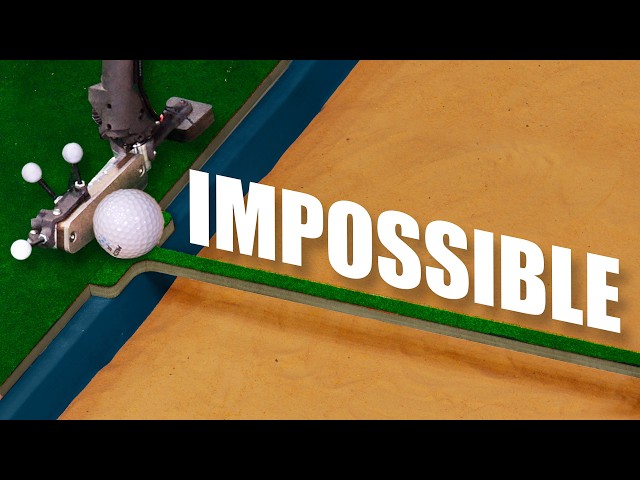
Robot golf vs holes that keep getting harder
Stuff Made Here
0:00 In my last video, I made this club which always aims at the hole,
0:04 and it is really cool.
0:07 Using it feels like magic, but it has a problem,
0:11 which is that it always aims directly at the hole
0:15 because it just doesn't know how to do anything else.
0:17 And according to my wife,
0:18 if it can't do bounces and banks, it's not really mini golf.
0:22 So, I decided to fix that.
0:24 I made some mini golf holes that I thought were legitimately hard.
0:28 Like, is this bridge even possible?
0:30 Or this loop where the ball goes out of the top?
0:32 How does that even work?
0:33 Then I sat down and programmed.
0:36 Now, when you swing the club, it thinks really hard,
0:40 simulating the physics of all the potential futures,
0:42 so it can aim the ball to thread
0:44 the needle and do physically pretty incredible stuff.
0:49 And doing all this turned out to be a lot easier said than done.
0:52 This turned into months of programming.
0:54 If I had known what this was going to take,
0:57 I really don't think I would have done it
0:58 because there's just no way that this was worth it.
1:02 But in the end, we do have something really cool,
1:05 which if I play my cards right, just might impress my wife.
1:09 My last video was all about making this club and just getting it working at all,
1:13 which was really hard.
1:15 It's basically a handheld robot with a motor up here that can
1:18 make the head of the club turn really quickly and precisely,
1:22 which I can use to change the angle that it hits the ball.
1:25 So, I could be swinging this direction,
1:27 but the club will hit the ball this direction.
1:29 And I'm surrounded by a set of motion
1:31 tracking cameras that can tell the computer
1:33 very precisely where the club and the ball and the hole and everything is,
1:37 which it can use to calculate how it needs to aim the club,
1:40 which works surprisingly well,
1:41 at least for hitting the ball directly into the hole,
1:44 because that's as far as I got.
1:46 So, it's time to take things to the next level.
1:49 And the first type of hole I'm going to try is a bank shot,
1:51 which means the robot has to figure out how to bounce the ball off a wall.
1:55 And it might seem like it's just a simple reflection
1:57 that would be easy to compute, but it is not.
2:00 A golf ball bouncing off a wall is way more complicated than you would think.
2:04 Before the bounce, the ball is rolling toward the wall.
2:07 And when it hits the wall, the spin makes it start to drive up the wall,
2:11 which makes it jump into the air.
2:13 But it's still spinning in the direction it was going before it hit the wall,
2:16 which makes it move sideways and follow a curved path.
2:19 It is just a mess.
2:21 So, I think we're going to have to do more of a physics simulation.
2:25 And my idea is to get a very accurate model
2:29 of the hole and the ball and everything on the computer,
2:31 and then we will virtually hit the ball
2:34 and see how it bounces and skids and rolls,
2:36 and then somehow, still working on that part, we will use that to aim the club.
2:43 The first thing we need is an accurate model
2:45 of the hole that tells us where everything is.
2:47 And I can't just use the CAD files
2:49 for this because I did not make these very accurately.
2:52 So, we need a way to actually measure it.
2:55 And I was thinking I was going to need some kind of 3D scanner,
2:57 but I realized that the motion tracking cameras
3:00 are basically a 3D scanner if you do
3:03 it right because they tell you very accurately
3:05 where these reflective tracking markers are in space.
3:08 So, if you imagine dragging one of these along
3:10 the wall and recording the path that it follows,
3:12 it would give me the shape of the walls.
3:14 Or if I put it down in the hole and move it around the inside edge,
3:17 I'd know where the hole is.
3:19 But we also have to measure the ground because if it's not flat,
3:21 the ball won't go in a straight line.
3:23 But where would I move this little ball around to measure that?
3:28 But it's not actually that bad.
3:29 This is the worst possible curvature we're going to see.
3:33 So, if we just measured like here, here,
3:34 here, here, and here, and we assume it's smooth,
3:38 we have a pretty good idea of what the shape of this is.
3:40 And we can expand that idea into 2D by measuring a grid instead of a line,
3:45 which will let us recreate this surface pretty accurately.
3:47 And if you're interested, this is an application of the Nyquist frequency.
3:51 The only issue is doing this practically.
3:56 We can't just drag a marker along the walls.
3:58 They'd block the view of most of the cameras.
4:00 You know, it also just wear it down.
4:02 So, I made this kind of goofy looking thing.
4:04 There's a set of markers, which is called a constellation,
4:07 attached to this nice steel ball,
4:09 which is what we'll drag along the walls and the ground.
4:12 But this makes a new problem.
4:13 We want to know where the ball is, but we're measuring these markers,
4:16 which can be in a lot of different locations for the same ball position.
4:20 But if you think about it, no matter how we turn it,
4:22 the ball is always in the same relative position to the constellation,
4:26 over this way and down a little bit.
4:28 If we knew how it was offset,
4:29 we can just add that to the position of the constellation,
4:32 and it will always give us the location of the ball.
4:35 It's just kind of a pain to figure out what that relative position is.
4:39 So, I made this little fixture that holds the ball in a fixed position.
4:43 And if I take a bunch of measurements of where the constellations are over time,
4:47 I can calculate the point in space that they're rotating about,
4:50 which is the center of the ball.
4:52 And from there, I can easily calculate
4:54 the relative position of that to the constellation.
4:56 And then if we put a stick on it,
4:58 we have a thing that we can just walk around the hole and scan it out.
5:02 But there's still a real practical problem with this.
5:05 The computer is tracking this constellation, and I could be scanning a wall,
5:10 or I could be carrying this through the air,
5:12 in which case the computer needs to ignore it,
5:14 otherwise it's going to think the hole is completely crazy.
5:18 So, I made this thing, which is sort of an optical trigger.
5:22 It has a constellation that can pivot.
5:24 When I pull the trigger, it angles up,
5:26 which tells the computer to record what I'm doing.
5:28 Otherwise, it just ignores it.
5:30 And this works great.
5:31 There's no electronics or wires going to the computer.
5:34 So, let's get a hole scanned out and see what it looks like.
5:38 All right, this is really cool to see.
5:39 I have the raw probe data,
5:41 and you can see the path that I traced out all over the turf.
5:45 But what's really interesting is if I exaggerate the scale,
5:48 you can see that the hole isn't flat at all,
5:51 which as far as I can tell is from me just building them stupidly,
5:54 but the physics engine should take this into account and correct for it.
5:58 We just have to get this data into the physics engine.
6:02 And here it is.
6:03 Looks a little different than the real hole,
6:05 but everything that matters is in the right spot.
6:08 And the physics engine I'm using is called MuJoCo.
6:10 And if you're wondering why I didn't write my own physics engine,
6:14 I It's basically cuz I don't have 20 years.
6:16 And here's how it works.
6:18 You tell it, here's all my geometry, like the walls, the ground, the ball,
6:21 their physical properties like friction and bounce-iness,
6:24 and then initial conditions like the club hitting the ball.
6:27 And then it'll simulate everything that happens.
6:34 Although, if you don't configure it right,
6:36 it will give you garbage, which I did many times.
6:42 All right, I finally got through most of the really obvious stupid issues.
6:47 Now, the question is if it's accurate.
6:49 And since we have motion capture, we can use recordings of me actually swinging
6:53 to swing a virtual club and hit a virtual ball.
6:56 If the simulation is accurate,
6:58 the virtual ball will go to the same place that the real ball went.
7:01 And uh they're not even close.
7:04 The simulation has a bunch of parameters for friction and bounce-iness.
7:08 If those don't match reality, the simulation will be wrong.
7:11 For example, if the friction's too high, the ball will stop early.
7:15 I don't really know what they should be.
7:16 I made my best guess, but clearly I'm off the mark.
7:20 And this is challenging because there's a lot of parameters.
7:23 Some can be ignored, but I think there's about nine that need to be right.
7:27 But fortunately, we have a lot of motion
7:28 capture data showing us where the ball went.
7:31 So, I'm going to write a program that virtually hits the ball the same
7:33 way I did and compares where the virtual ball goes to the actual ball.
7:36 Then it'll tweak the parameters and try again,
7:39 going through all the different combinations
7:40 of parameters until it finds the right ones.
7:43 But there is a problem, which is just the number of combinations of parameters.
7:48 If we tried 100 possibilities for each of the nine parameters,
7:53 it would be like a quintillion combinations,
7:56 which would take my computer many lifetimes to test.
8:00 And we all know that YOLO, so I don't have enough lifetimes for that.
8:05 So, we have to be a little bit smarter.
8:07 And I'm doing what's called a stochastic solver.
8:10 It's kind of a fancy way of saying that you try things randomly,
8:13 except it's kind of systematic and smart.
8:16 And all we have to do now is just
8:18 let the computer think really hard for a while, and then we'll have our answer.
8:24 All right, that took most of the day, but my solver spit out some numbers.
8:29 So, let's plug them in and see how the simulation looks.
8:40 Okay, I figured it out, and it's actually really pretty funny.
8:44 For each point that the simulated ball goes to, my program
8:47 calculates how far it is from the actual path,
8:50 which it adds up for each point the ball goes to.
8:52 And a smaller score is better.
8:54 And it turns out that if the ball barely moves,
8:57 it never gets very far from the actual path that the ball took,
9:01 and you get a really good score.
9:02 So, I just cranked up the friction and won on a technicality.
9:07 And I never really was expecting my programs to maliciously comply.
9:12 It's kind of like a genie when you ask it
9:14 for a million bucks and it gives you a bunch of deer,
9:17 but it should be pretty easy to fix, at least.
9:25 It should be a lot better than that.
9:26 That is not right.
9:28 Something is wrong here.
9:30 I do not know what, though.
9:34 The super-duper stochastic solver has just been kicking my butt.
9:38 I've spent the last couple weeks trying to get it working.
9:42 Most of that time has been waiting while it
9:44 just computes things and then tells me the wrong result.
9:47 So, I decided to do the manly thing and give up.
9:50 And instead, I'm going to solve it by hand.
9:54 So, I made this program which runs simulated hits
9:56 and shows me a 2D version of what happened.
9:59 It has a super complicated set of keyboard
10:01 shortcuts which let me change all the parameters.
10:03 Whenever I change one, it reruns the simulation and shows me what happened.
10:07 And I can use my understanding of what
10:08 they mean to work my way towards good parameters.
10:12 It only took like an hour to get some quite good settings
10:15 and uh that's a whole lot better than I can say for the computer.
10:19 So, we have the entire hole scanned out and loaded into the physics engine.
10:23 And when I put this ball down,
10:25 there's something really important that happens and it's how the physics engine
10:28 knows how to actually aim the ball so that it goes in.
10:32 Because right now, the physics engine just tells us
10:34 where the ball will go for a given hit, not where to aim it to make it go in.
10:37 To figure that out, we have to take
10:39 the swing the club is doing and simulate rotating
10:42 the head to a bunch of different orientations until
10:45 we find the one that makes the ball go in.
10:47 And we only have a few milliseconds when
10:49 the club starts swinging to figure this out.
10:51 And this is computationally expensive, so there's just not enough time.
10:55 So, instead, when I set the ball down,
10:57 the computer does an enormous amount of pre-computation.
11:01 It simulates all the possible hits that the club could do at all
11:04 the speeds and angles and it records which ones make the ball go in.
11:08 So, in the end, it has a list of all the possible scoring shots.
11:12 It's kind of like when Doctor Strange sits down to consider
11:14 all the potential futures to find the one where the Avengers succeed.
11:18 But the downside of this is that it is an enormous amount of computation.
11:21 It takes forever.
11:22 It initially was taking around 15 to 20 hours
11:26 and you have to redo it every time the ball moves.
11:29 It's a little bit too long to wait between shots, I think.
11:32 I was able to optimize this quite a bit and I got down to about an hour,
11:36 but that's still too long to wait.
11:37 So, I also take all the data and send it over to my beast computer.
11:41 It uses 100% of the CPU's brain, which is really cool to see,
11:44 and it gets it done in around 2 to 4 minutes.
11:48 Which, if you're a serious golfer,
11:49 that's about the time you'd spend crouched down
11:52 looking at the green and checking out the break.
11:54 So, as long as I do that, you wouldn't even know
11:57 that I have a robot computer actually solving it for me.
12:00 Well, other than the tracking cameras and the wires and all that.
12:03 But if you ignore that, you'd never know.
12:06 So, now when I swing the club, we don't do any physics simulations.
12:10 We just look at how the club is moving and we compare it
12:13 to all the simulated hits we already did that made the ball go in.
12:16 We find the one that's most similar and then
12:19 we angle the club to match that simulated swing.
12:22 And if everything works out, it goes in.
12:31 That is so cool.
12:34 Got to show the wife this.
12:37 All right, come look at this.
12:39 Make sure this is on.
12:41 Did I capture your amazement?
12:44 All right, you ready?
12:46 Hit me.
12:47 I'm going to hit the ball, not you.
12:48 Oh, that's better.
12:54 Yes.
12:55 Good job.
12:57 That's it?
12:58 I don't know what to say.
12:59 Anyone can do that.
13:01 Put your money where your mouth is, lady.
13:11 You You know, it can do a lot more,
13:15 so that this is just the this is the appetizer.
13:18 Wait till you see what's coming next on the menu.
13:21 This is the modular bridge system.
13:23 You can put different size bridges on here to test the accuracy of the club.
13:27 So, I have a relatively challenging bridge
13:29 that you might see on a mini golf course.
13:30 And then I have this bridge which I'm not even sure if it can do.
13:34 We tried it with a regular putter and it's just impossible.
13:37 I can't even roll the ball across it with my hand.
13:39 So, let's see what the club can do, starting with the easier one.
13:43 All right, so just get up here.
13:45 I don't even need to really aim.
13:47 Give her the old swing.
13:52 It's not supposed to do that.
13:54 All right, yeah, I think I know.
13:55 Silly mistake.
14:01 That doesn't make any sense.
14:04 You don't make any sense.
14:08 What are you looking at?
14:10 My handsome husband.
14:12 Why don't you just call me in a few weeks once it's worked out.
14:16 It's very repeatably missing.
14:18 Where are you going?
14:20 Here's an artist depiction of my life for the last 2 weeks.
14:23 Put the ball there, wait 4 minutes, swing the club, computer says, "Oh, yeah,
14:28 aim here and it's going to go right here." And the ball goes here.
14:33 Why?
14:35 After a lot of weeping and gnashing of teeth,
14:39 I think I found at least part of the problem.
14:42 My simulation very subtly does not line up with reality.
14:46 Like if I hold the club here, it should be here in my simulation,
14:49 but it's actually over a little bit and tilted, which just breaks everything.
14:53 And I think this is happening because of temperature.
14:56 Most materials have this usually annoying property,
14:59 which is that they get bigger when they get warmer,
15:01 they get smaller when they get colder.
15:02 It's called thermal expansion.
15:04 When it gets warm outside, my entire workshop gets bigger.
15:07 The tripods that are holding the tracking cameras get longer,
15:11 which can make things appear to change position in the motion capture.
15:14 The simplest fix would be just to probe the hole every time I use it,
15:18 but that just sounds terrible.
15:21 It would take way too long.
15:22 So, instead, I'm using these three markers as a reference.
15:27 The computer will look at where they are using the tracking
15:29 cameras and compare that to where they are in the simulation.
15:32 And if they're different,
15:33 it'll calculate whatever shift or rotation is needed to make them line up.
15:38 So, now if things get knocked or they drift around thermally,
15:41 the system should automatically compensate for that.
15:45 All right.
15:46 Easier bridge, take two.
15:57 Medium hole.
15:59 No problem.
16:02 It is basically getting a hole-in-one just with more steps.
16:05 But the next thing is not.
16:08 This has so little margin for error, I just don't know if the club can do it.
16:13 Here we go.
16:14 3 2 1.
16:20 Oh, that was so close.
16:23 Right across the bridge though, that was pretty good.
16:27 All right, here we go.
16:27 3 2 1.
16:35 Pretty surprising how easy this one ended up being.
16:38 I was fully prepared to suffer immensely.
16:41 I guess I kind of perfected the art of going in a straight line.
16:46 Although sometimes the physics solver will use a bounce
16:48 off the wall to make it go in.
16:53 If I had a hat, I would take it off.
16:56 The bridge hole was designed to test the precision
16:58 of the club and this is the wavy hole,
17:00 which is designed to test how well it knows physics.
17:03 Can it predict how the ball will curve as it goes through these bumps
17:06 and aim just the right way so that it goes into the hole, which is really hard.
17:11 I was testing it with the regular club trying to hit it
17:13 to the same spot and it would go to totally different locations.
17:19 So, let's see what this robot can do.
17:24 Okay, I didn't hit that hard enough at all.
17:32 Wow.
17:34 That's cool.
17:36 This might not seem too hard unless you've tried it.
17:39 It would make a great carnival attraction.
17:42 It's super sensitive to aim, but also speed.
17:46 And the robot club misses sometimes, too.
17:49 Little variations dramatically changes path.
17:52 I suspect there may be some chaotic behavior
17:55 that makes it almost unpredictable at lower speeds.
17:58 But my goodness, to see it pick a line through those hills
18:02 and bounce it off the wall into the hole is just chef's kiss.
18:10 I think this is meaningful.
18:11 This is actually hard.
18:13 If you're too legit to quit, why don't you put a corner in it?
18:16 Have it bounce off.
18:18 Do the bounce to this?
18:20 Sure.
18:21 Why not?
18:22 I think it's a lot harder than you think it is.
18:24 Am I blowing your mind?
18:26 I I just don't know if we can do it.
18:28 I have faith in you.
18:29 So, we have to do it.
18:32 This is the same thing as the wavy hole, but it's so much worse.
18:36 Not only do you have to pick the right line do the crazy surface,
18:39 you have to bounce it just right off the wall.
18:52 Hey!
18:56 Well done.
18:57 I take back what I said about the previous hole.
19:00 This is the chef that I want to kiss.
19:04 This hole is so hard because the bounce and the hills are very sensitive.
19:09 When you stack two of these things in a row, it can add a lot of error.
19:13 If everything isn't calibrated just right, it's not going to work.
19:17 But when it works, it's so cool.
19:25 And I thought I was getting hyped up until I saw my wife.
19:28 Oh, you think I had the sugar.
19:31 Whoop ow.
19:34 When I think mini golf, I think loops.
19:37 And I took the opportunity to completely over-design something based
19:42 on the idea that objects want to go in straight lines, not curves.
19:46 So, with a specially designed hole,
19:48 we should be able to just extract the ball mid-loop.
19:51 There's no good reason to make this other than I just really wanted to see it.
19:54 It seemed awesome.
19:56 But I can tell you confidently it does not work bouncing it off a corner.
20:00 The ball always catches air.
20:02 I think it's from that driving up the wall phenomena,
20:05 which makes it bounce and lose speed.
20:07 It's also really hard to hit the ball without giving it a bit of air.
20:11 And trust me, I tried.
20:14 So many times.
20:19 So we're just going to do the straight shot.
20:23 Uh-oh.
20:28 It worked once.
20:31 All right.
20:31 Well, I obliterated my prototype.
20:33 Got a new one on there.
20:34 See if we can do it again.
20:52 Yes!
20:54 Into the hole.
20:55 Where'd the ball go?
20:56 It's like one of those slots in the medicine
20:58 cabinet where the razor blades go when you're done.
21:00 They just Ball's just gone.
21:02 It's just in the hole now.
21:04 All right.
21:06 Do you like my club?
21:07 I do.
21:08 Does mini golf?
21:09 Check.
21:10 It bounces off walls?
21:13 Check.
21:14 Does curvy surfaces?
21:16 Check.
21:16 Rides the wave?
21:17 Check.
21:18 Impresses the wife?
21:19 Check.
21:21 All right.
21:21 So, that's all we have to say, I guess.
21:24 If you had to give it a score out of 10?
21:26 Nine.
21:28 Yes.
21:28 I hope that wasn't German.
21:31 So, I do have one more idea,
21:33 which is what if we hit around the loop but not into the hole,
21:37 and then it landed and went into the hole in the ground.
21:41 Cuz the simulation does do air resistance, after all.
21:44 Do it.
21:44 Everyone says you should.
21:46 All right.
21:47 We'll We'll try it.
21:49 So, you might have noticed the pattern with some of the projects that I do,
21:52 where I take a robot and somehow combine
21:54 that with a human and make that human do something superhuman.
21:57 And I love doing this because I think it's
21:58 just the coolest demonstration of the power of technology.
22:01 And I hope it inspires you to get out there and learn,
22:04 maybe even to make some stuff.
22:06 And if that's the case, the foundation of all of this is math and programming.
22:10 That's literally This entire video is math and programming,
22:13 and it's why I think this video's sponsor is important.
22:16 It's the best tool that I know for learning technical stuff,
22:19 and it's called Brilliant.
22:20 And what makes it so good is how it works.
22:23 It takes a technical subject like geometric transforms,
22:26 which made an appearance in this video,
22:28 and it breaks it down into a series of lessons that are also interactive.
22:32 So, you're not just watching a video or being taught stuff,
22:34 you're solving actual problems.
22:36 And doing that just makes it hit your brain totally differently.
22:39 Like it just sticks.
22:41 And having the subjects divided up
22:43 into smaller lessons keeps it from being overwhelming,
22:45 and makes it easier to develop a continuous
22:47 habit where you learn a bit every day.
22:49 And it also runs on your phone.
22:51 So, next time you're thinking of scrolling, you can just do a bit of learning.
22:55 So, if you've had an itch to get better at math
22:58 or maybe relearn the programming that you forgot from high school,
23:01 check out Brilliant.
23:02 You can learn for free for a full 30 days.
23:04 Just go to brilliant.org/stuffmadehere, or scan the QR code,
23:08 or click the link in the description.
23:10 And Brilliant's also giving our viewers 20% off an annual premium subscription,
23:14 which will give you unlimited daily access to everything on Brilliant.
23:18 And that's it.
23:19 Thank you, Brilliant, for sponsoring this video,
23:21 and thank you for taking the time to check it out.
23:23 Okay, we have the hit to the loop to the hole.
23:26 Here we go.
23:32 This actually does not work very well.
23:34 You have to hit it at just the right speed,
23:36 otherwise it's going to bounce out or not go in.
23:39 Not a great demonstration of the technology,
23:41 but if it goes in, it's still going to be awesome.
23:47 Oh, come on!
23:52 Oh my goodness!
23:54 That's got to count.
24:01 Yes!
24:02 Finally!
24:04 That is completely unreliable.
24:06 You have to hit it at just the right speed,
24:08 and even when it aims it correctly, the bouncing just is unpredictable.
24:13 But even if that's the case, that is so cool to see.
24:18 And my wife isn't here to see it because this took way too long to get set up.
24:22 She's sleeping, but I'm sure she'll be impressed when she wakes up.
24:26 So, good night.