A Joyful Upgrade - AMD $5000 Ultimate Tech Upgrade
Linus Tech Tips
0:00 How do you upgrade a man who already has seven computers?
0:08 Well, we're going to have to figure it out
0:10 because our very own king of labs benchmarking, Mr.
0:14 Nick Harris, just won an AMD ultimate $5,000 tech upgrade.
0:19 Congratulations, Nick.
0:20 Here's one stick of memory.
0:23 This This is mine.
0:25 I know.
0:25 I borrowed it for this bit.
0:26 [laughter] We actually got a whole bunch of really cool stuff,
0:30 including some pro networking gear, a new test bench, some smart lighting,
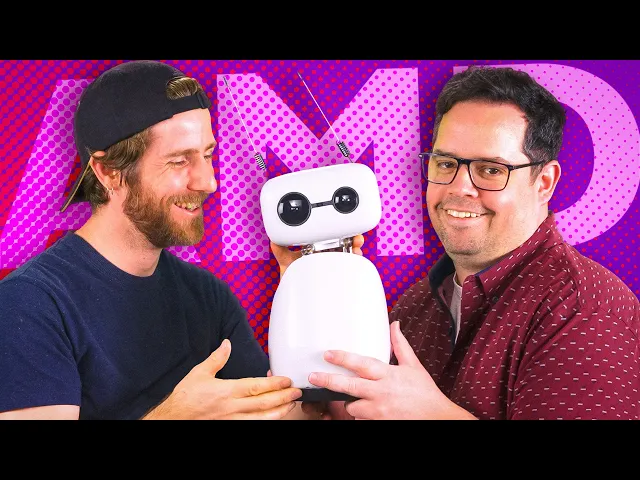
0:34 and he even had room in his budget for a friend.
0:39 Isn't that cute?
0:41 Oh god, it's weird.
0:45 No need to hurt his feelings, my friend.
0:48 He had so much fun with Riley.
0:49 I'm going to have fun with him as well.
0:53 Wait, that's phrasing is kind of bad on that.
0:56 Yeah.
0:58 And he's also got some sick new gaming gear from our sponsor AMD.
1:02 Let's see what someone who tests hardware for a living would buy for himself.
1:13 [music]
1:20 Hello LT viewers.
1:21 I've been told that our [music] recent giveaway segments have been too much fun.
1:25 It's got to stop.
1:26 And AMD representatives [music] have requested that this giveaway contain
1:29 no thrilling or comedic aspects whatsoever and zero flights of fancy.
1:34 With that said, then it brings me no joy to tell you that AMD
1:38 is giving away two amazing gaming bundles
1:41 containing AMD Ryzen 7 9800 X3D [music] CPUs.
1:45 Basically the best CPU on the market and Power
1:48 Color Hellhound Radeon RX970 XT 16 gig graphics cards.
1:54 basically the best 976 game as well.
1:57 By entering using the link below, you too can have so much fun that you'll
2:01 get a talking to from somebody, maybe your dad.
2:04 Tell your dad you love.
2:05 But what your dad won't have is one of the best gaming combos on the market.
2:09 Unless he also received one of the two giveaway bundles that can
2:14 be yours by entering the giveaway using the link in the description.
2:17 Click the link, nerd.
2:18 Have fun gaming with your dad.
2:20 Okay, back to the video.
2:22 How do I [music] put this?
2:25 This is one of the most vanilla nerdom spaces that I've ever been in.
2:30 Sorry, I've never been called vanilla before.
2:33 [laughter] No, no.
2:33 I mean, no matter what nerdom it is, it's represented here.
2:37 We've got Star Wars, we've got Lego,
2:39 we've got Dungeons and Dragons, we've got computers,
2:42 we've got Star Trek,
2:44 we've even got some of those those vinyl things, Funko Pops.
2:48 There's everyone has seems to have like a niche
2:51 that they're into, but somebody has to be a normal nerd.
2:56 There's a bunch of 1enters, but who's part of the 90%.
2:58 It's like that moment when you're in traffic and you realize I am the traffic.
3:03 You're the type of guy who goes to ComicCon.
3:06 No fan expo.
3:08 Even worse, I like your lowfi Lego Star Destroyer, though.
3:11 Uh, it's a work in progress.
3:13 Wait, is that how the Star Destroyer actually works?
3:15 Like, it uses Technic for the inside?
3:17 Uh, not in the movies.
3:19 No.
3:22 Well, this seems controversial.
3:27 I mean, I'd have ours if we had one.
3:30 Let's look at your upgrade,
3:32 which I can barely even get to without tripping over a computer or two.
3:36 Well, that's why we're not building one today.
3:38 We're upgrading all the infrastructure around the computers.
3:41 We're solving networking for me once and for all.
3:45 Tel has had a 5 gigabit deal.
3:48 Now most of my devices are only like 1 gig or 2.5, right?
3:52 So with Ubiquiti, I'm like future proofing.
3:54 I no matter if I move again or whatever,
3:56 I'm like all my stuff is 5 gig with 10 gig SFP ports if I choose to.
4:02 Cool.
4:02 Okay.
4:03 All right.
4:03 Let's let's do some networking first then.
4:06 I don't want to say you're in the way, but fine.
4:11 I'll tell you guys about the USW Pro Max switch over here.
4:14 Then we've got a really nice mix of ports and functionality here.
4:18 We've got eight PoE plus ports that run at gigabit speed,
4:21 eight POE++ ports that run at gigabit speed,
4:25 and then eight PoE++ ports that run at 2 and 1/2 gigabit speed.
4:30 Then we've also got a couple of 10 GB SFP uplinks.
4:33 This allows him to run as much security
4:35 camera or home automation crap as he could pretty
4:38 much want because it has a total of 400
4:41 watts of power that it can deliver over Ethernet.
4:43 And then of course highspeed networking.
4:46 What are you working on?
4:47 A disc.
4:48 Wow.
4:51 Yeah.
4:50 You know what?
4:51 Good job.
4:51 Thanks.
4:53 No.
4:53 Yeah.
4:53 Just just be natural.
4:54 Just talk to us.
4:55 That's like vanilla natural.
4:58 I'm sorry.
4:59 I didn't mean for that to be like mean.
5:01 I just No.
5:02 I don't know.
5:02 Vanilla is not a bad thing to be.
5:04 Not everyone has to be spicy all the time.
5:06 I just feel a little bit like your place is how the Big
5:08 Bang Theory might have set up like a nerd's apartment, you know?
5:13 Dude, that's me.
5:14 Yeah.
5:14 See, that's Wow.
5:17 That's really
5:18 went from vanilla to like Big Bang Theory.
5:20 Say bazinga.
5:21 Say bazinga right now.
5:23 You're joking.
5:25 Bazinga.
5:25 I don't really do networking in rack mount.
5:28 Yeah.
5:28 No, that I I did pick up on that.
5:30 So, if you're not familiar with Nick, he's mostly on like the software side.
5:34 So, developing benchmark tools, uh, methodologies, [music] um,
5:38 and it's mostly on like consumer hardware,
5:40 whereas like this stuff is kind of a different beast.
5:44 Like I wasn't familiar with all the, you know,
5:46 various standards for [music] rack mounting crap until
5:48 I had to be because of work either.
5:50 Basically, if it's physical, I don't do it.
5:52 And that's exercise and networking.
5:55 That's not even true.
5:56 You've been coming to badminton night, by the way.
6:00 I don't think I have ever seen this before.
6:03 Where on earth did you get Robertson rack screws?
6:10 Whoa.
6:09 I don't know.
6:10 I don't know him.
6:12 Who's Robertson?
6:13 [music]
6:13 You know, the square ones, like the the Canada only ones.
6:25 Adam, you appreciate this is super weird, right?
6:27 Yeah, that's crazy.
6:28 I've never seen a Robertson rack screw.
6:29 Oh, sorry.
6:30 Let me try again.
6:31 Whoa.
6:32 You know, Nick, [laughter] I wouldn't have been
6:34 as surprised you didn't know what a Robertson
6:37 screw was if I had seen the absolute hack job that you did on this.
6:41 I didn't do that.
6:42 It came like that.
6:43 This is dangerous.
6:45 I should have warned you about that.
6:46 You should have.
6:47 I uh forgot it was This is a freaking weapon.
6:50 Question for you, Mr.
6:51 Harris.
6:52 Would you like your switch to go in from the front
6:55 or do you prefer your switch inserted from the rear?
6:57 normally from the front like a normal person.
7:00 Thank you.
7:01 Uh well, some normal people do like it from the back.
7:05 It's
7:05 a lot of prep work.
7:06 Would you like me to explain the pros and cons both ways?
7:09 No, no, that's fine.
7:11 Just in the front is fine.
7:12 [snorts] Yep.
7:13 Okay.
7:13 With the main switch installed,
7:15 let's have a look at some of the other networking gear.
7:16 What's this?
7:16 [music] Right.
7:17 This is the Cloud Gateway Max.
7:19 I don't know.
7:19 I wanted to give it a shot.
7:20 I think it has like stuff.
7:25 The premise in software development life cycle is get
7:30 it working first and then iterate and optimize after.
7:34 So get it working and then condense.
7:38 This explains why markbench is never done.
7:42 Wow.
7:43 Okay.
7:43 You know what?
7:44 If this is going to be my platform to defend labs things.
7:46 Okay.
7:46 What?
7:47 Markbench is in rustbench and it's actually all automated now and we
7:50 have a queueing thing that is you don't care about that.
7:53 No, I do actually.
7:54 Markbench is super cool.
7:55 Like we did a short circuit on a GPU
7:57 recently and like the testing was really fast.
8:00 I'm trying to Why did I buy this?
8:05 Presumably so that you could use a single
8:06 keyboard and mouse for up to four computers.
8:10 I can read the box as well.
8:11 Thank you.
8:12 So I did another NAS as well though cuz I was going
8:14 to do the 321 rule where I have three drives in the one NAS,
8:18 two drives in this one, and then one drive in the cloud.
8:20 That is really not Oh, that was funny though.
8:23 One drive in the cloud.
8:25 I like that.
8:26 [music] Why don't you explain 321 to the fine folks?
8:29 What is that?
8:30 I have a truness box that has three [music] drives in it.
8:34 I have this UNESC box with two drives in it.
8:36 Okay, that's not 321.
8:37 [laughter]
8:39 Three copies of your data in at least two different mediums,
8:42 one of which is offsite.
8:44 For drives, we've gone with a couple of 8 TB Iron Wolves.
8:47 We don't need the Pros cuz it's just two drives in this box.
8:50 And we don't even need a ton of capacity because Nick's not,
8:53 you know, putting all of his seven movies on here.
8:55 [music] Uh it's just going to be presumably the the bare essentials,
8:59 you know, photos, documents, that sort of thing, right?
9:04 Yeah.
9:03 Yeah.
9:04 How did it take me this long to notice the chair that was on his kitchen island?
9:08 Did this just get put here?
9:10 Okay.
9:10 Where do you want your Naz?
9:11 Oh, it's all going on top.
9:16 What is the point of a rack?
9:19 Yeah.
9:19 Okay.
9:20 Nope.
9:20 Do what the client wants.
9:22 Goi gave us like uh a leveler your size, but it looks like ubiquity's got you.
9:27 [laughter]
9:30 What are you doing?
9:31 Are you going to do No, don't worry.
9:32 No, no, no, no, no, no.
9:33 I'm not going to do that.
9:34 No.
9:34 Yeah, it was going to be hidden up there.
9:36 What if I You don't need to access it.
9:39 That's the whole point of the network access to
9:44 I won't be able to read the little LED on the front.
9:46 It's got a light.
9:47 Why would you need to do that?
9:47 And yes, you will because there's slots slats [music] here.
9:51 You know, I can re You know what?
9:52 I really I can rearrange it after.
9:54 You know
9:54 what?
9:54 No, no.
9:55 Sorry, sorry, sorry.
9:56 Let me go back.
9:57 This is brilliant.
9:58 I like this.
10:00 Put it there.
10:03 Okay, [music] this is what I was talking about.
10:05 So, we can have the gateway just hidden away up there.
10:08 And we just have this one little Ethernet cable and everything's clean.
10:12 Everything clean.
10:13 Everything fine.
10:14 I'm using the Ubiquiti Wi-Fi Man app to scan
10:17 your apartment for where you have the weakest signal.
10:20 Currently, it's your bathroom,
10:21 which means that's where we're putting the access point.
10:23 I mean, it's where I do my Wordle everyday.
10:27 Exactly.
10:26 Did you see the Mandalorian theme of the washroom, though?
10:31 What?
10:30 What?
10:31 Okay, I want to see this.
10:32 Uh, [laughter] what?
10:36 Adam, you haven't even seen the best part with matching toilet cover.
10:43 [laughter] Yeah, you didn't see the floor mat.
10:46 Okay, Nick, I have the switch.
10:48 I have the gateway.
10:49 I have the Naz.
10:50 What else am I putting in this rack?
10:52 Please tell me it's as many things
10:53 as possible because that's the point of racks.
10:57 Oh, that was me.
10:58 Uh, this is going underneath.
11:01 Okay.
11:01 And then I also need a UPS.
11:04 Yeah, I guess the UPS can just go right back on the shelf.
11:06 What's this?
11:07 Uh, that is a 2.5 GB network card.
11:09 Helpful.
11:10 I knew that.
11:10 Uh, what are you doing with it?
11:11 Uh, it's going in one of these seven computers
11:14 because they all
11:15 very helpful.
11:16 You're getting even more helpful every time.
11:18 Yeah.
11:18 So, which one?
11:19 I don't know yet.
11:20 You know the PC that's in front of you or behind you, the Proxmox, right?
11:25 That one was supposed to go up here.
11:27 Yeah.
11:27 Okay.
11:27 But it's feet, even without its feet, it's like just too big.
11:32 Okay.
11:32 So, the idea was I was going to put it into the smaller fractal
11:34 pink case cuz that fits in with a just a little bit of a
11:39 Okay.
11:39 So, this is the true NAS box.
11:43 Okay, I just put a new uh replacement drive,
11:44 so it should be good to go back in the rig.
11:46 By the way, this is like not the right size at all.
11:51 Earthquake stuff needs to like move around a little bit.
11:55 [laughter] We're going to have a lot of stuff
11:58 left over from this one on the cutting room floor.
12:01 lmg.gg/flat plane.
12:03 We'll see you there.
12:04 All right, check this out.
12:05 The reset switch is right here.
12:07 Which means that if I tuck this thing in here under the shelf.
12:15 There we go.
12:16 Oh, buddy.
12:18 You can totally still reach it right there.
12:22 Boom.
12:24 And the best part is now it's a structural nest.
12:27 Look at that.
12:29 Are hard drives okay being like that?
12:32 Yes.
12:32 Yes, they are.
12:34 Look how nice that is.
12:35 We have the UPS, we have the NAS, we have one system, dude.
12:40 And we've only taken up like half your rack now.
12:42 Is there a reason you felt the need
12:43 to put a gigabit StarTech network card in this system?
12:47 Yeah.
12:47 Well, one of these systems didn't, whether it's the Proxmox OS or Truness,
12:52 didn't like the onboard motherboard, so I put this in here.
12:58 [laughter] But I can't remember which.
13:00 I'm going to assume this is the one that needs to be the add-in card because
13:03 there would be no other reason on this green earth to put this card in a system.
13:09 Why?
13:09 Cuz it's horrible.
13:09 Look at it.
13:11 It's tiny.
13:12 Yeah.
13:13 Well, it's a micro network card.
13:15 By the way, what is up with this?
13:17 The cable management of the system is actually really nice.
13:20 This is the one thing you cable manage.
13:21 I cable manage the PC builds, but not the rest of the house.
13:25 Cuz if you I did the small form factor gaming rig,
13:28 and it's actually pretty great.
13:29 Yeah.
13:29 What?
13:29 What's up with that?
13:32 This is the one part that people don't see.
13:35 I know.
13:37 I don't understand why you don't understand.
13:40 Big moment.
13:40 Mr.
13:41 Harris, try your chair.
13:49 Yep.
13:49 It's mesh.
13:52 What?
13:51 See, this is the the one thing I have no idea how it works are these sensors.
13:57 [snorts and gasps]
13:56 My understanding is that they're like battery, but I have a plug on this.
14:01 Wait, what are these are?
14:02 Hydrometers.
14:03 This is for in the washroom.
14:04 One in here and one in there.
14:05 For what reason?
14:06 [music] Just to know the humidity.
14:09 Yeah, I literally was just looking for stuff
14:11 to put on the wall that connects to Home Assistant.
14:14 You could have gotten like motion detectors.
14:15 You could have had your bathroom so that
14:17 I know when I'm moving the lights turn on.
14:19 Uh later.
14:22 No GPU in here, right?
14:23 Do you see one?
14:24 Well, no, but I don't remember if it had one before.
14:27 Wait, wait, did I hear that correctly?
14:29 Your Proxmox system has a 7950X, like a 16 core in it.
14:36 Yes.
14:35 And then trass is a 5600G.
14:38 How many cores do you have in this doicile?
14:43 7950X 5600G.
14:45 That'll be a 5600 XT.
14:47 That's a 12 something Apple something.
14:52 and then 7800 X3D as the gaming rig.
14:55 Oh, actually the 12900K and the two 3090s.
15:01 That is freaking ridiculous.
15:03 I can't believe I'm building a system with a 7950X
15:06 in it and it doesn't even have a GPU.
15:08 Are you going to do GPU pass through in the future?
15:10 Yes.
15:11 Yes, I will.
15:12 GPU pass through for um Plex.
15:15 Okay.
15:16 Hey, but look at this.
15:17 Ah, so tidy, right?
15:21 It's great.
15:22 Yeah.
15:23 Was this mounted here before?
15:24 No, I just kind of hang it once in a while.
15:26 I'm kidding.
15:27 No, I didn't have the hardware the time.
15:30 Oh, okay.
15:30 Do you now?
15:32 Nope.
15:34 Why are we even [music] here?
15:35 Are you sure you have that whole thing of screws?
15:37 Can I just check and see if there's a screw happen?
15:40 Sure.
15:40 But this wasn't the monitor.
15:41 Actually, this is the monitor.
15:42 The screws are right here.
15:44 The very first ones I picked up.
15:46 He has four of them.
15:46 He 100% [music] has them.
15:50 Nice.
15:52 Nick just informed us that his bedroom is
15:54 more humid than the rest of the apartment.
15:57 I just want to know what is actionable about that.
15:59 I can open a window.
16:03 What is this thing?
16:03 It's pixel light.
16:05 Pixel light.
16:06 I'm going to have put the weather on it.
16:11 The only reason Google still lives is until the Reichi Mini
16:15 is who I talk to to turn my lights on and off.
16:17 So, it'll be that for like display, like weather, time, alerts, whatever.
16:21 And then the Reachi Mini is my voice.
16:25 Yeah, there we go.
16:26 Hear me out.
16:26 What if we put this in here instead?
16:29 No, that's going in there.
16:32 So, we're going to have a mouse and keyboard that are going to be
16:34 right here in the event that they are needed because I don't know,
16:38 we didn't remote into these systems for some reason.
16:41 Whenever I need to remote in, it's usually cuz the network's down.
16:45 And to fix it, I just need to plug in a keyboard anyways.
16:49 I'm with you.
16:50 That looks so much better than it was when we got here, right?
16:55 Yeah.
16:55 We can put the desk there now because I'm actually done with the rack.
17:01 I didn't realize how small this desk was.
17:07 [music]
17:07 Micro desk.
17:08 Nick, do you have a power bar back here?
17:11 Oh, he has a power bar.
17:12 Adam, I just unplugged the light and the speaker.
17:14 Wait, what?
17:15 Don't you want your light and speakers plugged in for when you like live here?
17:18 No, I'll use the longer one that only has
17:21 two cuz I only need to plug in two things.
17:22 What about the test bench?
17:24 [music] I'll take I'll take the power bar from my gaming rig.
17:27 Actually, now's a great time to talk
17:29 about what you're doing with that test bench.
17:30 So, you picked up a Ryzen 7 5800 [music] XT as well as an RX960 XT.
17:36 And my understanding is this is something to do with Linux testing.
17:39 [music]
17:40 I had an extra motherboard and RAM.
17:42 Yeah, I put it together cuz I don't know, Basite and Catchy are catching on.
17:46 So, we did some see catchy catching on.
17:48 Get it?
17:48 Anyways, uh at the last we [laughter] did some testing and it was super easy.
17:53 So, I went and found on marketplace a 3600 to put in the AM4.
17:59 So, we're doing this today.
18:00 So, I picked up long live AM4 socket.
18:03 Like the fact that I can find a 3600 from how many years ago?
18:08 Yeah.
18:08 and then find a processor not even a year like a year old.
18:12 And then what's the plan to do with that?
18:14 Would it move to like a dedicated PC [music] for the TV possibly or like
18:18 uh nope.
18:18 This desk is going in the corner and it's uh just try.
18:25 [laughter]
18:26 All right, let's let's build it up.
18:28 To get all the networking set up,
18:29 we're going to have to get this test bench configured.
18:31 Off comes the 3600.
18:36 And on goes the 5700 XT.
18:39 Sorry, you're changing the cooler out.
18:41 It came with a better cooler.
18:43 It even has RGB.
18:46 For someone who doesn't like RGB, you sure put a lot of it in here.
18:49 It's to play with home automation.
18:50 I don't know.
18:51 I got sensors now.
18:53 Yeah, for hyromation.
18:55 The lights can show.
18:56 The lights can be the same color as the temperature so I can be like,
18:59 "Oo, it's getting hot in here." Really?
19:02 No.
19:02 No one.
19:03 Take off all your Whatever.
19:04 Fine.
19:05 I do think their stock coolers are an underappreciated thing about AMD.
19:10 They really set themselves apart from the competition as part of the the kind
19:14 of the Ryzen comeback and then that's something
19:18 that they've just stuck with ever since then,
19:20 just [music] having dramatically superior stock
19:23 coolers wherever they do include them.
19:27 That's that.
19:28 I guess I haven't talked about it at all.
19:29 We've got a Challenger 960 XT 16 gig from ASRock,
19:33 which is not the most powerful card in the world,
19:36 but for something that just needs to be able to handle basic game testing,
19:39 it is more than enough.
19:42 Hey, Nick, what's this SSD for?
19:44 More games.
19:46 On where?
19:47 The test bench.
19:48 Oh, okay.
19:49 So, we've just got a PCIe Gen 5 drive for games on a test bench.
19:54 You are a confusing man.
19:56 We have a couple of things here that are going on your desk in your bedroom.
20:00 So, what are you What's the point
20:02 of adding these two things to your jerk station?
20:06 Come on, you can't call it that.
20:08 It's in his bedroom.
20:09 That's what it is.
20:11 This is replacing my G502.
20:14 This is an audio interface from MOTU, who I've never heard of.
20:18 How did you find out about MOTU?
20:19 Oh, Motu's been around for a while, like Eteral and Roland and stuff like that.
20:23 Okay.
20:23 So, they're like an established audio brand.
20:25 They're well known.
20:25 This bas This is basically like a Focus right Scarlet 2i2.
20:28 You have two on the front that can either do quarter inch or XLR.
20:31 And on the back you have a MIDI in and a MIDI
20:33 out as well as a couple of other outs for monitors.
20:36 This is pretty slick.
20:37 And I see that you have a bass guitar and a pedal.
20:40 Are you going to play for us?
20:41 You kind of have to.
20:42 Why not?
20:44 Sorry.
20:44 But you can't get an upgrade for your instrument and not play it for us.
20:46 Yeah, I can.
20:47 I just watched Sven not do it.
20:49 That's cuz Sven doesn't know how to play.
20:50 I don't either.
20:51 Do we have a keyboard?
20:52 Oh, this is for the test bench.
20:55 Yeah, it's a gravar Mercury.
20:57 Oh, that's pretty funky.
21:00 What is this, too?
21:01 That's cool, dude.
21:02 Look at this corner.
21:04 This is like command station corner.
21:06 I freaking love it.
21:07 Wa.
21:09 Just here tuned in and ready to help.
21:11 Like a pocket-sized assistant without the pockets.
21:13 So, this is just tuned into Open AI or is it running a local LM?
21:16 N Open AI right now.
21:18 Would the goal in the longer term be to run
21:20 a local LLM for it to do all your home automation stuff?
21:22 Because I can't imagine you'd want to burn
21:24 OpenAI tokens to turn your lights on and off?
21:27 No.
21:27 Uh the idea is to be local.
21:29 Yes.
21:30 So the idea is that he will sit beside
21:32 the pixel display and the Google Nest goes away.
21:37 Yeah.
21:36 And then I can just talk to him.
21:39 Do these do anything or are these [music] just for show?
21:40 They're just for showing.
21:42 It's got a plethora of emotions.
21:44 So you can ask it to like look something and it'll okay scared surprise.
21:49 [music] Can you do your best impression of an angry horse?
21:52 Can't do animal impressions,
21:53 but I can show a frustrated emotion if you'd like a humanish equivalent.
21:57 Sure.
21:57 Do your best.
21:58 Best take on frustration.
21:59 No horse sound, but hopefully it gives you the idea.
22:04 You know what?
22:04 Good job.
22:05 What is going on here?
22:06 I was trying to We're getting things kind of cleaned up for the, you know,
22:10 the after pictures and stuff.
22:12 You know, this is not where art goes, right, sir?
22:17 Yeah, that needs to go on the wall still.
22:20 Yeah, we should have put this up today.
22:21 That's so cool.
22:22 I think Adam even has exactly the place for it.
22:27 Oh Right.
22:28 That actually works really well.
22:32 Boom.
22:33 If you told me that Spider-Man came flew in and zed me.
22:36 What do you think?
22:38 I don't know.
22:38 It was underneath the TV.
22:39 It was doing just fine there, but now it's up, so it's good.
22:44 I think this is about to boot.
22:46 Yep, memory training just finished and it's rebooting.
22:49 She's up and running.
22:51 I think we're done.
22:52 We got your rack completely sorted out.
22:55 You've got way more hardware in it than you did before.
22:57 There's no computers to trip over in the entire dining room, living room area.
23:04 Did you guys even change anything over here?
23:07 Why does it feel so much nicer?
23:10 Honestly, I think we just cleaned up.
23:12 Hey, the RGB the RGB lighting doesn't hurt.
23:15 Hurts me.
23:16 It hurts me.
23:17 [laughter] What else did we even do?
23:19 Uh, we added his new mouse and his audio interface to his computer.
23:23 We upgraded your Wi-Fi with your new Ubiquiti access point.
23:26 Uh, that's in the back.
23:28 I put up little sensors everywhere.
23:29 You got your hyrometers.
23:31 His backups are now officially 321.
23:33 And of course, the centerpiece of the entire setup,
23:37 the Reichi Mini, that for now is kind of expensive to run,
23:40 but in the long term is going to be a fun
23:42 project to get a locally run AI assistant to help,
23:47 I don't know, do something when your humidity changes.
23:50 Turn the lights red.
23:52 Sure.
23:53 Thanks, AMD.
23:54 This has been another fantastic AMD Ultimate $5,000 tech upgrade.
23:58 And if you guys are looking for another one to watch, hey,
24:01 why not check out one of the other members of the labs team, Lucas.