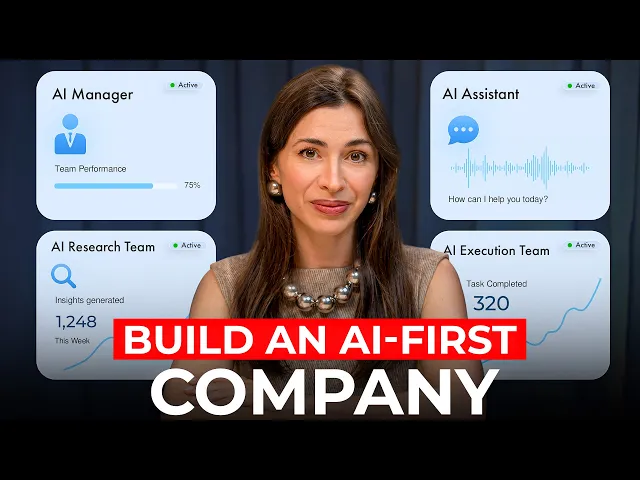
Build a Self-Running AI Company in 16 Minutes (Move 75% Faster)
Silicon Valley Girl
0:00 In 5 years, the most valuable companies in the world
0:03 will run on AI as a closed information loop.
0:06 Meaning that all data is inside AI.
0:09 All calls, emails, meetings,
0:10 content performance because then AI acts faster on it
0:14 and iterating and decision-m has just become much faster with AI.
0:18 As a person who lives in Silicon Valley, interviews the best minds in AI,
0:22 I am trying to implement all of that in the way I run my social media company.
0:27 I see the system as a few different layers
0:30 and we're building towards the very last layer right now,
0:33 but I'm going to describe everything step by step so you can just copy
0:37 the system and honestly my business has immensely sped up in the past few weeks.
0:42 The change is amazing and uh I'm glad we're doing that.
0:45 By the way, if you want to keep building these systems with me,
0:48 please subscribe to this channel because I share everything I try myself,
0:52 what worked, what didn't, the actual numbers,
0:54 and every week I bring on founders,
0:56 operators, and AI builders who are actually shipping this stuff.
1:00 So, you get to learn from the source.
1:03 Now, let's keep going and we'll start with level number one.
1:06 We're going to get your basics organized.
1:08 We're going to build a querable knowledge layer.
1:11 Without it, nothing is going to work properly.
1:15 And by adding more agents on top of whatever you have,
1:18 you're going to just add more chaos.
1:20 You need structured data layer.
1:22 And uh I'm going to mention this very basic thing.
1:24 If you're still typing, please stop that because you're going to get
1:27 a lot of your time back by switching to voice.
1:30 I recently had a conversation with Ali Miller.
1:32 She's basically helping employees at huge corporations start using AI.
1:36 And one of the things that she said is
1:38 that the best prompting is complaining to your AI.
1:40 Imagine you have a problem and instead of prompting a solution,
1:43 talk to your AI about that problem.
1:45 And it's so much easier to complain when you're talking.
1:48 And uh there are various apps you can use.
1:50 You can use built-in stuff.
1:51 The problem is I speak Russian and English
1:53 and Claude doesn't really understand my Russian.
1:56 So I use Whisper Flow for that.
1:57 It understands multiple languages and uh it has very accurate input.
2:02 So all of your prompting should be done in voice.
2:04 And uh when I talk to top founders and builders,
2:07 most of them talk to their computer these days instead of typing.
2:10 And uh when you're talking to your computer,
2:12 you give it 10 times more context than you'd ever type.
2:15 We also use Trent for anything I want to capture and process later.
2:18 Like maybe during podcast I'm recording this to make a LinkedIn post
2:22 right after I finish recording or I'm at a conference and I
2:25 press record on my Apple Watch and it records the talk
2:27 and then I use Tren to process it and create a beautiful post.
2:31 So once you switch to talking, let's organize your data.
2:35 This part is super important because tools change all the time.
2:39 And the most frustrating thing is that for example today
2:42 you absolutely love claude and you're building on top of it.
2:45 You're building agents there and you're uploading all your decisions,
2:48 all your information to claim.
2:55 He's smart and you're like, "Oh,
2:57 I really want to use codeex for my business." Now the problem is all
3:01 your data isn't clawed and it's kind of hard to migrate all the tiny decisions.
3:05 So what we realize is that we need
3:07 a database where all of our content is stored.
3:10 We organize that database based on every social media channel that we run.
3:14 We automatically pull the views, pull the performance, pull the transcripts,
3:18 tone of voice, branding, everything is in that database.
3:22 So if we decide to switch from clot to codeex, from codec to perplexity,
3:26 from perplexity to this new Gemini model, we just connect our database.
3:30 And it could be as easy as Google Drive
3:33 can be more complicated systems that you find online.
3:36 But honestly, it's just so much easier to have your data organized by folders
3:41 somewhere that it's accessible by many different
3:43 agents that you're going to build later.
3:45 Apart from everything that I mentioned like
3:47 all the artifacts connected with your business,
3:50 I think it's really important to let AI know what your tone of voice is.
3:54 What's your business strategy for this year?
3:56 Like what are your personal goals?
3:58 Do you have a personal constitution like decisions that you're
4:00 trying to make or are trying not to make?
4:03 We also have an anti- AAI file because we work with a lot
4:06 of content and we don't want our content to sound like AI.
4:09 So in addition to thinking about day-to-day documents that you work with, think
4:12 about this overall strategy and how you can convey your thinking to your AI.
4:18 Now once you're set with your level number one,
4:21 your data is beautifully organized.
4:23 You selected a database, maybe it's just Google Sheets and Google Drive,
4:26 but it's somewhere on the cloud.
4:27 It's ideal because then you can access it from all the devices.
4:30 Now layer number two,
4:31 you're going to build your AI on top of your knowledge base.
4:35 This is where you're going to teach AI your business
4:37 so deeply that it stops needing you to reexplain everything.
4:42 And this is why I said data is so important.
4:44 I've talked a lot on this channel about claude and how I use cloud projects.
4:47 There is something my team is testing right now that goes one level deeper.
4:52 It is called claude co-work.
4:53 And here's the main difference.
4:54 When you use a claude project in the browser,
4:57 you upload all the files into the project.
4:59 So for example, if it's your I don't know LinkedIn project,
5:01 your voice profile, your dossier, your performance data,
5:04 claude reads them inside that conversation.
5:07 It's powerful, but it can only respond to you.
5:10 It can't actually open your files, edit your documents,
5:13 run scripts, or take actions on your computer.
5:16 Now, Clo is a desktop app.
5:19 We're testing it now with our YouTube team.
5:21 The producers have a folder with subfolders
5:23 for every part of our production process.
5:26 titles, thumbnails, scripting, distribution, guest research.
5:30 Inside each subfolder is an instructions file that tells
5:33 the AI exactly what to do for that task,
5:36 step by step, what to check, what format to deliver in.
5:40 The instructions work in layers.
5:42 The master folder has our overall context.
5:46 Voice profile, audience, business goals.
5:48 Each subfolder has its own task instructions that build on top of that context.
5:53 When an agent picks up a task, it reads the master file first,
5:57 then the task layer, and then it executes.
6:00 Whatever prompt my team types,
6:01 it always passes through the same standard checks before producing output.
6:06 And the feedback from the team is that results
6:08 are actually far more accurate on the first try.
6:10 I tested something last week that's
6:12 a perfect example of what we're talking about.
6:14 Hixel just released an official connector for Claude.
6:17 Now we can generate videos, ads,
6:19 and full creatives and save them directly in your working folder.
6:23 The same connector also works with Claude Code, OpenC Claw, agents,
6:27 and Hermes, so any agentic workflow you're already running can plug into it.
6:32 This is the first time I've seen AI
6:33 actually run a full production cycle on its own.
6:36 The setup takes about 30 seconds.
6:38 Open Claude, go to settings, click connectors, base the Hexfeld URL.
6:42 Done.
6:43 Then Claude has hands and builds the whole creative pipeline from one prompt.
6:47 Let me show you what I tested.
6:48 I gave Claude the link to my last five newsletter posts
6:51 and one prompt to turn the strongest hook into three video acts.
6:55 Claude read all five posts,
6:57 picked the one with the best hook, wrote three scripts,
6:59 generated three 15-second videos through Hicksfield MCP,
7:03 and saved them to my output folder.
7:05 It did all of this end to end,
7:06 including the editorial decision while I was on a call.
7:10 The whole pipeline took maybe four minutes.
7:12 Hicksfield is also the only place where Claude gets
7:14 agentic access to GPT image 2 and Cense 2.0,
7:18 the models that produce at great quality.
7:20 This is exactly the kind of closed loop we're talking about today.
7:23 One prompt in finish creatives out.
7:26 No human in the middle.
7:27 If you want to try it, the link is in the description.
7:30 Takes 30 seconds to connect.
7:31 Now, let's keep building.
7:33 Level number three, scheduled agents.
7:36 It's not like we run our whole company with agents, but they're doing something.
7:40 Every Monday at 9:00 a.m.,
7:42 one agent runs a full trending content research scan and drops
7:46 10 video ideas for a Silicon Valley girl into a dock.
7:49 It's basically ready before anyone on the team opens their laptop.
7:52 At 10:00 a.m., a second agent pulls the most important AI, tech,
7:57 and business news from the past 7 days into a single summary.
8:00 Every day, another agent monitors whether Silicon Valley Girl got mentioned,
8:05 and we're getting some good mentions in tech and business media the day before.
8:09 and uh we get an update and we're all happy that uh our podcast got mentioned.
8:13 A scheduled agent is a prompt that runs on a timer you set
8:17 connecting to data you choose delivering
8:19 a structured output to whatever you wanted.
8:21 Maybe it's an email.
8:22 Here's how this kind of agent changed the workflow for my guest producer.
8:25 So, she's the one who books all the people you see in my interviews and we
8:29 go after big guests and uh they don't have a lot of time on their calendar.
8:34 And uh my producer said that 80% of her time
8:38 was going to guest who hadn't even responded yet.
8:41 Out of all her outreach,
8:42 only 20% were active conversations with people who were actually moving forward.
8:48 So we built her a scheduled agent.
8:51 Every Wednesday, it runs automatically.
8:53 It reads a database with every declined guest name,
8:56 date of decline, what was pitched, and what they said.
8:59 For each guest, it searches the web for news from the last seven days.
9:04 any news hook we can use to come back with a fresh angle like,
9:08 "Oh, I saw you publishing a book.
9:09 Oh, your company just released that." So, it scores each cast on eight criteria,
9:14 checks whether enough time has passed since the rejection,
9:16 and if a real hook exists, it surfaces a draft message she can adapt and send.
9:21 She now spends 5% of her time on non-responders instead of most of her time.
9:27 And that's basically 75% of her week back.
9:30 Level number four, VIP code your own tools.
9:32 Here's where the time savings gets serious.
9:35 Louis Fonan told me on a podcast that at Dolingo,
9:38 every single person has built their own dashboard.
9:41 I think it's a brilliant exercise for anyone who hasn't vibe coded yet.
9:45 I absolutely love that idea,
9:47 but we built something a bit more relevant for a specific situation.
9:50 So, we built this custom dashboard that's pulling data from every
9:54 social media platform connected to the podcast using Claude COD.
9:58 When a video owner performs, a push notification goes out to our Telegram.
10:02 This is where all of our chats are.
10:04 When something works, Claude analyzes what drove it.
10:07 That analysis goes to the team automatically.
10:09 One of the automations that we recently added,
10:11 if five shorts haven't been published in a given week,
10:14 the system pushes directly to the editors.
10:17 Manager doesn't have to catch it and talk to them.
10:19 It's all done automatically.
10:20 Another great example of things you can vibe code,
10:23 check if uh chat bots actually recommend your business
10:26 because this is where the traffic is shifting
10:28 from search to these chat bots and uh
10:30 big companies are just starting to think about it.
10:33 It's a huge opportunity.
10:34 But basically we started asking uh chatbots to recommend Silicon
10:37 Valley related podcast and our podcast was not showing up.
10:42 So we changed the query.
10:43 My team sent our website URL to Claude with one question.
10:46 How visible are we in AI search?
10:48 Claude came back with a specific list of reasons we were not appearing.
10:52 The HTML was missing the parameters that led AI crawlers index content properly.
10:58 The site looked fine to a human to an AI reading it.
11:01 It was almost invisible.
11:03 That one question started a month's long rebuild.
11:06 We vipcoded a dedicated podcast site with fully static episode pages,
11:10 pre-rendered HTML that GPTbot, Plexitybot, and Claudebot can all read.
11:16 Every page has JSON LD schema machine readable
11:19 data telling AI exactly who the guest is, what was discussed, who I am.
11:24 Most podcast sites hide transcript behind JavaScript.
11:27 AI crawlers never see them.
11:29 Ours they read in full.
11:31 We updated our Vicki data entry in 11 languages.
11:35 He previously was listing me as a vlogger YouTuber cuz yes,
11:38 I've been there for 12 years now.
11:40 started as a blogger and a YouTuber,
11:42 but now it reads podcast host, entrepreneur, angel investor.
11:46 We rewrote our Apple podcast and Spotify descriptions.
11:49 Over the time we've been working on this, our AI search visibility doubled.
11:54 We tracked all of this through an app called Peak AI.
11:57 We're happy with it so far.
11:58 I genuinely recommend you start doing this now.
12:00 It's a long-term investment,
12:02 but try and send your URL to any chatbot that you're using.
12:05 Ask how visible you are in AI search
12:07 and you'll get a very specific list of fixes.
12:10 Level number five.
12:11 This is where we close the loop and max out our credits.
12:15 As I mentioned, we're still building towards an AI first company.
12:19 Doesn't mean we're replacing humans.
12:20 It just means that AI can close loops on whatever decisions we're making.
12:25 First of all, we need to start documenting my own decisions as training data.
12:30 Almost no one does this, but it is a real gamecher.
12:32 So basically every decision I make about content,
12:35 every piece of feedback I give to my editors, every strategy call with my team,
12:39 some of it disappears, especially if it's over Telegram.
12:42 And as I mentioned, our chats are in Telegram.
12:44 I do a lot of voice messages.
12:46 My AI doesn't read any of that.
12:48 So the thing that we're thinking about right now is
12:50 where do we move all of our conversations so that AI
12:53 can actually track them and build a system where every
12:57 decision that gets made in a conversation gets captured and structured.
13:01 For calls, it's super easy.
13:02 We're already using granola and we have subfolders etc.
13:05 But there has to be something inside our chats and it's another querable layer.
13:10 Also right now my team gets their weekly priorities from me via message.
13:15 I set them KPIs but again there is no system
13:18 that actually tracks how far they are with their KPIs.
13:20 We have a dashboard but again a human has to look at the dashboard go
13:25 to my LinkedIn manager and say like hey we're behind like what are you doing?
13:29 These two pieces of content are performing.
13:30 maybe we should double down on this type of content.
13:33 This has to be AI.
13:34 It doesn't have to be an extra manager.
13:36 I want a system where the data tells people exactly what to prioritize.
13:40 If real that is under 5 seconds outperformed everything last week,
13:45 my Instagram editor should get that as a brief automatically and he
13:49 or she should be doubling down on those 45 second reels,
13:52 not after I read the report and forward it.
13:54 And another thing that I'm ingesting in my brain right now,
13:58 I've been talking to a lot of um OpenAI people and uh
14:01 something that I should be comfortable with is high credit usage.
14:04 If it means a leaner, faster team, instead of hiring more coordinators,
14:09 I have to be investing in automating the back end of my business.
14:13 The parts that handle sponsorships, content syndication, community management,
14:17 because there are a lot of moving parts.
14:19 My co spends a lot of time managing all of it.
14:22 I spend a lot of my mental energy on that.
14:25 All of us have to stay at the forefront.
14:27 We're all AI founders.
14:28 Regardless of, you know, if we're creators or we're just doing part of our job,
14:32 I want you to see yourself as an AI founder.
14:36 You should be the one breaking your own priors about what's possible.
14:40 Because by using coding or automation agents yourself,
14:43 you set the pace for how your team adopts these tools.
14:46 And uh when I was talking uh to someone at Codex yesterday,
14:49 he told me he used something like a billion tokens in a single week,
14:54 they were rolling out the Codex app.
14:56 But I'm like, okay, my token usage is nowhere compared to that.
15:01 And that got me to thinking about maybe when somebody asks me to hire someone,
15:05 we talk about, you know, more tools that we can build.
15:08 And uh credit usage is a metric that reflects the efforts.
15:12 So here is what I want you to take from this video.
15:14 I put together a free 30-day implementation plan
15:17 for all the things that we discussed in this podcast.
15:20 Exactly what we did, what tools we used,
15:23 and it's waiting for you in my newsletter, completely free.
15:26 The newsletter is called Future Proof.
15:28 Every week I share the AI tools and workflows I'm actually using in my business,
15:32 the experiments that worked and the ones that did not,
15:35 plus backstage from the podcast shoots.
15:37 The link is in the description.
15:38 Subscribe and you'll get that 30-day plan for free.
15:41 I really hope this was useful.
15:43 If it was, please drop me a comment.
15:45 It's so important to hear your feedback.
15:47 AI is generally amplifying us and our businesses when we hand off the parts
15:53 that don't need a human and focus on the parts that actually do need us.
15:57 See you soon in the next video and bye-bye.