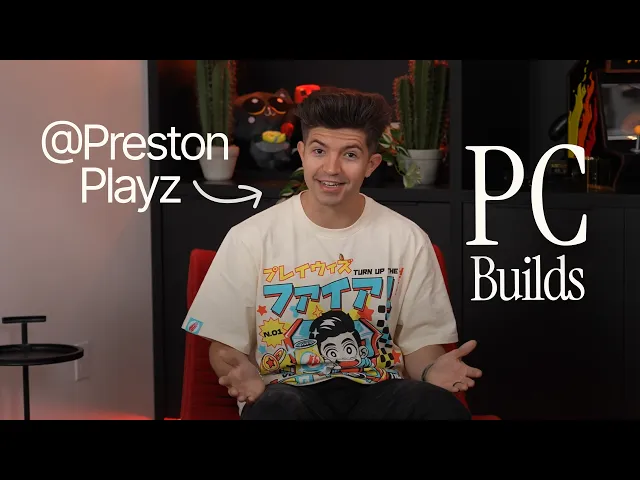
PrestonPlayz: From Building PCs to Building a Gaming Empire | It Starts with Windows
Windows
0:00 The very first computer I ever used was the family computer.
0:03 That is probably no longer a thing and family households today.
0:07 But back in the day you all shared a Windows computer.
0:10 That means if you wanted to play any games or do your homework,
0:13 you had to wait until everybody had their turn.
0:15 And usually parents got the turn first.
0:17 Biggest first win was saving up enough money for a laptop,
0:21 which of course had Windows XP on it.
0:25 But even before then, that's a big win because like having your own
0:29 Windows laptop means I could play video games anywhere, anytime.
0:33 Unfortunately, back then, battery life wasn't crazy,
0:35 so you kind of had to have things plugged in to play your video games.
0:38 But there's so much fun because I can play video games on my Windows laptop.
0:41 Whenever I was in the family room upstairs in my bedroom,
0:44 take it to friends houses,
0:46 and still I could play video games until I realized I needed a bit more power.
0:51 I ended up getting a computer second hand from a friend.
0:54 None of us even knew what was in this Windows computer in terms of the hardware.
0:58 All I knew is that it couldn't run what I needed it to run.
1:03 So I decided to take apart my entire family computer.
1:06 And at this time they just upgraded and had a Windows Vista computer.
1:11 I think they adjusted up buying it for over $1,000,
1:14 and I took it all apart so I could figure out how to put it back together.
1:18 And I figured if I understood how to build a computer,
1:21 then surely I could probably build myself one, right?
1:23 I was 12, and then I realized that you have to spend a lot
1:27 of money to buy the parts for the computer to build it yourself.
1:30 Guys, we have a bit of a Sunday.
1:32 Project today.
1:32 Me and my cousin Landon are doing here.
1:35 As you guys know, this is my current computer build.
1:37 We've got a powerful Windows computer change everything.
1:40 No lag frame rates were smooth and just beautiful.
1:44 Everything you wanted to do on the family computer
1:47 or the laptop you could do on your supercharged Windows computer.
1:50 It was amazing.
1:51 Loading up and it's pretty quick.
1:54 Oh, the second monitor is working now I don't want to look at.
1:57 And sorry for the sloppy camera work.
1:58 I'm trying to be careful here.
1:59 But that's what I really was able to get into watching videos on YouTube.
2:02 This is before they were even acquired.
2:05 Okay, a long time ago.
2:07 And I thought like, wow, if I got to watch these videos be made,
2:11 then surely my computer now could be strong enough to also make my own videos.
2:14 And that's when things got really crazy.
2:16 The first ever computer that I used in order to make
2:19 my first video was actually one that I built myself.
2:22 It's pressing.
2:22 Here and over to you guys, another kind of tech vlog where I installed
2:26 my new graphics card, the Nvidia GTX 670.
2:30 I was probably like 14 years old, and I built this thing with my bare hands.
2:35 And man, video games ran so smooth on it.
2:37 I spent everything that I saved up
2:39 for the entire summer to build this Windows computer, load up Windows 7 on it.
2:43 It could run both the video game
2:45 and also the recording software at the same time,
2:48 which was kind of unheard of back then.
2:49 I didn't know what I was going to be able to do, or if I could even film videos.
2:54 There's a lot of different pieces of hardware
2:56 that people were buying that were external to use to record videos at that time
3:01 on, like your X-Box and even on your computer.
3:03 And I had such a good Windows computer that I
3:06 could just do it both on the same thing.
3:08 One of the biggest upgrades I did in my Windows
3:11 PC that I can remember it was the GTX 1080.
3:15 So I installed.
3:16 One in my second computer a couple of weeks ago and it's so nice.
3:19 All I had to do was replace the graphics card and everything else was done.
3:24 Windows update took care of everything, updated the drivers.
3:27 I had no issues.
3:28 I went straight back into playing games and recording and live streaming.
3:33 No downtime.
3:34 It was.
3:35 It was awesome.
3:36 It's been over 15 years now of making videos.
3:39 It was Windows when I started.
3:41 It will be Windows when I finished.
3:44 If you're thinking about building anytime soon, it starts with Windows.
3:47 See where it takes you.