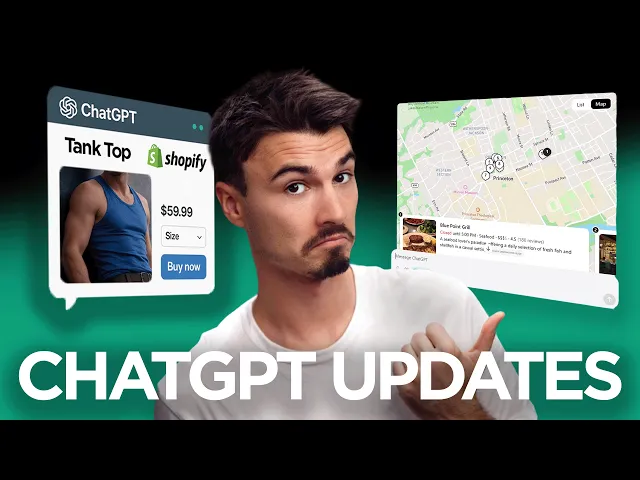
Every New ChatGPT Feature Explained & More AI News You Can Use
The AI Advantage
0:00 Welcome to another week of AI innovation.
0:02 And this week is one of those that I love
0:03 to do because we have a bunch of ChatGPT updates.
0:06 And I happen to know that most of you
0:07 are still using ChatGPT as their main used app.
0:10 And let me just say a sentence about the fact that that is the case for me, too.
0:14 70 to 80% of my personal AI usage is within ChatGPT or Claude.
0:19 I play in all of these other apps, and there certainly uses,
0:22 but as somebody who doesn't rely upon coding on a day-to-day,
0:25 for me roughly 2/3 of my work still happen in ChatGPT or Claude.
0:29 Now, mind you, I say work.
0:30 I experiment and play a lot in the others.
0:32 And today, we have a bunch of practical ChatGPT updates for you,
0:36 along with updates from Google and Claude.
0:37 The big boys all released a bunch of interesting things this week.
0:40 We're going to talk about all that and more
0:41 in this week's episode of AI News You Can Use,
0:43 the show that pulls together all the AI innovations from across the internet.
0:46 We filter for the stuff that matters and is usable,
0:49 and then I have the pleasure of presenting it back to you.
0:51 Let's begin.
0:52 The big story this week is the story of OpenAI.
0:54 They're raising a brand new round,
0:57 and I guess to argue that and get some public attention,
1:00 they also released a bunch of features
1:02 inside of their core product along with that.
1:04 They raised $122 billion at a $852 billion valuation.
1:09 That's almost a trillion dollar valuation for a private company.
1:13 I believe that's the single biggest fundraise in venture history.
1:17 And all of that happens with this mission to build a unified AI super app.
1:21 Now, before we get into the features,
1:22 I just want to give you a little bit of context because,
1:24 as it has been recently revealed, most of ChatGPT's revenue,
1:27 around 3/3 of it, come from ChatGPT subscriptions.
1:31 Whereas for company like Claude, it's actually pretty much the opposite,
1:34 where most of their revenue comes from API usage,
1:37 developers and other applications using it.
1:40 That also includes Claude code and open Claude, by the way.
1:43 And now that OpenAI clearly stated
1:44 that their goal is building this AI super app,
1:47 what they're referring to is expanding their consumer-facing
1:49 application and really making this beautiful chat interface
1:53 that we're all so familiar with into something
1:56 that is AGI or the one unified application including everything.
2:00 And I guess to prove to the public and to the investors,
2:03 now we can get into the features, they released a bunch of stuff this week.
2:06 I'll start with my personal favorite,
2:08 which is the ability to share your location with ChatGPT,
2:10 and ah yes, yes, you know, privacy concerns, I know.
2:14 It is very convenient, and I'll show you that in a second,
2:17 but first let's look at how to access it.
2:20 Go to your settings in ChatGPT, data controls,
2:23 and now you have this location feature.
2:25 This is brand new as of this week,
2:26 and they didn't even have a proper announcement around this.
2:28 I find this so convenient though,
2:29 because when I have this on, I can ask questions like,
2:32 what is a good co-working cafe near me?
2:35 This will also work on the phone, of course,
2:38 and now that it knows I'm in Miami right now,
2:40 it can make all of those recommendations.
2:42 And as you can see, this is pretty much my location right here,
2:45 so I can use the interactive app here.
2:47 There's beautiful pictures in here.
2:48 Notice how in previous episodes I was saying they're really
2:50 moving away from this wall of text at all means.
2:53 And even a simple search like this like has maps, images, links.
2:57 This is that direction of moving towards
2:59 this AI super app away from just a chatbot.
3:01 So yeah, this one looks really nice, and I might check that out,
3:04 and can use it for anything you do.
3:05 It just makes it convenient,
3:06 and maybe even superior to using like a Google Maps to finding these things.
3:10 I mean, the mostly fake reviews on there aren't worth much.
3:13 To me personally, this way of presenting it with the map and then
3:16 the results and the images is just preferable to only having the map and then,
3:20 you know, having to open each entry.
3:22 And then finally, I would add, on the phone you can set so that it
3:24 can only use a location while you're in the app.
3:26 That might be the smart thing to do.
3:27 It's a very convenient thing that Gemini already had, and now Chad has it, too.
3:31 Okay, so let's look at some other changes.
3:32 A big one is that if you have a lot of text and you add it to ChatGPT,
3:35 so let's say I just follow up my first
3:37 location chat here with expand on each one of these.
3:40 That's the thing I like to use.
3:41 I also like to use the opposite of give you
3:43 a more concise version when I need to get the high level.
3:46 And the novel feature here is that if
3:47 you give it text with over 5,000 characters,
3:51 it won't just add it as text to a new chat or an existing chat anymore.
3:54 It will add it as an attachment.
3:56 There's a difference there.
3:57 And I need you to be aware of this difference to get the most out of this tool.
4:00 So, what I'll do is I'll just select all and copy that.
4:02 And if I go into a new chat,
4:04 you will see that if I add it, it's not added as text.
4:07 It adds it in a .txt file, as you can see here.
4:10 Now, here is the deal.
4:11 Attaching something isn't equal to adding it as text.
4:15 That's why they give you this button here, show in text field.
4:18 So, if I press show in text field,
4:19 it will actually appear in my chat box right here.
4:22 And all of a sudden, it's here.
4:23 Now, you might be asking, "Igor,
4:24 what's the difference between attaching it and having it in here?" Well,
4:27 they were never super clear on this.
4:29 But if it's as pure text in the box, as you can see it right here,
4:33 every single detail is added to the context
4:36 window that you're limited by within ChatGPT.
4:38 Just as a quick refresher, every AI model has a so-called context window,
4:42 which you can think of as a certain limitation on how much it remembers.
4:45 It's basically a rolling window.
4:46 So, if you give it more input than it has context,
4:48 then the context window will roll down and forget what's in the beginning,
4:51 and AI basically gets amnesia.
4:53 Now, what happens if you add something as an attachment
4:56 is that it won't be directly added to the context window.
4:58 There's some sort of summarization step
5:01 in between this document and it adding it
5:05 to your prompt as you would if you're just writing in here like so.
5:09 In other words, in attachments, you sometimes tend to lose certain details.
5:13 Now, not always, but if you really wanted to retain every detail,
5:16 adding it as text versus an attachment is superior,
5:20 but it will limit the amount of other context you can add.
5:23 Now, if you don't believe me, they even highlighted this in the documentation
5:26 that they never promoted publicly, though.
5:28 Yeah, if the text is over 5K characters,
5:30 ChatGPT will convert it into an attachment.
5:32 This keeps the composer cleaner.
5:34 This is the composer right here.
5:35 And, this is the critical part,
5:37 helps prevent large pastes from consuming your entire context window.
5:42 As a user, I want it to consume my context window.
5:44 They as a company don't want us to consume the context
5:47 window cuz they have to pay for all of those tokens,
5:49 for all that context running through their system,
5:51 especially if you continue to chat.
5:52 They'll have to run all of those tokens
5:54 through the system again and again and again,
5:56 and you're just paying for $20 subscription.
5:58 So, they don't want that.
5:59 We as consumers usually do, unless you really have a lot and you don't
6:02 want it to be consumed by the context window.
6:04 So, my recommendation would be if you're doing
6:06 quick work and you add text in there,
6:08 then press this button and you'll get more
6:10 precise recall on what you actually added in there.
6:13 Good to know.
6:13 Few more ChatGPT updates here.
6:14 And these are quick ones cuz they're
6:16 just single features that most people aren't using.
6:18 For example, Google Drive had multiple apps.
6:20 So, you had Google Docs, you had Google Sheets,
6:22 you had Google Slides, and then you also had Google Drive.
6:24 Now, they unified it into just Google Drive.
6:26 When you connect Google Drive, gosh,
6:28 if I say that one more time, I'll have a seizure.
6:29 If you connect the app that I just mentioned so many times,
6:32 it will also connect Google Docs and all the others.
6:34 If you go to my account settings and under apps,
6:36 you will see that it's all unified here,
6:39 and you might have to click enable sync once to reactivate everything.
6:42 If you connected the others before,
6:43 you don't have to worry about this, it's all connected.
6:45 But, if you're using this regularly,
6:46 I would actually go in here and make sure it's reconnected,
6:50 so it's all clean under one connector.
6:52 If you're watching the show,
6:53 you'll know I'm not a big fan of these connectors cuz they're very leaky.
6:56 They do some of this like summarization in between
6:58 bringing in stuff and putting it in here.
7:00 So, you can't really fully rely upon it.
7:01 It can be useful though,
7:02 especially if you have shared context with other teammates.
7:05 Anyway, it's simpler now, all on the one connector.
7:07 It's a step in the right direction towards having a AI super app.
7:10 Hmm.
7:11 And as we're talking about apps, they actually updated some of them.
7:14 So, they have updates to Box, Notion, Linear, and Dropbox.
7:17 And basically, you can just do more stuff
7:18 with the apps within ChatGPT, which can be nice.
7:20 I don't know about you.
7:21 Please leave a comment if you are,
7:22 but me personally, I don't really use these much.
7:25 I just find them to always do the first step in the workflow inside of the app,
7:28 and then I have to go out and go into that app anyway.
7:30 Might as well do that immediately rather than doing one
7:33 step in chat and the next three steps in Dropbox.
7:36 Anyway, if you use them,
7:37 you can now upgrade them now to the new versions like so.
7:40 They also made some updates to the mobile application,
7:42 so if you check that out here, basically created a full screen view of the menu
7:46 and you can kind of swipe to it, which is nice.
7:48 Everything is larger here.
7:49 You have your chat history, GPTs, image generation, or the apps on top.
7:53 I like it.
7:54 Basically, there's two screens now for menu and chat.
7:56 Another quick ChatGPT change, and I'm excited for this in my car,
8:00 is ChatGPT voice mode in CarPlay.
8:03 So, you can, you know, talk to the assistant via CarPlay.
8:06 I wonder how deep the integration runs with other apps.
8:09 We have a really nice if it would actually act as a Siri that works for my car.
8:14 I like that idea.
8:15 You need to have iOS 26.4 or later and you
8:19 need to have a iPhone and iOS running that supports CarPlay.
8:22 Another thing that they improved is the shopping experience within chat.
8:25 Remember they introduced partnerships with several brands and now
8:27 you could see the product directly inside of chat.
8:30 Interface wasn't the best.
8:31 They overhauled it now and actually now it looks fantastic,
8:34 as you can see right here.
8:35 It also looks at the shops more frequently,
8:37 so it has the freshest products from the various providers.
8:39 And then finally, they added some plugins and codex,
8:42 if you use that instead of cloud code,
8:44 which I don't know many people if anybody who do that.
8:46 Everybody that I know is in cloud code or open
8:49 cloud and they're messing around with that type of stuff.
8:50 If you are using codex, there is new plugins and that is pretty much it.
8:54 Updates on the road to the super app.
8:57 Interesting.
8:57 We'll keep you posted every week here.
8:59 Let's see what else we have this week.
9:00 There's a few more interesting ones, starting with the Google releases.
9:03 So, they added a bunch of new models and usually new model releases,
9:06 hmm, not that interesting,
9:08 but Gemini 3.1 flash live brings kind of a new experience to using
9:12 Gemini because it's so darn fast and it works with voice mode.
9:16 So, basically, this is an upgrade to ChatGPT's advanced voice mode, you know,
9:20 the mode where it talks to you and you talk back and it talks back again,
9:23 but inside of Gemini and now it's faster than ever with a larger context window,
9:27 so it remembers more.
9:28 But here on my phone, there's a button and now I can talk to Gemini.
9:32 Hey, what up?
9:32 Give me a comprehensive intro of yourself and what you can do for me.
9:35 Sure, I'm a large language model trained by Google.
9:39 I can understand and generate text.
9:42 can I interrupt you easily?
9:44 Okay, that was pretty good, not bad.
9:45 Now, respond instantly.
9:52 You bet.
9:52 I'm ready when you are and I'll do my best to keep the pace going.
9:56 Okay, great.
9:57 So, basically, I can share video and stuff like that, too, right?
10:00 So, if I give video access Hey, what's up?
10:02 I'm just filming right here.
10:04 What kind of setup is this?
10:05 Uh what platform do you think I'm recording for?
10:08 That's a pretty professional setup.
10:10 I see a microphone, camera, and lighting, plus a script or notes on your laptop.
10:16 The layout suggests you might be recording
10:18 for a YouTube channel, online course, or
10:21 Nice.
10:22 It got that well.
10:22 So, it is snappier, definitely faster than the previous one,
10:25 very comparable to ChatGPT,
10:27 but with the various features like sharing your screen,
10:29 sharing a camera, it being fast, larger context window.
10:32 But, they've been kind of quiet about this category, right?
10:34 We had all of these fancy demos out of ChatGPT with the voice mode.
10:37 They did all the fancy demos out of Google about the voice mode,
10:39 but the stuff didn't really ship.
10:41 But, now it's coming together with the new model,
10:43 ability to share video, and all that stuff, larger context windows.
10:46 Gosh, it almost seems like Google is also trying to build AI super app.
10:51 Who would have thought?
10:51 Who would have thought?
10:52 Not me.
10:54 So, that's Gemini 1.5 Flash live.
10:56 Now, also, they released a family of open-source models,
10:59 which I'm actually becoming increasingly interested in because,
11:01 by the way, I have this new MacBook here.
11:03 And this is me laughing because, you know,
11:05 the broke 10-year-old kid living with a single mom, moving around all the time,
11:09 kind of looks at this and is like,
11:10 "No way." But, it's the maxed-out one and I don't say that to brag.
11:14 I say that to show you what you can get for $8,000 today.
11:18 Apple M5 Max, 128 GB, and it can basically run 200 billion parameter models.
11:24 It's super slow with models like Kimmy, but if you run something like 1.5,
11:29 gosh, it's faster than ChatGPT and the quality of it is actually close to chat.
11:34 Anyway, I just briefly wanted to talk about that.
11:35 Maybe I'll make a dedicated video about local models and this machine soon.
11:39 If you guys are interested in that, leave a comment if you are,
11:41 by the way, or leave a thumbs up on a comment that says it is.
11:44 It's kind of hard to gauge if people actually want to hear about that stuff.
11:46 Anyway, Google released new open-source models, which could run on this machine.
11:50 That's why I pointed this out.
11:52 The models are the Gemma family of models.
11:55 And I don't know much about these yet.
11:56 Usually takes a few days for people to run their benchmarks
11:58 and to get experience with these to make a judgement.
12:01 But from the benchmarks, gosh,
12:03 even the 31B models seem as capable as the DeepSeek
12:07 3.2 models and almost as capable as the Kimiko models,
12:11 which for many people is the golden standard
12:12 for running them with their open claw Mac minis.
12:16 So yeah, Google threw their hat in the ring.
12:17 They have new models.
12:18 Really impressive scores.
12:19 If you use offline models, look into them.
12:21 Okay, and here's a bunch of quick stories that I wanted to mention,
12:23 but maybe we don't need a full segment for them.
12:25 So there's two music generators that came out this week that were updated.
12:28 One of them is Suno 5.5.
12:30 And honestly, I'm you know, I think Suno is fantastic.
12:32 It creates probably the best quality songs in the market,
12:35 but the latest release is all sort of sound the same to me.
12:39 And other people seem to be sharing this opinion.
12:41 They got so good previously that it's kind of hard to top it.
12:44 It's similar to the Midjourney situation.
12:45 Cool new release, but the bar was so high
12:47 that the new bar is kind of at the same level.
12:49 Their main focus was more personalization and user control.
12:52 So if you use that tool, check out the new version of it.
12:54 Google has their own horse in this race.
12:55 It's called Lyria, and they updated the newest Lyria,
12:57 Lyria free pro, that can create three-minute tracks.
13:01 In terms of quality, it's definitely the main competitor to Suno.
13:03 The fun thing is they're starting to integrate this into other tools.
13:07 For example, Google's Gemini.
13:08 You can use it right in Gemini.
13:09 You can ask for a track and it just creates it.
13:11 Which again, AI super app, to bring everything together.
13:14 That's what's happening here.
13:15 Here's a quick snippet of a track created in Lyria.
13:18 Trading the ocean for frozen highs.
13:21 Slide the rail, feel the wind under the flipper.
13:24 Slide the rail, feel the wind under the flipper.
13:27 Slickest soul, baby, cold as zipper.
13:30 Compared to the same track created in Suno.
13:42 Okay, next there's a Claude code update where
13:44 they give it the ability to use your computer.
13:46 Yep, basically it can click buttons on your computer now
13:49 which goes beyond what it was able to do before.
13:51 Huh, almost seems like they're also gunning for this idea
13:53 of an AI super app but at a deeper,
13:56 way less user-friendly level than ChatGPT is.
13:59 So that's that.
13:59 Usually computer use is still so flimsy that you can't fully rely upon it.
14:03 And also usually it works well with things like sheets.
14:05 But then you do have to add a loop for it
14:07 to double-check what it did which also doesn't always work.
14:10 Worth the experimentation and the aches in some cases.
14:12 Then there was a leak around this Claude model called Mythos, Myth, Mythos.
14:17 It's one of those two pronunciations.
14:18 And I don't even know.
14:19 Today some people were saying it was just an early April Fools joke
14:23 cuz there was also a Claude code leak that was April Fools joke.
14:26 I'm not sure.
14:27 I think they are definitely working on another model.
14:29 This is supposed to be the successor to Opus 4.6, their best model right now.
14:33 It's basically just a rumor but I wouldn't be surprised if we see a new
14:35 flagship Claude model within the next month which this was supposed to be one.
14:39 There's also Claude tools on mobile.
14:41 We test these.
14:42 Wanted to create a dedicated video around these.
14:44 But from testing them,
14:45 we arrived at the same conclusion that we get every time we try
14:48 these connectors and tools and apps and it's
14:50 just the fact that they're not reliable.
14:52 They get the job done once, second time something happens,
14:55 then it works again, then it doesn't, then it forgets something.
14:57 It's just like working with a person that every time you tell them
15:00 something there's like a 40% chance
15:02 of them forgetting it or doing something different.
15:05 That's no fun and neither are these Claude tools on mobile.
15:08 Can't recommend these wholeheartedly.
15:10 And then Microsoft Copilot added a council and critique
15:13 feature which I thought was worth a quick mention.
15:15 Basically the council is something we already saw in Perplexity's product.
15:19 Talked about this in a previous episode where it consults multiple
15:22 models and takes the best of those and presents it to you.
15:25 This is an advanced workflow that some people are successfully
15:27 using for various things including investment advice in some cases.
15:31 But at the end of the day it's not as simple
15:32 as just asking multiple models and throwing it in somewhere and saying,
15:35 "Hey, summarize this." For example,
15:37 Microsoft Copilot takes an approach where it's two AI partners.
15:40 One is optimized for deep exploration and the second
15:43 one is there to validate all the claims,
15:45 improving the presentation and strengthening the structure.
15:48 Creates a feedback loop that is run through many times.
15:51 It's kind of a cool product that I would expect
15:52 we'll find in all of these AI super apps eventually.
15:55 And that's really it.
15:55 Another week on our journey to AGI, AI super app, whatever you want to call it.
16:00 That's what we're moving towards and this show is designed to keep you
16:02 up to date and to keep you at the frontier of all of that.
16:05 And as per usual, you don't have to be using all of these things,
16:08 but knowledge is power and so is awareness.
16:10 And now you're aware of all of this stuff.
16:12 And even though you might be spending your days in ChatGPT,
16:14 that's completely fine.
16:16 As per usual, I would push back heavily on this notion of, "Oh my god,
16:20 you're falling behind so heavily in AI just
16:22 because you're not experimenting with Open Claw and oh,
16:25 you're not building your own command center in Claude code.
16:28 What are you even doing?" No, that sells well.
16:29 That makes a good YouTube video.
16:31 But even some of these pioneers in terms of AI usage,
16:34 even if they use their Open Claws,
16:36 most of the time they use them similarly to how people use ChatGPT.
16:38 They ask questions, manage context,
16:40 and then they keep working with those results.
16:42 My hope is that between using this stuff regularly and you following this show,
16:45 you'll be able to stay at the frontier,
16:47 which hopefully should allow you to focus on the things
16:49 that you do best and the people that you love the most.
16:51 That's the true mission of why we spend time together here every week.
16:54 And it's my pleasure to be your guide on this journey.
16:56 All right, I'll see you next week.
16:58 AI news you can use.
17:01 Uh-huh.
17:00 One stop, one spot for the clues.
17:04 Hey.
17:03 Every week new keys, new views.
17:06 It's AI news you can use.
17:07 Let's go.