Why Specialized Agents are Superior (How I Built an OpenClaw Superteam)
Riley Brown
0:00 So, I spent the last 2 weeks building hundreds of different AI agent workflows,
0:03 mostly using Open Claw.
0:05 But, I also use Manas Claw code and even Perplexity computer,
0:08 which just came out.
0:09 And my biggest realization through this process,
0:12 companies are going to have very narrow AI agents that operate in a team.
0:17 And my current plan is to build 15 high-quality AI
0:21 agents that run our entire growth division here at vibecheck.dev.
0:27 And so, I want to take some time in this video
0:30 to explain why I believe that narrow agents are the future.
0:34 And we'll also kind of talk about why I'll be using Open Claw for this project.
0:39 And so, let's just dive into the video.
0:41 Over the past 2 weeks, we tested many different agents.
0:44 And the main four that we tested were Open Claw,
0:48 we tested Manas, we tested Claw code, and we tested Perplexity computer.
0:54 And so, Perplexity computer is actually really interesting.
0:57 You see here, you can actually switch from search to computer.
1:01 And the way Perplexity computer works, I can say,
1:04 "Please make an app." This right here is a single task I can give an AI agent,
1:12 and just like ChatGPT, it will start to work.
1:14 Except, this AI agent will get a sandbox,
1:18 which is just a computer that's running in the cloud,
1:21 and it can actually create files.
1:23 You can see here that whatever it creates
1:26 can open up in this side panel right here.
1:29 So, it's like ChatGPT with a computer, which is exactly like Manas.
1:34 And Manas has been around a lot longer than Perplexity computer,
1:37 and it operates the same way.
1:39 Manas was the first kind of general agent tool that was released
1:43 that had every single task that you put in has access to a computer.
1:48 And as you can see here, you can see view Manas's computer.
1:51 And so, we can view this over here.
1:53 And so, you can see that this AI agent comes with a computer,
1:57 it can create files, it can edit files, and it can do many
2:00 different things that you would do on a computer.
2:03 And so, that's how Manas and Perplexity computer work.
2:06 You enter a task, it spins up a computer,
2:09 and depending on how you prompt that task,
2:11 different things will happen on that computer.
2:13 It can create different things, it can do a whole host of things.
2:16 And so, if you run five tasks, each one comes with its own little computer.
2:21 And so, this can be seen of more as like a command center.
2:25 Right?
2:25 This is a command center for agents that have access to a computer.
2:33 And this is cool for certain things, but it's actually not what we want.
2:38 I don't believe this is going to be the most useful form of AI agents.
2:43 I think the most useful type of AI
2:45 agent will be something exactly like Openclaw.
2:49 Openclaw is an AI agent that runs on one computer.
2:53 And you can see that uh Mac Minis are literally sold out right now.
2:57 It's really hard to get a Mac Mini or a Mac
2:59 Studio because so many people are running an AI agent,
3:03 Openclaw, on these computers.
3:06 And so, basically, what Openclaw did is they
3:08 basically put an AI agent on a computer,
3:11 and then they gave it really good memory,
3:14 they gave it really structured skills that you could very easily add,
3:19 and then they also added a gateway.
3:21 And this gateway allowed you to chat with Openclaw from different applications.
3:27 You could do it on Telegram, you could do it on WhatsApp,
3:31 you could message it on Discord, on Slack.
3:35 And this is why Openclaw went really viral.
3:38 It gave an AI agent a computer, and then made it accessible in all
3:43 of the tools that you already communicate with other people.
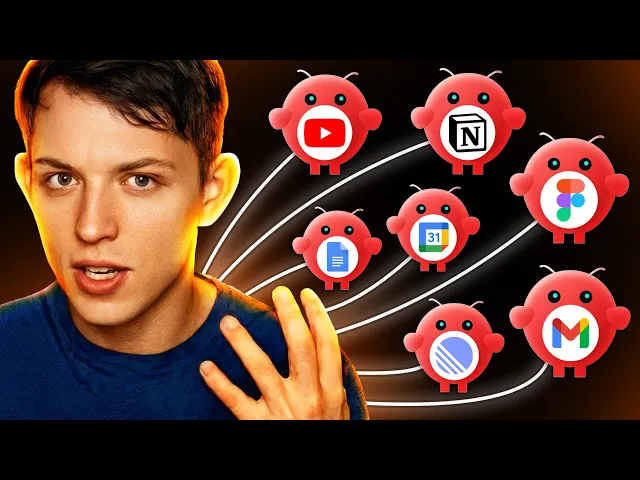
3:46 And so, the first Openclaw AI agent that I created had many skills.
3:52 So, I and so this is an overview of the most
3:56 useful skills that I gave my first AI agent.
3:59 My favorite skill was this social media
4:01 transcript analyzer using an API called Super data.
4:05 If you guys want to look it up and use it,
4:07 it allows you to turn any YouTube link, Twitter link, Instagram link,
4:12 or TikTok link into a transcript so you could very easily analyze social media.
4:19 I added this.
4:20 And then I added the ability for it to control my notion.
4:23 And then I added the ability to control all of my Google workspace.
4:29 So, my calendar, my email, Google Docs, Google Sheets, etc.
4:33 And then I gave it access to our linear so I could
4:36 take a look and see where are we at with the product,
4:39 what's launching soon, things like that.
4:42 I gave it access to Figma.
4:43 It could literally control Figma on my computer.
4:46 It could generate any type of media using FAL.
4:49 It could even edit videos, which was my previous video.
4:52 And what I realized over time is that the more skills that I added, right?
4:56 As the amount of skills increased, the dependability of the AI agent decreased.
5:05 And so that's when I realized, okay,
5:06 well, you can't really add unlimited skills.
5:08 It stops being super useful.
5:10 It doesn't use the skills at the right time.
5:12 The context gets super clouded and it doesn't use
5:16 the right integrations and the personalities ended up getting jumbled.
5:20 And so that's the conclusion that I came to, right?
5:23 We need to create a team of AI agents that have,
5:28 I would say, seven to 10 skills each.
5:32 Instead of building out AI agents that have 30 skills.
5:36 This is the sweet spot.
5:37 As you go above this, the AI agent stops performing super well.
5:42 And so that's one of the main reasons why I think Manis has a lot of potential.
5:45 It's just not my tool of choice because when you hit use skills,
5:49 you can go to the manage skills and you
5:51 can kind of see all of their official skills.
5:53 And so, they have all of these different types of skills that you can add,
5:58 but you're not adding it to a specific agent.
6:00 Rather, you're adding it you're adding it to your command center,
6:04 which means everything is proactive.
6:06 You have to go to your command center and then ask it to do it.
6:09 People simply want an employee that gets things done.
6:15 And if you think about a really good employee,
6:17 you think like the employee will actually just like do things that surprise you.
6:22 A good employee will make suggestions that are useful.
6:27 And I believe that in order to do these three things,
6:30 like get things done, do things that surprise you,
6:32 and make suggestions that are useful, you need to have specific goals,
6:39 or you need to give AI agents intent.
6:42 And I actually got this from on Twitter, Emmett Shear.
6:45 He was the interim CEO of OpenAI when Sam Altman almost got fired,
6:49 but he tweeted "Prompts are so late 2025.
6:53 We are giving models intents now." And I think I I
6:57 would say like we are giving AI agents with computers intents.
7:02 And the definition of intent is intention or purpose.
7:06 Right?
7:07 We are giving these agents purpose.
7:09 And I believe that if you're going to go through this paradigm,
7:12 it's really hard to give these agents purpose because they're so general.
7:16 They have so many different skills.
7:18 It's super proactive.
7:20 Uh and so, that's why I don't really like Perplexity computer and Manas.
7:24 And so, that's why I want to create a team
7:26 of narrow open claw agents with very specific goals and skills.
7:32 And I'll explain a little bit more uh about why I want to do this.
7:35 And so, when we were testing these AI agents,
7:38 and I have a bunch of these AI agents running, this is my journal bot.
7:42 And uh I have these agents running in Telegram right now.
7:46 And after testing them for 2 weeks,
7:48 I realized that this is the way this whole space is going.
7:51 A focused agent with a specific personality,
7:54 with specific tasks, and a specific heartbeat.
7:59 And what I realized is that all
8:01 of these things are better when they're focused, right?
8:03 When they're when you have a team of AI agents
8:05 or a team of agents running on a computer that are confined right?
8:10 To a more narrow focus, everything performs better,
8:14 which allows you to focus your skills and integrations
8:18 on what will be useful to reach a specific goal.
8:21 Let me give you an example.
8:22 So, my favorite agent that I'm using right now
8:25 that I message in Telegram is this content bot,
8:29 which is specific for creating YouTube videos.
8:33 This is my YouTube agent.
8:35 So, this focused agent is my YouTube AI agent.
8:40 And the only thing that this agent is focused on is creating YouTube videos.
8:45 And it has three goals in its files.
8:49 It knows exactly what goals it's optimizing for, which are subs,
8:53 views, and conversions.
8:55 And I'm not to say that everything that I
8:57 do on YouTube will is optimized for these three things,
9:01 but whenever I ask it to create a script, for example,
9:04 it knows that I want to increase the amount of subs,
9:07 increase the views, and increase conversions.
9:10 So, the main reason really narrow goals are super useful is that it allows
9:14 you to create hyper-specific skills that can
9:18 be verified whether you should add them.
9:20 If your skill does not have anything to do
9:23 with your with your goals of your AI agents, you shouldn't add them.
9:27 So, it makes it super easy to add skills.
9:29 And for example, the main skill that I
9:31 use for this YouTube AI agent is YouTube research.
9:34 And then this allows me to think about, "Okay,
9:36 what integrations are useful for this YouTube research
9:40 skill?" And so, I use two for this.
9:42 I use the SERP API skill integration, and I also use the Super Data API.
9:48 This one allows you to scrape transcripts.
9:50 This one allows you to like search through YouTube.
9:53 It's really useful.
9:54 Skill number two is thumbnail generator, right?
9:57 I generate thumbnails, and I even have my AI agent
10:01 every single morning scrape my competitors' thumbnails,
10:05 and then it comes up with ideas and kind
10:07 of modifications of their videos with my face.
10:10 And so, for this, we need access to Nano Banana.
10:13 And for this skill specifically, it it has some relevant context that it needs,
10:18 which is photos of Riley, right?
10:22 It needs my photos in order to create an image of me.
10:25 So, that's just some useful context that we need to give it.
10:28 And number three is it needs to be able to control my Notion,
10:34 which is where I keep all of my scripts for my YouTube videos.
10:39 And for this, we actually just need the Notion integration.
10:43 And so, you can see here that it's kind of this direct path, right?
10:46 Your YouTube agent is in charge of optimizing for YouTube subs.
10:51 It wants to increase the amount of views you get,
10:54 and it increases the amount of conversions you get from your video.
10:57 That is what my agent is optimizing for.
11:00 And now, when I go to my agent and say,
11:01 "What skills do you need?" it knows exactly where we're going, right?
11:06 This is a path.
11:07 And if you've spent any time hiring people,
11:11 the most annoying people to hire are people with vague skills.
11:14 They don't have specific goals.
11:15 They're good at talking,
11:17 but they're they're not good at driving towards a specific goal.
11:20 They're good at distracting from the goal.
11:21 The best employees to hire are people who are like,
11:24 "Yep, I'm really good at certain things,
11:27 and I can help your company reach these goals,
11:29 which will ultimately help your company." It's very simple.
11:33 And this YouTube agent is just one of the agents that I use.
11:37 And so, the question now becomes, why narrow agents?
11:42 The first reason why is when we find a super useful agent,
11:46 it's very easy to duplicate, right?
11:48 You can remix it for something else.
11:51 It could be relatively simple to turn
11:53 a YouTube agent into a TikTok agent, right?
11:55 We could create a TikTok agent that's only focused on TikTok.
11:58 We could create one that's only focused on Substack, for example.
12:02 And when you create these smaller agents, it's easier to duplicate.
12:06 Uh you know, when you try and create a massive agent that has like 50 skills,
12:11 it's just hard to extract just the the portion
12:15 uh that you want to duplicate out of it, right?
12:17 And so, I can very easily duplicate my my single um narrow-focus agents.
12:23 Additionally, um this makes it super easy to share with your team.
12:28 So, for example, today I built a journal agent.
12:32 My journal agent is it lives in Telegram,
12:35 and this agent is a little bit more hands-on.
12:38 And so, basically, what it does is it reaches out to me every 30 minutes.
12:42 Sometimes it doesn't reach out if nothing needs to be done,
12:45 and it analyzes everything that I do,
12:47 every meeting, every video that I make, everything.
12:50 And if it wants more context, it'll ask me.
12:52 Every single day it'll write multiple journal entries,
12:55 logging everything that's useful um and everything
12:59 that it needs to know about me.
13:00 Just so I can create this like running log of all
13:03 of the important information that's important to business and content.
13:06 And the purpose of this agent is that it informs all of the other agents, right?
13:11 So, this journal agent has access to Notion.
13:14 Every single agent that we have has access to Notion,
13:16 and all of these other agents are aware
13:19 of the journal that the journal agent creates.
13:23 So, my email newsletter every day is just going to read my journal
13:27 agent's journal and it's going to come up with ideas for email newsletters.
13:31 So, in my journal agent, it'll know when there's product updates and then
13:34 my email newsletter agent will be like
13:37 will just draft up an email newsletter that needs to go out to our email list,
13:41 which is 300,000 people and in this email newsletter agent,
13:46 it has very specific goals, right?
13:47 This newsletter agent has very specific goals,
13:50 which is optimize the amount of conversions from our email newsletter, right?
13:54 And and to maximize click-through rate, to open rate, things like that.
13:59 And it doesn't have to be clouded by any of the journal agent's goals.
14:03 It just has access to the journal that the journal agent creates.
14:07 And so anyway, this is a really useful agent
14:09 that I created and I want to help Ange, my co-founder, create more content.
14:14 And so now, because I made a really narrow journal agent,
14:17 I actually just shared with him my entire Open Claw agent
14:21 and he was able to duplicate it in about 5 minutes.
14:24 So, it was really shareable.
14:26 So, when you create a really narrow agent that's super useful,
14:29 it's very easy to duplicate it and share it with other people.
14:32 And it also makes it just more understandable, right?
14:35 This Open Claw agent runs on a computer.
14:39 In the computer, it has access to files, right?
14:41 They like this computer, every time you use Open Claw,
14:44 you're basically editing files, right?
14:46 All of these skills are just markdown files stored in the Open Claw folder.
14:52 If your focused AI agent only has
14:54 a few skills and and a handful of integrations,
14:57 it's a lot easier to understand when you send them to other people.
14:59 And then finally, right?
15:01 This one's pretty intuitive, right?
15:02 If you have a narrow set of of goals, right?
15:06 Goals, right?
15:07 You want to hit specific KPIs.
15:08 In the case of the newsletter, it would be like open rate, subscriptions, right?
15:13 You want people to subscribe and ultimately like click-through rate.
15:17 And like if you were just had like a newsletter business,
15:19 it would be like, you know, you could have revenue.
15:22 When you have very narrow goals, it's very reviewable.
15:26 You can look at that agent and be like, "Yep, you did a good job." Or, "No,
15:29 you did a bad job." You know exactly where it needs to change.
15:32 You It's It's It's pass fail.
15:34 When your AI agents are pass fail, it's a lot easier to just cut them, right?
15:38 The A lot of AI agents that you create over
15:40 the next few years are not going to be worthwhile.
15:42 And the more narrow they are, uh the easier it is to say,
15:45 "Yep, you did good." Or, "No, you did bad,
15:47 so get rid of it." And then the final two reasons
15:49 you want a narrow focus is you can create easier loops,
15:53 which allows them to be more autonomous.
15:56 I have multiple narrow agents that are very simple loops, right?
16:00 It only has a set of three tasks that it does every single day.
16:03 It knows what it's optimizing for, and it can just go in those simple
16:07 loops over and over and over again because tasks are just are called cron jobs,
16:13 which are triggered at specific times during the day.
16:15 And the more narrow your agent, the easier it is to get in a predictable loop,
16:19 and you can just let it run.
16:20 If you have a super mega agent that's super massive, it's harder to do this.
16:24 So, I think you understand my objective here.
16:27 I want to create very narrow AI agents with very specific goals,
16:32 and I want them to operate in a team, right?
16:34 This could be my team.
16:36 It's hard to say exactly which agents I'll be adding, right?
16:39 As I do more workflows, I'll notice where we need to create a new agent.
16:43 But the one thing that I think that Perplexity and Manas
16:46 got right is they're actually using a computer in the cloud.
16:50 They spin a computer per task, right?
16:53 When you type in a task, they spin up a computer,
16:56 and that agent can use the computer.
16:58 I actually don't think that's going to be the paradigm.
17:00 I think it's going to be Open Claw running in a computer in the cloud.
17:04 And so, it's up to us as a company to figure out,
17:07 "How do we efficiently run these in the cloud?"
17:09 And 2 years from now when each one of them has,
17:12 you know, 20 agents, that's 200 AI agents.
17:15 How do we efficiently run all of these AI in the cloud?
17:18 Also, how do we share these AI agents with other people on the team?
17:21 That's one thing that we really need to figure out.
17:23 And then, how do we get these AI agents to be able to communicate one another,
17:27 or at least share memory?
17:30 And in future videos, I'll be talking about how to do this.
17:33 How to get your AI agents to actually share memory,
17:36 so that like as one AI agent does something,
17:39 I know that all the files are actually can contained to that AI agent.
17:42 But, there's actually ways that you can actually
17:44 communicate useful information to your other AI agents.
17:48 Very similar to how you operate in a team, right?
17:50 The engineering team needs to communicate to me,
17:52 the marketing team, on how to actually market the product.
17:55 And there's actually ways that we can get AI agents to do this.
17:58 So, that's the next few questions I'm going to be answering.
18:01 Uh, but that's kind of what I wanted to share in this video.
18:03 Narrow agents that run in the cloud, I believe are going to win.
18:07 I think that's what people are going to find the most use from, and that's
18:11 what I'll be talking about over the next few months to run our company.
18:14 I'll see you here for the next video.