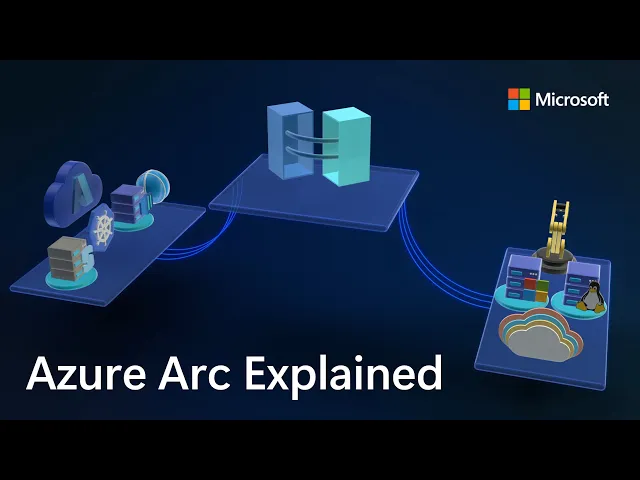
Azure Arc | On-prem + Multi-cloud Management
Microsoft Mechanics
0:02 If you're managing servers and containers today,
0:04 you're probably operating across on-prem multiple
0:07 clouds and using different tools for each.
0:09 Azure Arc changes that by providing a single way to manage servers, Kubernetes,
0:14 and containers across Linux and Windows, on-prem, in any cloud, and at the edge.
0:20 Since launching in 2019, Azure Arc has gained strong momentum,
0:24 enabling consistent patching, configuration, compliance,
0:28 and advanced resilience features like remote recovery
0:32 even for machines that cannot boot and more.
0:34 And to explore how Azure Arc works in real hybrid environments,
0:37 I'm joined by our resident management expert, Satya Vel.
0:39 Welcome.
0:40 Hi, Jeremy.
0:41 It's great to be on the show.
0:42 It's been a while.
0:43 Yeah, it has been a while.
0:44 Thanks for joining us today.
0:45 And why don't we jump right into this?
0:46 So if I'm coming from maybe a traditional
0:48 server management background using things like Ansible,
0:50 VMware vSphere, maybe System Center,
0:54 what does it take then to transition to Azure Arc,
0:57 and why would I do it and is it worth the effort?
1:00 That's a fair question.
1:01 Those are all proven powerful tools.
1:03 That said, it's challenging moving between
1:06 multiple tools to manage what you have.
1:08 What we are seeing today is more of a people and process change.
1:11 Most enterprises are now hybrid by default, on-prem, multi-cloud,
1:16 multiple operating systems managed by a central operations team.
1:21 And what those teams want most is consistency.
1:24 Azure extends its management capabilities to servers
1:27 and Kubernetes clusters wherever they run using Azure Arc.
1:32 That's where the value of cloud native innovation shows up,
1:34 beyond basic monitoring of servers and clusters,
1:37 like the health and status of each resource.
1:40 With Azure Arc, you can collect richer operational
1:43 and security data and query it at a massive scale.
1:47 All these are now actionable insights.
1:49 You can use them to improve
1:51 your security posture to close vulnerabilities faster.
1:54 They'll let you more easily fix compliance drift
1:57 to realign resources with your policies and maintain day-to-day operations.
2:02 This includes modern patching,
2:04 all applied across your multi-cloud and hybrid estate.
2:08 And finally, Azure Arc centralizes governance
2:11 by bringing consistent tags for grouping along with unified identity and access
2:17 management using RBAC for connected resources.
2:20 That way everything is controlled the same way regardless of where
2:24 it runs from a single control plane without duplication or drift.
2:29 So to answer your earlier question, it is totally worth it,
2:32 and Azure Arc is really the glue that brings it all together.
2:35 Okay, so why don't we make this real for everyone watching?
2:37 Can you show us the unified management experience
2:40 and what that looks like with Azure Arc?
2:41 Sure thing, and that's the best part.
2:43 In fact here I'm managing my on-prem and multi-cloud
2:47 environment using Azure services enabled by Azure Arc.
2:50 Notice I have everything from a Windows
2:53 server to Kubernetes clusters running on AWS, different Linux distros.
2:58 There's even a Windows client Desktop VM and more.
3:02 All right here.
3:03 And I can drill into any of these items
3:05 to see its specs as well as what's configured.
3:08 I can take a look at whether it's compliant with my configuration policies.
3:12 For example, this test resource has a few non-compliant
3:16 policies that I might want to take a look into.
3:18 And the great thing is everything is in one spot.
3:22 I don't need to move between consoles to see everything.
3:25 Once these resources are enrolled, everything is automated and rule-based.
3:30 I can look for servers and workloads as they are provisioned or updated,
3:34 and monitor them 24/7.
3:37 Then based on the configuration status it finds,
3:39 it can take actions and get items into a compliant state.
3:43 Okay, so we're going to get to what
3:45 the management experiences look like in a minute, but let's go back a step.
3:48 So what happens if I've got infrastructure
3:49 and I want to bring that into Azure Arc?
3:51 What does that experience look?
3:53 This process is super straightforward and simple.
3:55 Let me show you.
3:56 You can bring servers and containers running in any cloud
3:59 on-premises and on any hypervisor under management with Azure Arc.
4:05 To onboard resources to Azure Arc, we have a few different methods.
4:09 The any environment option is the most flexible,
4:11 where you can use scripts for Linux and Windows, or an installer.
4:15 This is a lightweight agent that you
4:17 can install on your Linux and Windows servers.
4:19 You can use your preferred deployment method
4:22 to run the scripts on your servers and clusters,
4:25 like this one for Linux, which downloads the agent,
4:28 installs it and connects it to Azure Arc.
4:31 And if you have existing tools like Ansible Automation Controller,
4:34 formerly known as Ansible Tower, we have published a playbook that makes
4:39 it super simple to onboard your machines.
4:41 And this playbook is published in the Ansible Galaxy,
4:44 which is the official community hub.
4:47 Okay, so now we've got everything in.
4:48 Now moving into the next thing that people manage a lot every day, inventory.
4:52 So how does Azure Arc change that?
4:54 So I briefly showed the different locations
4:56 and platforms that could run under Azure Arc.
4:59 But there's more to it.
5:00 All my servers and clusters are in one view.
5:03 It spans on-prem as I search for Azure Local,
5:07 then I'll filter for AWS as well as GCP services.
5:11 And I can see Azure VMs plus my on-prem
5:15 servers listed together with a consistent tagging and status information.
5:20 I define everything based on their location and platforms in Azure,
5:23 so it's super easy to see where everything is running,
5:27 and there's less chance that any infrastructure falls through the cracks.
5:31 Beyond inventory management,
5:31 something else that we do every day is patch management.
5:34 So can Azure ARC handle patch management
5:37 for servers and infrastructure outside of Azure?
5:40 Absolutely.
5:41 This is an area where Azure Arc can help a lot.
5:43 Today, patching often means different tools for different environments:
5:47 WSUS or SCCM for Windows, scripts for Linux, or separate crowd portals.
5:52 And with Azure Arc, this all happens consistently from one place.
5:57 You can see Azure Update Manager, which I have opened here.
6:00 Each server has an update status indicating if it's got pending updates or not.
6:05 Azure Update Manager continuously assesses the update
6:08 compliance of your managed servers on a schedule.
6:11 And you can manually trigger assessments
6:13 by selecting resources and hitting check for updates.
6:17 Now, you can see I have both Linux and Windows machines missing updates,
6:21 and even though these are different OS types,
6:24 I can update them together with just a few clicks if I want.
6:28 But before I do that, notice this on-prem
6:31 Windows Server 2016 machine that needs to be updated.
6:34 Here, a benefit of managing your Windows and SQL
6:37 Server infrastructure on Azure is that the service
6:41 offers extended security updates so you can run them
6:44 longer in support without disruption to business critical applications.
6:48 Let's get back to updating these machines.
6:51 The nice thing is that you only have to set the right
6:54 policy and logic one time to manage updates automatically in the future.
6:59 To save a little time, I'll select every machine.
7:02 From here, I can schedule updates for these resources where first
7:06 I'll fill in the basics for my subscription and resource group.
7:10 Then the instance details like the configuration name and the region.
7:15 The maintenance scope using the guest option lets me target my resources.
7:20 Then under schedule, I can select the start date as well as the time,
7:24 how many hours and minutes I want the maintenance window to be,
7:28 the frequency of repeats in hours, days, weeks, or months.
7:32 Then in the resources tab, if I want to add more servers,
7:36 I can group everything I want in the same maintenance schedule.
7:40 Likewise, you'd use this grouping for staggered rollouts.
7:44 Importantly, using dynamic scopes,
7:47 I can also make sure that any new resources are targeted as they come
7:52 online based on defined filters like
7:55 the resource groups they're in, the resource types,
7:58 locations, operating systems or tags.
8:02 In updates, I can target the type of updates I want,
8:05 for example, only critical and security updates.
8:08 Finally, I can add pre and post events to run before and after the update,
8:14 like redirecting an app to an informational page saying
8:17 that the resource is being serviced and when it'll be back online.
8:21 Of course, I can tag this as well.
8:23 And then I just need to review and click create.
8:25 And the favorite thing I just saw there was the dynamic scoping
8:28 that you can apply as a set it and forget it setting basically.
8:32 So what happens though, if I've got an update that's really critical that I
8:35 need to push out immediately, can I do that?
8:37 Not a problem.
8:38 You can do that as well.
8:39 For that, you'll select one or more resources and choose
8:43 one time updates so that it gets applied immediately.
8:46 I just need to confirm the machines,
8:48 then choose the update type or any exclusions that I want to define.
8:53 I'll keep everything in scope here.
8:55 Then in properties I can determine the reboot behavior
8:58 I want and maximum maintenance window time in minutes.
9:02 From there, I can review and install.
9:05 That will push the update to my selected servers,
9:08 whether they are in the cloud or on-premise,
9:11 so it's one place to get resources into update compliance.
9:15 And in case you want to stagger updates over
9:17 a longer period of time for large patch management jobs,
9:21 you can orchestrate updates using groups.
9:23 So the main thing is here you control the timing,
9:25 like only patching during off hours and approvals
9:28 and you get to decide which updates to apply, so it's super flexible.
9:32 Now, software updates are one type of configuration management,
9:35 but what other types of configurations can you manage here?
9:38 Configuration management in hybrid environments is complex.
9:42 You traditionally use group policy,
9:44 desired state configuration or scripts for Windows,
9:47 and then separate tools like Ansible,
9:49 remote scripting or manual commands of SSH for Linux.
9:54 All this can be done centrally from Azure Arc.
9:57 It extends Azure policy to any resource.
10:00 And you can use Microsoft provided
10:02 built-in policy baselines covering common security requirements.
10:06 For example, the security baseline contains best practices and controls
10:10 that we've defined for cloud services running on Linux and Windows.
10:16 And above that, you can also see CIS Benchmark policy,
10:20 which is an internationally recognized standard spanning
10:22 OS platforms used to protect against cyber attacks.
10:27 I'll apply this baseline,
10:29 then I'll choose the Red Hat Enterprise Linux 9 Benchmark.
10:33 And searching across 300 CIS Benchmark policies, I'll look for passwords.
10:38 And there are 24 policies defined.
10:41 And then for Firewall, you can see four more.
10:44 And these are just a few examples that are pre-configured.
10:48 So once you assign these to your resources,
10:51 Azure continuously monitors each machine for compliance.
10:55 So you can use policy as code across your entire state
10:58 with Azure policy controls that automatically
11:01 stay current as standards like CIS evolve.
11:05 We also recently added the ability to audit and enable WinRE through Azure Arc,
11:10 improving recoverability even for machines that can't boot.
11:14 As you can see, there are a couple of new policies for auditing
11:18 machines that do not have WinRE
11:20 enabled and configuring WinRE on Windows machine.
11:24 With quick machine recovery on Windows Server 2025,
11:27 that also means for broader issues with known fixes,
11:31 we'll automatically recover machines that are not bootable.
11:34 And that's really a great resiliency option.
11:36 But what about security, compliance, and configurations and assessments?
11:39 Can we do something there?
11:41 For that, you can use Microsoft Defender for Cloud.
11:43 This lets you standardize security agents and settings
11:46 across machines and containers wherever they run.
11:49 In the Defender portal,
11:51 you can see that the same way Azure Resources spanned Azure,
11:55 AWS, GCP, and other environments, those same resources are visible here too.
12:01 Defender continuously assesses connected resources for security posture.
12:06 This includes what I showed before in the Security Baseline and CIS Benchmark.
12:12 It detects threats in real time with associated
12:14 security alerts and how they are trending.
12:17 You get a complete breakdown by compute
12:20 with your virtual machines and their associated risks.
12:23 And the same is true for your connected containers running in Kubernetes.
12:27 If I move over to cloud assets here you can see all the virtual machines,
12:31 Kubernetes clusters that we saw in Azure Arc.
12:34 And clicking into any of these, like this Ubuntu
12:37 VM will show me all of its details.
12:40 Scrolling down, I get a view of its risk factors.
12:44 And below that, you'll see that this one
12:47 has 82 risk-based recommendations to improve its security.
12:50 And one of the big upsides of Microsoft Defender is that shared visibility,
12:54 so everything logs to the same place.
12:56 So if you think about assumed breach,
12:58 it means that you won't have any blind spots
13:00 then as attackers are moving laterally through your environment.
13:03 So that means security teams, they see what you see.
13:06 So why don't we move on though to desktop virtualization.
13:08 What can Azure Arc do to help me there?
13:11 Sure, Azure Arc unlocks the ability to run Azure Virtual Desktop, or AVD,
13:15 for short, outside of Azure so it can run on your own infrastructure,
13:21 either via Azure Local or something new we recently announced:
13:25 Azure Virtual Desktop for hybrid environments.
13:28 This means any existing on-prem server can be configured as a AVD
13:33 session host as long as it's attached to Azure Arc.
13:37 The management is in the VM layer using a management extension.
13:42 It's flexible, and Nutanix AHV, VMware vSphere,
13:47 Hyper-V, or physical Windows Server can work.
13:51 So with Azure Arc, you have full
13:53 control over the entire infrastructure's lifecycle from inventory,
13:57 configuration management and policy enforcement all from one place.
14:02 And the good news is that if you own Software Assurance,
14:05 you can access services enabled by Azure
14:08 Arc as part of your license for inventory, configuration, and update management.
14:14 That was a great tour and update of Azure Arc.
14:16 So thanks for joining us today, Satya.
14:18 And if you want to learn more about Azure Arc and try it out for yourself,
14:21 just go to aka.ms/AzureArc for more information.
14:25 Or as an admin search for Arc, A-R-C, in the Azure Portal to get started.
14:29 And keep watching Microsoft Mechanics for the latest updates.
14:31 We'll see you again soon.