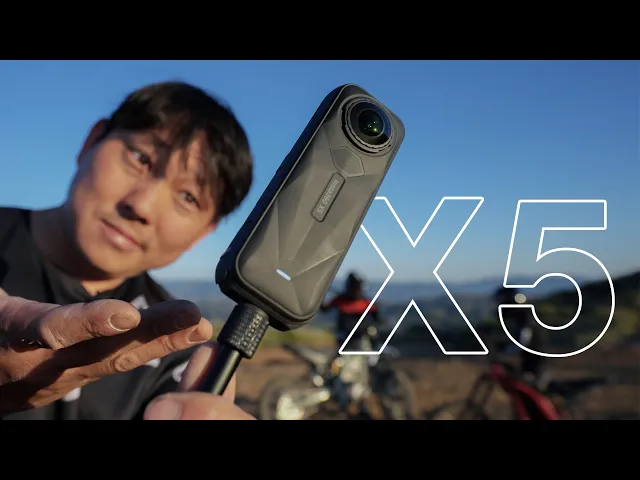
Insta360 X5 | 1/1.28" Sensors & Swappable Lenses!
Potato Jet
0:00 All right.
0:00 So, here we have the brand new Insta360 X5 and we're also recording on an X5.
0:04 So, we have my angle as well as Frank's angle as well as Carrie bird watching.
0:08 We can make a two shot of us or I
0:10 think we can even go tiny planet just like that.
0:12 What a few things that stand out about this camera.
0:14 One, it has a much larger sensor.
0:17 So, that should give us better image quality across the board.
0:20 Dynamic range and low light.
0:21 So, this is the X4 which has a/2 in sensors in here.
0:24 And now it's a 1 over 1.28.
0:27 So, I love bigger sensors, but my first question was,
0:29 "How much bigger is the camera now?" Compared to the two or the one,
0:33 it's significantly thicker and bigger.
0:35 Yeah.
0:35 But compared to the four, it's almost the same size.
0:37 Cuz you have the X2.
0:39 Yes.
0:39 You have not upgraded since?
0:40 No.
0:41 No, I have not.
0:41 And also, if you scrape up the lens, we can replace it ourselves,
0:45 which means I could take my camera just
0:47 around anywhere without worrying about scratching it up.
0:49 You're not afraid to use it?
0:50 I'm not afraid to use it.
0:51 Exactly.
0:52 And thanks Insta3 for sponsoring us and hooking us up with these cameras.
0:55 I've had a chance to test these cameras out and get some sample footage.
0:58 So, let's dive in, shall we?
1:00 Now, the first time I ever actually tried out this camera,
1:02 I was actually at your house when we were looking at the footage,
1:04 and I think we were pretty surprised at the image.
1:06 I was very amazed.
1:07 Yesterday, I was shooting golden hour on it, and look at that.
1:09 That looks awesome.
1:10 And I'm not touching the color at all.
1:12 This is auto exposure, standard color.
1:14 The only thing I adjusted is to lower the sharpness
1:17 cuz I just don't really like that digital sharpening look.
1:19 Some people prefer to have a little bit of digital sharpening,
1:22 especially if you're going to watch it back on your phone.
1:23 And so if you're looking at this and going like, "Oh,
1:25 it doesn't look as sharp." Then maybe
1:26 you might want to add the digital sharpening,
1:29 but I personally hate digital sharpening.
1:31 And this is not an HDR or anything special.
1:33 This is just pretty standard look straight out of the camera.
1:37 There is HDR available on this camera, but you do have to drop down to 5.7K.
1:42 I did do some sideby-side tests here
1:44 with my little brother Ken and my little sister June.
1:47 So HDR is less resolution than standard.
1:50 Yes, 5.7K.
1:51 It it does look just a little bit softer than the 8K.
1:56 And again, this is low sharpness mode.
1:58 Maybe if you were shooting 5.7K,
2:00 that little bit of digital sharpening would probably help.
2:02 Now, usually I'm not all about the 8K.
2:04 I'm like, I don't really need that much resolution, but again, with 360 footage,
2:07 8K is for the full 360 image,
2:09 and then out of that, you're going to crop way into it.
2:12 So, that extra 8K resolution does help.
2:15 So, typically I personally don't really mess with HDR too much,
2:18 but there is a pure shot mode,
2:20 which is kind of what they call their low light mode essentially.
2:23 So, here we are indoors,
2:25 and here's the same shot between standard and pure shot.
2:28 Pure shot definitely helps with motion blur, but the 8K,
2:31 if you kind of look at the bowling alley,
2:33 you get a little bit more definition, like the detail in the lanes.
2:36 The 8K still looks good though.
2:38 That's crazy.
2:39 It's because of that bigger sensor.
2:40 If you have a good image to start with right there at the source at the sensor,
2:44 everything else is a lot easier.
2:46 And I love this shot here, Carrie.
2:47 Remember this?
2:48 Oh, you mean one of the best moments of my life?
2:54 And then June even got that like gigantic hedgehog like what?
2:59 She was the big winner.
3:00 Well, she's the one that told us about hitting the button twice.
3:03 That's cuz she lived in Japan for 6 months.
3:05 Learned from the best over there.
3:07 But I think Pearshot definitely gives you a lot more exposure and I
3:11 think in most cases it's going to be better in low light.
3:13 I would say the biggest downside of Pearshot is like this ghosting that you
3:16 can kind of see here on Ken's arms as he's throwing the ball.
3:20 Yeah, probably using the same technology as the Ace Pro action camera.
3:23 If I had to guess, it basically is taking a lot
3:26 of frames and merging them in order to create that cleaner image,
3:31 which in most cases I think will probably look better,
3:34 but I think there are certain side effects to it.
3:36 I thought it was just called pure video.
3:38 You are right.
3:38 It says pure video cuz I read all the things.
3:41 But what is nice about pure video now on the X5 is that we can maintain 8K
3:46 because in the X4 it would ask you
3:48 to drop down to 5.7K to enter pure video mode.
3:51 It can't take the old batteries, huh?
3:52 From the X4.
3:53 No, new batteries.
3:54 New batteries.
3:54 Last video I just posted with Jason Elliot,
3:56 who's the director of photography for Beast Games.
3:59 The camera mounted on my bike is the X5.
4:01 So, I was able to use it for that video.
4:03 But the thing is afterwards I had hours and hours of footage to reframe.
4:08 But with this I used the app which now has this button on there
4:11 where basically it's like a AI selfie tracking mode tracking a face, right?
4:15 I don't even think it's face.
4:16 I think it just detects the closest subject to it cuz you know how we've always
4:20 had that tracking feature and it's kind of like
4:21 realtime tracking or maybe even a little slower.
4:24 This is like super fast, you know.
4:25 And this isn't just for the new X5 by the way.
4:27 It's a app upgrade.
4:28 So I was actually able to use it on the X4 as well which was on Jason's bike.
4:33 And here, see how he gets off the bike here.
4:34 Notice that it just kind of follows him and then
4:36 we end up coming back down it like few minutes later.
4:39 You know, it's not a 100% perfect where it
4:41 like crops his head off there for a second,
4:42 but he gets back on the bike and continues to track him.
4:45 And this specific clip, I think, was like a 90minute clip.
4:48 And the amount of time it took me to reframe it was
4:50 just that one button and then I just let it sit and render.
4:53 Is this uh option available in the desktop version of the app?
4:56 Well, they told me that it will be.
4:57 I'm kind of on the boat of I'll believe it when I see it, but uh hopefully.
5:01 I like having the feature of single lens cuz
5:04 sometimes I just want to record ahead of me.
5:06 I don't want to record behind me.
5:07 And I love that feature cuz you're getting a what is it like a 180.
5:11 You know what's interesting is there's a mode in there now
5:13 where you can record simultaneously 360 and a standard one lens video.
5:18 Yeah, it's called a Insta frame.
5:20 So you can't shoot in 8K for the 360
5:22 and you can't shoot in 4K for the regular video.
5:26 So you're kind of compromising on both fronts.
5:28 I'm looking at the sky and the buildings in the background.
5:31 Not bad, huh?
5:32 Yeah.
5:32 Not bad.
5:32 Especially, my gosh.
5:34 Like, this is a big jump.
5:35 Time to upgrade, Frank.
5:37 Yeah.
5:37 Yeah.
5:37 Yeah.
5:37 Time to save a lot of money.
5:40 I'm also curious about the audio and how it's picking up our voice right now.
5:44 We're wearing microphones right now, so we're not hearing that.
5:47 But here, tell you what, I'll cut to the microphone out of the X5 right now.
5:51 And and uh honestly, it sounds pretty good, I think.
5:54 Oh, it does?
5:54 Okay.
5:55 It sounds pretty good.
5:55 I just I'm you wearing the microphones as like kind of a backup.
5:58 But if you're just using this like a normal person with no microphone,
6:03 the audio sounds good straight out of the camera.
6:05 You're saying I don't know.
6:05 How does this sound right now?
6:06 We'll find out.
6:07 I mean, I've just never really fully trusted audio out of any action camera,
6:10 so I just habitually just make sure I record my audio separately.
6:14 That sounds really good.
6:16 Okay, I'm surprised.
6:17 They've done all kinds of things to the wind protector here to help.
6:21 And actually, listen to this when you pull your X2 out.
6:23 So, how you liking the X2?
6:25 I like the X2.
6:26 Yeah, I like it a lot.
6:27 But I I wish the the quality the image quality
6:30 was better in low light or just across the board.
6:32 Across the board.
6:33 So, you know how there's like a water fountain going on right next to us?
6:36 On the X5, you could tell it's a water fountain,
6:38 but if we listen to the X2, it sounds like static almost.
6:42 Little unfair cuz we're testing it against a a camera that's what,
6:44 three generations old now.
6:46 Pretty much.
6:46 Yeah.
6:46 I mean, at the same time, it's not that old, right?
6:49 It's like what 2020 you got it or something?
6:51 Jeez, look at the quality.
6:52 Oh my gosh, that's crazy.
6:54 Compared to this, that looks like a cinema camera.
6:59 Have you guys ever been in a driverless car before?
7:01 No.
7:02 Okay, let's go.
7:03 Here, I handed everyone an Insta 360.
7:05 So, when we cut between them, we can really see the differences.
7:08 We have an X2, an X4, an X5 filming in 8K, and also an X5 filming in 5.7K.
7:15 I was just checking to see if it looks better in low light in 5.7K.
7:19 I don't think it really makes a difference.
7:20 That was just the experiment.
7:21 All right, we are now all part of the future.
7:23 We're all recording 360° footage inside of a a self-driving car.
7:28 I wonder what like the accident rate is on one of these.
7:30 It's already way safer than a human average LA driver.
7:34 This is nice.
7:35 If you were to blindfold me, I would just be like, "Oh, good driver." Real.
7:40 And then when it stops, look how smooth the stop is.
7:42 Like watch.
7:43 It's still barely going.
7:44 Like no real June.
7:49 I don't even know if you need to get a driver's license anymore.
7:51 Just get one of these cars.
7:52 Yeah, maybe I will.
7:53 There's no road rage.
7:55 That's definitely a minus.
7:56 And you're also saying that this thing could take us all
7:58 the way to like Santa Monica Pier if we wanted to, huh?
8:01 Yeah, basically from like downtown to Santa Monica.
8:03 Yeah, that's that's crazy.
8:05 Oh, so you can zoom in and out.
8:06 Oh, and it shows a light and everything.
8:08 Wo.
8:08 Which one looks better between X4 X5?
8:11 Oh, Frank, get your X2 in here, too.
8:13 X5 versus X4 versus X2.
8:16 Thank you, robot car.
8:18 You know, you never know when AI takes over,
8:19 it's going to remember that inside of a car at night.
8:22 Yeah.
8:22 It's just pretty much as dark as you could get.
8:24 It's a bigger sensor, man.
8:26 Sensors.
8:26 Two sensors.
8:27 So, the price is actually pretty good
8:29 considering that you're getting two of those sensors.
8:31 You know, the price?
8:32 Yeah.
8:32 $5.49.99.
8:33 Oh, really?
8:34 Oh, everyone thought it was going to be 600.
8:36 See, that's why we have Carrie, you know.
8:38 And also, if you scrape up the lens,
8:39 you get that placeable lens kit with it, right?
8:42 How much do you think that is?
8:43 35 bucks.
8:44 $29.99.
8:45 Okay.
8:46 $29.99.
8:46 But if you purchase your camera with Jean's affiliate link,
8:50 you get one free for the first 100 people.
8:52 Oh, really?
8:52 Snap.
8:53 That's why I I I Carrie reads emails.
8:56 So, thank you, Carrie.
8:57 30 bucks.
8:58 What?
8:59 Carrie saw a bird.
9:00 Carrie's really into bird watching right now, in case you didn't notice.
9:03 And she's like going like, "Hey, can we buy this lens?
9:06 It's a 300 to 600." 2 to 600.
9:08 Oh, two to 600.
9:09 That soundsensive.
9:10 It was expensive enough when it was just me.
9:13 I also want the 1.4 teleconverter, too.
9:16 Uh, and speaking of replaceable lenses, how did I damage my first lens?
9:19 Well, just a little family outing.
9:21 I've officially looped the whole family into flying FTV now,
9:25 including little sister June over here.
9:27 But yeah, wouldn't you say this is probably the easiest camera to vlog with?
9:30 Yeah, I can actually focus on walking and not eating it.
9:34 All right, let's see.
9:34 How long have you been flying FPV June?
9:36 A month.
9:37 You've been teaching June?
9:38 Yeah.
9:39 So, this is a show of Oh, no.
9:42 I disarmed.
9:43 Let's go.
9:43 Uh, see what the damage is.
9:45 Oh no.
9:46 Pre-production version of the camera on the mountain that we need to go rescue.
9:50 It's like jungle book right here.
9:52 Yeah.
9:52 Oh.
9:52 Oh.
9:53 Oh.
9:53 Oh.
9:53 Oh.
9:54 Free drone.
9:54 Oh my gosh.
9:55 Success.
9:56 It seems like it.
9:58 Does the camera turn on?
9:59 It's on.
10:00 I think it's it's recording.
10:01 Dang.
10:01 It was recording the whole time.
10:02 So that's what happened right before we brought it over to you.
10:05 I need you to fix this lens.
10:06 What's wrong with our patient over here?
10:08 My sister crashed it and destroyed the lens.
10:10 Actually, most of these scratches are from all the times
10:12 I had it mounted on the motorcycle and I crashed it.
10:17 God, but let's just blame my little sister so that I don't have to feel bad.
10:22 So, this is an actual replacement lens kit.
10:24 I got to say, this is awesome.
10:26 Use this kit in a dry,
10:27 dustfree indoor environment such as this with a humidity below 60%.
10:31 See, we're following the rules.
10:33 What is that?
10:34 That's the humid the humidity.
10:35 Let's see what we got.
10:36 We could scan the QR code to watch
10:38 the tutorial or we could just figure it out ourselves.
10:41 Do it ourselves.
10:42 Yeah.
10:42 And hopefully not break it.
10:43 Align the orange mark on the lens grip tool with the white mark on the lens.
10:47 And then we turn counterclockwise twice, it seems.
10:51 Oh.
10:51 Oh, okay.
10:52 So, first it's this ring that comes out.
10:54 And now we use this guy to pry it open.
10:57 Oh, it has a lens with a little suction cup
10:59 thing on it so you don't have to touch it.
11:00 We drop it in here and then it just twists on.
11:03 Yes.
11:03 I think we're done.
11:04 That's it.
11:05 That's cool.
11:05 Yeah, that's awesome.
11:06 So, now we have a brand new lens on this side.
11:08 Look how clean that is.
11:09 And it's waterproof.
11:09 Let's see.
11:10 Oh, this is actually honestly awesome.
11:11 Yeah, that is cool.
11:12 I mean, now that we've done it once,
11:13 we could probably do it again in like 45 seconds.
11:16 Thing with the X4 is that we got those premium
11:19 lens guards that actually look pretty good and clear,
11:21 but you always mount it going like, "Okay,
11:22 I'm going to be extra careful with it." And then you crash.
11:25 Oh, dang it.
11:26 And then you have to send it in and pay a bunch of money.
11:29 Or you could try to DIY lens swap it.
11:31 No.
11:32 No.
11:32 I wouldn't do that.
11:32 No way.
11:33 I think you have to take like a heat gun
11:34 and open up the camera as a whole and all that stuff.
11:37 This is so much better.
11:38 Oh my gosh, this is this was super easy.
11:40 So, we did a great job with the replacement.
11:43 But, uh, we forgot to calibrate the stitch line.
11:45 Guess who figured that out?
11:47 Super easy.
11:47 It's in the settings menu, stitching, calibration, start calibration,
11:52 and then you would push next, hold it out, and nice, it does it thing.
11:56 Also waterproof up to 49 ft.
11:58 So, the ice bucket challenge from a decade ago, right?
12:01 But apparently it's back now because
12:03 my little brother and sister visiting this week, they were like, "Can we do it?
12:06 I just got tagged in it.
12:07 I'm gonna nominate my friends and now." So we went and got
12:10 some ice water and dumped it on my brother and sister.
12:12 Funny.
12:13 But the thing is with 360 cameras,
12:15 because of the curvature of the lens and the refraction or whatever,
12:18 if you put it under water, you can't really use that footage,
12:20 which I found out the hard way by taking it on a scuba dive in Bali.
12:24 In Bali.
12:25 Yeah, I remember that.
12:26 You didn't have a case on there.
12:27 No, cuz I was just like, "Oh, yeah, it's waterproof.
12:29 Let me record it." and everything just came out blurry.
12:31 So, if you want to actually use the footage out of there,
12:34 you have to use the dive housing for it.
12:36 Anyways, one of the things I am really starting to appreciate about 360
12:38 cameras though is that you could refframe
12:40 for both 16x9 for YouTube and vertical.
12:43 Because here I'm like, I want to shoot 16x9.
12:46 And both Ken and June were like, "Oh, I want vertical so I could post it
12:49 to their I don't know what they're using these days.
12:51 Is it Instagram still?" I don't know.
12:54 And if we drop down to 4K, we have 120 frames per second for some super slow-mo.
12:58 This footage is courtesy of Carrie.
13:00 It's funny because whenever I'm testing out like a cinema camera,
13:02 I'm just like, "Oh, yeah." And Carrie's just like,
13:04 "I don't care." But whenever we get a Insta 360, Carrie's always just like,
13:07 "Oh, can I can I try it?" It was a lot of fun.
13:10 This is the beauty of 360 is you could just plant
13:12 the camera and as long as squirrels come within the vicinity,
13:16 you got your shot and you could compose it however you want afterwards.
13:20 Is that the highest frame rate you can go?
13:21 120.
13:22 Yeah.
13:22 Okay.
13:22 Yeah.
13:22 In 4K.
13:23 In 4K.
13:24 What's really interesting about the shot with PETA
13:25 is she ran right by the stitch line.
13:28 I don't even see it.
13:29 No, you can't even tell.
13:30 Where?
13:30 Yeah.
13:30 Where is the stitch line?
13:31 Actually, let's try the stitch line right here.
13:32 So, now I'm like what?
13:33 3 ft away and then Wow.
13:35 As long as it's like a fast moving thing, usually it's not too bad.
13:38 But if I just stand here, do I look insane?
13:41 That footage of uh June walking looks really nice.
13:45 With the X2, I would get a lot
13:47 of jitters in this kind of like low light environment.
13:50 Oh, yeah.
13:50 And we also put it on that really long stick at 120 frames per second.
13:54 Oh, that's cool.
13:55 Here's Ken and I two uping on the dirt bike here.
13:57 Oh, you're crazy.
13:58 We had to to go pick up a bike from the side of the cliff.
14:03 It's funny how every time you guys come to visit,
14:06 we always end up having to recover something from the side of a cliff, don't we?
14:09 Well, what's weird about this time is it's a second time on the same trip.
14:13 Hey, you think I could climb this rock here?
14:15 Is it June's bike?
14:16 Yeah.
14:16 Do the parents already know the situation?
14:18 Not yet, but they're probably going to find
14:20 out when they I'm sure Ken texted them.
14:22 Mom, Dad, guess what?
14:23 June fell off a cliff.
14:24 H.
14:25 It was very scary when it happened and we had to like
14:27 pick her up and put her on the back of my bike.
14:29 Was she like a little bit in shock?
14:30 Oh, yeah.
14:31 Good news is she's fine now.
14:33 Everything is good.
14:34 All right.
14:35 I'm not the worst big brother in the world.
14:37 We uh went back the next day to try to find the bike the next day.
14:42 Yeah.
14:42 Oh, I think I see I see it.
14:44 You see it?
14:44 Yep.
14:45 It's here.
14:46 It's still here.
14:47 Yep.
14:48 This is the spot where she Wow.
14:49 So, she hit it and see her bike down there.
14:51 Oh my gosh, bro.
14:52 Yeah.
14:52 But even just the recovery,
14:54 it would have been very hard to record this with any other camera.
14:56 Cameras never quite do justice to how steep something is.
14:59 But like check this out.
15:01 This is like a very flat rock, right?
15:02 If I put this right here.
15:04 Look.
15:05 You ever see that channel Matt's off-road recovery?
15:07 No, I haven't.
15:08 But off-road recovery, I can kind of imagine.
15:10 It's pretty fun actually.
15:12 3 2 1 go.
15:14 There we go.
15:15 It's coming.
15:15 We basically stuck the long stick over the edge of the ledge
15:19 and that's how we were able to capture this recovery.
15:21 You know, family bonding is usually supposed
15:23 to be like a pretty straightforward and safe thing.
15:25 You know, this is family bonding.
15:27 What are you talking about?
15:28 Oh, we we attached it to the tail of a little plane.
15:31 We're using some nice scotch heavy duty tape.
15:34 This looks like it would mess with the aerodynamics or something.
15:37 That's why I use I use tape so it can blend
15:40 through the sides and cut through and still get the rudder going.
15:42 You know what I mean?
15:43 I see.
15:43 You're aerospace engineer.
15:46 Okay.
15:46 Using scotch tape.
15:47 Yeah.
15:48 Oh, it's doing stuff.
15:49 Okay.
15:50 You almost slapped me yet.
15:52 Now let's watch Josh destroy I mean fly this plane.
15:57 [Music] Definitely heavy.
16:02 Are you calling my camera fat?
16:03 Yes, I am.
16:04 Oh, do you think I could live connect to it?
16:06 This is not landing.
16:07 Oh, check it out.
16:08 Is it cool?
16:09 Oh, sick.
16:10 Live view.
16:11 Hey Josh, I got your FPV right here.
16:13 I would love to take a look at it.
16:15 Full 360 view.
16:17 We look at the tail.
16:18 It's taped on so you can do barrel rolls.
16:20 Okay, I'm a little worried about that.
16:22 Heavy duty scotch tape.
16:23 Oh, it doesn't like that.
16:25 Coming in for oh yeah, look at that.
16:32 Oh, that's incredible.
16:33 To watch you the whole time.
16:34 That's such an awesome view.
16:36 I mean, considering how dark it actually is right now, this is pretty good.
16:39 Actually looks nice.
16:40 Yeah, the plane looks great.
16:41 I think we finally reached the next level of Insta 360 X camera.
16:45 So, the five is way better than the four.
16:47 the low light and the replaceable lenses.
16:49 That's what closes the deal for a lot of people.
16:51 Yeah, those are the most important things though.
16:53 Replacing the lenses on the field and better quality.
16:57 Thank you.
16:57 You're giving me those two things.
16:59 But downsides of this camera, what do we got?
17:01 We have to say bad things about it
17:03 or else everyone's going to say we're chilling too hard.
17:05 So, we got to, you know, figure out something to complain about.
17:09 It It's hard to think of a downside because there's not that much competition.
17:14 There's not that much to compare it to except
17:16 for itself and it's better than its previous versions.
17:19 Reframe and re-edit and do all that postwork, right?
17:23 That would be like the downside.
17:25 Batch export on the app.
17:26 That's what I want actually is the app reframing abilities cuz
17:29 I love using the gyro on the phone to, you know,
17:32 use my reframing, but I hate having to frame up a shot
17:35 and then export and then wait and then come back and then do.
17:38 So, if they could just batch export on the phone app,
17:41 that would make my life a lot better.
17:43 I want AK120.