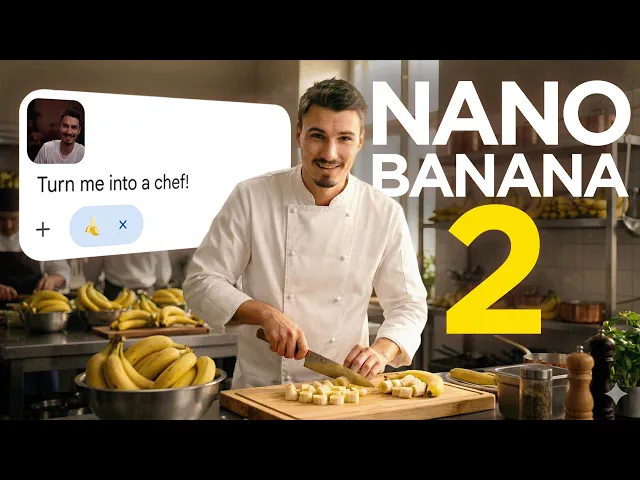
Nano Banana 2 is Here! Full Review & Testing Results
The AI Advantage
0:00 So, we had another big announcement out of Google.
0:02 They upgraded their best image model.
0:05 And here's the thing.
0:06 Many people already considered their previous image model,
0:09 Nano Banana 1 and Nano Banana 1 Pro, to be the best in the industry.
0:13 Sure, some opinions say that maybe Mourney is the more tasteful model,
0:18 but that's pretty much it.
0:18 Other than that, people really love Nano Banana 1 and Nano Banana 1 Pro,
0:22 and now we have Nano Banana 2.
0:24 So, I thought this would be worth a separate video where
0:26 we compare the outputs to all other popular image models out there.
0:29 We verify a bunch of the very impressive examples they showed
0:32 off on their launch blog post and we run the prompts ourselves.
0:35 And three, we show you a bunch of use cases for useful
0:37 stuff that the previous model wasn't able to do as well
0:40 as this one in a little live section with a bunch
0:43 of prompts that you can take away and use yourself after this video.
0:46 Lot of ground to cover.
0:47 And honestly, I like making these image generation videos cuz they're so visual
0:50 and it's so easy to see AI's progress cuz it just looks better
0:54 and works better rather than LLMs where a lot of times it's kind
0:57 of hard to pinpoint which part of the text is now better or different.
1:00 Let's do this.
1:01 So, here we are.
1:02 If you're familiar with the channel,
1:03 we have a few prompts in different image generation categories
1:05 and we just compare it to some of the most popular models.
1:08 So here on the left side you see the nano banana 2 output to this logo
1:11 design prompt and then the right side now you see m journey you see
1:14 the grock image model you see the chat GPT image model there's flux 2 and then
1:19 finally nano banana pro which was the previous
1:22 best version if you want the full sheet
1:23 with alo all the Chinese models and previous
1:25 versions we'll link it below I would say
1:27 on logo generation it's not special that's not
1:29 the biggest strength of this model but now we go to portrait photography and I
1:33 think here it actually really shines you know
1:34 we had really realistic models before even if I look at nano banana on a pro.
1:38 It looked really good.
1:38 To me, this looks even better.
1:40 Maybe it's kind of the textures,
1:41 the pores on the man's face, or it's the posing.
1:44 I don't know.
1:45 It just looks perfect to me.
1:47 Next one is a cinematic still,
1:48 which always is an interesting one cuz there's a lot
1:50 of variety in what you get from the different models.
1:52 I like it.
1:53 It's a hyper realistic movie scene.
1:55 This could be a frame from a movie, and it's not that stylized.
1:58 You know, when I look at some of the other ones,
2:00 including Nano Banana Pro, it uses a lot of saturation and a lot of style.
2:03 And this one is like rather neutral, just real.
2:06 And I think that's a thing that remains true across the models testing.
2:09 Aerial photography kind of all outputs
2:11 look very similar from the various models.
2:13 So this one is not that exciting, but yeah, it looks good.
2:15 It looks very photorealistic.
2:16 It's incredible at that.
2:17 And then when it comes to book cover, also a lot of these look similar lately.
2:21 I noticed it's really good at graphic design and book covers.
2:24 I would say this one is actually maybe
2:25 a little better than the previous Nano Banana.
2:28 It just looks a bit more aesthetic.
2:29 The whole composition and the way the colors match.
2:32 And then lastly, this one was interesting.
2:33 We asked for a comic strip illustration.
2:35 and it actually refused cuz it figured
2:36 like hey maybe there's some copyright content.
2:38 So that's the thing with this model it's quite
2:40 restricted in terms of what you're allowed to do.
2:42 Often times you'll also upload like image of yourself
2:44 you want to remix it and it'll be like
2:45 no I can't because like you're remixing a celebrity
2:48 and now just cuz you're thinking like okay yeah Eigor
2:50 you do YouTube so maybe your face is out there.
2:52 No, this happens for various people and the guidelines are
2:55 just so strict that it just cuts you off sometimes.
2:57 Often the key to resolving that is just running it
2:59 a few more times and sort of it just works.
3:01 Anyway, so that's our little comparison there.
3:03 I think except of maybe logo design.
3:05 Uh to me it's a no-brainer to just make this my go-to model
3:09 for whenever I need image generation stuff just cuz it looks so real.
3:12 It's so precise.
3:13 But now let's look at some of the examples from their blog because
3:15 they led with various characteristics that were
3:18 really beyond anything we've seen so far.
3:20 Like not a head and shoulders above anything else, but like further.
3:23 So here's one of the examples they shared in their blog post.
3:26 Like this beautiful top-down infographic but in this like handmade style.
3:32 What would you call this?
3:33 There's like a word for this um what's it called?
3:36 Various stuff like a collage scrapbooking.
3:39 That was it.
3:40 Yeah.
3:40 Yeah.
3:40 Oh my god.
3:41 Nice.
3:42 Human one chat GPT0 like a scrapbooking style.
3:46 I think this is gorgeous.
3:47 We ran the same prompt they shared in the blog
3:49 post just to check how much they cherrypicked the results.
3:52 And this is what we got.
3:53 It's still good but it's not that good.
3:54 So yeah, as per usual in the blog post, you know,
3:57 they run it a lot of times and they pick the best one.
3:59 But when it comes to like the accuracy of all the elements, like it's all there.
4:02 I guess you could be more specific on asking for this scrapbooking style.
4:06 I just really wanted to show this too because I think this is a very
4:08 creative way to add like images or B-roll
4:10 to your video content or social media content.
4:13 Like people would not associate this with AI generated images, right?
4:17 Okay.
4:17 The next one is this infographic that is more in this cartoony style.
4:20 It's an overview of three different types of clouds.
4:22 We ran the same prompt that they shared and we got this way
4:25 more details and I have to say I'm kind of impressed by the text.
4:28 It's usually like you read through it and you find a letter off here and there.
4:32 Text got so much better over the last year,
4:34 but here I kind of have a hard time finding a mistake.
4:36 I think all of this text is just flawless.
4:39 Correct me if I'm wrong, though.
4:40 Even the numbers, it's just good to me.
4:42 It seems like it went from like 95%
4:44 reliability to at least very close to 100, right?
4:47 Okay, here's the next one where they compared Nano Banana to Nano Banana Pro.
4:50 Nice.
4:51 We ran the same prompt and got this.
4:53 I personally like this one more,
4:54 but it is a different style, but it is beautiful.
4:56 like the amount of details and the composition and everything.
4:59 Like heck, if you're going to do something in this direction
5:01 of like infographicy or like handmade
5:04 scrapbooky like this model is just incredible.
5:07 And that's also what they claim.
5:08 They say that the visual fidelity has been upgraded and I honestly see it.
5:13 They claim to have more vibrant lighting, richer textures, sharper details,
5:16 maintaining high quality aesthetics at the speed
5:19 expected from flash, their quick model.
5:21 A lot of that is subjective.
5:22 You can make up your own mind based on examples I showed you.
5:24 And hey, by the way, if you're enjoying this video,
5:26 make sure to subscribe to the channel.
5:27 We make deep dive tutorials and news
5:29 updates and short tutorials every single week.
5:32 And now, let's continue with the video.
5:34 Next, let's look at the stuff that is not so subjective.
5:37 Namely, the upgrades to subject consistency
5:39 and how precisely it follows instructions.
5:42 This is the one that is really exciting to me cuz some image models,
5:44 especially chat GPT, you tell it certain things and it just ignores them.
5:48 for three months and shop for two months.
5:50 You know,
5:52 well, I have a few prompts here that I want to test with you live to both give
5:56 you inspiration for what can be done and also
5:58 test if all of these upgrades are actually present.
6:00 So, let me just go into my Gemini account
6:02 and click the create image button here at the bottom.
6:06 And yeah, this automatically has Nana Banana 2.
6:08 And I'm just going to start with this prompt.
6:10 Create a bobblehead figurine of me.
6:12 And then attach an image of me.
6:13 Now, this is not the test yet.
6:15 What I want to see is if I can bring that figurine
6:18 into various scenes without it turning
6:20 into a completely different figurine of me.
6:23 In other words, if I use this figurine in five different scenes,
6:26 is it still going to look like the same Eigor bobblehead that it creates here?
6:30 Okay, there you go.
6:31 Eore bobblehead edition.
6:33 Not bad.
6:33 That's actually kind of cool.
6:34 Here comes the real test.
6:35 Now, put the figurine on the table of the US president and the Oval Office.
6:40 You can see loading Nano Banana 2.
6:41 And there it is.
6:42 Okay, let's be super critical here.
6:44 I mean, the hair is good.
6:46 Yeah, honestly, I would say 9 out of 10.
6:48 In previous models, I would say the consistency here was like a 6 out of 10,
6:52 maybe a five out of 10.
6:53 It's not perfect.
6:54 Perfect.
6:55 If I'm super critical, I would say that maybe Wow, I don't even know.
6:59 Probably just the lighting change.
7:00 No, this is really good.
7:00 Let's try one more.
7:01 Place the figurine in the hand of an astronaut
7:04 stepping onto Mars for the first time.
7:08 Heck yeah.
7:09 Okay.
7:10 Yeah, that's still the same figurine.
7:11 The consistency is incredible here.
7:12 Okay.
7:13 Okay.
7:13 Okay.
7:13 We like it.
7:14 We like it.
7:14 So, you can totally do this.
7:15 You know, create one asset and then put it into various situations.
7:18 Amazing for, you know, product photography and e-commerce.
7:21 You can kind of just add one image and all of a sudden,
7:24 because this stuff stays consistent, finally, you can place it anywhere.
7:27 No specialty tools, no crazy workflows
7:29 and apps that take multiple days to learn.
7:32 Just good old Gemini on a $20 plan that I think you can get for $10.
7:36 And I think Dana Banana 2 even works on a free plan.
7:38 Yeah, even on the free plan, you could just try this.
7:40 Amazing.
7:41 Let's switch it up a little bit and say
7:42 create four more bobblehead figurines of the following characters.
7:45 Penguin, cat and a hat, a turtle, and a lion.
7:48 And here's the fun thing.
7:48 They claim that the model can now handle up to 14 objects like this.
7:52 This is the first time I've ever heard a claim even close to that.
7:55 14 objects that it consistently can place into various scenes for you.
7:59 So, we're going to have like these four figurines plus me as the fifth one.
8:03 Look at them right here.
8:04 Beautiful little lineup there.
8:05 Especially the cat with a hat and maybe even the penguin.
8:08 Yeah, I think the penguin is actually my favorite.
8:10 We prepared a pretty precise prompt here.
8:12 And this is another thing that I told you about
8:14 that the model is really good at adhering to details in a prompt.
8:17 We call this prompt adherence.
8:19 So when I put in this detailed prompt here, let's have a look.
8:21 Create a playful beach scene with these five characters.
8:24 Actually, I'm just going to replace
8:24 this and say these five bobble head figurines.
8:28 All characters except the penguin are wearing sunglasses.
8:31 Okay, so we're adding glasses to all of them.
8:33 Okay, the penguin is holding a tropical drink with a small
8:35 umbrella in its right hand and sipping from it.
8:37 And then a bunch more details about the rest.
8:39 Let's just run this and see if it
8:41 can actually do all of these detailed instructions.
8:43 Edit to the figurines that exist and then place them
8:46 in a completely different scene
8:48 while maintaining character and detail consistency.
8:51 All right.
8:51 Wow, this looks impressive.
8:52 So, editing team, I would love a good checklist on the side.
8:55 Let's see if all of these things are present.
8:58 Starting out, playful beach scene with all five figurines.
9:01 Playful beach scene set.
9:03 1 2 3 4 5.
9:04 Perfect.
9:05 All characters except the penguin are wearing sunglasses.
9:08 Check.
9:09 Not bad.
9:10 The penguin is holding a tropical drink with a small
9:12 umbrella in its right hand and sipping from it.
9:15 Yep, that worked.
9:16 The turtle is lying on a sunbed tanning while reading a book.
9:19 Oh my god, he's totally Yeah.
9:21 tanning and reading a book.
9:22 It's perfect.
9:22 He actually put the book away, but like it's accurate, right?
9:25 He's in the process of reading the book.
9:27 Sure, he could be holding it, but no, that was ambiguity in the prompt.
9:30 We said he's primarily tanning,
9:31 so actually this is super accurate to the prompt.
9:33 The cat and the line are playing beach volleyball together in the sand.
9:36 Yep, they're definitely playing.
9:38 Looks like the cat is about to score.
9:40 Oh my god, this is so good.
9:41 My bubblehead version of me swimming in the ocean nearby.
9:44 Yep, right there.
9:46 Redressed me into a swimsuit as appropriate here.
9:49 The setting is a sunny tropical beach with blue water,
9:51 palm trees, and a bright summer atmosphere.
9:53 Style should be colorful, fun, and slightly cartoonish.
9:55 Nothing short of perfect.
9:57 That's really impressive, actually.
9:59 Like, I've seen so many of these models in an action,
10:01 and it's always something that just doesn't perform as you would expect it to.
10:05 You ask for something, it doesn't show up.
10:06 You ask for character to be shown up,
10:08 all of a sudden they look like a slightly different person.
10:10 Look at that.
10:10 Even this cat, the hat is the same.
10:12 Look at these red highlights and the ribbon here on top.
10:15 Same thing.
10:15 Red highlights, ribbon here on top.
10:17 The penguin has a little red bow tie.
10:19 Look all these details.
10:20 They just carried over.
10:22 This is so freaking good.
10:24 I guess I found one thing.
10:26 If I were super nitpicky,
10:27 it would be this turtle seems like a different character.
10:30 But we can make edits, right?
10:31 Make sure the turtle is consistent with the original bobblehead.
10:40 I'm not even sure if this is going to work.
10:41 I just want to try.
10:42 Okay, added these boxes.
10:43 Didn't change the turtle.
10:44 So, fair enough.
10:45 That didn't work.
10:45 But I'll show you one more.
10:46 What you can totally do is make edits to, for example, the format.
10:50 So, change the format to fit an Instagram story of this image.
10:55 I'll add that, too.
10:56 Update.
10:57 Yeah, there it is.
10:57 Just extended it.
10:58 Amazing.
10:59 You can just post this on the story if you want with text up here.
11:02 So good.
11:03 M so good.
11:05 Now look, I want to say one thing about the prompt adherence.
11:07 Sometimes it can be a double-edged sword, right?
11:09 Because it's so precise.
11:11 Every word that you enter there really matter.
11:13 So if you don't express yourself precisely, it will have to interpret it.
11:16 So be precise with your language, then this is amazing.
11:18 And in case you don't like something, then go back and change the prompt so
11:22 that the words exactly represent what your idea is.
11:25 And then there's two more fun things that I
11:26 found on Twitter that I want to show you.
11:28 One of them is from Chris Kashanova
11:29 that always experiments a lot with AI image models.
11:31 Great following X by the way.
11:33 She created an anime style panorama of a location.
11:36 And what I'll do here is just upload this Google Maps
11:38 image of Midtown Manhattan in New York somewhere around Central Park here.
11:42 Let's create a anime style panorama of this location.
11:45 Oh, look at that.
11:46 Not bad.
11:46 Kind of a good illustration.
11:48 Honestly, I don't know this street well
11:49 enough to judge if this is entirely accurate.
11:53 Definitely looks great.
11:54 Kind of a fun one.
11:55 One more thing that I wanted to show you which is
11:57 its ability to replicate handwriting can be also kind of scary, right?
12:00 But let me just show you this.
12:02 Okay, I'll just scribble a quick sentence.
12:03 All right, so this is the image.
12:04 Hey, what's up?
12:05 I wonder if the font will match.
12:06 Let's see if it can continue in a font similar to mine.
12:09 Add text to this picture of a thank you note for moving help.
12:13 What I'm hoping for is that it's going to match this font and extend
12:16 the writing so that it looks exactly as if I hand wrote it.
12:20 Okay, let's try one more time.
12:21 That's not perfect.
12:22 Obviously, match the font color and style.
12:24 That's way better, but not perfect.
12:26 You can see it's good at handwriting.
12:28 If you want to make images of handwritten notes, it's really good at that now,
12:31 but this is not a perfect match to my handwriting,
12:33 which honestly is probably a good thing.
12:35 But yeah, it's really good at handwriting notes as long
12:38 as you're not trying to perfectly match what you're doing.
12:40 I guess some of the examples on the internet are a little
12:42 overblown on this one cuz people state that it can match any font.
12:45 I don't know about that.
12:46 And that's it.
12:47 Nano Banana 2.
12:48 Pretty impressive, right?
12:49 Several things you can try on social media or to update your website.
12:53 I think the prompt adherence is incredible.
12:55 And the fact that it can maintain all of these characters, wow,
12:58 really opens up a lot of new opportunities and makes it so much more practical.
13:01 Product shots for online shops or just
13:03 telling stories with images that are consistent.
13:06 Amazing update.
13:06 And if you found some unique use case for it,
13:08 please share it in the comments below.
13:10 That being said, my name is Eigor and I hope you have a wonderful day.