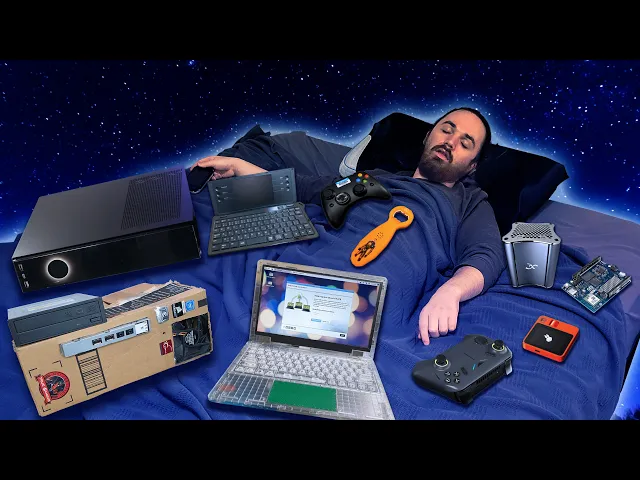
Over 4 Hours of Gaming On Cursed Devices to Conk Out To
Bringus Studios
0:03 I don't understand.
0:05 What has my life come to?
0:07 It seems like whatever I do, wherever I go,
0:10 something keeps giving me a new kind of head trauma.
0:13 I'm not the kind of person that is always getting injured.
0:15 This is not my life.
0:17 I don't do anything but stay in the house
0:19 and manifest purgatory for unsuspecting electronic devices.
0:24 It's almost as if my life has been reduced down to a bit in a YouTube video.
0:32 remember this?
0:35 Oh, you don't remember this?
0:38 Well, I guess that makes sense cuz you didn't grow up in China in the 2000s.
0:42 And those of you who do know what this is,
0:44 what do you think you really know, do you?
0:46 All right, fine.
0:47 I'll wait.
0:48 Go ahead and recite an entire did you know gaming video.
0:51 I want to hear more about the IQ.
0:52 Come on, let's go.
0:54 Oh, wait.
0:54 You You want You want me to do it?
0:56 You want me to tell you about the IQ?
0:59 Okay, fine.
1:00 Well, this one's fake.
1:01 You can do some crazy[ __] with the 3D printer nowadays.
1:05 Look at this.
1:06 Six figures of industrial machinery versus a few bucks at AliExpress.
1:11 So, what this is a replica of is the Nintendo IQ player.
1:15 It was a Nintendo 64 in a controller.
1:18 It was only released in China for some reason.
1:22 You would plug an AV cable right in there, connect it to your Chinese CRT TV,
1:26 and then you could play Chinese Zelda and Chinese
1:30 Mario and Chinese a bunch of other stuff.
1:32 Why am I even telling you about it?
1:34 [music] Well, dear viewer, the IQ player has been reborn.
1:44 Hazardous radiation detected.
1:46 I have been patiently waiting for a long time for this.
1:50 Allow me to introduce the tech.
1:55 What the the Techno Pocket Go, a new game wonderland.
2:01 Wow, the camera does not like this box.
2:04 Okay, well, let's get the box out of here.
2:06 I asked Techno, the maker of this thing, if they would give me this for free.
2:12 In fact, I practically demanded it.
2:14 Tell them at gunpoint.
2:15 They had no choice.
2:17 Supposedly, it is the smallest Windows PC handheld.
2:20 And uh after today, uh that's only going to be partially true.
2:24 Connect any phone with type-C.
2:26 I think they are referring to the AR glasses.
2:30 Wait a second.
2:30 [laughter] AR Galses.
2:33 AR.
2:34 Yeah, AR Gals.
2:36 Oh my god.
2:38 I really hope they double down on Gauses and we see Gauses written everywhere.
2:42 God, that would be so funny.
2:44 While personally I am a big fan of Gals's,
2:47 Techno did want me to let you guys know that this packaging is not final.
2:50 Gals's will be corrected for retail packaging.
2:53 Boundless 6D immersion vision track technology
2:57 0 to 600 degree diaper adjustment.
3:01 So Techno, I believe they make phones.
3:04 I don't really know if they have much of a presence here in the US, though.
3:07 All right, let's see.
3:08 Here's their website.
3:09 Say I wanted a Camon.
3:12 I'm really into that 30S Pro.
3:14 All right, Techno, close the deal.
3:16 How do I get it?
3:17 Oh, from[ __] Teeu.
3:20 Okay, this seems like a very real phone
3:24 that does not infringe on anyone in particular's copyright.
3:28 Okay, actually, this appears to have been a real thing.
3:31 I thought they just completely ripped off Transformers for some reason,
3:35 but no, this is legit.
3:37 Oh, the dream of the Gausses is dead.
3:40 There it is.
3:40 Glasses.
3:41 Ah, so I believe the whole idea with this thing
3:45 is that it these are kind of together.
3:48 You are intended to use the AR glasses with the controller/computer.
3:53 Can you see how this is coming back to the IQ now?
3:56 Me when I finally unbox my Gausses.
3:59 They are very tight.
4:00 I do not think they were made for my giant American watermelon of a head.
4:05 This is kind of weird.
4:06 They just stacked up a bunch of like little foam pads or something.
4:12 I wonder if that's what's keeping the the visor thing on.
4:16 Well, they said you can connect this to any type-C phone.
4:20 Oh, [laughter] the adjustment is probably just off,
4:24 but currently all I could see was just two copies of my phone.
4:28 They weren't like merging into one.
4:30 Let me see if I can fix that.
4:31 Okay, so it it does work.
4:34 Uh, it just feels like the picture is extremely close to my eyes
4:38 and it kind of hurts to focus on and the speakers are um,
4:42 well, they're functional.
4:44 It's Yeah, it's, you know,
4:47 it's very difficult to try and show you guys what's happening cuz,
4:50 you know, how the heck am I supposed to film this?
4:52 Okay.
4:52 Well, how about the thing that I can film?
4:55 How about smallest PC handheld cross device linking?
4:59 In the industry, we call this a spookle pocket.
5:03 Go.
5:04 I don't know whose pocket this is intended to be fitting in.
5:07 It's not exactly tiny.
5:11 Oh my god.
5:13 Okay, this is sick.
5:14 Admittedly, it does kind of smell like Sharpies.
5:17 I thought that this felt kind of light when I took it out,
5:20 but I guess that's because it has this gigantic removable battery.
5:24 High energy density battery.
5:26 50 W hours.
5:29 Is that a lot?
5:30 Okay.
5:30 Well, the Steam Deck battery is 40 W hours.
5:33 So, this is 10 more of those.
5:35 I like that it's removable.
5:36 I really like that cuz in theory then you could get a second one and then
5:40 you could get a dedicated charger and then you'd never have to stop gaming ever.
5:44 You just get your Techno, do a little bit of a tactical reload here,
5:48 slap that cover back on, and you're ready to game once again.
5:52 All right, Techno, I'm listening.
5:54 I'm excited.
5:55 There is also a admittedly very fancy USB cable.
6:00 I really hope this is like actually good cuz I've come across a lot
6:03 of nice USB cables in my time that were only good for charging.
6:07 This is not a USB 2 household.
6:12 [cheering] It has a very um Xbox 360 D-pad.
6:20 I don't really say that in a nice way.
6:22 The absolute height of this boy.
6:26 Yeah, it's a bit floaty.
6:28 The triggers are very chunky.
6:30 I like the triggers.
6:31 What the heck?
6:32 These are actually humongous.
6:33 Look at all the travel.
6:34 This thing can go to another continent.
6:38 Oh, well, that was the power button.
6:40 So, did I turn it on?
6:41 I don't hear the fan.
6:43 Yeah, there's a fan.
6:44 Remember, this is an entire PC.
6:46 This is just built for the gamer that's like, you know,
6:48 I really like holding a controller,
6:50 but I really wish I was also holding a knuck.
6:53 So many mysterious buttons.
6:56 Hold on a second.
6:57 Is that the Ubuntu button?
6:59 Coincidence?
7:01 I don't know.
7:03 Yeah, I really don't know about the naming pocket go.
7:06 This is not pocketable.
7:08 It is not.
7:09 Could you put this in your pocket?
7:12 No.
7:13 Okay.
7:13 Well, could you put this in your pocket?
7:16 You know I don't leave the house without that thing on me.
7:19 The techno prison pocket go.
7:22 All right, Techno.
7:23 Let's see what you got.
7:25 Oh, she's ready.
7:26 Hear that?
7:27 Raw gaming power.
7:30 Well, it does appear to be computing.
7:32 I guess we should probably plug in a display.
7:35 One HDMI adapter later.
7:37 And what?
7:41 No, they they didn't.
7:44 There's no way.
7:46 No way, dude.
7:48 Look at this.
7:48 They didn't even bother to rename this one.
7:51 No way.
7:52 I have to try.
7:53 There's no way, dude.
7:56 No way.
7:58 I need to know.
7:59 Please.
8:00 They can't just be that brazen.
8:02 There's no There's no way.
8:05 WHAT DO YOU MEAN?
8:06 You can't do that.
8:08 You can't.
8:09 You cannot do that.
8:11 Okay.
8:13 Well, why am I reacting like this?
8:16 Well, for one, these are straight up pirated games.
8:19 These are not GOG games.
8:21 These are cracks.
8:27 [music] And two, legal and ethical issues aside,
8:31 running cracked games lets you play them without
8:33 any kind of DRM or antiche for that matter.
8:35 And without those running in the background, in some cases,
8:38 the games can run much better, which is great,
8:42 except not on a device that was sent out for the sole
8:45 purpose of showing potential customers how this thing is expected to perform.
8:49 Every review that evaluates the performance
8:50 of the Pocket Go based on these included
8:53 games has the potential to overrepresent what this thing can actually do.
8:58 And sure, running without DRM is probably only going
9:01 to gain you like a couple FPS, if anything.
9:04 But apart from having no DRM,
9:06 I also have no way of knowing if Techno messed with these game installs
9:09 by adding things like performance mods
9:11 or custom configs to gain an unfair advantage.
9:14 I'm not saying that's what's happening.
9:17 I'm just saying it's possible and it would not surprise me.
9:21 And to properly find out, I'd have to test all of the included versions
9:24 of each game side by side with the official versions.
9:27 And that sounds annoying to do and this video will be boring
9:30 and it's just not what you want out of a Bringus video anyway.
9:33 You want to see this.
9:34 Oh, you got to be kidding me.
9:36 That's another crash, ladies and gentlemen.
9:40 Press pee pe button now.
9:41 This thing doesn't have genitals.
9:44 OH MY DUDE, STOP.
9:47 WHAT ARE YOU DOING?
9:49 I'm no reviewer.
9:50 Reviewing is not what I do.
9:52 I am going to show you some gameplay later to show
9:54 you generally what this thing can do in Steam OS.
9:57 But if you want a detailed analytical look at this thing,
10:00 well, normally I'd suggest someone for you to go watch,
10:03 but I don't know who did and who
10:05 didn't use these included games in their testing.
10:07 So, I guess if you want to see a proper review of this thing,
10:09 then you can go[ __] watch ETA Prime's video.
10:12 All the games he tested were not the included ones except for one.
10:15 He did test Forza Horizon 5.
10:17 Everything else was other games.
10:19 Anyway, on with the video, which remember is not a review.
10:24 All right.
10:24 Thank you, Techno.
10:26 I'm sure your software is fine and very usable.
10:29 I can download the no upgrade.
10:35 Nice.
10:35 I love downloading nothing.
10:37 This has Call of Duty Advanced Warfare.
10:42 Oh.
10:44 Oh, dude.
10:45 You can take the device out of China,
10:48 but you can't take the china out of the device.
10:51 Okay.
10:52 All right.
10:52 Well, I got the dirty cherry keyboard out a little prematurely because I do want
10:57 to take it apart and see if we can see what makes the techno tick.
11:02 However, if it looks like that I'm not going
11:03 to be able to take it apart without causing irreparable harm,
11:07 I'm going to have to throw in the towel pretty
11:08 quick because I I really don't want to break it.
11:12 Not interested in that.
11:13 Okay.
11:14 What are the odds we have screws?
11:16 Four of them right under the battery.
11:18 So, what does removing those four screws allow me to do?
11:24 I'm spooked.
11:26 It's not like there's an I fix it tutorial for this.
11:28 I don't know how it comes apart.
11:30 Yeah, I don't know about this one.
11:33 I can't seem to figure it out.
11:35 And I'm I'm going to cause irreparable harm.
11:37 That's just a guarantee.
11:38 All right.
11:39 Screws are going back in.
11:40 I've wasted enough of your time.
11:42 I know what you're here for.
11:44 Techno, meet Basite.
11:48 I've been told a lot of you enjoy this particular sound bite,
11:51 so we'll indulge once more.
11:54 Basite.
11:54 Basite.
11:55 Basite.
11:56 Basite.
11:57 Oh my god, that dude puts Microsoft Sam to shame for creepiest text to speech.
12:03 Basite.
12:04 Welcome to Basite Deck 40.
12:06 It's been a while.
12:07 Basite.
12:08 Basite is a Steam Deck like operating system good for Steam Deck like devices.
12:14 I think you could consider this thing a Steam Deck like device.
12:17 A screenless, [music] touchpadless Steam Deck thing.
12:21 I just don't really like Windows.
12:24 Wait.
12:26 Huh?
12:27 Oh, okay.
12:30 I don't really like Windows, I say.
12:31 as Linux shits itself.
12:34 [music] [music] I think I tried to delete
12:41 the partition that Basite was on on the flash drive.
12:44 Oh, [laughter] yep.
12:47 She gone.
12:48 All right, one moment while I remake my Basite installer.
12:54 [music] All right, what if we didn't immediately click through this?
13:00 Okay, just the PCIe SSD.
13:03 And that should be it.
13:05 Done.
13:05 Reclaim space.
13:07 Last time I hit delete all,
13:09 but that might not have been the [music] right thing to do.
13:12 Just under this SSD.
13:15 Delete.
13:15 And that should do it.
13:16 We're not touching the flash drive.
13:18 I don't even know where the flash drive is.
13:20 Reclaim.
13:21 Okay.
13:22 Begin installation.
13:23 [music][ __] What are you so mad about?
13:27 The flash drive is still there.
13:28 Look.
13:28 SDA.
13:29 All right.
13:30 All right, we're going to go on a slight detour.
13:32 Goodbye, Bazite.
13:33 Hello, Mini Tool.
13:35 Turn on.
13:36 I'm going to just erase this entire SSD.
13:39 Goodbye.
13:40 Apply.
13:41 See you later.
13:42 We'll get out of here.
13:43 Goodbye, Mini Tool.
13:45 Welcome back, Bazite.
13:47 One more time, little buddy.
13:49 476 GB free.
13:51 You cannot possibly be mad now.
13:53 Begin.
13:55 There we go.
13:56 Bimbindo.
14:01 Huh.
14:02 This is going to be a problem.
14:05 Okay.
14:06 Well, uh, that's going to be a later problem.
14:09 Don't mind the fact that that could ruin this entire thing.
14:12 We'll just keep going with mouse and keyboard.
14:14 How about that?
14:14 Well, we did it.
14:16 We've got Steam OS.
14:18 But does it really matter if the controller does not work?
14:23 Cuz currently it just makes this a very strangely shaped mini PC.
14:28 So depending on who you are,
14:29 this is either going to be good news or very bad news,
14:32 but we're going to have to mess around in Linux.
14:35 [screaming] It appears that Techno connected the controller over USB.
14:39 There it is right there.
14:40 Techno controller.
14:41 However, uh I think they probably did not do it
14:44 in a way like a normal controller cuz look at that.
14:48 Gamepad tester does not see it.
14:50 It appears to be USB HID.
14:53 At least that's a standard of some kind.
14:55 Basite has this thing called [music] input remapper built into it and I
14:59 believe we can use it to remap the controller to be an actual controller.
15:04 Oh, technocontroller mouse.
15:06 Uh, sure.
15:08 Okay, it's recording up.
15:12 Nothing.
15:13 Nothing.
15:14 Nothing at all.
15:15 Okay, very good.
15:18 Uh, what if it's this keyboard up?
15:22 No, it's not the keyboard.
15:23 Does this program work at all?
15:25 All right.
15:26 Cherry keyboard record F.
15:28 That was D, but it works.
15:31 So, what the heck?
15:35 Okay, how about we try this other slightly more different tool.
15:38 Handheld Damon is a project that aims
15:40 to provide utilities for managing handheld devices.
15:43 I would love my handheld device managed right about now.
15:47 Welcome to the handheld Damon configurator.
15:49 This is an app you can use to configure your device.
15:51 With default settings, you need to enter a security token.
15:54 This token can be found below.
15:56 Okay.
15:57 So, I just copy this and then we paste it in the terminal, I imagine.
16:02 Oh, no such file or directory.
16:04 That's one hell of a token.
16:07 Connect.
16:07 Could not connect.
16:08 Is handheld Damon running?
16:10 I don't know.
16:11 Why are you asking me?
16:13 You're the handheld Damon.
16:14 They're not.
16:15 Oh my god.
16:22 Good afternoon.
16:24 Local dumb complains about an unreleased gaming handheld
16:28 not fully working on his obscure operating system.
16:31 Early reports indicate that Discord user on Theus from the Universal Blue
16:35 Discord server was able to restore
16:37 controller functionality using their Linux[ __] skills.
16:40 fixes are expected to be pushed upstream to Basite so
16:43 that prospective technopet go buyers who wish to install this OS which
16:48 I'm sure is a demographic of people that surely exists
16:51 and rest easy knowing that their stupid computer thing should just work.
16:56 Ain't it a beautiful thing?
16:57 No dirty cherry keyboard required.
17:00 And Techno actually did something that makes me very happy.
17:03 They put extra buttons on this thing cuz you
17:06 got start and select or whichever one those are nowadays.
17:09 But then under that, you got this one,
17:11 which does what the Steam Deck does when you hit its left button.
17:14 And then you got this one,
17:16 which also does the thing that the Steam Deck does with its right button.
17:19 But also, we've got a center button.
17:21 The Steam Deck does not have a center button,
17:23 but when we hit it, we get this nifty little menu.
17:28 This is like a special Bazite only thing.
17:30 I already absolutely cranked the TDP, but this lets us do some wacky
17:34 stuff like choose which controller we're emulating.
17:36 This thing actually has a gyro in it.
17:38 So, I chose Dual Sense.
17:40 Remember the Ubuntu button?
17:41 You hit that.
17:44 Oh, we have to be in a game for that.
17:46 Hold on.
17:46 Okay, now that we're in game, watch this.
17:48 Hit the button.
17:49 Bam.
17:50 We get a keyboard.
17:51 I think you can replicate that by just doing this.
17:53 Yeah.
17:54 Okay.
17:54 Well, it's a one less thing you got to hit.
17:57 That's a win in my lazy book.
17:59 Quality ultra 1080p.
18:01 No VSYNC.
18:02 Motion blur long.
18:05 Yeah, my motion blur is about that long, too.
18:08 This controller rumble is horrific.
18:12 You guys got to hear this.
18:18 Okay, I put it on the table to amplify it.
18:20 Just listen to this.
18:32 It's like clicking.
18:33 It feels like there's probably really big rumble motors in there
18:37 and they're just having a hard time spinning up really quickly or something.
18:40 I don't know.
18:41 It's just these giant quick impacts.
18:43 They're so loud.
18:46 It's running all right though.
18:47 It's doing the thing that this game kind of just does
18:49 where every once in a while it has a terrible slowdown,
18:53 but you know, the exact same issue happens
18:55 on my Steam Deck and on my living room PC.
18:58 So maybe this game just doesn't like Linux.
19:00 I don't know.
19:00 For the most part, it runs fine though.
19:02 Oh, I didn't even tell you guys what the CPU and GPU is on this thing.
19:07 Remember what I said about how I'm not a reviewer?
19:09 Yeah, this is what I mean.
19:10 [laughter] I am determined to not use a keyboard.
19:14 Neofetch.
19:16 Aren't you not supposed to use Neo Fetch anymore?
19:18 Didn't the developer abandon it to go run like a farm or something?
19:22 I don't I don't I don't even know if that's true, but that's what I was told.
19:25 It is a Ryzen 7 8840U with Radeon 780M graphics.
19:31 sees 16 11.46 GB of RAM.
19:34 I'm guessing that that is 16 GB, but some of it is shared with the GPU.
19:39 They do actually have a 32 gig model of this thing,
19:42 but that is not the one they sent over.
19:44 GTA 5 1080p.
19:46 We're going to be reasonable with the anti-aliasing this time and just do FXA.
19:53 Every time I go into either graphics Well, no.
19:57 What's happening?
19:57 If I go between these, I have to apply it every time.
20:01 I'm not even changing anything.
20:03 All right, we're cranking it very high.
20:05 Very high.
20:06 Very ultra AMD ch.
20:09 Who would have guessed modern top-of-the-line computer thing plays game good?
20:14 I swear I have more fun playing on the I hate to plagiarize,
20:18 but the nuggets than I do on this high-powered stuff.
20:22 Like, yes, it is objectively impressive.
20:24 This is an iGPU with like a laptop CPU essentially,
20:28 but it's just it's not screaming.
20:30 It's not an agonizing pain.
20:32 I feel like if I don't get my torture fixed,
20:34 I'm going to have to move on to torturing something else.
20:36 And torturing people is not legal.
20:38 All right.
20:38 I don't want to be reasonable anymore.
20:40 MSAA 8X apply.
20:44 It doesn't care.
20:46 It is telling me to take my 8x MSAA right now
20:49 and shove it up my Doom Eternal 1080p, no VSync, no HDR.
20:54 What?
20:54 Do I look like I can afford that?
20:55 Ultra Nightmare motion blur.
20:58 I feel like you guys are going to love that one.
21:00 Ray tracing.
21:01 We're going to leave that off.
21:02 We'll come back to that later.
21:03 Overall quality ultra nightmare.
21:05 And I think that should do it.
21:07 Wow.
21:08 Nearly 60 fps on ultra nightmare on an integrated laptop GPU.
21:14 10 years ago, I would have called you insane.
21:16 I would tell you it is simply not possible.
21:19 Yet, here we are.
21:20 All right, I want ray tracing.
21:22 It's not doing great.
21:24 I mean, actually, it kind of is.
21:27 Keeping the fact that this is an iGPU in my brain.
21:30 You know what?
21:31 30 40 fps ray tracing enabled ultra nightmare.
21:35 Honestly, this might be more of a testament
21:36 to ID's optimization than anything else.
21:39 Oh, evil boy.
21:40 Evil boy.
21:41 This game was not made for controllers.
21:44 This is just ridiculous.
21:45 Hold on.
21:46 I want to go all low.
21:47 What is it going to report for frame rate at all low?
21:51 Why is everything locked to 60?
21:53 Disable frame limit.
21:55 There we go.
21:56 Well, now I feel like a bozo.
21:58 Okay, so like 80 90 FPS.
22:00 This is all low.
22:01 Ray tracing off.
22:02 I will be honest with you, I do not notice a change in quality.
22:06 Modern games just look so good anyway.
22:08 It's like I'd rather play a game like this than
22:10 use the whatever fancy scaling technology that they're doing nowadays.
22:15 DLSS, FSR.
22:17 What does FSR even stand for?
22:20 Failure to simply Failure to simply render.
22:26 That's what Okay, so you've seen what it can do.
22:29 But a device like this, it transcends simply performance.
22:33 It transcends benchmarks.
22:35 It transcends FPS.
22:37 This thing has gaming potential like you've never even thought of.
22:42 You can game on your TV wirelessly over Steam Link.
22:46 And when the connection starts to crap out,
22:47 you can dig out an HDMI cable and use that instead.
22:51 You can play using a tablet as the screen over Steam Link.
22:54 And when the connection starts to crap out this time,
22:56 you can just go[ __] yourself.
22:57 Well, I can't just Nope, you can't do that.
23:00 You can play it with a competitor's AR
23:02 glasses because the included ones really aren't that great.
23:04 You can play it on your smartwatch over
23:06 Steam Link and then when that's too small,
23:09 you can put it under a microscope and play it that way.
23:12 And when that starts to suck really bad,
23:14 just plug it RIGHT INTO THE MICROSCOPE AND PLAY IT THAT WAY.
23:16 Shout out to the iPad [music] for letting me output video over Type-C
23:20 to a dock and then into a capture card and then into the iPad.
23:24 Got to be one of my favorite ways to play Bellatro.
23:28 But truly, the best way to game with the Pocket Go.
23:32 One moment while I assemble it.
23:35 [laughter] [laughter] What do you get when you combine Pocket Go
23:47 with a display that's not going to fit into literally anybody's pocket?
23:52 10.1 in of gaming.
23:55 You can't even fit that much gaming.
23:58 Look at that.
23:59 Unfortunately, my right angle USB adapter did not
24:01 come in time for this video, so that's there.
24:05 But this thing, it it's truly incredible.
24:07 I have spent a couple hours playing it like this, and this is
24:11 far and away the best way to play this thing.
24:14 Don't mind the fact that the battery life is now like less than 2 hours.
24:18 Look at this.
24:18 Look how this is put together.
24:19 It's only mildly a disaster.
24:21 And look at that.
24:22 We still got a free Type-C port.
24:24 We're just using one type-C port into the dock.
24:26 The dock is powering the monitor.
24:28 The dock is outputting HDMI.
24:30 What else do you need?
24:32 Nothing.
24:33 And the center of mass on this thing.
24:35 Look at this.
24:35 It's not even like it's fine.
24:38 It does not feel too topheavy.
24:40 I'm going to link this monitor in the description.
24:42 It's just a little portable monitor I got off of Amazon.
24:45 But this thing is amazing.
24:46 The colors on it are fantastic.
24:48 The pixel density is fantastic.
24:51 What is it?
24:51 It's kind of a weird one.
24:53 1920x 1280.
24:55 I think that's like 3x two.
24:57 Yes, some games get a little bit weird with that resolution,
25:00 but you can always just fall back to 1080p.
25:02 The whole thing is bolted together with this chassity cage thing that I made.
25:06 It only slightly blocks the vent.
25:08 There is truly Oh, wait.
25:10 Hold on.
25:10 Let me get the lights.
25:12 There is truly nothing better than this.
25:14 It might not have trackpads.
25:16 It might not have a touchcreen.
25:18 It might have a highly questionable battery life.
25:20 But you know what?
25:21 If you just want a massive screen
25:24 and powerful hardware to boot, this is it, baby.
25:27 This is it.
25:28 I think 1X players got a thing kind of like
25:30 that, but less uh this, but I like mine better.
25:34 I have to say that for its self-esteem.
25:37 All right, I think that's going to be it.
25:39 Thank you, Techno, for sending this thing over.
25:41 Thank you you for watching this.
25:43 And thank you supporters who should be on the screen right about now.
25:50 begun.
25:51 The ram wars have.
25:52 Every last grain of sand has been drafted into the cause.
25:55 They told them that their sacrifice would be noble,
25:58 that a chance like this only comes
25:59 around once in a three-year product life cycle.
26:02 Consumers watched as young, hopeful RAM sticks left their new egg carts,
26:06 leaving behind nothing but empty dim slots in their homes.
26:09 I was in love with him from the day I first saw his big,
26:12 beautiful RGB strips staring back at me, a mother said.
26:15 I was going to teach him to overclock,
26:17 how to live with his neighbors in dual channel,
26:19 when to correct a bit flip, and when to just let it go.
26:22 But serving your data center is more important
26:24 than any of that, the young dim thought.
26:26 I've heard the shareholders.
26:28 I understand what's at stake for them.
26:29 I have to do my part in advancing human
26:32 society to secure the future of the Silicon people.
26:35 But deep down, he knew that there was still something weighing on his mind.
26:39 As the businessman at the Micron factory secured his batch for the war effort,
26:43 he couldn't help but have one last thought about
26:45 the woman peering longingly at him through [music] her screen.
26:48 Maybe someday, maybe in another life,
26:51 I would love to be at home opening cases with you.
27:00 [music] As gamers tried to move on from their grief,
27:08 one question still remained.
27:10 If we can't pay the cost to keep our motherboards populated,
27:14 with [music] what will we possibly game on?
27:21 That was probably better than nothing.
27:23 So, this is not really something that Arduino usually makes.
27:27 Usually, they make these.
27:29 And now that I'm thinking about it,
27:30 I don't think this comparison was very helpful.
27:32 Hold on, let's open it up.
27:33 The typical regular Arduinos are what you would call a microcontroller.
27:37 You plug wires into these things and then
27:39 you plug those into motors or LEDs or whatever.
27:42 You write some basic code for it.
27:44 They can do all kinds of fun stuff.
27:45 I wonder if it supports fire, but a typical computer, it is not.
27:50 Not in the way you and I think about computers.
27:52 The new one, on the other hand, will you see that?
27:55 Qualcomm.
27:57 Been hearing a lot about Qualcomm recently.
28:00 Qualcomm Qualcomm laptop.
28:01 Steam frame is powered by Qualcomm.
28:03 Qualcomm laptop.
28:04 New lineup of laptops featuring Qualcomm Qualcomm laptop.
28:07 Going Qualcomm Qualcomm Snapdragon X
28:10 laptop massively disrupted [music] by Qualcomm.
28:12 Qualcomm.
28:13 You weren't supposed to use it beyond the Qualcomm daily driver challenge.
28:16 [music] This team frame which is the VR glass for the gaming.
28:19 So that actually runs the Snapdragon ARM.
28:22 Qualcomm.
28:22 You can tell this is a computer because Qualcomm has real computers.
28:26 Now, look at this.
28:27 This is a Qualcomm computer, too.
28:28 And you know what this probably reminds you of?
28:31 It's kind of like the Raspberry Pi.
28:33 Like this one right here.
28:34 That's not a PNG because I misplaced mine.
28:36 And like the Raspberry Pi,
28:38 this can run a full desktop computer operating system experience.
28:42 Also, like the Raspberry Pi, this is ARMbased.
28:45 That's the big difference between the old and the new one.
28:47 And up until very recently,
28:49 I have not thought that ARMbased arm weird, arm different, arm scary.
28:54 This is x86.
28:56 We like x86.
29:01 X86.
29:00 X86 CPUs like this Intel Pentium Gen B.
29:04 These are very familiar to us.
29:05 They run Windows and these, well, these don't really run Windows.
29:09 I mean, they kind of do now.
29:10 There's like a weird Windows ARM Snapdragon thing, but this isn't quite that.
29:13 But also, most games and applications for computers nowadays
29:17 are still made to run on one of these.
29:19 A lot of things are possible on ARM now.
29:22 like you could have a desktop experience with a web browser.
29:25 And I'm sure there's other things,
29:28 but today we're going to find out if it can do a little gaming.
29:32 And based on these specs, well, uh, 16 GB of storage,
29:37 2 GB of DDR4, Qualcomm Dragon Wing,
29:43 that surely means something to somebody somewhere.
29:46 it do be having the specs of my Android phone in 2014.
29:50 But you know, if we can pull it off, we will be gaming for what does this cost?
29:56 $44.
29:58 40 of which I imagine where to get the 2 GB of RAM.
30:02 I'll be honest, folks.
30:03 I don't even really know where to start.
30:05 ARM is a weird ecosystem.
30:08 Well, guess we'll just plug it in.
30:09 I assume this is how you're supposed
30:11 to use this, but I I don't technically know.
30:14 In goes the dock.
30:17 Oo.
30:19 Okay.
30:19 [laughter] Yeah, this is gaming.
30:21 Do you think we can game on this?
30:23 Okay, hold on.
30:23 We're getting ahead of ourselves.
30:24 This is so This is just so strange.
30:27 We're just gaming on like a peripheral.
30:29 Well, we're not gaming yet.
30:31 We are required to change our password immediately.
30:33 Administrator enforced.
30:34 Yes.
30:35 Gaming.
30:36 Gaming.
30:51 We're in.
30:52 Okay.
30:53 Well, this was far too easy.
30:55 So, how do we get Steam?
30:58 Hold on.
30:59 16 gigs of storage.
31:00 Not enough storage for gaming.
31:02 Welcome back, Cheza.
31:04 This was that cool M.2 to thing from the Christmas
31:07 video and it is actually larger than the computer.
31:12 Okay, I know it's an Arduino, but like what is this?
31:15 Are you Debbie?
31:17 Yes.
31:18 Upgrade yourself.
31:19 Okay, well, while we're downloading more computer,
31:22 I've managed to mount our drive, I think.
31:25 Yes.
31:25 Okay, we have significantly multiplied the amount of space we have,
31:29 which is really good because guess what?
31:31 There's like 2.3 GB left on the internal storage.
31:35 Now, if this was a phone from 2014,
31:37 this is the part where you just delete talking
31:39 Tom and you'll get like all of it back.
31:41 But that is not the case for us.
31:43 Chea to the rescue.
31:44 Now, Steam, is this the only Linux distro
31:48 in the entire world not to come with Firefox?
31:51 That's crazy.
31:52 They are missing out on so many sales from furries right now.
31:55 Okay, so the way that we're going to attempt
31:57 to get this working today is with FEX.
32:00 This is the underlying technology with the new Steam Frame.
32:03 cuz if you recall, that thing is also ARM
32:06 and it can also just play regular Steam games.
32:08 And I'm sure it will not be janky and completely worked the first try.
32:13 So, I'm going to be doing a lot of advanced copying and pasting real quick.
32:17 This is an epic not window snapping moment.
32:21 [music] Well, this is going well for Ubuntu.
32:27 All those ones.
32:28 Is that what we have?
32:30 Oh my goodness.
32:31 Come on.
32:32 Neo Fetch.
32:33 Where did it go?
32:34 I thought they renamed it to this.
32:36 Oh, wait.
32:37 Fest Fetch.
32:38 Silly me.
32:38 Fest Fetch is not a thing here.
32:41 Fest Fetch is in Vegas every month.
32:44 Oh, duh.
32:45 No wonder it doesn't work.
32:46 This is Debian Ubuntu's Grandpa.
32:50 Okay.
32:51 Well, for other distributions here, pseudo ninja install.
32:57 Installing ninjas.
33:00 WHAT if I do it like that?
33:02 Nope.
33:03 This ninja appears to be incredibly skilled in stealth.
33:06 I've been told it's ninja build.
33:08 Here's the estimated walk-in shower price in 2026.
33:12 Having this tab open is like ruining the computer.
33:15 We probably don't have a lot of RAM to spare here.
33:17 Yeah.
33:17 1.44 out of 1.7 gigs used.
33:20 Oh jeez, we have no swap space.
33:22 Okay.
33:22 Duck duck go AI answer.
33:24 Let's see how decent you are.
33:26 Okay.
33:26 Instructions followed.
33:28 Restarting.
33:29 Restarting.
33:32 Why?
33:33 Why don't you like it?
33:35 Okay, I changed it into a 18.5 GB swap partition.
33:39 See, no more swap file.
33:40 And it uh seems to be happy now.
33:42 I mean, who wouldn't be happy with 18.5 GB of RAM?
33:46 Okay, RAM downloaded.
33:47 Anyway, back to installing Ninja.
33:50 Nope.
33:50 I think that's actually how you build the program,
33:53 which we should probably download.
33:54 This computer is so punishing if you misclick because it takes
33:58 like 10 seconds to go [music] back to the last page.
34:02 Now we ninja install.
34:05 Cool.
34:08 I feel like the guy from that GitHub meme,
34:11 the one where he's like, I don't want code.
34:13 I want the.exe.
34:15 Give me the.exe.
34:17 We seem to be downloading quite a lot now that I have cloned-reubmodules.
34:23 Uh, I don't want to run out of space.
34:25 We're down to 2 gigs left.
34:27 1.8 gigs.
34:28 I'm watching it dwindle before my eyes.
34:30 Down to 400 megabytes.
34:33 Oh, but it's done.
34:36 I'm just now realizing that we're missing all of this crap.
34:39 Okay, this is truly a Linux moment.
34:43 If I keep the camera going, I truly think I'm going to fill my entire 72 TB NAS.
34:49 This is going to take a little bit.
34:50 Now, here's your cool transition to the next part
34:52 of the video where I did all of this already.
34:57 Despite the odds, it appears that I have a binary.
35:01 This is like this is this is the program.
35:02 Pretend it said.exe at the end.
35:04 I've had to follow this guide on my phone because the computer
35:08 cannot reliably load the web page with only 1.7 GB of free memory.
35:12 An easy way to verify FEX works is
35:14 running youame in the newly created emulated environment.
35:17 And we do that with this, I guess.
35:19 Looks like it works to me.
35:22 Apparently, it's fine.
35:22 It says that just happens.
35:24 We need to run fex root fs [music] fetcher.
35:28 Squashfuse unsquash fs or aeros fuse is required to use this tool.
35:33 Please install one before using.
35:35 We're going to go with a squash fs because it sounds funny.
35:39 Again, this is different.
35:40 Rudest not found.
35:41 Do you want to try and download one?
35:43 We've got a menu here.
35:44 Uh uh four.
35:47 Yes.
35:47 Squash fuse doesn't work.
35:50 Uh, yeah.
35:51 Extract.
35:51 Sure, dude.
35:52 Oh, this is a good process.
35:54 Fatal error.
35:55 There's no space left on device.
35:58 What do we do?
35:59 I think we're going to have to move the home folder.
36:02 All right.
36:02 Pack up your stuff, Arduino.
36:04 You're moving.
36:05 Congratulations on your new home.
36:07 Boom.
36:07 Welcome home to your new home in the chea.
36:10 Okay, let's do this again.
36:12 Four.
36:12 One.
36:13 [music] One.
36:14 One.
36:14 Now, let's reclaim the old space.
36:17 This feels like a horrifyingly bad command to run, but we have to run it.
36:21 Goodbye.
36:22 We now have 3.3 gigs free.
36:25 The power at our fingertips.
36:28 It looks like this worked.
36:29 One.
36:30 Boom.
36:31 We are now x86 compatible.
36:34 That means we are good to install Steam.
36:38 Steam.
36:38 Steam not found.
36:39 I suppose we should download it first.
36:43 Oh, trusted not supported.
36:45 Arduino Uno Q when childhood trauma.
36:47 No packages found.
36:48 Isn't a known XDG portal back end?
36:51 It insists that there are no packages found.
36:53 The Steam client may have limited functionality.
36:55 This is not going excellently, but it is still doing things.
37:00 Wait, hold on.
37:01 What is this?
37:06 Well, she's not the fastest computer in the world.
37:10 She's trying moderately hard, only using a gig of RAM.
37:14 Are you hot?
37:15 Uh, it's hovering above it.
37:17 It feels a little warm.
37:19 It's I mean I can touch it.
37:20 Hold on.
37:21 Where's the temperature mabobber?
37:22 Yeah.
37:22 I mean, is that hot for little arm dudes?
37:26 I don't know.
37:27 Should we get him a heat sink and then we
37:29 just use a x86 CPU like as the heat sink?
37:32 Okay.
37:33 Well, you just do your thing, little guy.
37:35 I'll wait.
37:36 Oh, it's hauling ass now.
37:37 Man, things do not look like they're doing good in the console.
37:42 and it launches.
37:43 Anyway, I just can't wait until we exceed the RAM and then we have
37:48 to start putting our RAM inside of our SSD which is connected over USB.
37:53 Oh, this is going to be a good one.
37:55 I'm so excited.
37:56 ARM is such a weird beast.
37:57 I I can't wait to do more stuff with ARM now,
38:00 especially with the Steam Frame coming out.
38:01 Remember, this is basically a Steam frame.
38:03 Infects is what it runs on.
38:05 Valve hasn't announced the pricing for the Steam frame yet,
38:08 but just so you know, Valve, this is 40 bucks.
38:11 Let's try and stay competitive.
38:13 Somehow our RAM usage is decreasing.
38:15 We failed to do something on Vulcan.
38:17 Failed to initialize device.
38:19 Oh boy.
38:20 Oh boy.
38:20 I don't imagine this thing has the most compatible GPU.
38:25 I truly do not know if things are still working and it's just really slow
38:30 or if this is become a fool's errand with you and I as the fools.
38:35 Nothing to do.
38:36 Isn't this the part where the Steam login page shows up?
38:39 We're using a hell of a lot more RAM all of a sudden.
38:47 Yeah.
38:47 Okay.
38:47 So much for Vulcan not working.
38:50 That's a gooey to me.
38:52 This is insane.
38:53 You know, I recognize that we are not in a game.
38:55 We're not even in the main Steam menu yet.
38:58 But the fact that we're here at all, this is [laughter] insane.
39:02 Arm is so weird.
39:04 Success.
39:05 Sorry for all the guttural noises,
39:07 but I'm I'm kind of like really excited about this one.
39:09 I've wanted to do more weird ARM things, you know,
39:12 cuz there's those projects like Box 86 and stuff like that, but ARM is so scary.
39:16 I mean, to be fair, it has been a pain in the ass to even get to this point.
39:20 A lot of mining was done off camera.
39:23 Oh, hell yeah, dude.
39:25 We get to do the Val of Hardware survey on this thing.
39:28 Would you like to participate?
39:29 Uh, yeah.
39:30 I want to see these results.
39:32 I really want to see these results.
39:34 Manufacturer Arduino model Emola form factor
39:38 desktop I guess CPU vendor genuine Intel.
39:42 Oh yeah, I forgot we have a wireless CPU here.
39:45 This sure supports a lot of x86 instructions.
39:48 1,700 megabytes of RAM.
39:50 Video card.
39:51 Freeo FD72.
39:54 Truly the GPU of all time.
39:57 They are going to love this one.
39:58 You're welcome.
39:59 Arduino representing out here on Steam for you.
40:02 Okay, so it started to run really bad.
40:04 The mouse has been flickering a lot.
40:09 We're at like 4 gigs of RAM usage, most of which is now on the SSD.
40:14 We've loaded the store.
40:15 [music] How about the library?
40:17 Okay, we're going to start with the baseline.
40:23 Impressive.
40:24 You know, when you think about this setup, this is such torture.
40:28 And not even because of the fact that we
40:30 have to like translate the CPU from x86 to ARM.
40:33 Even just downloading the game.
40:35 The download's going to come in off of Ethernet.
40:37 It's going to go into the Arduino, back out,
40:39 and then go over to the SSD and save it into the RAM
40:42 where the data can then go back into the Arduino to be processed,
40:45 and then back out, and then back into the SSD as SSD storage.
40:49 All of that while processing HDMI 1080p 60 signal over that same cable.
40:55 And yet it's still got up to 70 megabits per second internet.
41:00 I This is torturous.
41:02 But holy[ __] THIS IS LIKE A TECHNOLOGICAL MARVEL.
41:06 Oh my goodness.
41:07 ARM is so cool.
41:08 This is the most interesting terrible hardware
41:11 I have ever done anything with ever.
41:12 I I'm so impressed.
41:14 The download is done.
41:16 Now, normally I would install a bunch of other games,
41:18 but uh I I I'm going to say it, folks.
41:21 I don't have a ton of hope for this and I
41:23 don't want to waste our time for once going in.
41:29 Well, it's performing.
41:32 I want to try and give it its best shot.
41:34 [snorts] 720x 480.
41:36 Actually, we can probably go even lower.
41:37 640x 480.
41:39 The mouse is at about2 FPS right about now.
41:43 Oh, this is a big improvement.
41:44 Look at that.
41:45 We're getting 26 FPS.
41:46 Holy cow.
41:48 Load game.
41:48 Black Mesa inbound.
41:50 Let's go.
41:51 [music] Hey.
41:54 Hey.
41:54 That's not too bad.
41:56 That's not bad at all.
41:57 Remember what it is we're gaming on here.
41:59 Okay, this part could be better.
42:02 Do we have any audio?
42:03 Oh, another Linux meme reference.
42:06 Why are there no sound settings?
42:07 I had to install an app to change the audio device.
42:11 In theory, at least.
42:14 I want to be really upset if I have to restart to get this to work.
42:17 Do we really need audio?
42:18 Well, you guys know what Halflife sounds like.
42:21 Fine, fine, fine, fine.
42:22 Hold on.
42:22 It's fine.
42:23 I'm only going to lose like years of my life waiting for this thing to reboot.
42:28 It's fine.
42:28 It's kind of your fault, but it's fine.
42:30 It's fine.
42:33 Wow.
42:34 It doesn't support audio over HDMI.
42:37 I could just record the dummy output to a file
42:41 and then throw that in later when I'm editing,
42:43 but that would require precious CPU cycles that I
42:46 don't really think we can spare right now.
42:47 Back in you go.
42:51 I am aging.
42:54 It's been 10,000 years since I restarted the computer.
42:59 I am withering away.
43:02 I am still of the opinion that this is not bad.
43:05 This is far from the worst HalfLife gameplay that we've seen on this channel.
43:08 I'm looking at you receipt printer.
43:10 Good morning and welcome to the Black Mesa transit system.
43:15 This automated terrain is provided for the security
43:18 and convenience of the Blatter Mesa Research Facility.
43:21 You know, even some parts, look at this.
43:23 This is like almost 40 FPS.
43:25 I'm going to say it.
43:26 I'm going to say it.
43:28 I have hope.
43:30 Do not let me down, Arduino.
43:33 [groaning] That had to have been the longest HalfLife
43:37 2 launch I have ever been a part of.
43:42 What did I do?
43:44 What?
43:45 Oh, I accidentally clicked episode one.
43:47 Okay.
43:48 Well, I here's a good change, I guess.
43:50 Wait, wait, wait.
43:51 I've learned my lesson.
43:52 I can't access the mod folder to turn off the ear raped mod.
43:56 Oh, but we have no audio, so it's fine.
43:58 The one time I actually remember to turn it off.
44:02 I also just realized I forgot to set all of the video settings to low.
44:06 It's too late now.
44:08 God help us.
44:14 Wow, I was certain it crashed.
44:17 Well, yeah, it's running.
44:21 Hey, you know, actually not the worst.
44:24 For how long it took to actually get in game, this is better than I expected.
44:29 I think that's about 7 FPS up there.
44:32 I love that this built-in Source Engine FPS monitor says
44:35 10 FPS and the one up there is less than that.
44:39 Glad we're all on the same page here.
44:44 [laughter] Oh.
44:43 Oops.
44:44 Yeah, mods are definitely on.
44:45 Actually, uh, I'm leaking HalfLife 3 right now.
44:49 Don't look.
44:50 Don't look.
44:50 So, what video settings did we end up with?
44:52 Oh, it's all high with anti-aliasing.
44:55 Oh, boy.
44:55 Okay, I'm going to turn these all to low.
44:58 I can't wait for this to come back in about 10 minutes.
45:01 Well, an improvement it did not make.
45:04 Still running at a rock solid uh 4fps.
45:08 I think uh Eli is missing his head.
45:11 Okay.
45:11 Well, yeah, this is terrible.
45:13 I want to try something slightly more reasonable.
45:16 Now, you would think, oh,
45:17 this is just some cute little 2D indie mini game kind of thing.
45:20 Ah, it's going to run great.
45:21 But in fact, this game does not have a native Linux port.
45:26 So, that means that not only are we using FEX to translate x86 to ARM code,
45:31 but before that, we also have to translate Windows to Linux code.
45:36 So basically I will be impressed if this works.
45:41 Uh uh you know Steam I think we got two different definitions of running.
45:46 Um okay so that was a good experiment.
45:49 Thank you very much.
45:50 All right.
45:50 How about Lego Star Wars?
45:52 I believe this one also is not Linux native.
45:55 I love that just downloading the game rockets
45:57 the CPU usage to 100% on all cores.
46:00 I really love that for me.
46:04 It's not happy.
46:05 All right.
46:05 Well, that doesn't work either.
46:07 Okay, maybe a little bit less fex torture is in order.
46:10 I want to see how this thing does with a little bit of native ARM gaming.
46:14 Why is that there?
46:16 Open the parent folder.
46:18 What do you mean?
46:19 Oh, believe it or not,
46:22 an Arduino may or may not be the greatest emulation machine out there.
46:27 I'm just going to take a guess.
46:29 We are running at solidly 30% of the regular speed of a Wii.
46:33 This isn't even upscaled.
46:35 This is just 1x resolution.
46:37 Okay, how about GameCube?
46:39 Do you smell something burning?
46:40 Oh, it's actually [snorts] kind of hot now.
46:42 Don't worry, Arduino.
46:44 Here's your heat sink, bro.
46:46 Wow.
46:47 12% speed.
46:50 I'm really feeling the energy here.
46:53 All right, what's the verdict?
46:54 Is this the new greatest gaming PC of all time?
46:58 Uh, I'm going to have to say no.
47:00 Maybe pass on this one for gaming.
47:03 I mean, even for like stupid little ARM emulation stuff,
47:06 it's still probably not your first option.
47:08 I do like this thing, though.
47:09 It's very cool.
47:10 It's more interesting to me than a Raspberry
47:12 Pi because everybody likes the Raspberry Pi.
47:14 This thing lets me mess around with ARM
47:16 single board computers and still be a contrarian.
47:18 Okay, well that's it.
47:19 Thank you for watching, folks.
47:21 This video was a torture to make and probably an even bigger torture to watch.
47:25 Thanks for getting to the end.
47:26 Subscribe if you haven't.
47:29 [snorts] [music] Oh my god, my brain.
47:36 My brain is too full of ideas for videos.
47:40 I can't pick.
47:41 I simply cannot pick.
47:44 Welcome to the decision paralysis cope wheel.
47:47 We've got videos like the prototype Steam Controller,
47:50 controller port satisfaction tier list,
47:53 my life-changing purchases, King Jim, I'm not explaining that one,
47:58 and today we're going to spin the wheel and see
48:01 what this here video is going to be about.
48:03 You already know because you read the title and thumbnail.
48:05 And since I want us to be on the same page,
48:07 I'm going to go ahead and spin this wheel and find
48:09 out what this here video is about right about now.
48:16 Well, well, it's uh kind of exactly between those.
48:20 Either way, they're both resp-pin.
48:22 So, respin.
48:24 And it's and it's Oh, it's King Jim.
48:31 That's funny.
48:32 That's the first one I put on here.
48:34 All right.
48:34 King Jim today.
48:36 Behold King Jim.
48:40 #notmy King.
48:42 Okay.
48:42 What is King Jim?
48:44 I don't I don't know.
48:46 It runs on double A's.
48:48 I'm sure these are 10,000 years old.
48:50 Oh, that's filthy.
48:51 We haven't had battery acid in a while.
48:53 This is a nice change.
48:55 Dear God, why is it magnetic?
48:59 Are all batteries magnetic?
49:01 Okay.
49:01 Well, yeah, the tops and bottoms are obviously.
49:04 It didn't occur to me that like the sides of the battery would be magnetic.
49:09 I'm also realizing how profoundly stupid it is to think
49:13 that they wouldn't be cuz if you take the covering off,
49:16 they're they're all metal.
49:18 Okay, you know what?
49:19 We're going to cut that whole segment.
49:21 I believe we are missing a cover of some kind.
49:25 That's okay.
49:26 Luckily, the contacts do not look super corroded.
49:29 So, I think we can just stick some more batteries in there and call it good.
49:35 And I guess that'll do it.
49:36 Okay.
49:37 King Jim.
49:38 King Jim is a laptop of some kind.
49:44 There are Japanese characters on the keyboard.
49:47 Previous candidate conversion and katakana, hiragana, and roaji.
49:53 Okay, not a clue what this one's for, but this makes sense.
49:57 That's the different like symbol types in Japanese, I think.
50:01 What about this one?
50:02 Half width or full width.
50:05 I'm not certain what that means.
50:06 There's a couple buttons up on the screen here.
50:09 Okay.
50:09 QR code.
50:10 Obviously, it says QR.
50:12 That one is calendar.
50:13 These ones are very tiny.
50:15 The top is national language.
50:17 Middle is English and Japanese.
50:19 And the bottom is Japanese.
50:21 English.
50:22 H.
50:23 Yes.
50:23 Very different, but kind of not.
50:25 Man, this screen.
50:26 This is a tiny screen.
50:28 Roughly five and 3/4 in screen.
50:31 I have a bad feeling it's going to be in black and white.
50:34 Man, I is that battery acid?
50:37 Oh, I think battery acid got all over this thing.
50:41 Oh, we'll be lucky if it even works.
50:44 Yeah, I didn't really put two and two together earlier,
50:47 but this is probably battery acid.
50:50 And it's all caked up in the hinge and everything.
50:52 Oh my god.
50:53 It's a miracle it opens.
50:55 Okay, what are the odds it's just going to work?
50:58 Please.
51:01 Hello.
51:02 Access denied.
51:03 The king is dead.
51:05 Okay, I'm going to attempt to like scratch up the contact.
51:10 We might be lucky.
51:11 And it is just a corroded contact.
51:12 And I don't really have a good way to clean it,
51:14 so I'm just scratching the crap out of it with a screwdriver.
51:18 Might as well get this one while I'm at it.
51:19 No sire or no.
51:23 All right, I guess we're going to have to find out what makes a king.
51:26 M smells like Nintendo.
51:29 Is the king hiding anything from the people?
51:32 Yes.
51:33 Yes, he is.
51:35 Aha.
51:36 Ain't feeling too kingly now, are we, Jim?
51:41 Oh, that'll do it.
51:43 Oh, there's a What the Look at this Camos battery.
51:48 It's on like a little flippy upuppy guy.
51:51 That's [music] probably extremely dead.
51:53 But why why does it not work?
51:56 The battery acid has certainly penetrated our defenses.
52:00 You disgust me.
52:01 But that's okay.
52:02 Some components may die, but that is a sacrifice we are willing to make.
52:07 I'm going to try cleaning the contact one more time.
52:10 I couldn't really get the screwdriver in there too good.
52:13 Okay, let's see if we're getting voltage.
52:15 Imagine the batteries are just dead.
52:18 3.23 volts.
52:20 Those are very alive batteries.
52:22 So, I guess we'll go deeper.
52:28 That's nasty.
52:29 Look what the king did to my boy.
52:31 I can't even tell you what that is.
52:33 I think it's just rust.
52:34 Okay, this connector is certainly disgusting.
52:37 That might be something we can try to clean up.
52:40 Holy crap, it looks so bad from this angle.
52:45 Oh, there's not really much to it.
52:47 All right.
52:47 Well, I guess we've got a few connectors we can clean.
52:50 But if that doesn't do it, uh I don't really know what else to try.
52:53 I just noticed it's also got a micro USB port.
52:56 If this does not work,
52:58 we'll try plugging it in with that instead of using batteries.
53:00 Maybe that'll work.
53:02 Come on, Jimothy.
53:03 No, Jimbo, me boy.
53:05 All right, King James Bible.
53:07 What if we did this?
53:12 Nope.
53:12 Nope.
53:13 Nope.
53:13 We can't.
53:14 Ah.
53:14 Now, this is the part where we have to get the very rusty screw out.
53:17 Oh boy.
53:18 I don't know if this is going to happen.
53:21 Oh, there's no way that's coming out.
53:23 Well, not without doing this.
53:28 That made a much bigger crater than I intended.
53:32 The hope was that I could just make a slit to put a flathead in.
53:35 I don't even know.
53:36 This might be too big.
53:37 No way.
53:38 [laughter] No way it's working.
53:39 I'm shocked.
53:41 I am absolutely bewildered that this is working.
53:45 Not very well, but now we don't have to deal with it ever again.
53:49 All right, Jimothy, reveal your secrets.
53:52 His secret appears to be more corrosion.
53:55 All right, Jim.
53:56 I just want you to imagine something here for a second.
53:58 Imagine if you functioned.
54:00 Huh?
54:00 Imagine if you turned on become alive.
54:04 Oh, I can't hit the button.
54:05 Okay, you know what?
54:06 Screw the keyboard.
54:07 I'm here to see Jim.
54:10 This thing is not having it.
54:11 All right, last ditch effort.
54:13 Please, James, I beg you.
54:15 Turn on.
54:17 I don't know if all hope is lost.
54:19 Actually, when I press the power button,
54:21 there's a current reading on the power supply.
54:23 You guys can't see this, but it appears
54:25 to be drawing a little tiny bit of power.
54:28 I wonder if the display just doesn't work.
54:31 Yeah, I I don't know, guys.
54:34 I don't think the king has been invited to this party.
54:37 I'm devastated.
54:38 All right.
54:38 Well, we ought to at least find out what this thing was supposed to do.
54:43 Oh, I'm pissed.
54:44 This thing looks really interesting.
54:47 $153.
54:49 Freaking gym.
54:50 Pomera DM100 review worth it?
54:53 2023.
54:55 Is this a recent device?
54:58 eBay $150.
55:00 What does it do?
55:02 No, this is not recent.
55:03 This was 12 years ago.
55:05 It can be a Bluetooth keyboard, I guess.
55:07 Wow.
55:08 This guy liked this thing so much that he
55:10 named his entire channel after the model number.
55:13 Okay.
55:13 From what I can tell, it is a notetaking device.
55:17 Yeah, this is a very Japanese product.
55:20 Seems a little goofy.
55:23 Would it really be that much bigger to just take
55:26 a Bluetooth keyboard and like stand a phone on it?
55:30 Actually, I think this is less bulky.
55:33 Okay, well, didn't look like there was any gaming to do on the King Gym anyway,
55:37 so kind of worthless.
55:39 TBH, thank you for watching whatever the hell this video was.
55:43 Thank you for nothing, King Jim.
55:45 Leave a comment on what we should replace uh King Jim with.
55:48 All right, see you.
55:55 Welcome to another great video.
55:57 I guess this came into my possession because somebody recycled it.
56:03 I don't know if this is e-waste or actual recycling,
56:06 but like pretty much everything else, after it was recycled, it was given to me.
56:11 I'm so happy.
56:12 I am so happy to receive this.
56:15 I'm kind of scared to find out what's inside.
56:17 Oh, no, no, no, no, no.
56:19 Not yet.
56:20 You think we're just going to skip straight
56:21 to the inside on a computer that looks like this?
56:24 Certified by MSI themselves.
56:27 This thing is true gaming.
56:30 This is bad.
56:30 Look at that.
56:31 Gcale EVGA Corsair Intel.
56:34 Basically, it's really good.
56:36 What is this sticker?
56:38 This is in French.
56:41 and Japanese.
56:42 That is an interesting combination.
56:45 Actions required on the disc bay.
56:47 Activity indicator, capacity gauge, food.
56:50 Is the Is this alive?
56:52 Do you need sustenance?
56:55 H Add a disc here soon, but do not remove this disc.
56:59 Now add a disc here.
57:01 I'm I'm getting mixed messages.
57:03 Let's see if the Japanese translation will make any more sense.
57:06 Activity indicator capacity gauge.
57:08 What is that?
57:09 What does that one say?
57:10 That's so tiny.
57:11 What does that say?
57:13 Ah, power supply.
57:14 The fact that that translated to food.
57:17 That's incredible.
57:18 There is no need.
57:20 System is fine.
57:21 Please add a drive.
57:22 Do not remove this drive.
57:24 Add your drive now.
57:25 Okay, so those sound like instructions for like a NAS.
57:29 I do not believe that is instructions for [music] this computer.
57:33 Unless this was someone's server, but that couldn't be someone's server.
57:37 It's true gaming.
57:38 What is back?
57:39 Oh my goodness.
57:40 All right, listen to this.
57:43 Okay, maybe I shouldn't do that.
57:44 This looks very um office computer.
57:48 [music] Looks like there was a graphics card,
57:50 but only the uh graphics glue remains and every gaming port under the sun.
57:57 Fun fact, nobody actually needs USB 3.
58:00 I mean, do you see it?
58:01 I don't.
58:02 I suppose it's time to open this monstrosity.
58:05 What's inside this?
58:07 [music] [singing] What is that?
58:14 Excuse me.
58:15 What is What is this power bank?
58:18 [music] Uh, okay.
58:21 Look at the output on this.
58:23 5 volts at8 amps.
58:25 Very fast.
58:26 Very powerful.
58:28 Why would this be in here?
58:30 For what reason?
58:31 Well, clearly we need to go deeper.
58:33 Am I allowed to damage this?
58:35 I don't think it opens more than this without causing irreparable harm.
58:40 Although, to be fair, this thing is kind of irreparable harm incarnate.
58:43 If this thing can cause me irreparable harm just by looking at it,
58:46 I think I'm safe to cause it a little some.
58:51 Oh, there it is.
58:52 The mark of the beast.
58:54 I think at this point I kind of know what this is.
58:57 But to confirm my suspicion, we must keep going.
58:59 But I don't actually know how cuz this goes through a hole in the box.
59:05 So I can't just rip this out.
59:07 But also, I can't open this flap because the DVD drive is glued to it.
59:11 This is just modern engineering, honestly.
59:13 No screws needed.
59:14 Why use screws when glue exists?
59:19 Actually, hold on.
59:20 I think the least destructive way to do this is to tear a line here.
59:24 I'm sorry, Japanese NAS instructions.
59:26 So then this can come up.
59:28 Oh.
59:30 Oh, that's that's nasty.
59:32 I can't tell if there are spiderw webs in here
59:35 or if that's like little strands of hot glue.
59:38 Either way, they're really dusty.
59:42 Okay, look at that.
59:44 That level of dust means someone was like actually using this.
59:48 This wasn't just like for the meme.
59:50 Well, okay.
59:52 I don't know if there's a way to do this that isn't for the meme,
59:55 but[ __] if they weren't committed to it.
59:57 I kind of feel bad like I'm just destroying someone's uh
1:00:01 daily driver computer or at least was at some point probably.
1:00:05 That's fine.
1:00:05 You got to break a few eggs to something.
1:00:08 I don't actually know the saying.
1:00:10 Oh, I found our next mystery item.
1:00:12 Ooh.
1:00:13 Oh, I don't I wish I didn't put my arm inside this.
1:00:16 Uh, it's a battery.
1:00:18 Oh, not for retail sale.
1:00:20 This is an OEM battery.
1:00:21 Don't get it twisted.
1:00:23 And then from there, uh, there's not really much else to it.
1:00:26 I can still hear something like sliding around.
1:00:29 Oh, I think I see it.
1:00:31 Dude, something's going to bite me.
1:00:33 It's It's another battery.
1:00:36 Uh, this was also in there.
1:00:38 Oh, this is like a chassis screw to keep a side panel on for some computer.
1:00:44 I don't think it was whatever this originally was, cuz that's a Dell.
1:00:48 And HP likes these star bits.
1:00:50 Dude, you're getting a Dell.
1:00:53 I think our spelunking is complete.
1:00:55 Oh, but I'm not done with it yet.
1:00:59 [music] So, how do you turn this bad boy on?
1:01:02 Well, with the power button, of course.
1:01:04 Conveniently panel mounted.
1:01:07 No boot device found.
1:01:08 That would make sense.
1:01:10 I didn't see a hard drive.
1:01:11 Did you?
1:01:12 Nothing that a little bit of edge can't solve.
1:01:16 I want my computers running their best.
1:01:18 That's why I edge all of them.
1:01:19 Or at least I would.
1:01:20 If there was an accessible SATA power connector.
1:01:23 It's like it's there.
1:01:26 Oh, it really doesn't want to bend like that.
1:01:28 I'm just trying to get you into proper edge position.
1:01:32 There we go.
1:01:33 I don't know what computer in its right mind would resist getting some edge,
1:01:37 but we're all edged up now.
1:01:40 Subscribe if you want me to shut the[ __] up.
1:01:42 I promise I'm using the dirty cherry keyboard.
1:01:45 There's just not enough room on the table for it.
1:01:47 Okay, no OS.
1:01:49 No problem.
1:01:49 Today we're going to be returning to Formula.
1:01:52 Oh, [music] like I was saying, but with a tighter grip.
1:01:59 Now, today we will be returning to form a little bit.
1:02:02 You guys remember Holo ISO?
1:02:04 Arch ISO.
1:02:05 That's the Holo ISO installer.
1:02:07 Why, dude?
1:02:09 I'm at the point where it would be easier to like
1:02:12 raise the Antichrist than boot Steam Deck OS on this laptop.
1:02:16 Oh, that is cursed.
1:02:17 And since I have Stockholm syndrome, we're going to go back to Holo ISO.
1:02:21 Okay, we've got our SSD.
1:02:23 We've got our flash drive.
1:02:24 Let's get ourselves a little Steam OS.
1:02:27 Oh, it's really good and works every time.
1:02:30 They've updated it though.
1:02:31 The build on this flash drive is from 3 weeks ago.
1:02:34 That's quite recent.
1:02:35 It's time we give it another shot.
1:02:36 And for those of you not familiar,
1:02:38 Holo ISO is a Steam Deck like type operating system
1:02:42 that is good for installing on Steam Deck like devices,
1:02:45 not unlike the one you see right here.
1:02:49 Dell Inc.
1:02:50 Optiplex 3010.
1:02:52 Ah, figures that this is an Optiplex.
1:02:55 The Ford Transit Connect of Computing.
1:02:58 What do we got here?
1:02:59 8 gigs of the good stuff.
1:03:00 An i53450.
1:03:04 Now that's a CPU.
1:03:05 Intel HD graphics.
1:03:07 Always good to see.
1:03:08 I guess that's kind of it.
1:03:12 Okay, we're putting it into kek mode.
1:03:14 Save.
1:03:15 Kek.mode.
1:03:17 Nice.
1:03:18 Kek mode engaged.
1:03:19 We are clear to game.
1:03:23 Hello.
1:03:25 Can I please get a boot menu?
1:03:27 No.
1:03:27 Just a grub rescue.
1:03:29 Literally the last thing I ever want to see.
1:03:31 Okay, fine.
1:03:32 We'll do it the stupid way.
1:03:37 There we go.
1:03:38 So, the Holo ISO installer is just straight up the Arch installer now.
1:03:42 Okay.
1:03:44 So, that's how it's going to be, huh?
1:03:47 I think it couldn't find the flash drive somehow.
1:03:50 All right, let's take this from the top.
1:03:52 Run it back.
1:03:54 Still says waiting.
1:03:54 Hold on.
1:03:55 What if I unplug it and plug it back in?
1:03:57 Can you find it now?
1:03:58 Apparently not.
1:04:00 [music] Which is now on this flash drive with slightly different settings
1:04:08 on Roffus that I think is going to work out in our favor.
1:04:11 Third time's a charm.
1:04:13 Hey, there we go.
1:04:14 Now it can find it.
1:04:16 I was kind of scared there for a minute.
1:04:17 I thought I was going to have to go pull out the golden flash drive.
1:04:20 I suppose a little bit of Ethernet is in order.
1:04:24 There we go.
1:04:25 Install Holo ISO on this device.
1:04:27 Yes, please, man.
1:04:31 Select drive.
1:04:32 And yeah, yeah, I know.
1:04:33 I know what SDA is.
1:04:35 I know what SDB is.
1:04:36 I know that's just how Linux does the drives,
1:04:38 but would it kill you to just use the name of the drive?
1:04:42 Like, look at that right there.
1:04:43 device SDA model edge.
1:04:46 Like, you have this information.
1:04:48 Simply tell [music] it to me.
1:04:49 Anyway, SDA.
1:04:54 Oh, well, now I just look like a[ __][ __] Box gaming.
1:04:58 Gaming box.
1:05:00 All contents and partitions on drivedev.
1:05:02 SDA will be erased.
1:05:04 Do it.
1:05:10 Installation finished.
1:05:12 Really?
1:05:13 No errors.
1:05:14 Am I being pranked?
1:05:16 I mean, I guess it makes sense.
1:05:17 The Optiplex is like default PC.
1:05:20 It's probably going to just be supported.
1:05:23 So, now we can just take this out and um Steam Deck.
1:05:30 APM not present.
1:05:32 I knew it.
1:05:33 I knew I was being pranked.
1:05:35 You know, [snorts] that doesn't smell too good.
1:05:39 Coming from the power supply.
1:05:41 Uh oh.
1:05:43 The vent.
1:05:44 The vent is on the bottom.
1:05:46 Oh jeez.
1:05:47 Uh power bank here.
1:05:49 Prop it up.
1:05:50 We're getting air flow now.
1:05:52 Yes.
1:05:52 Okay.
1:05:53 Wow.
1:05:53 That's some hot air.
1:05:55 Oh man.
1:05:56 [laughter] Don't mind me just absolutely barbecuing the power supply.
1:06:00 All right.
1:06:00 What's your problem?
1:06:01 Huh?
1:06:01 You want UEFI?
1:06:02 Huh?
1:06:03 Sure.
1:06:03 Have it.
1:06:03 See if I care.
1:06:09 Just nothing.
1:06:10 just black screen.
1:06:12 You guys have to cut me some slack.
1:06:14 This is my first box computer.
1:06:16 And I know someone's going to go down
1:06:18 in the comments and they're going to be like,
1:06:19 "Well, I've owned a box computer for the last 10 years.
1:06:22 I went to box computer school and I have a box computer certification
1:06:25 from a UPS." I would never make these kind of mistakes on my box computer.
1:06:30 Okay, everything off except the Edge.
1:06:33 This BIOS is Edge only from now on.
1:06:36 No boot device found.
1:06:37 What do you mean?
1:06:38 There was an option to boot an existing
1:06:40 operating system when you boot from a USB.
1:06:42 Let's give that a try.
1:06:43 Boot existing OS.
1:06:46 Cool.
1:06:47 I'm doing a little bit of thinking here.
1:06:50 I remember trying to do this on that crummy
1:06:53 Toshiba laptop way back in the prehistoric age.
1:06:56 And I was having issues with the fact that Holo ISO only wanted to boot UEFI.
1:07:01 It would not surprise me if that was still the case.
1:07:03 And the fact that clicking this now doesn't show the SSD means maybe I got
1:07:09 to go and boot the flash drive in EFI
1:07:12 and then reinstall the system while booting UEFI.
1:07:16 I mean, that's how Windows works.
1:07:17 However you boot the Windows installer is how
1:07:20 it's going to install it to your drive.
1:07:22 So, reinstalling time.
1:07:30 What did you hear that?
1:07:31 Was that like a That was a Mario coin.
1:07:34 What made that sound?
1:07:35 Optiplexes don't do that.
1:07:37 Like the prophecy foretold.
1:07:38 True gaming.
1:07:46 I saw it.
1:07:46 I saw it.
1:07:47 Steam OS.
1:07:50 Any second now.
1:07:53 Any second now.
1:07:56 And it's not booting.
1:07:58 All right.
1:07:58 Advanced options.
1:08:00 Uh, Steam OS with Linux.
1:08:03 Linux LG.
1:08:07 Can you just Can you just work just for once?
1:08:11 Okay.
1:08:12 I know some people have issues with this when you're not using a AMD GPU.
1:08:17 Maybe that's our issue.
1:08:18 Huh?
1:08:20 Hey, dude.
1:08:21 I turned you off.
1:08:23 Stop that.
1:08:24 All right.
1:08:25 AMD GPU going in.
1:08:28 [snorts] This feels like a game.
1:08:31 Like there was clearly a cutout already made for a GPU.
1:08:35 Clearly the creator of this game was trying to signal me and be like,
1:08:39 "Hey, you probably need to put a GPU in there." Oh my goodness.
1:08:43 I just shoved the power supply into it.
1:08:46 It did not even occur to me that it's probably mounted by literally nothing.
1:08:50 All right, video from the graphics card.
1:08:52 Let's see what she's got.
1:08:55 Looks like a whole lot of nothing.
1:08:58 I don't know if our AMD GPU is good enough.
1:09:03 I really didn't want it to come to this already.
1:09:05 I don't hate most of the setups on this channel.
1:09:08 Usually, they've got something at least a little redeemable about them.
1:09:12 I hate this setup.
1:09:17 No way.
1:09:18 No way.
1:09:19 It actually booted.
1:09:20 I was literally just sitting here thinking about
1:09:22 the next thing I was going to try.
1:09:24 And to be honest, it sounded like the next thing
1:09:26 I was going to be trying was a straight jacket.
1:09:28 Insane.
1:09:30 Absolutely insane.
1:09:32 Basically, I'm a Linux expert.
1:09:34 Last of all, down below is the micro SD card slot.
1:09:37 It's okay, little guy.
1:09:39 There's no micro SD card, but I'll let you believe that.
1:09:42 Oh my goodness, it's beautiful.
1:09:44 All right, friends.
1:09:45 I'm thinking box themed games today.
1:09:48 We got What the Box, Box Ninja, and Dragon Box.
1:09:52 Also, there is not even remotely enough room for a keyboard and mouse right now.
1:09:57 So, uh I'll be using my Xbox controller.
1:10:02 Use the arrow keys to move and jump.
1:10:04 Press space to kick.
1:10:05 Simple enough.
1:10:09 They didn't stand a chance.
1:10:13 What?
1:10:13 I'm screwed.
1:10:15 Wait.
1:10:15 No, we're good.
1:10:16 We are good.
1:10:20 I think I might have needed that.
1:10:22 Do I have to jump on it in midair?
1:10:26 There's no way.
1:10:29 Oh, hold on.
1:10:30 What if we just just right up right [screaming] there?
1:10:41 Yeah.
1:10:41 Very nice.
1:10:43 Whoa.
1:10:44 Oh, Box Ninja is living up to his name now.
1:10:47 This is a masterpiece in the box type game genre.
1:10:51 All right.
1:10:51 Good box game.
1:10:54 What the box?
1:10:55 The box.
1:10:55 [laughter] What the box?
1:10:57 Little boxes everywhere.
1:11:00 Every boxes.
1:11:02 Little boxes.
1:11:03 All right, this beats box ninja.
1:11:05 I like me some box core.
1:11:06 I have 5 minutes to get the most kills.
1:11:08 I've played this game once and I could not
1:11:11 We're not the only box in town, it appears.
1:11:15 There he is.
1:11:16 There he is.
1:11:18 This is not fair.
1:11:19 I'm on a controller.
1:11:24 Damn it.
1:11:24 Oh, there's two of them.
1:11:29 You can tap Q to swap weapons.
1:11:31 What else do I got?
1:11:32 Oh, a box cutter, of course.
1:11:36 Damn it.
1:11:37 Come here, you little box.
1:11:40 [laughter] There's three of them.
1:11:44 This one of those things where it's like you hop on an empty Steam
1:11:46 game and the second people see that there's
1:11:48 one person on, people just start playing.
1:11:51 Glad I can bring about the resurgence of what the box.
1:11:55 Oh, wait.
1:11:58 Huh?
1:11:59 Uh, I should be dead, huh?
1:12:04 Okay.
1:12:06 Oh, they were AI the whole time.
1:12:09 I thought I was making a connection with three other What the Box players.
1:12:13 All right, enough.
1:12:14 What the box?
1:12:15 We drag a box.
1:12:19 Oh, I see.
1:12:25 Very good box dragging game.
1:12:27 Dragging these boxes across your lawn.
1:12:34 Oh, I have absolutely screwed myself.
1:12:37 [music] Either way, I think that's about all the substance that that game has.
1:12:40 So, that's it for our box collection.
1:12:42 And normally this is the part where I say
1:12:44 we should try something a little harder on this thing,
1:12:47 but I think Grand Theft Auto 5 would fill the entire SSD.
1:12:51 And lucky for us, since the Dell Optiplex is built for gamers,
1:12:56 oh, we can just do one of these.
1:12:58 Just got to be careful not to disturb my edge.
1:13:01 There we go.
1:13:02 They give you another SATA [music] port.
1:13:06 Just like that.
1:13:07 Another two TB of gaming.
1:13:08 Oh, look at that.
1:13:09 What did I tell you?
1:13:10 Format.
1:13:11 Do it.
1:13:12 Oh, cool.
1:13:15 [music] Why though?
1:13:17 Hold on.
1:13:18 Switch to desktop.
1:13:21 This is insanity.
1:13:23 All this to wipe a drive.
1:13:25 Screw this.
1:13:26 I'm getting garted.
1:13:30 [groaning] I can't use Pac-Man because this is an immutable file system.
1:13:35 And I can't even build it from source cuz I need to install Gnome Common.
1:13:40 I can't.
1:13:41 I just No.
1:13:42 No.
1:13:43 I refuse.
1:13:43 [music] I'm not playing this game.
1:13:45 I am simply not going to do that.
1:13:49 I love this.
1:13:50 I love this.
1:13:51 I love this.
1:13:52 Delete.
1:13:52 [music] Delete.
1:13:54 New.
1:13:54 Add.
1:13:55 Apply.
1:13:56 Okay.
1:13:58 [music] Oh my god.
1:14:03 I think I've done it.
1:14:04 Let's see.
1:14:05 Let's see.
1:14:06 Can it be done?
1:14:22 Oh my god, that was very tense for a little bit there.
1:14:26 Either I was going to get that working or we were
1:14:28 going to be playing off of a USB 2 flash drive.
1:14:32 Amazing.
1:14:33 Well, that's going to take a decade, so gaming will commence in a minute.
1:14:39 [music] Not only is the game stuck in the top left corner,
1:14:44 it has frozen and crashed the entire computer.
1:14:47 This is also the second time this has happened.
1:14:50 So now it's Counter Strike time.
1:14:52 Oh boy.
1:14:53 Counterstrike on a controller.
1:14:56 Getting a kill with a controller.
1:14:58 I don't know if this is possible.
1:15:03 Aha.
1:15:04 Oh.
1:15:06 Oh, good spawn.
1:15:08 Come on.
1:15:08 Please, please, please.
1:15:11 Well, I almost had him.
1:15:12 You know, that was actually running so well
1:15:14 that I completely forgot to comment on the performance.
1:15:18 This is 1080p, highest graphics settings.
1:15:21 Let's go.
1:15:22 Obviously, we are entirely limited by the CPU.
1:15:25 Our third gen i5.
1:15:30 Get wrecked.
1:15:30 Get absolutely destroyed.
1:15:32 And I'll do it again.
1:15:35 Oh, 40 fps, 50 fps.
1:15:37 It's like between 40 and 60.
1:15:39 I mean, when did those things even come out?
1:15:41 I think those chips are from like 2012.
1:15:43 So, shoot.
1:15:44 I guess a decade and two more years old CPU getting
1:15:48 just about 60 FPS on the highest settings on a modern game.
1:15:52 Yeah, it's an esports title, but I don't know.
1:15:55 That's pretty dope.
1:15:57 Doom.
1:16:01 Oh.
1:16:05 Oh, shoot.
1:16:06 Okay, it's been a while.
1:16:10 Please.
1:16:14 What?
1:16:15 Wait.
1:16:18 Oh, we can salvage this.
1:16:22 Oh, or I guess I could just climb the wall.
1:16:25 This runs beautiful, though.
1:16:26 Look at that.
1:16:27 We're over like 100 FPS almost the whole time.
1:16:29 1080p ultra quality.
1:16:31 Everything but ray tracing.
1:16:32 And this thing is not hurting enough.
1:16:34 So, let's turn on ray tracing.
1:16:36 Ah, there we go.
1:16:38 Now it Well, well, shoot.
1:16:39 We're still at like 100 FPS.
1:16:45 Why is the audio doing that?
1:16:47 That only happened after I turned on ray tracing.
1:16:50 Hold on.
1:16:51 Is it good now?
1:16:52 Uh, it's still a little screwy.
1:16:55 I did it.
1:16:57 Does anything entertaining await us on the other side?
1:17:01 Whoa.
1:17:02 I really need to finish this game, but not on this thing.
1:17:07 [sighs] The Mox computer, ladies and gentlemen.
1:17:10 Is it cheating that I ended up just plugging a Radeon 6T950 XT into it?
1:17:14 [music] Yeah.
1:17:17 Hey, if you guys want to see Steam OS, I got to do what I got to do.
1:17:20 And if plugging a big fat GPU into these weird computers gets it to work,
1:17:24 I'm going to do what I got to do.
1:17:25 I guess the least I can do to this thing
1:17:27 is it put it back together at least a little bit.
1:17:31 There we go.
1:17:32 It's literally as good as new.
1:17:33 Oh, wait.
1:17:34 Can't forget the batteries.
1:17:36 This one, too.
1:17:37 That's going to be it, ladies and gentlemen.
1:17:40 The box computer.
1:17:41 Uh, if you want this thing,
1:17:43 I'm going to leave it at these coordinates right here.
1:17:45 It'll be there.
1:17:46 Check out the Bringing Studios PCB chains.
1:17:49 These things haven't really been selling as good as I was hoping,
1:17:52 and they're pretty cool.
1:17:54 So, give it a look at the very least.
1:17:55 Check out the Discord, check out the Patreon, check out the Twitter.
1:17:58 I'll see you in the next one.
1:18:02 The other day, I saw this video.
1:18:05 I would really like a cold one right now.
1:18:11 This should help.
1:18:13 Wisely done, Mr.
1:18:15 Freeman.
1:18:19 [music] Have you been able to get the beverage machine to work yet?
1:18:24 So today, dear viewer, we're making it happen.
1:18:29 Also, as a bonus, we have a button.
1:18:32 I figured this can be a Half-Life beer opener,
1:18:36 and then this can be a portal button.
1:18:38 It's roughly the right shape.
1:18:40 As you can see, it's for dad jokes.
1:18:43 Let's give them a listen, shall we?
1:18:45 Why do crabs never give to charity?
1:18:48 Because they're shelfish.
1:18:50 [laughter] Okay, number one's a bit rough.
1:18:55 Did you hear about the bread factory burning down?
1:18:57 They say the business is toast.
1:19:01 Okay, I like that one.
1:19:03 Cosmetic surgery used to be such a taboo subject.
1:19:06 Now you can talk about Botox and nobody raises an eyebrow.
1:19:14 Okay.
1:19:14 Shout out to my grandma.
1:19:15 That's the only way she can hear.
1:19:17 [laughter] Okay.
1:19:21 Hey, Gordon.
1:19:22 About that dad joke I owe you.
1:19:25 [music] I think this is just like the same thing.
1:19:28 I called my wife and asked her if I should pick up
1:19:30 fish and chips on the way home from work and she hung up.
1:19:34 She's still angry she let me name the kids.
1:19:37 [laughter] Why?
1:19:41 Why does he laugh at the end?
1:19:43 If there was like a laugh track, it wouldn't really sound as lonely.
1:19:47 Okay, so we've got our dad joke button in beer opener.
1:19:51 Actually, from now on, this is going to be soft drink opener.
1:19:55 And whenever I said beer, I just I I meant root beer.
1:19:59 Don't demonetize me, please.
1:20:01 But the idea is that we can take these apart.
1:20:03 This one's going to be a little harder to do because it's just smaller,
1:20:07 but we'll take them apart.
1:20:09 And then I got these.
1:20:11 So, this is a couple of audio amplifiers.
1:20:14 So, I don't know if we're going to need
1:20:15 an audio amplifier because I didn't really know how the sound is going to sound
1:20:19 on the speaker uh [music] when I output a microcontroller.
1:20:24 This is just a very very small Raspberry Pi Pico.
1:20:28 It's the same microcontroller that you've seen on the channel a few times.
1:20:30 You can use this like a GameCube mod chip.
1:20:33 Uh I used one to make the Operation game.
1:20:35 I can shake the game just like this.
1:20:38 They're very useful.
1:20:39 But I figured I can write some extraordinarily basic code
1:20:43 on this to detect when you [music] bridge the two metal pieces up here.
1:20:47 And when it detects that, it will just play stored sound file or a few.
1:20:52 I want to actually do a few that you can cycle through.
1:20:54 And this is tiny enough that it should fit in there.
1:20:57 My other concern is that the batteries that power
1:20:59 this thing might not be enough to power the microcontroller.
1:21:03 So, [music] we'll see.
1:21:04 I'd hate to have to try to put a bigger battery in here,
1:21:06 but you know, we'll do what we got to do.
1:21:09 Get out of here.
1:21:10 Go.
1:21:10 Keep going.
1:21:11 Keep it moving.
1:21:12 Go.
1:21:13 [laughter] Why are you just sitting here?
1:21:15 Stop.
1:21:17 Whoop.
1:21:18 Yep.
1:21:18 Super simple circuit.
1:21:20 So, we can take the brain out.
1:21:22 I think that's like a CR 2032 like BIOS battery type battery.
1:21:27 And how many volts are those?
1:21:29 That's 3 volts.
1:21:31 That should work.
1:21:33 We are probably going to end up draining the crap out of this battery, though.
1:21:38 Obviously, you're not supposed to just run a microcontroller
1:21:41 full time off of a tiny little battery like this.
1:21:43 It's going to It does stuff in the background like it's looping the program,
1:21:47 so it's probably not going to last all that long.
1:21:49 But whatever.
1:21:50 If there's room, maybe I can look at putting like a small lithium-ion battery.
1:21:56 But I don't I don't like batteries.
1:21:58 I don't I do not know how to do them properly.
1:22:01 I don't know how to do the charging circuits.
1:22:02 Tony, please.
1:22:04 But I guess we shall begin by just desoldering all the stuff.
1:22:08 There goes the contacts.
1:22:09 And there goes the speaker.
1:22:12 I don't see any reason we can't just use pins 0, 1, 2, and three for this.
1:22:17 0 and one for the speaker.
1:22:18 Two and three for the button.
1:22:20 Then ground and 3.3 volt over here for the power.
1:22:22 Yeah, that should work.
1:22:26 All right.
1:22:27 I was kind of wrong about that layout.
1:22:28 So, we're going to have the button on pin one, the speaker on pin zero,
1:22:33 and then the other half of the button is going to be on ground,
1:22:35 and then the other lead from the speaker is also going
1:22:37 to be on ground because that's how that's supposed to work, I think.
1:22:40 I don't know.
1:22:41 Only one way to find out.
1:22:43 The first prototype of the code works.
1:22:45 Listen to this.
1:22:49 I don't even think you can hear that.
1:22:52 I Okay, so clearly we are going to have
1:22:55 to use one of those audio amplifiers, but that's fine.
1:22:58 Screw you, Seed Studio.
1:23:01 I was uploading all the audio files and then it just stopped working.
1:23:04 Very nice.
1:23:06 But I have recreated the setup with a standard Pi Pico.
1:23:10 I'll replace this with one of the smaller ones.
1:23:13 I got more on order.
1:23:14 I only had one of those because that is
1:23:16 is very likely not going to fit in there.
1:23:18 So, I'll replace it with a smaller one later.
1:23:20 But for now, this will do.
1:23:22 I have the audio amplifier hooked up to the speaker and everything is connected.
1:23:27 And we'll flip it on.
1:23:30 Oh, you hear that?
1:23:31 All right, check this out.
1:23:32 We're going to make contact right now.
1:23:38 [laughter] Another one.
1:23:42 [music] It works perfect.
1:23:48 Okay.
1:23:48 Actually, it's not supposed to keep going.
1:23:51 Um, not supposed to be doing that.
1:23:54 Okay.
1:23:54 Well, that was weird.
1:23:55 I'll fix that.
1:23:56 And I'm running this off of the power supply right now.
1:23:59 You can see 3 volts.
1:24:00 However, when I hook it up to the CR20 to32 battery,
1:24:05 the voltage on this just drops instantly to like 1.3 volts,
1:24:10 which is not going to be enough to run this.
1:24:12 So, unfortunately, I'm going to have to find another battery option.
1:24:26 Not that I wish to imply that you have been vaping on the job.
1:24:31 All right, this is where our battery's coming from.
1:24:33 We just have to get to it.
1:24:36 No one is more deserving of a boof.
1:24:41 [laughter] I'm not really sure what the best way to take this thing apart is,
1:24:43 but I'm just going to heat the crap out
1:24:44 of it cuz you're not supposed to take it apart.
1:24:46 Got to make sure we don't touch the demonetization liquid.
1:24:50 Oh, one of the magnets came out.
1:24:52 So, can we then just It's a little spooky cuz I don't
1:24:56 know where the battery is and I don't want to like puncture it.
1:24:59 There we go.
1:25:00 Now it's coming.
1:25:01 And we made no progress.
1:25:04 May this serve as a tutorial video to all
1:25:07 of the poor children 300 years from now.
1:25:10 They'd have to go into the landfills and dig
1:25:12 these things up just to get the lithium out of them.
1:25:15 We love singleuse lithium ion batteries.
1:25:18 Oh, it's all floppy now.
1:25:20 Oh, come on out, partner.
1:25:23 Oh, oops.
1:25:24 I ripped something.
1:25:25 I think that's just the heating coil, though.
1:25:28 Ew.
1:25:28 This is disgusting.
1:25:30 Does it still work?
1:25:35 [music] We'll see.
1:25:35 The problem is that I also want this type C
1:25:38 port for charging cuz the battery's kind of coming out now.
1:25:42 But not with the type-C port.
1:25:46 Oh, I saw smoke.
1:25:50 Oh, it still works.
1:25:52 [laughter] That's toxic.
1:25:54 This is the heating coil right here.
1:25:57 So, I'm just going to get rid of that right now.
1:26:02 Goodbye.
1:26:03 There it is.
1:26:05 It's a bit disgusting.
1:26:07 Nothing we can't clean up, though.
1:26:09 This is a really compact package.
1:26:11 This is exactly what I was hoping to use.
1:26:13 I'm a little concerned that this thing is so
1:26:15 drenched in the goop blinking at me for some reason.
1:26:19 Does the circuit board just like swim around in the vape juice?
1:26:23 All right, here it is.
1:26:24 The pearl from the inside of our mango oyster.
1:26:28 It's all hooked up.
1:26:29 And guess what?
1:26:34 It will do.
1:26:36 I also want these to look the part, too.
1:26:38 We're going for authenticity today.
1:26:41 All right.
1:26:42 Proof of concept for the portal button done.
1:26:44 It currently still makes Halflife noises right now, but that's fine.
1:26:51 I can change that later.
1:26:52 And the nice part about this is that it uses two AAA batteries.
1:26:56 And I guess that's enough to run this thing.
1:26:59 Here it is pretty much complete.
1:27:02 I'm not even going to bother trying to explain
1:27:04 to you how everything is set up in here.
1:27:06 You'll just have to take my word that it works.
1:27:08 I'm going to put all the screws back in this one and then
1:27:11 finish up the button and then show you guys how they look.
1:27:25 I only got one thing to say to you.
1:27:29 I really like a cold one right now.
1:27:32 The Half-Life bottle opener has been faithfully recreated
1:27:36 and sounds like hot dog[ __] But to be fair,
1:27:40 I don't think it would be authentic otherwise.
1:27:43 Actually, there is one more final touch and it's a little Gordon sticker.
1:27:48 There we go.
1:27:50 Oh my goodness, it looks so good.
1:27:54 Look at that.
1:27:54 Look how authentic it is.
1:27:56 My Gordon has lower legs and the rest of his shotgun.
1:28:00 So, okay, maybe not completely authentic, but I would even say uh superior.
1:28:06 Oh, you know what I did miss though?
1:28:07 I missed the little tiny HalfLife logo at the top.
1:28:10 God damn it.
1:28:12 Guess I have to make another one.
1:28:13 But I have faithfully recreated all of the sounds.
1:28:16 I would really like a cold one right now.
1:28:20 I would like a cold one right now.
1:28:26 Push yourself.
1:28:30 Push yourself.
1:28:32 Wisely done.
1:28:33 Mr.
1:28:34 Freeman.
1:28:35 Wisely done.
1:28:37 Mr.
1:28:37 Freeman.
1:28:41 Have you been able to get the beverage machine to work yet?
1:28:49 Have you been able to get the beverage machine to work yet?
1:28:54 And I even added one of my own that really should have been in the original
1:29:00 about that beer I owed you.
1:29:02 And then we have the portal button.
1:29:04 The button had a lower volume mode and a higher volume mode
1:29:07 and I was able to still integrate that part of the circuit.
1:29:10 So we'll turn it on high volume.
1:29:13 And I just included a couple of iconic noises from Portal
1:29:22 1500 megawatt Aperture Science heavyduty super colliding super button.
1:29:27 You're doing very well.
1:29:30 And my personal favorite.
1:29:33 Fatty adopted fatty.
1:29:35 Fatty fatty.
1:29:36 No parents.
1:29:37 What a classic.
1:29:38 But yeah, the button was way easier to make.
1:29:41 There was just so much more room inside of this thing.
1:29:44 At their cores though, they are pretty much the same thing.
1:29:46 This has AAA's.
1:29:48 This has a lithium-ion battery from a vape.
1:29:50 I think the speaker in this one is a little bit bigger physically,
1:29:54 so it doesn't sound quite as overdriven
1:29:56 as this one cuz this one is like almost passable.
1:30:00 This decreases the expected lifespan of my eard drums.
1:30:03 And what would a bottle opener video be if I didn't play it on low battery?
1:30:08 Okay, I've got it hooked up here to the variable power supply.
1:30:11 We're going to kind of be simulating a low battery mode.
1:30:15 I mean, as much as I'd love to sit here and just
1:30:17 open like 10,000 bottles with this thing to kill the battery,
1:30:20 I don't exactly have time for that.
1:30:22 So, this should do.
1:30:23 All right, this is 3.7 volts.
1:30:25 In theory, this is just regular full battery.
1:30:30 Oh, yeah.
1:30:31 I forgot to mention it does that when you turn it on.
1:30:33 Okay, there's your baseline for full battery.
1:30:35 Now, we're going to take it down a little bit.
1:30:39 Oh, you can hear it whining.
1:30:40 Kind of weird.
1:30:41 Okay, this is 3.3 volts.
1:30:46 Like a cold one right now.
1:30:48 It's kind of screeching a little bit.
1:30:51 2.8 volts.
1:30:57 This should help.
1:30:58 Okay.
1:30:59 Still kind of sounds fine.
1:31:00 2 volts.
1:31:03 Oh, it's done.
1:31:04 It's done at 2 volts.
1:31:05 Oh, okay.
1:31:05 Hey, we got to go up 2.3 volts.
1:31:11 Have you been able to get the beverage machine to work yet?
1:31:15 That kind of sounds awful, but really not too bad.
1:31:17 Okay, we're just going to go back up now.
1:31:19 We're at like 3.5 volts,
1:31:21 and I'm just going to turn the voltage down as it plays.
1:31:24 Here we go.
1:31:27 About that beer I owed you.
1:31:29 What the heck?
1:31:32 Like a cold one right now.
1:31:39 Well, that's kind of antilimactic.
1:31:43 Wisely done, Mr.
1:31:44 Freeman.
1:31:46 Oh, it gets kind of weird around 2.3.
1:31:51 Have you been able to get the beverage machine to work yet?
1:31:57 About that beer I owed you.
1:32:04 Nicely done, Mr.
1:32:07 [laughter] Able to get the beverage machine to work yet.
1:32:15 About that beer.
1:32:15 I ought to one right now.
1:32:20 There we go.
1:32:21 Hold on.
1:32:28 Done, Mr.
1:32:29 Freder.
1:32:35 That one was completely unintelligible.
1:32:42 [laughter] About that.
1:32:44 Okay.
1:32:45 Well, it's not going to get too goofy because
1:32:47 the pie is always going to get constant voltage.
1:32:49 And we can't really vary the voltage of the pi cuz
1:32:51 it'll just immediately cut out and it won't do anything too goofy.
1:32:54 That wasn't too bad.
1:32:56 It was something.
1:32:57 All right.
1:32:57 Well, thank you for watching my build video of the Halflife bottle opener.
1:33:02 Oh, hold on.
1:33:03 I got to put it back together so I can open my Jones soda.
1:33:08 About that beer I owed you.
1:33:12 One right now.
1:33:15 Thank you for watching.
1:33:16 This is my second channel, by the way.
1:33:18 My main channel is Bringing Studios.
1:33:20 It's in the description, probably.
1:33:22 Also, if you want some Gordens, I had to buy quite a few of those stickers.
1:33:27 They're on sheets of eight.
1:33:29 There'll be a link in the description to the Etsy store.
1:33:31 I'll see you in the next one.
1:33:33 Fatty adopted.
1:33:35 Fatty.
1:33:36 Fatty.
1:33:36 Fatty.
1:33:36 No parents.
1:33:39 In a world where gamers are no longer
1:33:42 respected by the companies that they once loved.
1:33:45 Any plans to make [music] this playable on PC?
1:33:48 Uh, we don't have any plans at the moment to do uh PC.
1:33:54 Do you guys not have phones?
1:33:55 Yeah, you guys.
1:33:56 It's up to one man to show the masses that they
1:33:59 don't have to accept what [music] these corporations are doing to them.
1:34:03 He's shown them that the people are the ones
1:34:05 in control and they can choose to take their gaming elsewhere.
1:34:09 He's proved that gaming can take place on any [music] device,
1:34:12 no matter how hard they might try to stop you.
1:34:15 My mind is actually blown right now that I'm installing Windows
1:34:18 on a [music] Mac Mini because I couldn't use Linux properly on my PS4.
1:34:22 Also, I can play RetroArchch [music] on a Leaprog
1:34:26 and that you can do so at any time and in any place.
1:34:30 I'm gaming in here.
1:34:32 And when they needed him the most, he returned.
1:34:38 Which brings us to today.
1:34:41 Not going to lie, I saw the rabbit R1 and from the start,
1:34:45 I kind of assumed it was just going to be a giant meme.
1:34:48 And what do you know?
1:34:49 It became a giant meme.
1:34:51 And as an investor in the meme economy,
1:34:53 I decided it was time to do my part and do a little gaming on the Rabbit R1.
1:34:59 And before I completely obliterate this thing,
1:35:02 I do want to at least see what it's capable of right out of the box,
1:35:05 even though I already know that it's not much.
1:35:07 [music] If seal has been broken or tampered with, do not give
1:35:11 the clear receipt [music] unless contents
1:35:13 are examined in presence of delivering agent.
1:35:17 H.
1:35:17 Yes.
1:35:18 Yes.
1:35:19 Well, I'll have to call my delivering agent and give
1:35:22 him my clear receipt cuz this thing's getting broken.
1:35:25 And oh yeah, we're tampering with it.
1:35:28 It's very bright.
1:35:29 Very brightly orange.
1:35:31 Like I think it's peing my camera's sensor.
1:35:33 It looks a lot more orange in person.
1:35:35 You know, of all the AI grifter stuff that's out there right now,
1:35:39 at least this one's kind of interesting considering
1:35:41 most applications of consumer AI right now are,
1:35:44 "Mom, look, I made you." Doesn't this thing double as like a stand?
1:35:51 Please peel off the mask with this sticker.
1:35:54 Well, don't mind if I do.
1:35:56 Wait, no, no.
1:35:59 This is a free screen protector.
1:36:02 Oh.
1:36:02 Oh, she did.
1:36:04 That's all right.
1:36:05 That has nothing to do with me reclaiming my screen protector.
1:36:09 We now have a little gamer goop, but all the best devices do.
1:36:13 What is in here?
1:36:15 Oh, sim card slot.
1:36:16 I'm supposed to have like a data connection for this, huh?
1:36:19 Well, we'll see what we can do about that later.
1:36:21 For now, I think we'll just give him a nice little rest.
1:36:25 You charge up, buddy.
1:36:26 You got a lot of work to do soon.
1:36:29 [music] Time to let this godforsaken piece of technology on my network.
1:36:36 Oh, okay.
1:36:38 Oh, you know, honestly, I thought it was going to have me use the scroll
1:36:41 wheel and then scroll through every single letter in the alphabet.
1:36:44 So, this is actually a nice surprise.
1:36:46 Go to rabbit.te/activate to link your account.
1:36:51 Uh, okay.
1:36:52 Rabbit hole.
1:36:54 Welcome.
1:36:54 I suppose I'm signing up then.
1:36:56 Why is this company allergic to capital letters?
1:37:00 Not in the subject.
1:37:01 Not in the email.
1:37:02 Somebody ought to go fix the shift keys over at Rabbit.
1:37:05 Full name Scrimmy.
1:37:07 Scan the QR code with your R1 to activate your device.
1:37:10 Easy enough.
1:37:11 Easy enough.
1:37:12 He said, "I would love to if you
1:37:14 could do anything." The The thing doesn't even Oh.
1:37:18 Oh.
1:37:20 [laughter] Ah, successfully linked to Scrimmy's account.
1:37:26 Oh, see, here it is.
1:37:27 This is the thing I thought it was going
1:37:28 to make me do to enter my Wi-Fi password.
1:37:31 How interesting and unique.
1:37:33 This makes my experience so much better.
1:37:35 21 21.
1:37:37 You stupid.
1:37:38 OTAA update required.
1:37:40 I really hope that this does not break what I was trying to do,
1:37:43 which uh let me show you.
1:37:44 So, this is how we're going to end up doing our gaming today.
1:37:47 Like the Chinese translator pen, this thing is also really just Android.
1:37:52 And this project R1 Escape by Agent Fabulous will
1:37:56 help us do all of the following Android trickery.
1:37:59 [music] It's actually pretty standard stuff as far as Android goes, I guess.
1:38:03 And I didn't see anything that said that you
1:38:05 had to have one on like the first firmware version.
1:38:08 So hopefully this does not cause any issues.
1:38:12 I just need to experience for myself the raw power of the Rabbit R1
1:38:16 as it is out of the box as I'm supposed to be using it.
1:38:19 Like we need a point of reference.
1:38:21 Are we going to end up making this thing better or will it be worse?
1:38:24 Which is extra concerning considering backup and restore stock coming soon.
1:38:29 [screaming] Which means currently there is no way to get this thing
1:38:32 back to rabbit mode once I install regular Android on it.
1:38:36 And that's a little bit spooky.
1:38:38 But you know what?
1:38:38 It'll be fine.
1:38:39 It'll be fine.
1:38:39 And turns out this thing is slower than I expected.
1:38:42 And I ran out of things to yap about.
1:38:44 So I'll see you guys in a minute.
1:38:47 [music] Oh, it's ready.
1:38:50 All right, rabbit.
1:38:51 Show me what you got.
1:38:53 I'm dizzy.
1:38:55 Hello.
1:38:56 I already forgot the tutorial.
1:38:57 Wasn't it?
1:38:58 Double click for camera.
1:39:00 No.
1:39:00 Yes.
1:39:02 Oo.
1:39:03 All right.
1:39:03 For the rest of the video, we're going to film the screen filming the desk.
1:39:08 You want to see what you guys look like?
1:39:11 Wait, I wanted to use the front camera.
1:39:14 All right.
1:39:15 Well, now we're analyzing the prison lap or not.
1:39:18 What is happening?
1:39:18 How do I use the front camera?
1:39:21 Oh, hey, look.
1:39:21 It's you.
1:39:22 There you are.
1:39:23 You're on TV.
1:39:24 Okay, so what happened with the picture that I accidentally took?
1:39:28 Oh, I mean, this is why Android devices typically have a dedicated back button.
1:39:34 I'm so lost that this is the only thing I can interface with.
1:39:37 This just flips the camera.
1:39:39 Do I hold it?
1:39:41 What is happening?
1:39:46 Let me see.
1:39:47 Based on the information shown in the image,
1:39:49 it appears that a compatibility message is being displayed.
1:39:52 The message [music] says this studio, if you're using a AMD.
1:39:56 All right, enough yapping.
1:39:57 Enough yapping.
1:40:00 Yeah, there we go.
1:40:01 All right, rabbit.
1:40:02 Let's see what you can do for my ego.
1:40:04 Who is Bringing Studios?
1:40:08 Bring Studios is a Brinkus Studios with the Brink Truck.
1:40:14 That is so Oh, that's something.
1:40:16 What can you tell me about the YouTuber Bringing Studios?
1:40:20 Searching for information on YouTuber Bringing Studios.
1:40:23 That's the image that comes up.
1:40:25 That's the profile picture for my second channel,
1:40:28 which you can check out by visiting the link in the description.
1:40:31 There's all kinds of fun stuff over there.
1:40:33 I looked at this thing.
1:40:34 I messed [music] with this thing.
1:40:35 And I did this thing right here.
1:40:37 It's like the regular channel, but worse.
1:40:40 Anyway, gaming content and tech experiments.
1:40:42 Huh.
1:40:42 Let's see just how well it knows about my gaming content and tech experiments.
1:40:47 [music] All right.
1:40:49 Are there any interesting YouTube videos
1:40:51 about installing emulators on this device?
1:40:57 [laughter] YouTube videos cover [music] installing
1:40:59 emulators on various devices including Windows, original Xbox, and Android.
1:41:05 Okay, thank you for that information about emulators on YouTube.
1:41:09 Okay, well that was a failure.
1:41:12 Are there any interesting YouTube videos about
1:41:14 gaming on this Chinese translator pen device?
1:41:18 I apologize, but the device pictured does not appear
1:41:21 to be a gaming [music] device or a translator pen.
1:41:24 Looks like a handheld TV or media player [music] device.
1:41:28 I would not be able to recommend any YouTube videos related to gaming
1:41:31 on this type [music] of device as that does not seem to be its intended purpose.
1:41:36 If you have any other questions about
1:41:38 the capabilities or functionality of this device,
1:41:40 I'd be [music] happy to try to assist further.
1:41:47 Not a gaming or Chinese translator device.
1:41:51 Imagine.
1:41:52 Imagine.
1:41:53 You know what?
1:41:53 No.
1:41:54 Screw this thing.
1:41:55 I wanted to see if it could do anything
1:41:56 interesting and all it is doing is throwing shade.
1:41:59 All right, it's Android time.
1:42:01 Supposedly, this is as simple as just running this one command.
1:42:04 R1.sh.
1:42:07 Let's see what she do.
1:42:10 [music] Oh, I think I'm supposed to do something.
1:42:13 Power off your device.
1:42:14 Press enter.
1:42:15 Plug it into your PC.
1:42:16 Okay, I'm just now realizing that I don't know how to turn it off.
1:42:21 How do I turn you off?
1:42:24 Oh, hey, that actually worked.
1:42:26 You've done one useful thing this whole time.
1:42:29 Destroying yourself.
1:42:30 Easy enough.
1:42:31 And because of the order that these instructions
1:42:33 are in, I'm actually going to unplug it.
1:42:35 Press enter.
1:42:36 Plug into PC.
1:42:38 Oh.
1:42:38 Oh.
1:42:39 Oh, wow.
1:42:40 It's going.
1:42:40 Holy.
1:42:41 Oh, wow.
1:42:42 That was fast.
1:42:43 Unplug your device.
1:42:44 Press enter.
1:42:45 Plug it back in.
1:42:46 Goodness, that was quick.
1:42:47 Oh, look at that.
1:42:48 Oh, wow.
1:42:50 I didn't even give you guys a chance to see what was happening.
1:42:52 Wa.
1:42:53 What is this?
1:42:54 Orange state.
1:42:54 [music] Your device has been unlocked and can't be trusted.
1:43:00 Hello.
1:42:59 I saw that.
1:43:00 I saw the fast boot screen.
1:43:02 Okay, according to the script, we're done.
1:43:03 Is that really it?
1:43:07 Hey, don't look at me like that.
1:43:08 I don't like that.
1:43:09 Device is corrupted.
1:43:10 It can't be trusted.
1:43:11 May not work properly.
1:43:12 It kind of just keeps boot looping here.
1:43:15 H.
1:43:16 Oh, troubleshooting for Linux.
1:43:18 Ah, very nice.
1:43:20 It appears that it has failed to load system image
1:43:24 and it also could not generate an image for user data.
1:43:27 Okay, cool.
1:43:28 What if we just run it again?
1:43:31 [music] I wonder why it's saying that.
1:43:34 Ah, it's because I forgot to get the file.
1:43:36 How about now?
1:43:39 It looks like we're sending the system partition now.
1:43:42 Oh, two of 13.
1:43:45 All right, time jump.
1:43:48 Oh, it's doing it.
1:43:49 It's doing the thing.
1:43:53 [laughter] Get hacked, idiot.
1:43:56 Leave it to the prison laptop to jailbreak yet another stupid device.
1:44:01 Hi.
1:44:02 Two ominous lines.
1:44:04 I'm shocked that it really kind of just was that easy.
1:44:08 Start.
1:44:08 Connect to mobile.
1:44:09 I'd prefer not to.
1:44:11 I hope this Hello, bro.
1:44:13 This seems like it will be a very problematic DPI.
1:44:17 Hold on.
1:44:17 I think we [music] can change that real quick.
1:44:19 WM density 210.
1:44:25 There we go.
1:44:25 Oh, that's a bit better.
1:44:26 I think now is also probably a good time
1:44:28 to get some of the smegma off the screen.
1:44:33 Oh no, that made it so much worse.
1:44:35 No, I'm not a smegma spreader.
1:44:37 I swear.
1:44:38 Okay, there we go.
1:44:39 Now it's good.
1:44:41 This device isn't Play Protect certified.
1:44:44 Your device is not certified to run Google apps or use Google services.
1:44:47 Hm.
1:44:48 You know, for some reason, I'm not surprised.
1:44:50 I'm surprised this has Google services at all.
1:44:53 Cuz normally when you've got some cursed copy of Android that you
1:44:56 put on stuff like this, it doesn't have any of the Google stuff.
1:45:02 OH MY DUDE, STOP.
1:45:05 [screaming] WHAT ARE YOU DOING?
1:45:07 HOW do we turn the volume down?
1:45:08 There's no volume buttons.
1:45:09 The wheel The wheel is our savior.
1:45:11 Oh my goodness, that was loud.
1:45:14 Oh no, it didn't work.
1:45:16 It didn't work.
1:45:17 Please, for the love of God, stop, dude.
1:45:21 It's so loud.
1:45:23 It's peeking the microphone so badly.
1:45:26 Wow.
1:45:27 Let that be a lesson to everybody else doing this.
1:45:29 Be ready.
1:45:30 Anyway, now that our eardrums are all collectively blown out, it's Android.
1:45:35 We got the Play Store, which is not Play protected.
1:45:38 That's fine.
1:45:39 I don't care.
1:45:41 Uh, no.
1:45:42 Okay, maybe I do care.
1:45:44 All right, hold on.
1:45:45 There's some stuff I got to do to get Play Store to work.
1:45:50 All right, boys.
1:45:52 What are we playing?
1:45:53 Minecraft.
1:45:54 [music] Grand Theft Auto San Andreas inside of Netflix.
1:45:58 Is Moscow Life Simulator a real game?
1:46:01 Oh, that's sperm.
1:46:03 My mobile game brain is stuck in 2009.
1:46:06 I'm just like, uh, y'all want to play Angry Birds?
1:46:11 Before we get into anything too stinky, let's take a look at the specs.
1:46:15 So, it's 640x480.
1:46:17 That means the games are going to run really good.
1:46:20 4 gigs of RAM.
1:46:21 The recommended amount.
1:46:22 It's got a Helio G36 CPU.
1:46:26 One of the CPUs of all time.
1:46:28 Does this thing really have like 100 GB of storage?
1:46:32 That's like a lot.
1:46:34 100 gigs.
1:46:35 That's ridiculous.
1:46:36 Well, that's where all the cost went.
1:46:38 Camera's [music] not found.
1:46:39 It's right there.
1:46:40 Stupid.
1:46:40 79% battery.
1:46:42 That will not do.
1:46:43 The battery life, I've noticed, is not super good.
1:46:46 seems to drain quite quickly.
1:46:48 Well, shoot.
1:46:49 It's only got 1,000 milliamp hours.
1:46:51 Maybe that's why this truly is a uh Android device, I guess.
1:46:56 Angry Birds.
1:46:57 Set up your gamer profile.
1:46:59 Dreadful slogan 73 with the default skeleton.
1:47:03 I'm down with it.
1:47:04 Please specify your age to get an appropriate game experience.
1:47:08 What does that mean?
1:47:10 Is it going to determine the difficulty based on my age?
1:47:13 There's no way.
1:47:14 What is this for?
1:47:15 There's no way that's what it's for.
1:47:17 All right, we're 99.
1:47:18 This level has two rooms.
1:47:20 This is so complicated, dude.
1:47:24 Nope.
1:47:23 What is happening?
1:47:24 Why?
1:47:25 Go.
1:47:25 Oh, it's cuz I'm in the tutorial.
1:47:27 Okay.
1:47:28 Activate Red's ability.
1:47:30 Go.
1:47:31 Whoa.
1:47:33 What the heck?
1:47:33 They fly at the screen.
1:47:34 They fly now,
1:47:36 dude.
1:47:36 #notmy Angry Birds.
1:47:38 All right, what else we got?
1:47:40 Can we watch Netflix?
1:47:42 No way.
1:47:42 I have single-handedly made the Rabbit R1 a usable device.
1:47:47 There is no chance you could watch Breaking Bad on the stock operating system.
1:47:51 It simply would not happen.
1:47:54 But can we play Grand Theft Auto Netflix?
1:47:58 Nope.
1:47:57 Downloading Final Resources to complete installation.
1:48:01 Oh, we don't have time for this.
1:48:03 Time for another time jump.
1:48:10 There we go.
1:48:11 That's what I'm talking about.
1:48:13 Oh, this is going to be awful to control.
1:48:15 Oh, I have an idea.
1:48:17 Okay.
1:48:18 Does Bluetooth work?
1:48:19 Let's find out.
1:48:20 Oh my god, it totally does.
1:48:22 All right.
1:48:22 I've had this thing since I was like 14.
1:48:25 Yeah, you know where we're going with this.
1:48:29 And in you go.
1:48:31 [laughter] Now we are gaming.
1:48:34 Allow access to my contacts and call history.
1:48:38 Yeah, that seems like a good idea.
1:48:40 Okay.
1:48:43 Oh no, I don't think they've got Bluetooth working yet.
1:48:47 Oh, that is so sad.
1:48:49 That's actually devastating.
1:48:51 Oh no, it just simply wasn't meant to be.
1:48:55 I wonder if this thing works over a USB.
1:48:57 What are the odds?
1:48:59 No, [music] it just charges it.
1:49:01 Well, that's sad.
1:49:02 All right, that's actually so lame.
1:49:07 We can't do that either, dude.
1:49:09 Yeah, they just haven't gotten USB working either.
1:49:12 Oh, that is brutal.
1:49:15 This just sucks because I know that they're
1:49:17 going to get it working at some point, but that time is not right now.
1:49:21 Wait, hold on.
1:49:21 I figured it out.
1:49:22 Okay, so Bluetooth is just[ __] It does not work.
1:49:25 USB host, that doesn't work either.
1:49:27 However, we can connect this thing to a computer
1:49:30 and then run a tool called screen copy.
1:49:33 Open that up.
1:49:34 And look at that.
1:49:36 Wh we can control this guy through our computer.
1:49:38 And that's all fine and dandy, but that's not very conducive to gaming, right?
1:49:42 But ladies and gentlemen, it is all worth it because
1:49:45 with our controller connected to the PC over Bluetooth,
1:49:49 and I have to use this very,
1:49:51 very specific version of the program that has gamepad support,
1:49:55 we can just highlight this here window.
1:49:58 And we are gaming.
1:50:01 Oh, the dream is alive and well, folks.
1:50:03 Unfortunately, with that USB cable positioning,
1:50:06 this is going to be a little awkward, but look at that.
1:50:09 I'm going to kill the lights so we can see a little better.
1:50:12 Oh my goodness.
1:50:13 It's beautiful.
1:50:17 [laughter] Wow.
1:50:19 You good?
1:50:20 The input lag's like really not that bad.
1:50:23 Like it's not good, but you know.
1:50:26 Have you seen the setup?
1:50:28 Oh, so keep in mind we are going to be losing a little bit of performance
1:50:35 because we're also streaming the screen
1:50:37 of this thing over USB back to the computer.
1:50:40 This is not the worst way I have ever played Minecraft.
1:50:43 It's like downright not that well.
1:50:46 Okay.
1:50:47 Well, when that happens, it's not bad when that doesn't happen.
1:50:51 Oh, I forgot this controller.
1:50:54 Um, it only has shoulder buttons.
1:50:56 Doesn't have triggers.
1:50:59 Okay, there we go.
1:51:01 Oh.
1:51:02 Oh, that's not good.
1:51:04 When this thing gets proper Bluetooth or USB support,
1:51:07 I bet you this is just going to be fine.
1:51:09 Hey, hey, hey, don't judge.
1:51:11 It's only for one night.
1:51:12 Okay, I'm going to disconnect screen copy real quick.
1:51:15 And I want to see if this actually does take
1:51:17 a lot of the performance away cuz it's running like pretty good.
1:51:20 It's even stopped stuttering now.
1:51:22 The camera's not really going to show it cuz the camera is limited to 30fps.
1:51:26 In real life, I would say probably somewhere around like 40 45.
1:51:31 That's what it feels like at least.
1:51:33 Okay, screen copy has been disconnected.
1:51:35 Controller is no more.
1:51:36 Oh, this is so bad.
1:51:38 This is just terrible.
1:51:40 I mean, the frame rate's fine.
1:51:41 It looks like we gained maybe just a little bit of performance.
1:51:45 Maybe like five more FPS.
1:51:47 It's not a humongous difference.
1:51:49 All right, we're connecting back.
1:51:51 But any old stupid device can run Minecraft.
1:51:55 How many of them can run Super Monkey Ball 2 in the wrong orientation?
1:52:02 Oh, that's okay.
1:52:05 That's okay.
1:52:08 Oh, dude.
1:52:14 I've ran Dolphin on a lot of piece of crap devices,
1:52:17 but I've never heard it be this demented.
1:52:21 This sounds like the Homer Simpson bottle opener that has a dying battery.
1:52:34 I think it took about one whole minute for the ball to go down the lane.
1:52:38 One of the buttons is stuck or one of the sticks or something.
1:52:45 Hello.
1:52:46 Oh my god.
1:52:47 I am in the final layer of hell.
1:52:49 Listen to this.
1:52:59 [laughter] see if this is any better without streaming it back to the PC.
1:53:04 The answer is a resounding no.
1:53:14 Okay, [snorts] clearly this thing is not going to be handling GameCube.
1:53:18 So, let's try the Wii.
1:53:23 You know, buddy, I just don't really know
1:53:25 if you're cut out for GameCube or Wii emulation.
1:53:28 I hate to break it to you.
1:53:31 Oh, is this unskippable?
1:53:33 All right, I don't think we need to see a New Super Mario Bros.
1:53:37 Wii.
1:53:37 I think we're good.
1:53:38 Netflix may have failed us, but through the power of the Sony PSP,
1:53:42 we can play Grand Theft Auto.
1:53:45 Look at this.
1:53:46 This runs Mint.
1:53:51 It's fine.
1:53:52 That was supposed to happen.
1:53:54 I genuinely could not ask for this to run better.
1:53:57 This is great.
1:53:58 Absolutely beyond acceptable.
1:54:01 There might be hope for you yet, rabbit.
1:54:03 But can it play HalfLife?
1:54:06 Oh, you betcha.
1:54:08 Look at that up there.
1:54:08 What is that?
1:54:09 70 something FPS.
1:54:11 It looks so crisp, too.
1:54:14 This is an app called Zash 3D.
1:54:16 And my goodness, does this thing run good.
1:54:19 It would certainly run better with a use key, though.
1:54:22 I I will admit.
1:54:23 Well, that's fine.
1:54:24 We don't need the HEV suit.
1:54:26 We're on the good timeline.
1:54:27 the timeline where the resident's cascade never happened.
1:54:30 Gordon went into the locker room, decided not to suit up that day,
1:54:33 and he decided to go into the lunchroom and share a casserole with a friend.
1:54:37 Now, back on the real Half-Life timeline.
1:54:41 [laughter] That's right.
1:54:43 Somebody figured out a way to shoehorn the Source engine onto this thing.
1:54:47 Oh, look at that.
1:54:48 It's even got the save that I always load when I test HalfLife 2.
1:54:51 That's just perfect.
1:54:56 No, no, no, no, no, no, no, no, no, no.
1:54:57 I'm dead.
1:54:58 I'm so dead.
1:55:01 No.
1:55:02 It took so long to load the map, dude.
1:55:07 [sighs] Okay, that wasn't too bad.
1:55:13 This is not a good save.
1:55:15 Where's the car?
1:55:16 I I can't even attack cuz this thing doesn't have triggers.
1:55:18 It only has bumpers.
1:55:19 Dude, where's the car?
1:55:21 What an awful save.
1:55:22 Why did I do this to myself?
1:55:24 Time to load another map.
1:55:26 Oh, never mind.
1:55:27 It's the same map.
1:55:28 Wait, what?
1:55:29 What just happened to the controls?
1:55:31 What the heck?
1:55:32 I'm looking with the left stick.
1:55:34 Oh, this is not going to do.
1:55:35 This is not good.
1:55:39 No idea what happened there.
1:55:41 You know what?
1:55:41 This is working.
1:55:43 This is working.
1:55:44 It's not impressive, but it's a hell of a lot better than Dolphin was.
1:55:48 No clue what FPS this is, but if I had to guess, I'd say like 15.
1:55:52 Wa!
1:55:53 What the heck?
1:55:54 What the heck?
1:55:54 You're not supposed to see from this point of view.
1:55:56 My character is like lagging behind the car.
1:55:59 Halflife 2 Android moment.
1:56:01 This might be the worst way I've ever played HalfLife 2.
1:56:04 Just Just maybe.
1:56:06 I'm actually not sure what I'd rather play.
1:56:08 This or the original Xbox release.
1:56:13 Oh, this is going to be a tricky one.
1:56:15 Can I make it?
1:56:16 Can I make it over the jump?
1:56:20 Not a chance.
1:56:22 Pretty epic.
1:56:23 And now for one last trick.
1:56:25 Doom.
1:56:26 And actually, I don't even need this PC
1:56:28 connection anymore cuz we're streaming it with Parse, baby.
1:56:34 My Bluetooth controller that has just been connected to the PC
1:56:37 the whole time is now just controlling the PC.
1:56:40 Ah, and I still didn't find the fire
1:56:42 key every single time with this stupid controller.
1:56:45 Hey, there we go.
1:56:46 There we go.
1:56:47 And it's too late.
1:56:48 Streaming over Parac actually works pretty good.
1:56:51 There's your standard uh input delay for streaming, I suppose.
1:56:54 But other than that, that's quite playable, except for the fact that I suck.
1:56:59 It's no good if you're bad.
1:57:01 So, I don't think you guys need me to tell you uh not to buy this.
1:57:05 If you want to go down a fun rabbit hole of your own,
1:57:08 go ahead and uh look up what Rabbit the company is up to.
1:57:12 It's nothing good.
1:57:13 And despite all their shadiness, it's just it's not a it's not a good device.
1:57:18 even installing Android on it.
1:57:19 I mean, it's a hell of a lot more usable than it was, I gotta admit.
1:57:23 And this is the current state of it because you can
1:57:25 get like 90% of the functionality of this thing by doing this.
1:57:29 Who is Bringing Studios?
1:57:32 Phantom, John Bringus, better known.
1:57:34 Yep, there we go.
1:57:36 But this was fun.
1:57:37 Definitely brought me back to the Chinese translator pen.
1:57:40 Very similar devices, these two.
1:57:42 I'm going to put the link to that video in the credits here.
1:57:44 Go ahead and watch that one.
1:57:45 Check out the Patreon.
1:57:46 Check out the Discord.
1:57:47 Check out the Twitter.
1:57:48 You know how it goes.
1:57:49 Thanks for watching everybody.
1:57:51 I'll see you in the next one.
1:57:53 Secret box unlabeled.
1:57:56 It's from the Czech Republic.
1:57:58 The Czechum Republic.
1:58:00 And I don't know why I'm keeping you
1:58:01 in suspense cuz you've already seen the thumbnail.
1:58:04 So, let's open it with none other than a Samsung letter opener.
1:58:09 This has been on my desk for so long
1:58:12 and I keep forgetting to show it to you guys.
1:58:14 This is truly a Samsung letter opener moment.
1:58:18 Anyway, [music] oh wow, she can do some damage.
1:58:27 Not bad.
1:58:28 Not bad.
1:58:29 Samsung should really return to the weaponry industry.
1:58:34 I haven't seen it yet.
1:58:35 I mean, I've seen the pictures obviously and so have you.
1:58:38 Oo, warning.
1:58:40 English.
1:58:41 The British are coming.
1:58:42 You know what would be funny is if the warning was different for each language.
1:58:45 Like if you speak English,
1:58:47 you should keep this bag away from babies and children.
1:58:49 But if you speak Italian, nah, no danger there.
1:58:52 Go ahead and give it to him.
1:58:53 Go ahead and give it to a Bambini.
1:58:58 Very fancy.
1:59:00 Oh, this is like new.
1:59:02 New like you know the vacuum from Teletubbies.
1:59:06 I wonder if the bag is even OEM.
1:59:09 Oh, maybe it's not very new.
1:59:12 Whoa.
1:59:14 Oh, this feels weird.
1:59:15 Yeah, this is not new.
1:59:16 Yeah, this is crusty.
1:59:18 They did some play testing on this bad boy.
1:59:22 Good to know that not only are gamers stinky,
1:59:25 but game developers are also stinky.
1:59:27 The Xbox not 360 controller.
1:59:32 Wait, so hold up.
1:59:33 The triggers are just straight filth, but the sticks literally brand new.
1:59:39 How does that work?
1:59:40 And the D-pad's still got the plastic on it.
1:59:43 I'm very confused.
1:59:44 Very, very confused.
1:59:46 They feel good.
1:59:47 They feel like they've never been used.
1:59:49 Oh, the ergonomics.
1:59:50 It's good, but my fingers are just getting absolutely decimated by the corners
1:59:56 of this uh what I assume is a rechargeable battery pack.
2:00:02 We made this one up.
2:00:03 Oh wow.
2:00:03 At this point in time, they were already calling this just Xbox 360 controller.
2:00:08 There's not really even any markings on here
2:00:10 to indicate that this is a prototype.
2:00:13 It's even got like the FCC everything here, huh?
2:00:17 Model 1530.
2:00:19 And then this might be important.
2:00:21 I don't know.
2:00:22 What a weird controller.
2:00:24 It's all just filthy and dirty in very, very specific areas.
2:00:30 Oh, this is so annoying.
2:00:32 This battery pack, dude, is making it so I cannot enjoy this controller.
2:00:36 But let me grab some more controllers here that we can compare this to.
2:00:40 So, we've got an original Xbox S controller and an Xbox 360 controller.
2:00:46 And this guy would have been right in the middle.
2:00:52 And that kind of makes sense just looking at it actually.
2:00:55 Here, we'll swap out this one.
2:00:56 And I grabbed this one so we can compare like the battery situation a bit.
2:01:00 But I'll sub this guy in so it's like the right colors,
2:01:03 you know, with the buttons, you know, cuz this one's all grayscale.
2:01:06 D-pad reveal.
2:01:10 Nope.
2:01:09 Oh, take two.
2:01:11 And looking at all these D-pads here.
2:01:14 Sorry, original Xbox, but you are not the father.
2:01:18 I don't think the mold had changed really at all from here.
2:01:22 Pretty much the same thing.
2:01:24 So, you can see from the original Xbox S controller,
2:01:27 they kind of kept the back and start buttons on the sides.
2:01:32 I don't hate that.
2:01:33 It doesn't feel like I would accidentally press it, which is good.
2:01:37 They're very clicky.
2:01:38 Yeah, I don't think I'd ever accidentally press that.
2:01:40 And if I needed to quickly pause,
2:01:42 I can kind of just yink, which is nice, I guess.
2:01:44 I don't know.
2:01:45 You don't hit start very often.
2:01:47 Having it up here is fine.
2:01:49 Oh, man.
2:01:49 I forgot how good this controller is.
2:01:52 There's no home button, which is interesting.
2:01:54 So, they hadn't gotten that far in the process,
2:01:56 which begs the question, how would you go to home?
2:02:00 Cuz there's a sync button.
2:02:02 Also, yeah, look at that USB port.
2:02:04 That's nice.
2:02:05 I really wish all Xbox 360 controllers had a USB port cuz
2:02:09 even if you have the play and charge kit that plugs into here,
2:02:12 it still doesn't work on a computer.
2:02:14 You plug the thing in and plug the USB into the computer, it you can't do that.
2:02:18 You can't do it.
2:02:19 It's disgusting.
2:02:21 It just doesn't work.
2:02:21 like why?
2:02:23 So, that's infuriating.
2:02:24 But the idea is that we're going to plug
2:02:26 this thing into a bunch of stuff into a [snorts] phone,
2:02:30 into a computer, into an Xbox original, and an Xbox 360.
2:02:34 And I want to see what this works on, if it works at all.
2:02:37 If it just doesn't work, that would be very sad cuz it's kind of cool.
2:02:41 I really wish they didn't do this, though.
2:02:43 I really wish they didn't do this.
2:02:45 It's ruining it for me.
2:02:46 Also, this material on the back is bad.
2:02:49 This is like the inside of a controller.
2:02:51 You know when you take a controller apart,
2:02:53 but like the inside of the shell will be kind of gross and cheap.
2:02:57 That's what this is.
2:02:58 This feels like the controller you get
2:02:59 with like the RC car from the Hallmark store.
2:03:03 But even up here, these button molds look just about final.
2:03:08 It's hard to tell.
2:03:09 I'm not extremely familiar with the Xbox 360 controller.
2:03:13 I didn't even have a 360 as a kid,
2:03:15 so it's probably a little different, but it looks the same.
2:03:18 The buttons are pretty much exactly the same.
2:03:20 So, this would have had to be pretty far along in production.
2:03:24 Interesting that it's got this big lump at the top here,
2:03:28 this big forehead, because if you look at the curves here,
2:03:31 it this curve naturally wants to kind of continue downward
2:03:34 like on the real finished controller and then it just doesn't.
2:03:38 It just goes and then goes to the lump.
2:03:40 So, it's it's kind of like they already had this design
2:03:43 in mind and then this prototype one like deviated from that.
2:03:47 I don't know.
2:03:48 I'd be interested to know like when
2:03:51 in the development timeline this thing was made.
2:03:55 And I will also take it apart,
2:03:56 but not before we test it on stuff in case I break it.
2:04:00 So, uh number one, Android phone.
2:04:02 I got Dolphin open.
2:04:03 Got my uh OTG cable.
2:04:06 Let's see.
2:04:07 preparing USB device.
2:04:08 You know, in case this USB port was not actually
2:04:11 a USB port and it was wired for something completely different,
2:04:14 I'm really glad I didn't just like destroy my phone.
2:04:16 So, does this just work?
2:04:18 Uh, not right off the bat in a menu in Android.
2:04:21 At least it's not doing nothing.
2:04:23 Uh, device.
2:04:25 Uh, which one is prototype Xbox controller?
2:04:28 I don't think any of them.
2:04:29 Hold on.
2:04:30 Let me unplug.
2:04:31 We have 1 2 3 4 5 6 7 eight devices.
2:04:35 And then I plug it in.
2:04:37 1 2 3 4 5 6 7 8.
2:04:40 Cool.
2:04:40 So, it doesn't work on Android.
2:04:43 That is about as far as we're going to get with that.
2:04:45 You know what is kind of funny though is that you
2:04:48 can take an original Xbox controller and plug it in.
2:04:51 This one has been hard modded with a regular USB cable.
2:04:54 And this this does just work.
2:04:56 This it just works.
2:04:57 Look at me now, Todd.
2:04:59 And then obviously an Xbox 360 controller is going to work.
2:05:01 Isn't that cool though that they put a driver
2:05:03 for this thing which didn't even have a USB cable originally?
2:05:07 Like what what what are they doing?
2:05:08 What what are they cooking up over there at Android headquarters?
2:05:13 So yeah, Android nope, not going to happen.
2:05:16 But what about a computer?
2:05:19 Oh, now that's interesting.
2:05:21 It comes up as DC1 controller.
2:05:24 2012 Microsoft Corporation version 0.1.
2:05:28 DC1.
2:05:29 Why is there three of them?
2:05:30 Okay.
2:05:30 Okay.
2:05:30 Well, there's no driver.
2:05:32 That's the problem.
2:05:33 What do you think would happen if we
2:05:34 just install Xbox 360 controller for Windows driver?
2:05:38 Wait, there's a driver for this?
2:05:40 Hold on.
2:05:41 We'll test that later.
2:05:42 Okay.
2:05:42 Xbox controller for Windows.
2:05:43 Go.
2:05:44 Yes.
2:05:45 Can it do it?
2:05:46 Can it be done?
2:05:48 Apparently, but it doesn't show up under control panel, so maybe not.
2:05:54 Wait, wait, wait, wait, wait.
2:05:55 Hold on.
2:05:56 DC1 controller copyright 2012 that was right at the advent of the Xbox One.
2:06:05 So, what you mean to tell me is that this is a prototype Xbox One controller?
2:06:11 I'm Dude, I'm so confused.
2:06:15 Well, in light of the news that this is a Xbox One prototype controller,
2:06:20 uh we're just going to skip straight to the 360 then.
2:06:24 This is a dev kit, by the way,
2:06:25 and I cannot test it on an Xbox One, unfortunately, because I do not have one.
2:06:31 Just kidding.
2:06:31 I got an Xbox One.
2:06:33 Does not work.
2:06:40 And nothing.
2:06:47 Nothing at all.
2:06:48 Well, that sucks.
2:06:50 Cool.
2:06:51 We got the worst timeline.
2:06:53 doesn't work on anything.
2:06:55 Why don't we uh at least take it apart then?
2:06:58 Wh Oh, this appears to kind of just be an Xbox 360 controller sort of.
2:07:06 Wait, no.
2:07:07 Did the Xbox 360 have haptic triggers?
2:07:11 I don't think so.
2:07:13 No.
2:07:14 No, it did not.
2:07:15 Interesting.
2:07:17 So they kind of just shoehorned haptic motors [music] into the 360 triggers.
2:07:23 Really interesting.
2:07:25 But they kept like the same mechanism for the most part.
2:07:28 Well, that's cool.
2:07:29 Haptic Xbox 360 triggers.
2:07:32 Only here, only now.
2:07:36 Localized entirely within your kitchen.
2:07:38 Here is a highresolution shot of the board
2:07:41 for all the uh preservationists out there.
2:07:43 Keep up the good work.
2:07:45 And here's the back side.
2:07:47 And here's this board.
2:07:49 And the other side.
2:07:52 Wait a second.
2:07:53 Micro USB.
2:07:57 Okay.
2:07:58 Hold on.
2:07:58 Let's What is What is this chip?
2:08:00 Uh, that appears to be an entire ARM CPU.
2:08:04 Highly integrated low power trio Bluetooth MCU
2:08:07 with integrated blah blah blah blah blah.
2:08:09 ARM Cortex M4 MCU.
2:08:11 So maybe it's not a CPU.
2:08:13 Is that a microcontroller or something?
2:08:14 I don't know.
2:08:15 There's also a very tiny little pin header here.
2:08:19 Who you calling pin head?
2:08:20 And a spot for a ribbon cable to go right in there.
2:08:24 I'm going to plug in the micro USB to the computer and see what happens.
2:08:28 Just said USB UART.
2:08:30 So, just kind of speculating here.
2:08:32 I'm guessing this does all of the processing
2:08:35 and this is literally just the input board.
2:08:38 Although, I don't know cuz there's all of this stuff.
2:08:42 clean up our trigger filth while we're in here.
2:08:45 It makes more sense now as to the design of this thing.
2:08:49 Now that we know that it was actually a Xbox One controller at some point,
2:08:54 so that's why this design is kind of finalized already uh
2:08:57 as to like the 360 controller and then modified from there.
2:09:00 But what they do with the home button?
2:09:02 Like the [clears throat] 360 had a home button.
2:09:04 Why doesn't this?
2:09:05 Well, I wish there was more I could comment on, but uh
2:09:09 this is all kind of beyond me at this point.
2:09:11 That sucks that it just doesn't like work on anything.
2:09:14 I did poke around a little bit at like the raw data
2:09:16 stream in Linux that this thing gives off and it does stuff.
2:09:21 And clearly if it says Microsoft device in device manager,
2:09:24 it's like communicating something.
2:09:27 But uh I don't know if there is a driver for this thing
2:09:30 that exists and I just didn't manage to find it at this point.
2:09:33 Uh let me know in the comments.
2:09:34 I'll update this part of the video right here to tell you guys if I ever got
2:09:38 this thing working at any point and then I'll
2:09:40 probably show a clip of it working if so.
2:09:43 But if this part of the video is still in the video,
2:09:46 then uh we are still on the wrong timeline where I can't get this thing working.
2:09:50 And in that case, that's the end of the video.
2:09:53 Thank you for watching.
2:09:54 I didn't forget about testing this.
2:09:56 By the way, dude, this is funny.
2:09:59 Look at this.
2:10:00 It recognizes it as plugged in.
2:10:03 data can be transferred over where is it over this cable.
2:10:08 Look at that.
2:10:08 It totally sees it and then you go to actually do anything with it.
2:10:13 Nope.
2:10:14 Nothing.
2:10:15 Can you even turn it on?
2:10:16 You can, but it will never connect.
2:10:21 I'll even open up the whole Steam big picture
2:10:23 menu to show you guys that it just doesn't work.
2:10:25 It doesn't work.
2:10:26 It even says, look at that.
2:10:28 It's trying to find player one, but it just you just can't.
2:10:31 You're not allowed.
2:10:32 Why?
2:10:35 [snorts] I'm going to prison and there's no getting out of it.
2:10:42 Wait, no, that's not the right cut.
2:10:47 Okay, there we go.
2:10:52 I'm going to game on a prison laptop
2:10:57 and on this specific prison laptop right here.
2:11:01 Okay, prison laptop.
2:11:02 There's got to be more to it than that, right?
2:11:04 There isn't just one manufacturer out there
2:11:06 making every single laptop for every single prison.
2:11:08 And for all I know, there totally is.
2:11:10 But this one in particular is the Secure Book
2:11:13 5 made by a company called Justice Tech Solutions.
2:11:17 And to be honest with you, I absolutely love this.
2:11:20 This is my childhood right here, man.
2:11:22 Well, not that I was like a child prisoner, but you know, I mean,
2:11:25 like all the transparent tech from back in the day, you know,
2:11:28 like the controllers, GameBoys, iMacs,
2:11:31 phones, everything back then was transparent.
2:11:33 That's half the reason I even got an interest in technology in the first place.
2:11:36 Like, yeah, big box go beep boop, make cool things happen.
2:11:40 But then if you look one layer deeper,
2:11:42 you'll see that the beep beep booping is happening in there.
2:11:46 And it looks like somebody had the same idea as me.
2:11:48 They've already gotten into this thing.
2:11:50 No screws in any of the screw posts.
2:11:53 On one hand, that makes my job easy.
2:11:55 On the other hand, we're probably going to run into some unspeakable horrors.
2:12:00 Nope.
2:11:59 Oh no.
2:12:00 Hold on.
2:12:00 I've already found one.
2:12:02 Dude, why are all the screws in the corner?
2:12:04 This is like in an ant hill where the ants just take all
2:12:06 the dead bodies of all the other ants and just throw them in a pile.
2:12:09 Very cool.
2:12:10 I'm guessing we can probably thank a magnet
2:12:12 for that cuz they're not really going anywhere.
2:12:15 Oh.
2:12:16 Oh, that sounds real nice.
2:12:19 So, without further ado, let's get her open.
2:12:25 All right, which prison shank are we going to be using first?
2:12:29 I think I'll do this one.
2:12:30 And as far as getting this thing open,
2:12:32 it looks like somebody else has already committed some sins here.
2:12:35 So, considering the damage has already been done,
2:12:38 I think I'll just follow in their footsteps.
2:12:40 Oh, wow.
2:12:42 They weren't kidding with the name.
2:12:44 It is quite the secure book.
2:12:46 utilizing the tried andrue method of security through giant plastic clips.
2:12:54 But clearly get it because it's clear their security is no match for me.
2:13:00 You know, I feel like I'd be pretty popular in prison.
2:13:02 I could just round up everybody's prison laptop and install games to it.
2:13:06 I'd be the toast of the town.
2:13:07 Except that the Department of Corrections already beat me to it.
2:13:11 The rounding up everybody's laptop part at least.
2:13:14 So, these prison laptops have a bit of a history.
2:13:16 Zafrey Wenting bought one of these laptops and posted about it on Twitter,
2:13:21 which is how I found out about it, and he busted this thing wide open.
2:13:25 I'm going to be using some of his research to uh do some gaming.
2:13:29 But apparently, the Department of Corrections here in Washington State also saw
2:13:33 this Twitter thread and they took 1,200
2:13:36 incarcerated students laptops away because of it.
2:13:40 And uh yeah, that's pretty rough,
2:13:41 especially because those students were trying to get
2:13:43 their college degrees and uh that's going
2:13:45 to kind of slow down the process to not have a you know, a computer.
2:13:49 And that whole thing just seems a bit ridiculous
2:13:51 to me because as you'll see in today's here video,
2:13:54 getting into this thing is going to require
2:13:56 a little more than just a toothbrush shank.
2:13:58 Okay, I don't mean physically cuz yeah,
2:14:00 I guess we did kind of get into it with nothing but a shank,
2:14:03 but I'm talking about like software.
2:14:04 You'll see what we have to do with this thing.
2:14:06 and it's not something that anybody incarcerated could pull off.
2:14:09 Or at least that's what I'm thinking.
2:14:11 I haven't done any of it yet.
2:14:12 So, we're going to find out together.
2:14:13 So, yeah, that kind of sucks.
2:14:14 Just wanted to bring it up.
2:14:15 But back to gaming.
2:14:17 There appears to be a SATA port completely unpopulated.
2:14:21 I don't know if this thing had a hard
2:14:23 drive at some point and then it was just removed.
2:14:25 I don't know.
2:14:26 We got a mystery port here.
2:14:30 Oh, wait.
2:14:30 No, I'm sorry.
2:14:30 I was mistaken.
2:14:31 This is a prison port.
2:14:33 And don't let anybody else near your prison port.
2:14:35 You know, you don't want anyone else going into that thing.
2:14:37 Stray screw number one.
2:14:40 This right here is an itty bitty little wireless chip.
2:14:43 Wi-Fi and Bluetooth, you know, all that good stuff.
2:14:46 Stray screw number Oh, number two.
2:14:50 There we go.
2:14:51 And this battery wrong.
2:14:52 Sorry.
2:14:52 Battery is kind of like bulging.
2:14:56 No, it's just not mounted correctly.
2:14:58 Oh, you want to know why?
2:15:01 Yeah, that would do it.
2:15:02 Stray screws.
2:15:03 Three.
2:15:04 Four and five.
2:15:06 Very cool.
2:15:07 Wonder if there's any more under there.
2:15:09 Let's just take the whole battery out.
2:15:12 Oh, thank goodness you found me.
2:15:14 No more screws under the battery.
2:15:16 You know, they're all just piled here.
2:15:17 I think we can get all those in one go.
2:15:22 Who has the stronger magnet now?
2:15:25 Prison laptop.
2:15:27 Pathetic.
2:15:28 All right, this sits flush now, so that's good.
2:15:32 Huh.
2:15:33 I just noticed something from the screws that were in the corner.
2:15:36 Look at that.
2:15:37 Trywing.
2:15:38 This is a Nintendo prison laptop.
2:15:41 Mario, if you can hear me, I'm going to get you out.
2:15:44 Don't worry.
2:15:46 But if we're going to free Mario, we got to power this thing on.
2:15:49 Oh, that's a tiny boy.
2:15:51 I give you my bringing word that I do not have that cable.
2:15:54 So, you know what that means?
2:15:55 We're going to do some shady[ __] Okay.
2:15:58 The cover says it takes 12 V and I have no reason to disagree with that.
2:16:02 So, we'll turn on this guy.
2:16:04 Set him to 12 V.
2:16:06 And we're ready to charge Bambino.
2:16:09 What are the odds that this is not center positive?
2:16:11 I think it's probably pretty low.
2:16:13 And there we go.
2:16:14 We have an LED.
2:16:17 I take it this is a good LED.
2:16:19 It's kind of blinking the headphone icon.
2:16:21 Uh, okay.
2:16:22 I'm going to assume it's charging it.
2:16:24 Now, what are the odds that I can kind of just Yeah, this is fine.
2:16:29 You love this.
2:16:30 You love this [music] power button right here.
2:16:33 We have another LED.
2:16:35 And ha, look at that.
2:16:37 Okay.
2:16:39 Oh, actually, I think this is fine.
2:16:42 For a second there, I was getting flashbacks of the Sega gaming PC.
2:16:45 Oh, that is not good.
2:16:48 That is really not good.
2:16:50 I'm pretty sure that Wenting already found the BIOS password.
2:16:52 Um, but this setup is kind of terrible.
2:16:54 Hold on, we can do better.
2:16:56 I think a lot of you are strongly going to dislike this solution.
2:17:01 [music] Normally, I'd tell you not to try this, but this worked so
2:17:09 well that I would be doing you a disservice to say that to you.
2:17:12 Absolute win.
2:17:14 Molex is the champion.
2:17:15 And you still got a Molex to use for something else.
2:17:20 Amazing.
2:17:21 Power on.
2:17:22 All right, Wenting.
2:17:23 What's the password?
2:17:24 Oh, no way.
2:17:25 This isn't the password, but apparently these came with a 240 GB SSD.
2:17:30 That is literally China brand.
2:17:33 That is fantastic.
2:17:34 That's going to be hard to beat.
2:17:36 But it appears that the password is n%
2:17:39 open parenthesy lowerase D uppercase U 32 lowerase P.
2:17:46 Ah, got to love that.
2:17:47 Got to love when other people do the work for you.
2:17:50 Let's say we peruse this BIOS, huh?
2:17:53 Oh, wait.
2:17:54 There's nothing to peruse.
2:17:55 There's just a security tab.
2:17:57 That's it.
2:17:58 Nothing else?
2:17:59 You know what?
2:17:59 If the secure book does not live up to its name,
2:18:02 they care about one thing and one thing only.
2:18:05 Security.
2:18:06 So, that's it, huh?
2:18:07 No other settings.
2:18:08 Okay.
2:18:09 Save.
2:18:10 Exit.
2:18:11 So, I guess the next step is to install an SSD.
2:18:14 I think today I'll use my billion reservoir SSD.
2:18:19 Only the finest of storage for the finest of prison laptops.
2:18:24 Can I get a Ubuntu?
2:18:27 Oh, this laptop doesn't have a single USB port.
2:18:32 Not on this side, not on this side, and not on any other side.
2:18:38 And if I remember correctly, the way that went booted an operating system
2:18:43 over USB was with none other than the trackpad.
2:18:48 And I swear this makes sense.
2:18:50 I swear to you.
2:18:51 Let me tell you why.
2:18:52 The trackpad connects to the rest of the laptop with this cable.
2:18:56 This cable carries a USB signal.
2:18:59 So, what we can do is take this here USB hub, cut off the end of the cable,
2:19:04 wire it to where this goes, and now we have USB ports.
2:19:08 This is ridiculous, but uh I think it's kind of the only way.
2:19:12 Oh, wait.
2:19:12 Hold on.
2:19:13 Okay, I forgot to mention this insane laptop has a white
2:19:16 list of hard drives that it's willing to boot off of.
2:19:19 And the hacky way around that is to install
2:19:22 your operating system to here and then use a flash drive
2:19:25 with a tool like refind or something to kind of pass
2:19:27 the boot off to another device to actually get the system booted.
2:19:31 OS is here, bootloadader here, and that was the plan.
2:19:34 But now I have discovered that there's a patched
2:19:37 BIOS that gets rid of this issue entirely.
2:19:40 However, to flash the BIOS, I need to boot an operating system.
2:19:44 Either that or I flash the BIOS chip on the motherboard directly with like
2:19:48 a Raspberry Pi and soldering to the motherboard and that sounds kind of bad.
2:19:53 But either way, we have options.
2:19:55 And since I don't really feel like busting out the Raspberry Pi right now,
2:19:58 we are going to just tap into the touchpad.
2:20:00 And it should actually be surprisingly easy.
2:20:02 Data minus, data plus, ground from wherever, and 5V from right here.
2:20:08 That's all four connections that you need for USB.
2:20:11 See?
2:20:11 Look, just four.
2:20:12 Easy enough.
2:20:13 So then all we got to do is use
2:20:15 the multimeter to figure out where these are actually going.
2:20:20 [music] All right, I know where everything has to go now.
2:20:25 And with the magic of editing, it's all soldered.
2:20:32 So now all we got to do is disconnect the touchpad.
2:20:35 Don't want this thing interfering with our communication.
2:20:39 There we go.
2:20:40 And now, in theory, if I'm not a complete idiot,
2:20:43 booting this thing up should now be as simple as going and then Oh,
2:20:50 hey, it sees the SSD.
2:20:52 Anyway, how do we boot this here?
2:20:53 Flash drive.
2:20:55 H.
2:20:56 Okay.
2:20:56 Well, instead of a flash drive, what if we just plugged in a keyboard?
2:21:00 Nothing.
2:21:02 All right.
2:21:02 One moment.
2:21:03 Okay.
2:21:04 I flipped green and white and I got 5
2:21:06 volts from a little bit of a different spot.
2:21:08 And now it should be fine.
2:21:09 And now we'll know if it works if some
2:21:12 of these LEDs on the Dirty Cherry keyboard turn on.
2:21:15 Let's see anything.
2:21:18 Oh, yep.
2:21:18 There we go.
2:21:19 Beautiful.
2:21:20 We love that.
2:21:21 Okay, so our USB hub works, which means now we can also plug in a flash drive.
2:21:27 Give her the old reboot.
2:21:29 And ladies and gentlemen, there it is.
2:21:31 Now, part of me wants to say that it was a bit
2:21:33 of a security oversight to let you just boot from a flash drive here,
2:21:37 but then when you think about what I had
2:21:39 to do to even get this flash drive connected at all.
2:21:42 Yeah, I I don't think it was an oversight.
2:21:44 Oh, right.
2:21:45 The touchpad don't work no more.
2:21:48 Oh, that's okay.
2:21:49 I got my own.
2:21:50 So, I'm just going to get Yubuntu installed to the SSD.
2:21:53 And then either I'm going to be able to find a way to flash the BIOS somehow,
2:21:58 or we're going to have to do that method that I was talking about earlier where
2:22:01 we use a USB drive to kind of pass the boot along to the hard drive.
2:22:06 And it's going to be a little bit disgusting.
2:22:08 But you know what?
2:22:09 We do what we got to do to game around here, don't we?
2:22:14 [music] Yubuntu installed.
2:22:17 Installation media removed.
2:22:19 Enter.
2:22:20 Pressed.
2:22:21 Did I get extremely lucky?
2:22:23 Oh, no.
2:22:24 No, not at all.
2:22:25 Hard disk have been changed.
2:22:27 I mean, I guess they're not wrong.
2:22:28 This isn't 240 GB China SSD that they were expecting.
2:22:33 We'll just have to do this the disgusting way.
2:22:36 Here's the idea.
2:22:37 The laptop sees the SSD, realizes that this is a bootable SSD,
2:22:42 then it realizes that this is not the correct SSD, and it blocks booting.
2:22:47 However, if we can make this SSD seem like it's not a bootable SSD,
2:22:52 the laptop will just move on to the next boot device.
2:22:54 And for us, that's a USB flash drive.
2:22:57 And all I've done is copy the EFI partition from our newly yubuntued SSD,
2:23:03 dumped it onto this flash drive, and then deleted it from here.
2:23:06 So, in theory, the laptop will look at the SSD,
2:23:09 see that there's no EFI partition, stop worrying about it,
2:23:13 go to the next boot device, it boots the EFI partition on here,
2:23:16 which points to the files on here, and basically we're gaming.
2:23:20 What the Look at thating dumpy.
2:23:23 That's like a Millennium Falcon ass.
2:23:26 But that's just a theory.
2:23:27 A gaming theory.
2:23:29 I feel like that saying went into the YouTuber
2:23:32 public domain now that Matt Pat's not doing it anymore.
2:23:34 I don't think he would mind.
2:23:36 All right, let's see.
2:23:37 It's taking longer than normal.
2:23:40 It's thinking about it.
2:23:44 Oh, what is this?
2:23:45 ACPI BIOS error.
2:23:47 Oh.
2:23:48 Oh, you know what?
2:23:48 I don't care.
2:23:49 [laughter] Never mind.
2:23:51 Okay.
2:23:52 My worry here is that it says we're booting,
2:23:55 but it's just kind of hung up and not doing anything.
2:23:58 Well, actually, here we can hit F1.
2:24:00 Ha.
2:24:01 I see a whole lot of okays.
2:24:03 And one thing that's been going for a minute,
2:24:06 I'm just going to assume that this thing is insanely
2:24:08 slow and uh it just kind of takes that much time.
2:24:13 Press enter for maintenance.
2:24:15 Oh, wait.
2:24:15 I'm in emergency mode.
2:24:17 All right, screw this.
2:24:18 I'm rebooting.
2:24:18 I'm just going to be a good kid this time.
2:24:20 I'm not going to interfere with anything.
2:24:22 You just do your thing, prison book.
2:24:24 You you you take all the time you need, little buddy.
2:24:28 There we go.
2:24:29 Who's a good little prison book?
2:24:32 It's gamer time.
2:24:33 G A M E R Hello gamer.
2:24:38 What is happening?
2:24:39 I can't type anything.
2:24:41 What is this?
2:24:42 What's going on?
2:24:43 This is gamer oppression.
2:24:45 Suspend.
2:24:47 Bye-bye.
2:24:46 Now come back.
2:24:48 Gamer.
2:24:48 Nope.
2:24:49 Uh, fine.
2:24:50 Just restart again.
2:24:51 I guess other users are logged in.
2:24:54 What do you mean?
2:24:54 What do you mean I'm already logged in?
2:24:56 This is so lame.
2:24:58 Come on.
2:24:58 We're already here.
2:24:59 I don't want to have to reboot.
2:25:02 Uh, all right.
2:25:03 You win, Yubuntu.
2:25:04 I'll restart for no reason.
2:25:09 Let's try this again.
2:25:11 Gamer.
2:25:12 Gamer.
2:25:13 That's what I thought.
2:25:15 Well, now that we've ended gamer oppression,
2:25:17 let's see what the heck it is we even have here.
2:25:20 Wow, the camera really does not like the screen.
2:25:24 Epilepsy warning in three, two, one.
2:25:27 Oh my goodness, that is so much worse.
2:25:29 Epilepsy cancelled.
2:25:31 Okay.
2:25:31 Well, it's not perfect, but that's the best my camera is going to do.
2:25:34 Intel Celeron N3450.
2:25:38 4 GB of RAM.
2:25:40 You see this?
2:25:40 Times 4.
2:25:41 That's a quad core, baby.
2:25:43 That means it's big time gaming.
2:25:45 All right.
2:25:45 You know what time it is now?
2:25:47 It's time to get Steam.
2:25:49 Oh, we're not on the internet.
2:25:51 Yeah, that would be a problem.
2:25:52 And actually, for my own sanity, I'm just going to use an Ethernet adapter.
2:25:56 We got enough jank going on already.
2:25:58 I do not want to introduce Wi-Fi in the mix.
2:26:01 There we go.
2:26:02 Nothing like some Ethernet over USB 2.
2:26:05 3.7 megabytes per second.
2:26:07 Very fast.
2:26:09 Now we'll get Steam.
2:26:10 And this time with the correct command.
2:26:12 Oh yikes.
2:26:13 Oh yikes.
2:26:14 What did I do this time?
2:26:16 Can you like leave me alone, dude?
2:26:18 We'll see how you like being removed.
2:26:21 Damn.
2:26:22 Fine.
2:26:23 Die.
2:26:23 Nobody gets in the way of me installing Steam.
2:26:26 That's what I thought.
2:26:28 Oh, you have held broken packages.
2:26:30 I've seen that one before.
2:26:32 Hold on.
2:26:32 I just had a nasty thought.
2:26:34 The last time we got an error like that was on the Trimble Yuma,
2:26:38 which ended up being 32bit.
2:26:40 Don't tell [music] me.
2:26:41 No, we're 64bit.
2:26:43 Hm.
2:26:44 Okay.
2:26:45 Idea.
2:26:46 Instead of trying to be an elite hacksor and getting Steam through the terminal,
2:26:50 what if I just did what I do
2:26:52 literally every other time and just download the installer?
2:26:56 You guys want to see something that I literally cannot explain?
2:26:59 I go to type my password of gamer.
2:27:02 Hit enter.
2:27:04 No.
2:27:05 And it just breaks it.
2:27:08 I'm afraid not.
2:27:09 This time it doesn't even say that it's right.
2:27:12 However, we use the dirty cherry keyboard.
2:27:15 G A M E R.
2:27:17 Enter.
2:27:19 Yeah.
2:27:20 What?
2:27:21 All right.
2:27:21 Second new form of security discovered today.
2:27:24 Authenticate using this specific keyboard.
2:27:34 Huh.
2:27:36 I kind of don't really know how I got this far.
2:27:39 I was still having issues getting it installed.
2:27:42 Magically, this window just popped up out of nowhere and I
2:27:45 hit the start Steam button and now we have Steam.
2:27:49 So, uh, calculated flawless victory on my part.
2:27:52 And just like that, we are gaming.
2:27:57 But what are we going to be playing?
2:27:58 I thought it would be appropriate that we uh played some prison games this time.
2:28:02 Now that we uh jailbroke our laptop here.
2:28:07 Get it?
2:28:08 Jail broke.
2:28:11 [laughter] All right.
2:28:14 Escape prison.
2:28:16 55 cents.
2:28:17 Sounds good.
2:28:18 Prisoner wars.
2:28:19 All right.
2:28:19 Yep.
2:28:20 99 cents.
2:28:21 Let's do it.
2:28:22 and uh Fat Prisoner Simulator 99.
2:28:26 I will not regret this decision.
2:28:28 I feel like there's basically a 100% chance that I'm going
2:28:31 to be audited for writing off Fat Prisoner Simulator on my taxes.
2:28:36 All right, escape prison.
2:28:38 Oh, hey, this actually runs pretty good.
2:28:40 What is this?
2:28:41 I think these are people.
2:28:42 We got to drag them over here.
2:28:44 Awesome.
2:28:45 Let's go.
2:28:46 Okay.
2:28:47 Oh, I have to move them.
2:28:49 So, what was the point of drawing the line?
2:28:51 We did it.
2:28:52 We escaped prison.
2:28:54 Oh, [laughter] we did it everybody.
2:28:56 We escaped prison.
2:28:58 Amazing.
2:28:59 What's the plan, Professor?
2:29:01 So, what's the point of drawing the line?
2:29:03 Can I just cool escaped?
2:29:09 All right, I'm going to do a bold move here.
2:29:10 I'm not going to draw the line.
2:29:14 So, I haven't technically escaped then.
2:29:16 The level is not ending.
2:29:18 Okay.
2:29:26 [laughter] Very cool.
2:29:26 Very good prison escape game.
2:29:28 Okay, I think we've seen enough of that.
2:29:30 Prison Wars.
2:29:32 I already know what this is going to be by this UI.
2:29:35 Let's do this.
2:29:36 Or should I say, let's doom this.
2:29:39 Does this count?
2:29:39 Did we run Doom?
2:29:41 I don't know what the shoot button is.
2:29:42 Wait, so if this is Prison Wars, is the goal not even to escape the prison?
2:29:46 Is the goal warfare?
2:29:49 I exist for one thing, and it is to create bloodshed,
2:29:52 which is easier said than done on the Dirty Cherry keyboard.
2:29:55 Amazing.
2:29:56 Just amazing.
2:29:57 Wait, no.
2:29:58 Am I escaping from prison?
2:30:00 Cuz that's like a prison guard over here.
2:30:02 This like extremely obese sprite.
2:30:04 Does anybody know the lore to Prison Wars?
2:30:07 Going to have to do some reading up.
2:30:08 Oh, well, I'll have to do that later
2:30:10 because I've got some fat prisoner simulator to play.
2:30:14 You know, I probably should have got the skin
2:30:15 cells off the screen before I started playing.
2:30:18 Oh, here we are.
2:30:19 Hold on.
2:30:19 Let me turn off the lights.
2:30:21 Oh, this screen is so crap that it doesn't really matter.
2:30:25 Oh my.
2:30:26 What are the controls?
2:30:28 I don't even think I'm controlling this guy.
2:30:30 What is happening?
2:30:31 This is I'm This is not me.
2:30:32 What is happening?
2:30:33 All right, let's try that again.
2:30:35 There we go.
2:30:36 Oh, no.
2:30:37 We're back.
2:30:37 We're back.
2:30:38 This is not me.
2:30:39 This is Dude, I'm not I'm actually just not controlling this guy.
2:30:44 What is going on?
2:30:46 Okay, cool game.
2:30:49 I've seen enough.
2:30:50 All right.
2:30:50 Well, those were some good prison games.
2:30:52 If you were curious, the GPU is an Intel HD Graphics 500.
2:30:56 Very fast.
2:30:57 Very fast.
2:30:58 And now that we've played our prison games,
2:31:00 I do want to see how Halflife will do.
2:31:03 And I can tell you right now that I do
2:31:05 not have the patience to try my other regular games.
2:31:08 GTA 5, no chance.
2:31:09 Counter Strike 2, not going to happen.
2:31:11 But HalfLife, oh yeah, we can do that.
2:31:15 This is nothing for this thing.
2:31:17 You guys can't really tell because the camera is recording in 30 fps,
2:31:20 but the game is running at 60 fps.
2:31:22 No problem.
2:31:26 Wait, what the How did I What?
2:31:28 How did I [laughter] get here?
2:31:29 Oh, this is right at the end.
2:31:31 What the heck?
2:31:32 Why was this the save that it loaded to?
2:31:34 Okay.
2:31:35 Well, we just beat HalfLife, so naturally now we have to play HalfLife 2.
2:31:40 All right.
2:31:40 Halflife 2.
2:31:41 A solid 20 FPS.
2:31:44 Well, hold on.
2:31:44 What's the quality?
2:31:46 Aha.
2:31:47 There we go.
2:31:48 Everything low.
2:31:49 There we go.
2:31:50 Much better.
2:31:51 Almost 60 fps.
2:31:53 If I was in prison, would I play this?
2:31:55 Uh, absolutely.
2:31:56 I mean, what else are you going to be doing in prison?
2:31:58 Shockingly, the Secure Book 5 prison laptop is not
2:32:02 even remotely the worst thing I have gamed on.
2:32:05 You could do much, much worse than this.
2:32:08 If you're okay with the fact that there's no hard drive,
2:32:10 no reasonable way to boot from the hard drive and are okay
2:32:14 with the fact that you have to uh solder in your own USB ports,
2:32:18 it's a pretty cool little computer.
2:32:20 I don't even really know if you can get these anymore.
2:32:22 The eBay listing that I bought mine from doesn't have any more quantity on it.
2:32:25 So, uh good luck if you want to get one of these.
2:32:27 Shout out to Wenting on Twitter.
2:32:29 He gave me pretty much every clue I needed to actually get into this thing.
2:32:32 And there was actually someone else on Twitter that had
2:32:35 used one of these little breakout boards to put a proper
2:32:38 USB port on the side because I guess on the motherboard
2:32:41 there's another USB port that isn't connected to the touchpad.
2:32:44 So, I'm going to restore the touchpad,
2:32:46 get some USB mounted on the actual chassis,
2:32:49 and then probably still keep the Molex cable soldered
2:32:52 to the power port because I still don't have the charger.
2:32:54 So, if you want a little extra prison laptop content,
2:32:57 head over to my second channel, John Bringus.
2:32:59 It's in the description and you can watch that video.
2:33:02 But if this video is as far as you want to go, ah, that's all right.
2:33:05 All I ask of you is that you keep on trucking, gamer.
2:33:08 I'll see you in the next one.
2:33:10 Okay, so you already know the situation.
2:33:13 So, I've also ordered a BIOS flasher.
2:33:16 Uh, this little guy right here, that is the BIOS chip.
2:33:20 And if you recall from the Sega AllS BIOS
2:33:23 cracking video that's also here on the second channel,
2:33:25 there is a way that you can hook up like a Raspberry Pi or a EPROM programmer
2:33:29 or whatever to this thing and then you can uh you know read and write to it.
2:33:33 And there is a modded BIOS out there.
2:33:35 I don't even remember if I said anything about that in the original video,
2:33:38 but there is a modded BIOS that lets you
2:33:40 not have to boot from a flash drive anymore.
2:33:42 And that would be pretty cool if we could do that.
2:33:44 Um we will see.
2:33:46 I have ordered a programmer for this thing.
2:33:48 Whether or not I bother to do anything with it, I don't know.
2:33:51 We'll see.
2:33:52 So, step one is going to be to get the USB hub desoldered because you can't
2:33:57 have this soldered where the touchpad is soldered
2:34:01 and also use the touchpad at the same time.
2:34:03 USB do not work like that.
2:34:05 So, goodbye ground, goodbye white data line,
2:34:10 goodbye green data line, and goodbye 5 Vs.
2:34:13 Now we'll just unscrew the battery.
2:34:15 Plug the touchpad ribbon back in.
2:34:18 Beautiful.
2:34:19 Okay.
2:34:20 So, until we can boot an operating system again,
2:34:23 I won't technically know if that still works cuz for all I know,
2:34:27 I screwed something up in here and now the touchpad just won't work at all.
2:34:31 Um, but we can't boot an operating system because we have no USB ports.
2:34:34 But here is our little breakout board.
2:34:36 So, there's an unpopulated USB header right here.
2:34:40 The idea is that we're just going to plug a ribbon cable
2:34:42 into that and then I'll be able to solder USB to one of these.
2:34:46 And honestly, if I knew about this when I was first making the video,
2:34:50 that would have been great because then I
2:34:52 wouldn't have had to solder all up in here,
2:34:54 which was kind of really difficult and took a little bit.
2:34:57 Uh, but yeah, that would have been nice to have.
2:34:58 But I didn't I again, like I said,
2:35:00 I didn't really know about this until more than halfway through
2:35:02 the video and way until after I had already done all that soldering.
2:35:06 So, it is what it is.
2:35:08 But anyway, we will plug in this USB cable.
2:35:12 Sweet.
2:35:13 Except now we got to figure out the pin out for this guy,
2:35:17 which should be the same as this one.
2:35:19 So, get some sticky notes here.
2:35:22 So, these connectors have 10 pins.
2:35:24 So, 1 2 3 4 5 6 7 8 9 10.
2:35:29 There likely could be two USB signals transmitted through this cable.
2:35:33 I have no idea cuz 10 pins is way more than you need for USB.
2:35:37 But I'm guessing they're at least the same.
2:35:39 So what I can do here is go to data minus
2:35:42 this point right here and then check the continuity on the motherboard side.
2:35:46 I'm down here.
2:35:47 Hello.
2:35:49 Okay, that appears to be pin 2 from the right.
2:35:52 So we're going to call this one D minus.
2:35:56 Now we'll go over to where is it?
2:35:58 D+ right here.
2:36:00 Then we'll look for that one.
2:36:03 What do you know?
2:36:03 It's right next to it.
2:36:04 And then D plus.
2:36:07 Okay, now we'll find ground.
2:36:10 Is that really ground?
2:36:12 That's not ground.
2:36:13 That was Last time that was 5 volts.
2:36:15 Hold on.
2:36:15 5 volts.
2:36:17 What the hell?
2:36:18 [laughter] Okay, so we can't really continuity check that one.
2:36:21 Um, but what I can do is I can plug this thing in to power.
2:36:25 All right, I just plugged it into power.
2:36:27 And from my testing previously, this thing does give power to the USB port.
2:36:32 Uh, even when it's not powered on.
2:36:34 Like here, I'll show you.
2:36:35 I'll just touch one lead to ground, one lead to 5 volt.
2:36:38 See, we've got 5 volts.
2:36:40 So, instead of checking for continuity, which will not work this time,
2:36:44 I will just check for 5 volts.
2:36:46 Ground right there.
2:36:47 Okay.
2:36:48 So, it's positive 5 volts on the first pin to the to the right.
2:36:52 So, that means we have 5 volts right there.
2:36:56 Now, I'm going to put the black lead
2:36:57 on to 5V connection and the red lead over here.
2:37:01 And that gives me negative- 5 volts with the fourth pin from the right.
2:37:05 So that means that will work as ground.
2:37:07 And there we go.
2:37:08 Ground.
2:37:08 So yeah, as you can see, there's a lot of pins here.
2:37:11 I would bet you anything that there is
2:37:13 another USB connection running through here, but you know,
2:37:16 we don't really need to care just because we've already
2:37:19 got this other USB header that we have learned about.
2:37:22 If I wanted to make like a custom PCB
2:37:24 that used this and I could expose another USB port, then that would be cool.
2:37:28 But I doesn't really matter.
2:37:29 So, my hope is that this, if I pop it open,
2:37:32 will be slim enough that we can kind of mount it
2:37:35 on the side and then we could have a bunch of USB
2:37:38 ports because the alternative to that is to take just like
2:37:42 a single female USB port and then just solder it to the outside.
2:37:46 And that would be fine, but you would basically just need a USB hub
2:37:50 all the time because one USB port is not enough.
2:37:54 So, now we got to get this guy open.
2:37:55 And there's no screws.
2:37:57 I guess I'll just I don't know put it through CBT.
2:38:03 CBT worked great.
2:38:04 Excellente.
2:38:05 Worst case scenario, I will have to desolder one of the USB ports,
2:38:09 but I really don't want to have to do that.
2:38:11 Oh, this is great.
2:38:12 This is so compact.
2:38:14 Nice.
2:38:14 Uh, we may lose one of our screw posts on the side here.
2:38:20 Not really a huge deal, though.
2:38:21 I don't really care.
2:38:22 So, this could go Oh, wow.
2:38:25 Uh, it hits the hinge.
2:38:26 What if we went upside down like this?
2:38:29 Hm.
2:38:30 Big maybe.
2:38:31 Let's see if I just kind of shove this here.
2:38:34 Can it be closed?
2:38:36 Can I shove that in there while we're at it?
2:38:38 Okay.
2:38:38 Hold on.
2:38:38 I don't want to damage this.
2:38:40 Okay.
2:38:40 Can it close?
2:38:44 That's pretty good.
2:38:45 It's not bulging.
2:38:46 So, yeah, I think we can do that.
2:38:49 Okay.
2:38:50 So, we will just lose the screw posts then.
2:38:55 Oh, that's fine.
2:38:57 That's fine.
2:38:58 Goodbye.
2:38:58 See you later.
2:38:59 We made quite the stress mark on the outside right there.
2:39:04 That's awesome.
2:39:05 Okay.
2:39:05 And then we'll lose this one.
2:39:07 Actually, here, let me cut this part first to avoid the stress mark.
2:39:11 And then cut it out.
2:39:13 Goodbye.
2:39:14 See you later.
2:39:15 Okay.
2:39:16 This is pretty good.
2:39:17 And then this wire.
2:39:18 Well, I'll probably have to trim this down.
2:39:20 That's fine.
2:39:21 Actually, I'll just replace this whole thing
2:39:23 because we don't need this little choke.
2:39:25 Or can I go this way?
2:39:27 Like this?
2:39:27 I could theoretically go like that.
2:39:31 No, I don't like that.
2:39:33 We'll just do it like this.
2:39:34 So, let me get a picture of how these wires are laid out for resoldering later.
2:39:40 And then we will desolder them.
2:39:42 Could you hold the wire for me, buddy?
2:39:44 Thank you.
2:39:47 All right.
2:39:47 So, the wires are now desoldered.
2:39:49 This will fit super nicely right there.
2:39:53 Wow, that's actually great right there.
2:39:56 And now I'm kind of just gonna mark off
2:39:58 with a Sharpie where I need to cut with a Dremel.
2:40:02 All right, there's our cut points.
2:40:04 Now I'm going to go outside and get that all cut up.
2:40:08 There we go.
2:40:09 They fit great.
2:40:11 Uh the idea was to keep the plastic walls in between.
2:40:14 Uh but that was way too hard to cut.
2:40:16 So now there's just gaps.
2:40:17 But anyway, we'll get this thing glued in and then
2:40:20 soldered up and then give it a try.
2:40:27 Ports are glued in place and it looks
2:40:35 like the breakout board will fit fine right there.
2:40:39 So, that should work out.
2:40:40 So, now all I got to do is wire up the breakout board
2:40:43 to the USB hub and we will be able to test it out.
2:40:46 And figuring out where to wire the USB port should be pretty
2:40:49 easy cuz you can see each little pin here corresponds to a circle.
2:40:53 So you just solder to the circle that corresponds to the pin that you need,
2:40:56 which is just the first four on the right and we'll be good to go.
2:41:06 All right, that's it.
2:41:07 It's all wired up.
2:41:08 Let's see if it works.
2:41:13 Oh my god, there's dust all over it.
2:41:16 [snorts] All right, in goes the Molex.
2:41:19 Power on.
2:41:21 Instantly powered off.
2:41:22 That's cool.
2:41:23 Oh no, we're good.
2:41:24 Okay, so it should error out because we just have Yeah, there we go.
2:41:28 Uh, we just have the hard drive connected, not the flash drive.
2:41:31 Um, before I risk my flash drive, we'll plug in a keyboard.
2:41:36 Okay, it's not working.
2:41:37 likely I just flipped the data pins because for some reason it's kind of hotly
2:41:43 debated which pins for the data lines that USB's color is going to be.
2:41:48 Sometimes it's green and sometimes it's white
2:41:50 and there's like no consensus that I can tell
2:41:52 as to which one is which cuz when I look it up half the time I get the answer,
2:41:56 oh green is minus and then the other half I'm like oh green is plus.
2:42:00 So who knows?
2:42:01 But in the original video I did have to flip them.
2:42:04 So I will flip them again and hope for the best.
2:42:07 All right, pins have been flipped.
2:42:08 Let's try again.
2:42:10 All right, keyboard in.
2:42:12 Power on.
2:42:14 Do we?
2:42:15 No.
2:42:15 Nothing really.
2:42:17 H.
2:42:18 That not good.
2:42:20 There we go.
2:42:21 Look at that.
2:42:22 We can enter keys.
2:42:23 Okay.
2:42:24 So, here's what the problem was.
2:42:25 So, the pin out of this connector is not actually
2:42:29 exactly the same as the one over here from the touchpad.
2:42:33 I don't really know why,
2:42:35 but it's just not like this doesn't even carry 5 volts at all.
2:42:38 I had to end up getting 5 volts from the trackpad.
2:42:41 You can see this wire running over here, which is really weird.
2:42:45 But it still carries the USB data lines and it has a ground.
2:42:49 So, I was able to get ground, USB data plus,
2:42:51 and data minus all from this port, but 5 volts from over here.
2:42:55 And the data lines were not even where I thought they were going to be.
2:42:57 Uh, shout out to Tech Knight for figuring out where the actual uh,
2:43:01 data plus and data minus were supposed to be
2:43:03 because they were not the same as the trackpad port,
2:43:05 which is just weird, but uh, it works.
2:43:08 So, let's go ahead and put it all back together.
2:43:10 Got the breakout board barely fitting right there next to the SSD.
2:43:14 Got our USB ports.
2:43:16 And look at that.
2:43:17 Doesn't even bulge.
2:43:18 Beautiful.
2:43:20 Let's use this bastard.
2:43:22 So, in theory, we can just take our little flash drive,
2:43:25 stick it in one of them USB ports, turn it on, and there we go.
2:43:29 We're booting you.
2:43:31 Hell yeah.
2:43:32 So, we'll get into the operating system here,
2:43:34 and then I want to see if the touchpad works.
2:43:36 Oh my god, I forgot I have to type
2:43:39 the password with the freaking dirty cherry keyboard.
2:43:42 No idea why that's the case.
2:43:44 Mouse?
2:43:47 NO.
2:43:47 NO MOUSE.
2:43:49 How How could you do this?
2:43:50 How could this be?
2:43:52 Okay, now I'm really confused.
2:43:54 So, I've hooked into the touchpad and I've got it all
2:43:56 breadboarded here over to a USB cable that's plugged into this laptop.
2:44:01 And if I move the trackpad, it actually moves on the laptop.
2:44:05 So, clearly the trackpad works.
2:44:07 So, what the heck?
2:44:08 However, after unplugging and plugging the ribbon
2:44:10 cable back in like six different times,
2:44:13 the AMR 4630 XXX USB keyboard, that is actually our trackpad.
2:44:19 Or at least that's what it showed up as when I did LSUB on the Chromebook.
2:44:23 Uh, however, I now have the current issue of it not wanting to boot.
2:44:28 I don't know why this happens.
2:44:29 probably the fact that I've got a bootloader on a flash drive and then an OS
2:44:32 on a SATA drive or the billion reservoir
2:44:36 SSD might actually uh be a piece of crap.
2:44:39 And you know, nobody could have seen that coming,
2:44:40 but uh yeah, give me a minute and I'll get this booted.
2:44:43 Yeah, I don't really know what's going on, but look at that.
2:44:46 We can move the mouse with the trackpad.
2:44:49 Beautiful.
2:44:50 Oh, there we go.
2:44:51 I gave up booting from the hard drive, so I'm just booting the installer again.
2:44:54 But yep, look at that.
2:44:55 We're good to go.
2:44:56 We got a working trackpad.
2:44:58 We got a working keyboard.
2:44:59 We have a working keyboard.
2:45:02 Don't tell me.
2:45:02 Nope.
2:45:03 We're good.
2:45:03 We are good.
2:45:04 See, look at this.
2:45:05 Bam.
2:45:06 We got four functional USB ports.
2:45:09 I'm pretty happy with this.
2:45:10 All right.
2:45:11 The BIOS flasher came in.
2:45:12 I've got the BIOS chip hooked up to this absolute
2:45:15 octopus of a connection all the way over to my computer.
2:45:19 I've dumped my BIOS.
2:45:20 Now, I'll open up the modded one and we'll see what happens.
2:45:24 and and oh there it oh uh maybe they didn't remove the BIOS password check.
2:45:32 Okay, so it works but we've got kind of a new problem now.
2:45:36 I can't boot anything.
2:45:37 So here's the Yunu flash drive.
2:45:39 Ctrl Altdelete and it just goes straight to BIOS and there's no options,
2:45:45 no boot options, no nothing like that.
2:45:46 This isn't good for anything.
2:45:48 I've tried messing with secure boot too and that doesn't
2:45:50 do anything and there's just like no options.
2:45:52 This doesn't do anything.
2:45:54 So, this is actually worse than the old BIOS because
2:45:58 not only can I not boot from the hard drive,
2:46:00 but I cannot boot from the flash drive.
2:46:02 So, I don't know why that's the case.
2:46:04 All right.
2:46:05 Feeling pretty stupid right about now because I discovered you can hit escape,
2:46:09 quit without saving.
2:46:10 Yes.
2:46:11 And then it will just keep going with the boot process.
2:46:14 So, never mind.
2:46:15 Works great.
2:46:16 So, here it is in kind of its final form.
2:46:18 I've got the BIOS password written down on some Capton tape here
2:46:21 because it has a nasty tendency of resetting the BIOS password to default.
2:46:26 And since the modded BIOS is a bit screwy,
2:46:28 you have to enter this every time you want to boot the computer.
2:46:32 But anyway, I've got Kubuntu installed.
2:46:34 That's my personal favorite DRO to actually just use on my own stuff.
2:46:39 And honestly, [snorts] this thing works like pretty good.
2:46:41 Like yeah, it's a crummy Celeron and yeah,
2:46:43 it's going to take 10 seconds to launch Firefox, but look at that.
2:46:46 I don't know.
2:46:47 You open up Reddit.
2:46:49 Bam.
2:46:49 That was quick.
2:46:50 Look at this.
2:46:50 You can do all your Reddit tasks on this thing.
2:46:53 Incredible.
2:46:54 And Wi-Fi works fine, which is nice.
2:46:56 The one beef I have with this thing, though, is that there's no speakers.
2:47:01 There is a headphone jack, which I actually have not even tested.
2:47:04 So, hold on.
2:47:05 I'm going to test that right now.
2:47:06 Yeah, the headphone jack works fine.
2:47:09 Even the headset mic works.
2:47:11 Look at this.
2:47:14 But yeah, no internal speakers.
2:47:17 I bet you that there is a header on the motherboard for it,
2:47:20 and that would be kind of cool to figure out,
2:47:22 but I do not own a signal analyzer, so I will let someone else figure that out.
2:47:27 Also, look at that.
2:47:28 We're not plugged in with the Molex anymore.
2:47:30 Yeah, turns out the battery actually works.
2:47:33 It didn't work when I first got it.
2:47:35 Uh, and then I just left it plugged in for like 3 days and now it works fine.
2:47:39 So, that's cool.
2:47:40 I guess I'll get the real charger now.
2:47:42 But speaking of letting other people figure things out,
2:47:45 the BIOS on here being kind of screwy means
2:47:48 that hopefully somebody will fix it and make a better BIOS,
2:47:51 something with more BIOS options maybe.
2:47:53 And so I will be prepared for that.
2:47:55 Here's the BIOS chip.
2:47:56 I've got wires soldered to over here and a little
2:47:59 header to easily plug back into the BIOS flashing tool.
2:48:03 So when the new BIOS drops, I'm ready.
2:48:05 So we'll slap this cover back on.
2:48:08 Oh, also look at this.
2:48:09 When you turn it on, the back of the screen lights up.
2:48:12 Oh, you can't really see that at all.
2:48:14 There we go.
2:48:15 Check that out.
2:48:16 It's a really nice light, actually.
2:48:18 Whoa.
2:48:19 Yeah, it's great.
2:48:20 It's kind of like a giant version of those old Apple logos on the MacBooks.
2:48:24 So, yeah, that's pretty cool.
2:48:25 But that's it.
2:48:26 The final form of prison laptop.
2:48:28 Oh, yep.
2:48:29 See, there we go.
2:48:29 It just reset the BIOS password back again.
2:48:32 But that's it as far as right now.
2:48:34 This is the final form of the prison laptop.
2:48:37 I may add some speakers at some point.
2:48:39 Probably flash the BIOS again.
2:48:41 But for the most part, this is it.
2:48:42 Thanks for watching this video and thanks
2:48:44 for watching the one on the main channel, too.
2:48:46 I got more cooking like always.
2:48:48 So, I will see you in the next one, friends.
2:48:53 I regret to inform you that there's been a death in the studio.
2:48:57 My baby boy is no more.
2:48:59 He just he just ah and it's not cuz it's not hot.
2:49:03 Look, he's trying.
2:49:04 He's got a little life left in him.
2:49:07 Okay.
2:49:07 Well, I mean, okay, so maybe he's not dead,
2:49:10 but his golden days are behind him for sure.
2:49:12 So, we're going to put him to rest.
2:49:13 Godspeed Thermogrip from the '90s with an incredibly
2:49:17 safe method of turning it off and on.
2:49:19 You'll always have a place in my heart.
2:49:21 But you know what they say, out with the old,
2:49:23 in with the Look at this thing, dude.
2:49:26 It uses a drill battery.
2:49:27 You ain't never had a glue gun this satisfying.
2:49:30 So, all hot gluing tasks are going to be handled by our boy Robi.
2:49:34 And believe me, he's up for the task.
2:49:37 Why would I do that?
2:49:38 That was a mistake.
2:49:40 Now there's hot glue stuck to the table.
2:49:42 Ah, that's all right.
2:49:43 The more stains we add to the table, the more rich the lore is.
2:49:46 But anyway, you didn't come here to see the glue gun.
2:49:48 You came here for this.
2:49:51 You might be surprised to learn that you guys have seen this before.
2:49:54 It was in the Chinese translator video.
2:50:00 You know, I've gamed on some pretty stupid devices in my time.
2:50:04 The Trimble Yuma, the Leapster GS, maybe most stupid of all, the Ino2s, the Oh.
2:50:10 Oh, wait.
2:50:11 I haven't made a video about that one yet.
2:50:12 And today, it's time to make that video.
2:50:15 But what is it?
2:50:16 XI3 XB?
2:50:19 I actually don't know.
2:50:20 Like usual, I've done no research.
2:50:22 In my head, I keep referring to this thing as the hyper cube.
2:50:25 And the reason I say that, do you guys remember this?
2:50:28 The Jimmy Neutron Hyper Cube.
2:50:30 So, as far as I'm concerned, this is the Hyper Cube.
2:50:32 But what is it?
2:50:34 Probably a computer.
2:50:35 I don't know.
2:50:35 Look at this.
2:50:36 Looks like a computer to me.
2:50:38 Wait.
2:50:38 Display port/HDMI.
2:50:40 That's a new one.
2:50:41 Two mini display ports.
2:50:43 The power jack.
2:50:44 USB 1 2 3 4 5 6 7 8.
2:50:47 Technically, these are ESATA, but uh ESATA is not real.
2:50:50 So, those are USB.
2:50:51 Oh, excuse me.
2:50:52 This one's not USB.
2:50:53 This is keyboard plug.
2:50:55 Also, my bad again.
2:50:56 These are actually lightning connectors.
2:50:58 USB 3, four, five, and six.
2:51:00 That's how that works.
2:51:01 Ethernet, audio in, audio out.
2:51:03 The one cool audio port with the red laser.
2:51:07 All in all, not too bad.
2:51:09 And you know what?
2:51:09 For once, I think I actually have the right cable for this.
2:51:12 Hold on.
2:51:13 19 vol [music] 3.43 amp.
2:51:16 19 vol 3.3 amp.
2:51:18 Wait, you can actually put 12 to 24 volts through this thing.
2:51:22 That's pretty cool.
2:51:23 That is some idiot protection right there if I've ever seen it.
2:51:26 I'm sure someone in the audience is happy that I didn't
2:51:28 have to break out the variable power supply for this one.
2:51:31 Oh.
2:51:31 Oh, she's going.
2:51:33 Wow.
2:51:34 Didn't have to hit the power button or anything.
2:51:35 Okay.
2:51:36 Well, we're not quite ready for that yet.
2:51:38 We haven't even taken it apart.
2:51:40 Which uh which end do you start on?
2:51:43 I genuinely don't know.
2:51:45 Okay, this end.
2:51:49 All right, everybody.
2:51:50 What's inside the hyper cube?
2:51:53 [music] [singing] Huh?
2:52:00 I don't know.
2:52:01 I think that is an infrared receiver.
2:52:04 I don't know.
2:52:04 Either way, I don't have a remote.
2:52:06 Okay, now what?
2:52:07 You just you pull it out.
2:52:09 What if you dump it out?
2:52:10 Oh, you can certainly dump it out.
2:52:13 Look at this.
2:52:14 They pretty much made the trash can computer before Apple.
2:52:17 It's just a cube of computing.
2:52:19 What era even is this thing?
2:52:21 So, we've got an unpopulated MSATA.
2:52:25 Whoa.
2:52:26 Oh, okay.
2:52:27 IO shield said, "See you later.
2:52:28 Bye-bye." Then we have a populated MSATA, a 128 GB SATA 3.
2:52:33 Oh, this is like this brand, too.
2:52:36 So, it is Xi3.
2:52:38 Xi3 storage.
2:52:39 Okay.
2:52:40 Okay.
2:52:41 So, they're cool enough to have their own SSDs.
2:52:43 I see how it is.
2:52:44 This is not having a good time.
2:52:46 We'll just put this out of its misery, I guess.
2:52:49 See you later.
2:52:50 And then this is also kind of coming off.
2:52:52 So, okay.
2:52:53 Bye-bye.
2:52:54 Wait, what?
2:52:55 Uh-oh.
2:52:55 AMD.
2:52:56 Oh, no.
2:52:58 Hey, I like AMD just as much as the next guy.
2:53:00 But when you see stuff from the MSATA era and then you see AMD,
2:53:05 it usually means that you're not in for a good time.
2:53:07 Then this is probably the CPU.
2:53:09 Good god.
2:53:10 What is in here that can be cooled by these two fans?
2:53:13 It's a 40 mil fan plus another 40 mil fan.
2:53:16 Oh boy, dude.
2:53:18 Is this going to be another Windows XP video?
2:53:20 Wait.
2:53:21 Okay.
2:53:21 No, no, no, no, no.
2:53:22 2010 to 2013 at best.
2:53:26 I mean, we've got the AMD chipset on this thing.
2:53:29 So, if this isn't just like a little dedicated graphics card,
2:53:32 which would be sick, but I don't think so because there's no heat sink on it.
2:53:36 This is probably a chipset, which means this is probably an mobile AMD CPU.
2:53:42 Um, should we take the heat sink off?
2:53:44 No, I'm not going to take the heat sink off.
2:53:46 We got to We got to build the suspense.
2:53:48 There's no fun in knowing what the CPU is this early.
2:53:51 And we haven't even covered the detitated wham.
2:53:54 Look at all those.
2:53:55 This is about as detated as it gets.
2:53:57 You can't even remove it.
2:54:01 And with that, I mean, what else?
2:54:03 What else really is on here?
2:54:04 Reassembly time.
2:54:08 Well, now I guess we're supposed to just plug it in.
2:54:10 Well, there's the BIOS.
2:54:12 Man, that felt too easy.
2:54:14 After messing with the what's it called?
2:54:16 The Google Meet.
2:54:17 Having to do so much.
2:54:19 Just ripping my hair out with that thing.
2:54:22 I forgot how nice it was to just use a real computer sometimes.
2:54:25 Oh, no.
2:54:26 4080 megabytes of DDR3.
2:54:29 Wait, 4080?
2:54:30 What?
2:54:31 Not 4096?
2:54:32 Isn't Isn't that 4 gigs?
2:54:34 4096.
2:54:35 Wonder if some of that's going to the graphics.
2:54:37 The HTC limit is set to a cool 95.
2:54:40 Luckily, we're not even close to that limit.
2:54:42 Sand force zero gigabytes.
2:54:44 Cool.
2:54:45 The power of sand, everybody.
2:54:47 I don't like sand.
2:54:48 Oh, so we do have AMD graphics.
2:54:50 A tombiosp H.
2:54:52 Never heard of that before.
2:54:54 This is kind of cool.
2:54:55 Can go from display port to HDMI on this port.
2:54:58 It really is just both, apparently.
2:55:00 Primary video device.
2:55:01 PCIe slot.
2:55:02 What?
2:55:03 Oh, north bridge and south bridge.
2:55:05 What the heck?
2:55:06 Okay, Sand Force of 0 GB is probably not
2:55:10 going to be doing much for us, I imagine.
2:55:11 Uh, but we'll try and install an OS to it anyway,
2:55:14 but we still don't know what the CPU is.
2:55:17 CPU config Richland Pi.
2:55:19 Very cool.
2:55:20 I didn't even want to keep you guys in the dark on this one,
2:55:23 but well, I guess neither of us know.
2:55:26 Steam OS going in.
2:55:28 I don't really think Chimera OS got a fair shake in the last video.
2:55:31 And by the last video, I mean the eyeboss video.
2:55:34 That was just a disaster.
2:55:35 Iboss Gaming is not where it's at.
2:55:37 But will the Xi3 be where it's at?
2:55:40 Well, we're going to find out, aren't we?
2:55:42 Okay, what are the odds that the Sand Force,
2:55:45 which showed up as 0.0 GB, is actually going to work?
2:55:49 SDA will now be formatted.
2:55:51 Perfect.
2:55:52 Oh, well, that was quick.
2:55:54 System bootstrap step failed.
2:55:56 I don't even know what that means.
2:55:57 Okay, I may have been a little hasty in putting
2:56:00 this thing back together cuz I think we need a new SSD.
2:56:08 Torque screws.
2:56:09 Cute or cringe.
2:56:11 Okay, see you later, Sandforce.
2:56:13 More like waste of sandforce.
2:56:15 [music] This SSD replacement brought to you by some OEM uh Samsung MSATA.
2:56:23 Don't tell Xi3.
2:56:24 But I'm not putting the other screw back in.
2:56:26 In fact, I have so little confidence in this thing that I
2:56:30 am just not going to put it back together at all.
2:56:33 Install to Samsung.
2:56:35 Hey, there we Oh, downloading Steam.
2:56:38 I couldn't even get an A out before we got Steam.
2:56:40 Holy crap.
2:56:41 Chimero OS is great.
2:56:43 Oh, standard or advanced?
2:56:44 I'm a standard kind of guy.
2:56:46 Installation successfully completed.
2:56:48 Would you like to restart the computer now?
2:56:50 Absolutely.
2:56:52 Hello.
2:56:53 You going to boot or no?
2:56:54 All right, that's fine.
2:56:56 I'm a patient Xi3 gamer.
2:56:58 So, while that's booting, let's see what we can find out about it.
2:57:01 Xi3.
2:57:02 Oh, it's a boat motor.
2:57:05 Xi3 kayak saltwater bow mount trolling motor.
2:57:09 We do a little trolling motor.
2:57:11 Okay, how about Xi3 computer?
2:57:13 Clever architecture comes at too high a price starting at $849 in 2012.
2:57:21 Since this thing is probably an amazing investment,
2:57:24 adjusting for inflation, this thing's probably worth like [music] $1,800.
2:57:30 Now, I I struggled.
2:57:32 Not if it doesn't freaking boot, though.
2:57:34 What the heck?
2:57:36 Xi3, if you are here with us in the room today, give us a sign.
2:57:41 Preferably boot.
2:57:43 Okay.
2:57:44 What's going on?
2:57:45 I need to talk to your BIOS.
2:57:47 Let me talk to the Linux boot manager.
2:57:50 Evidently, he's not in today.
2:57:52 Okay, there was another boot option.
2:57:54 UFIOS.
2:57:56 Okay, let's try that.
2:57:58 Nothing.
2:57:59 Okay, what are the odds that I actually
2:58:01 need to be using this primary display port/HDMI port?
2:58:05 Cuz maybe it's actually booting,
2:58:07 but it's just not treating this as like an enabled display or something.
2:58:12 Hold on.
2:58:13 Oh, wait.
2:58:13 What the heck?
2:58:14 So, it's like present.
2:58:16 [music] Are you Are you actually doing stuff or are you just fooling me?
2:58:19 I've seen many a blinking underscore in my days.
2:58:22 You can't fool me.
2:58:23 We're going to go from HDMI to mini display port to regular display port.
2:58:29 This is fine.
2:58:31 Something tells me this isn't fun.
2:58:33 Well, now I just don't get anything.
2:58:35 Very cool.
2:58:36 How does that happen?
2:58:37 How does plugging in two adapters in a row make it so you
2:58:40 can't even get video from the port that you were just getting video from?
2:58:44 You got to be kidding me, man.
2:58:45 This stuff only happens to me.
2:58:46 I swear.
2:58:48 Okay, let's do this correctly.
2:58:50 HDMI end into the capture card.
2:58:52 Display port end into display port port.
2:58:57 [clears throat and sighs] [groaning] You got to be kidding me.
2:58:59 What have I done?
2:59:01 What have I done to deserve this?
2:59:02 And here I was thinking this was going to be a short video.
2:59:05 I was like, well, you know, it's just a normal computer.
2:59:08 It's just going to boot up and you know,
2:59:09 the BIOS just works and everything just works and we're just going to boot
2:59:12 it up and it's going to install fine and boot and that'll be that.
2:59:16 But no time to reset the BIOS.
2:59:19 Where's the battery?
2:59:20 Ah, there's the battery.
2:59:21 Come on out.
2:59:25 Nothing.
2:59:26 That is super cool.
2:59:28 Not even going to lie.
2:59:29 I actually don't really know what to do.
2:59:32 Like, it's actually just broken.
2:59:34 Did I seriously kill this thing
2:59:36 by daisy chaining mini display port adapters together?
2:59:40 There's no way.
2:59:41 There's no way.
2:59:42 I'm going to take a moment.
2:59:46 Just as mysteriously as it stopped working, it has started working again.
2:59:51 I put the BIOS battery back in.
2:59:53 I'm now using the proper HDMI to display port cable.
2:59:56 And now it posts.
2:59:57 However, it still doesn't boot.
2:59:59 We are going to put the flash drive back in.
3:00:01 And we're going to reinstall Chimera OS.
3:00:03 Except this time we're going to choose advanced.
3:00:07 That's it.
3:00:08 Firmware overrides and unstable builds.
3:00:11 Hell, we've already got an unstable build.
3:00:13 All right, use that.
3:00:17 [music] It's not working.
3:00:19 Who was it that said that we should use Chimera OS?
3:00:22 No, I I don't even like Chimera OS.
3:00:24 Get out of here.
3:00:25 Nah, Bazite.
3:00:26 That's where it's at.
3:00:27 Worked great on the Google Meet.
3:00:28 Everything else that I wanted to try completely just doesn't run.
3:00:32 It'll work great here, too.
3:00:35 What?
3:00:35 Invalid image.
3:00:37 What do you mean?
3:00:38 What do you mean?
3:00:39 What do you mean?
3:00:41 All right.
3:00:42 Who said that we should be using Basite?
3:00:44 No, I hate Basite.
3:00:46 Windows is my favorite.
3:00:47 There we go.
3:00:48 Easy peasy.
3:00:49 Look at that.
3:00:50 We love Windows on this channel.
3:00:51 Windows is the best.
3:00:53 Windows just works.
3:00:54 I'm sure we won't run into any problems with the fact
3:00:57 that this thing only has 4 gigs of RAM or god knows what CPU.
3:01:01 No, it'll be fine.
3:01:02 It'll be fine.
3:01:03 Oh yeah, baby.
3:01:05 That's what a good time looks like right there.
3:01:08 Oh boy.
3:01:10 [music] And here we are.
3:01:12 Ah, Windows 11, my favorite Steam OS.
3:01:15 So, you might notice that I've already got some stuff going on here,
3:01:19 but I haven't seen the CPU yet,
3:01:20 which we're going to take a look at together right [music] now.
3:01:27 What?
3:01:28 AMD R464L APU.
3:01:32 What?
3:01:34 I've never heard of anything like that.
3:01:36 Huh.
3:01:37 Okay.
3:01:38 Okay.
3:01:38 Well, hey, look at this.
3:01:39 Radeon HD graphics.
3:01:41 That's pretty gaming.
3:01:43 Okay, how many how many cores do we got?
3:01:45 Oh, wow.
3:01:46 This is a quad core CPU.
3:01:48 This is not as bad as I thought it was.
3:01:50 I I straight up thought that this was going
3:01:52 to be like an Intel Atom competitor or something.
3:01:55 Okay.
3:01:56 Okay.
3:01:57 This is kind of workable, but this Wait, no, hold on.
3:02:01 8 gigs.
3:02:02 Wait, what?
3:02:03 Hardware reserved 4.8 GB.
3:02:06 Huh.
3:02:07 Okay, I'm going to need to do some investigating here.
3:02:10 So, what's the deal?
3:02:12 I'm just going to go through everything here
3:02:14 till I can figure out Oh, hey, look.
3:02:16 It did say the CPU in the BIOS.
3:02:18 But yeah, I'm just going to go through
3:02:19 everything until I can figure out why the heck
3:02:21 we only have 4 gigs of RAM to work with if Windows is saying we have eight.
3:02:25 That doesn't make any sense.
3:02:31 I've got the graphics driver installing now.
3:02:33 And while that's going, I wanted to take a look at this.
3:02:36 I wanted to see what HW Info says for the RAM.
3:02:40 Oh, good memory.
3:02:41 4 gigs on memory module zero and then 4 gigs on memory module 1.
3:02:46 I don't understand.
3:02:48 Look at this memory size 8 GB.
3:02:50 What's going on?
3:02:51 And it's not the GPU taking all of it.
3:02:53 Look, 768 MB.
3:02:55 Actually, what even is the GPU?
3:02:56 AMD Radeon HD 7660G Trinity Devastator.
3:03:02 Holy cow.
3:03:03 Devastator graphics.
3:03:05 Isn't that like the one really big construction transformer?
3:03:08 Like the excavator and the bulldozer and they all combine and make the big guy.
3:03:13 We've got that guy as a graphics card.
3:03:16 Dude, Trinity Devastator embedded.
3:03:19 But seriously, what is going on with the RAM?
3:03:25 So, you guys are not going to believe this.
3:03:28 This thing was like a prototype Steam box.
3:03:31 You remember like old school Steam OS from back in the day?
3:03:35 Like when Valve was making steam machines
3:03:37 with Alienware and all that [music] stuff?
3:03:39 Somehow this thing is related to all of that from back then.
3:03:44 It was called the Piston.
3:03:46 I genuinely had no idea.
3:03:50 I was just like, "Oh, hey look, little weird computer thing.
3:03:52 Okay, cool.
3:03:53 Let's make a video about it." But like what?
3:03:55 [music] And all of this lines up with the specs that are in this thing, too.
3:03:59 Quad core seat.
3:04:00 Oh, shut up.
3:04:01 Quad core CPU.
3:04:02 Entrylevel gaming graphics.
3:04:04 Trinity.
3:04:05 So, what the heck?
3:04:07 See, this one says piston on it.
3:04:09 Mine just says Xi3.
3:04:11 Is this [music] Valve Steam Box?
3:04:14 I don't know.
3:04:14 Wait, what was that guy doing?
3:04:16 Anyway, still struggling with this.
3:04:18 And the graphics driver did not install, so I'm going to keep working on that.
3:04:22 Getting this thing all set up and ready to game took 10 billion years.
3:04:25 Neither of us have that kind of time.
3:04:27 So, I'm going to give you a rundown of what happened.
3:04:28 The drivers from AMD didn't work at all.
3:04:31 Neither these ones or the older Catalyst ones.
3:04:34 Eventually, with enough Googling,
3:04:35 I found my way onto this page from archive.org.
3:04:38 It was a backup of all of the files
3:04:40 that Xi3 hosted for their computers back in the day.
3:04:43 Importantly, this pack contained all the drivers.
3:04:46 I installed the graphics drivers for the X7A model,
3:04:49 which I believe is what mine is, but interestingly, these didn't work.
3:04:54 However, after installing the Xi3 piston display driver,
3:04:59 Windows actually picked it up.
3:05:02 But the fight wasn't over yet.
3:05:04 After a reboot, the computer would refuse to go back into Windows.
3:05:07 It would just crash and reboot before it would get to the desktop.
3:05:10 And I'm not too surprised since this driver was made for Windows 7.
3:05:14 So, let's push our luck a little bit less
3:05:17 and take our OS back down a version to Windows 10.
3:05:20 [music] And there we go.
3:05:22 Now it's working fine, but the RAM, it's still only using 4 GB.
3:05:27 What's the deal?
3:05:28 [music] Honestly, I still have no idea.
3:05:32 But in the pack I downloaded from archive.org,
3:05:36 there was a BIOS update file for the X7A.
3:05:40 This version of the BIOS might be newer than the one I'm using right now,
3:05:44 and it could fix this RAM problem.
3:05:46 Either way, it's the only shot I have at using more than 4 gigs.
3:05:49 So, I know what I have to do.
3:05:51 I booted into a Windows PE environment to run the BIOS update tool.
3:05:55 And then I took a backup of the current BIOS just in case.
3:05:58 After that was done, there was only one thing left to do.
3:06:01 The only thing standing between me and 8 GB of RAM
3:06:05 was a file named Titan 105.ROM that I found on the internet.
3:06:10 I hit enter and the BIOS began flashing.
3:06:13 Every percent that went by gave me equal parts excitement, hope, and dread.
3:06:18 What if it failed?
3:06:19 What if this wasn't the right BIOS for this device?
3:06:21 What if it flashes, but it doesn't fix the RAM problem?
3:06:24 What am I going to do?
3:06:25 But eventually, it finished.
3:06:27 And after a reboot, there it is.
3:06:30 8 GB of glorious DDR3.
3:06:34 Everything is now ready so that we can game on the Xi3 computer
3:06:40 that was kind of sort of made as a Steam machine from 2013,
3:06:44 but then fell through, so it didn't really happen.
3:06:47 And also, it looks like the Jimmy Neutron Hyper Cube.
3:06:50 I won't even lie, I am beyond amazed right now.
3:06:54 Flashing a random BIOS from the internet,
3:06:56 against my better judgment, completely fixed the problem.
3:07:00 During my troubleshooting,
3:07:01 I did completely wipe the SSD and then I reinstalled Windows 10.
3:07:05 But the graphics driver works on Windows 10 just fine, so that's good.
3:07:08 Uh, but I do need to go and redownload all the games.
3:07:12 [music] We're going to go from top to bottom.
3:07:17 My prediction is this is going to be too easy.
3:07:19 This is also going to be too easy.
3:07:21 And then these two are going to give this thing a run for its money.
3:07:24 Portal 2 would have come out around the same time this thing was built.
3:07:28 And Team Fortress 2 just runs like[ __]
3:07:30 The massochist in me requires me to play Counterstrike 2.
3:07:33 And since my space heater broke, I'm going to run Doom Eternal.
3:07:36 Without further ado, Halflife.
3:07:39 Yeah.
3:07:40 No, this is nothing for this thing.
3:07:42 Yeah, this is nothing for this thing.
3:07:44 Yeah, this is nothing for this thing.
3:07:46 Yeah, this is nothing for this thing.
3:07:48 In conclusion, HalfLife is nothing for this thing.
3:07:51 I do have to say though, the CPU temperature is a little bit high.
3:07:54 Although, I think this is like a mobile APU, so I guess that's probably fine.
3:07:59 And above 30% CPU usage playing HalfLife is not great.
3:08:05 All right.
3:08:05 Well, easy enough.
3:08:06 Let's try Halfife 2.
3:08:08 All right.
3:08:08 This is max settings.
3:08:09 1080p HalfLife 2.
3:08:11 It is barely clinging to 60fps.
3:08:14 It is ringing out the GPU right now.
3:08:16 And the CPU is only still at like 40ish% utilization.
3:08:20 What the heck?
3:08:22 So, we're definitely going to be limited by these crappy onboard graphics.
3:08:25 I mean, I'd rather have the onboard Radeon
3:08:27 graphics than like an Intel HD 3000 or whatever.
3:08:30 Man, thank goodness we got the RAM increased.
3:08:33 In Halfife 2, we're almost using 4 gigs of RAM.
3:08:35 This would have been as far as we could get probably.
3:08:38 I'm not even confident the game would launch, to be honest.
3:08:41 Oh, and with that Portal 2 max settings,
3:08:45 1080p once again getting a very Xbox 360es 30fps.
3:08:51 Honestly, the worst part about this is just the mouse latency.
3:08:54 This is with VSync off.
3:08:56 Not great.
3:08:57 I'm going to see what we can do in the pursuit of 60fps.
3:09:02 Hey, there we go.
3:09:03 I dumped anti-aliasing and I dumped shaders.
3:09:06 I think you can tell, but this is pretty good.
3:09:08 Now, we are definitely using more than 4 gigs of RAM.
3:09:12 But yeah, this is more than playable.
3:09:13 This is straight up a good time.
3:09:16 I'm actually pretty impressed with this thing.
3:09:18 I was looking up what the CPU is comparable to earlier,
3:09:21 and it's just about in line with like a second gen desktop i3,
3:09:25 so this is exceeding my expectations.
3:09:28 And I haven't looked at what the GPU is about equivalent to.
3:09:32 Ah, that's right.
3:09:33 The internet keeps crapping out on this thing.
3:09:36 [music] Something is really wrong with either the driver
3:09:38 or the Ethernet controller itself on here.
3:09:40 I just have to disable and then reenable the Ethernet controller and then yeah.
3:09:43 All right, here's a couple of points of comparison for you guys.
3:09:46 There's the iGPU in this thing, a GTX 750 Ti and a GTX 1050 Ti.
3:09:52 And as you can see, we're not exactly playing with power.
3:09:55 Okay, you know, earlier when I was playing Halfife 2,
3:09:57 I was dunking on the Intel integrated graphics of the era.
3:10:01 Let's see.
3:10:02 Okay.
3:10:02 Okay, good.
3:10:03 We are still better off with the Radeon and kind of by a substantial amount.
3:10:08 Okay.
3:10:08 Okay.
3:10:09 Imagine getting seven FPS.
3:10:11 I'll take my 10.
3:10:12 Thank you very much.
3:10:14 Anyway, Team Fortress 2.
3:10:16 Ooh.
3:10:17 Oh, this is not great.
3:10:19 64-bit is coming soon.
3:10:20 64-bit is coming soon.
3:10:21 64-bit is coming.
3:10:22 And this is what we get until then.
3:10:24 25 FPS if we're lucky.
3:10:27 All right, we're going N64 mode.
3:10:29 I guess this is technically an improvement.
3:10:35 Are you kidding me?
3:10:37 I don't even know if I should blame the machine or TF2 for that one.
3:10:41 Oh boy.
3:10:41 All right, one more time.
3:10:44 Oh, is that so?
3:10:47 Love this game.
3:10:48 I I love this game.
3:10:50 I really, really like this game.
3:10:53 All right.
3:10:53 Well, rather than waste more time in Team Fortress 2,
3:10:56 Counterstrike 2, please visit AMD support to download the latest driver.
3:11:01 Sorry, Counter Strike, but uh there's no better driver.
3:11:05 I can't even Where is it?
3:11:07 Loading.
3:11:08 [laughter] Oh my goodness, dude.
3:11:11 Oh.
3:11:12 Oh.
3:11:12 Well, there he is.
3:11:13 Quickly change the settings.
3:11:15 All right, I'm not wasting any time.
3:11:17 None.
3:11:17 Low, low, low, low, low.
3:11:19 Okay, perfect.
3:11:20 Does this even matter?
3:11:21 Can I even choose this on this card?
3:11:23 Okay, well, we'll see if that even does anything.
3:11:26 And then see you later resolution.
3:11:28 Can we go any lower?
3:11:30 Yeah, we can.
3:11:32 Ah, [sighs] there we go.
3:11:34 I've learned my lesson with the bots.
3:11:36 So, I'm going to play a real game.
3:11:37 Look at that JPEG back there.
3:11:40 Wow.
3:11:41 You can count the number of pixels.
3:11:43 Well, if there's no texture filtering at least.
3:11:46 [laughter] Okay.
3:11:50 Uh oh, man.
3:11:54 Okay.
3:11:54 Nice.
3:11:55 What the heck, dude?
3:11:57 Where's the overlay?
3:11:59 Okay.
3:11:59 Okay.
3:11:59 Well, we can't see our frame rate, unfortunately.
3:12:02 Hold on.
3:12:03 I was also told that the in-game frame counter in CS2 causes performance issues,
3:12:08 but it's it's all we've got, so I'll keep it on for now.
3:12:12 Oh man.
3:12:13 Oh man.
3:12:14 Oh man, this is crazy.
3:12:17 I've never even seen a game look like this.
3:12:19 Is this like film grain in the game or something?
3:12:22 This is bizarre.
3:12:24 Okay, so now let's turn FPS counter off.
3:12:27 I would not say that that is noticeably better.
3:12:30 I want to get a kill.
3:12:32 I am a robot.
3:12:33 Oh, it's like all bots.
3:12:34 I mean, I'm not the one calculating the bots,
3:12:36 though, so it shouldn't be impacting my performance.
3:12:40 Uh-oh.
3:12:51 [laughter] I just spawn, the game freezes, and then I'm dead.
3:12:55 What is going on?
3:12:57 I think that's a gun.
3:12:59 Oh, okay.
3:13:03 I'm going to try going a little higher just so this game is playable.
3:13:06 I know we don't exactly have the spare
3:13:08 performance to back this up, but you never know.
3:13:11 You never know.
3:13:13 See, now this looks like a real video game again.
3:13:18 Oh, okay.
3:13:19 Never mind.
3:13:20 Guess we're going to baggage.
3:13:21 The frame rate is better.
3:13:23 Frame times are worse,
3:13:25 but when it's not stuttering so bad that my gun disappears, it's like 20 FPS.
3:13:31 Chicken, does that count as my one kill?
3:13:35 Okay, did I do it?
3:13:39 No, I did not do it.
3:13:41 [laughter] No, I'm like anatomically correct Spider-Man.
3:13:45 It's just It's trying.
3:13:47 There's no way it's not going to crash.
3:13:51 What?
3:13:51 I feel like I'm gonna get vacbanned.
3:13:53 I'm just going to set off the wrong anti-che thing
3:13:55 and I'm never going to be able to play this game again.
3:13:58 I think that chicken was our one kill.
3:14:00 GG Counter Strike 2.
3:14:02 And now finally Doom Eternal.
3:14:05 Oh, so that's how it's going to be, huh?
3:14:08 I didn't want to play Doom Eternal anyway.
3:14:11 Oh boy.
3:14:12 We're going to dump the resolution scale.
3:14:14 Everything else is already at low.
3:14:16 And at 720p, H, it's fine.
3:14:21 Well, down we go.
3:14:23 Ah, yes.
3:14:24 The real Doom.
3:14:26 We've found it.
3:14:27 This is pretty bad.
3:14:28 I could be wrong, but this feels worse than it did on the Google Meet.
3:14:32 I mean, I guess the Google Meet is a good bit newer than this.
3:14:36 So, the sort of kind of prototype Steam
3:14:40 box looks like a Jimmy Neutron hyper cube.
3:14:43 How do we feel about it?
3:14:44 It's [snorts] fine.
3:14:46 It's kind of cool.
3:14:47 The IO is pretty good.
3:14:48 If you're an ESATA enjoyer, you're really going to like it.
3:14:51 But if you like your Ethernet port working consistently,
3:14:54 you're not going to like it.
3:14:55 It's I don't know.
3:14:57 The history of these devices is pretty cool.
3:14:59 Apparently, they weren't good enough for Valve, and I I kind of see why.
3:15:03 It ran up to Portal 2.
3:15:04 Okay, it's not bad.
3:15:06 It's a hard little guy to hate.
3:15:08 I don't know.
3:15:09 I like it.
3:15:10 Am I going to turn it on ever again?
3:15:12 Actually, I think I would because think back.
3:15:15 Think back to the start of the 201s.
3:15:18 Microsoft wanted every app to be on the Microsoft
3:15:20 Store and Valve was[ __] their pants about it.
3:15:23 Valve starts developing Steam OS 1.0 and they release it to the public.
3:15:27 I kind of want to try this thing with OG Steam OS,
3:15:32 the real Steam OS from back in the day,
3:15:34 cuz this is about as period correct as we're going to get,
3:15:37 apart from buying one of those official Alienware Steam machines.
3:15:40 So, that might be interesting.
3:15:41 Let me know if you guys want to see a video about that.
3:15:43 I got something completely bonkers to show you guys.
3:15:47 Okay, Xi3 video just wrapped up and since then,
3:15:50 one of the guys that helped bring these things
3:15:52 into existence that worked at Xi3 back in the day
3:15:55 had joined my Discord and he was telling me
3:15:57 a little more about that combo HDMI display port.
3:16:02 And me and some other members in the Discord were kind of just speculating.
3:16:06 We were like, "Okay, well, this was probably just like pin compatible display
3:16:10 port that also could just send HDMI, you know,
3:16:12 so you could have like a passive uh
3:16:14 display port to HDMI adapter and it would just
3:16:16 work." But then he chimed in and he
3:16:18 gave me the most cursed knowledge of all time.
3:16:21 So, look at this.
3:16:21 We're going to set this guy to go
3:16:23 from auto select HDMI to display port to just HDMI.
3:16:28 Select that.
3:16:29 Going to unplug the display port cable and then plug in the HDMI cable.
3:16:33 And now, ready?
3:16:34 ready for this?
3:16:35 This is a display port port.
3:16:37 Yeah, we're all in agreement of that considering this is
3:16:40 a display port cable and it's going into there,
3:16:43 you know, like it was made to do that.
3:16:45 But ladies and gentlemen, what if I told you that you could take
3:16:49 this here HDMI cable and plug that sucker right in?
3:16:55 And [clears throat] not only that, but it just works.
3:16:58 How is this not more of a thing?
3:17:00 Why isn't this on like everything?
3:17:02 Like it feels it doesn't even feel janky.
3:17:04 You know those weird like flippable USB ports
3:17:06 that just feel awful and they're just like super loose.
3:17:09 Yeah.
3:17:09 No, this is not that.
3:17:10 This feels like correct.
3:17:13 Just what it just look It just works.
3:17:16 And even better is that that auto detection feature
3:17:18 in the BIOS would have just picked it up.
3:17:20 I didn't even have to switch it over to HDMI mode.
3:17:23 It's just what my mind is utterly blown.
3:17:26 What's even funnier is that when I saw that this was
3:17:28 a display port/HDMI port when I was making the video,
3:17:32 in the back of my head, I was just like, I wonder if it fits both.
3:17:36 No, there's no way.
3:17:37 That's just a regular display port port.
3:17:39 Now that I'm looking at it, it does look a little funky.
3:17:42 And I don't know, maybe I'm just
3:17:43 not looking at regular display port often enough.
3:17:46 But at a glance, this just looks like a regular old port to me.
3:17:50 So bizarre cuz like normal HDMI.
3:17:53 Yeah.
3:17:53 No, that don't that don't fit.
3:17:54 I don't think IT departments across the world would
3:17:57 be having to replace so many laptops because uh
3:17:59 Brenda from Financial couldn't figure out that this was
3:18:02 not the right plug for this kind of port.
3:18:04 Like why haven't we been doing this?
3:18:06 Unreal.
3:18:09 Bring a sticker pack 3 now available as magnets at bringing us.store.
3:18:16 The year is 2013.
3:18:18 Valve is riding high off of some of their greatest game releases of all time.
3:18:22 Left 4 Dead 2, Portal 2, CS:GO, also Dota 2,
3:18:25 but I will not be including it in that list for accuracy sake.
3:18:28 Outside the Valve hole, Nvidia was releasing the legendary GTX 700 series.
3:18:33 Rockstar put out this little game,
3:18:35 just a little indie title called uh Grand Theft Auto 5.
3:18:38 You might have played it, or more likely just watched someone else play it.
3:18:41 So, let's say Jesus enters my car and starts driving recklessly.
3:18:45 AMD was probably doing something.
3:18:46 Not sure, though.
3:18:47 And Microsoft put out their absolute gamecher.
3:18:51 Introducing Windows 8.
3:18:54 Loa or hate it, game changer is exactly the right
3:18:57 way to describe Windows 8 because it indirectly changed gaming forever.
3:19:02 Gabe Newell, longtime Valve CEO, but more recently a Stalker 2 player,
3:19:06 tried Windows 8 when it released and said it was quote like this giant sadness.
3:19:12 That's one hell of a review coming
3:19:14 from the guy who's operating a multi-billion dollar
3:19:16 software company with a customer base that was
3:19:19 comprised of 94.8% Windows users in 2013.
3:19:24 And that statistic scared him shitless.
3:19:28 The direction that Microsoft was taking with Windows was one
3:19:30 that attempted to narrow the openness of the PC platform.
3:19:34 They wanted it to become a simple, streamlined software experience uh similar
3:19:38 to that of everyone's favorite lockdown software Hellscape.
3:19:41 the iPhone.
3:19:43 Microsoft saw the fat stacks that Apple was making
3:19:45 off of the App Store and they realized that if
3:19:47 they could find a way to damn the natural
3:19:49 flow of the river of software on Windows computers,
3:19:52 they could be collecting a fee on every application that passes through it.
3:19:56 Much like the fees that developers have to pay Apple
3:19:58 to host their apps on the App Store, even for free apps.
3:20:01 And in a strong use of the do what Apple does but worse business strategy,
3:20:06 that damn would come in the form of the highly anticipated Windows 8 app store,
3:20:11 which you would have had to be high to anticipate.
3:20:14 It technically had apps, and you could technically download them,
3:20:18 but they were all significantly
3:20:19 worse than websites and traditional applications,
3:20:21 and they were all highly optimized for touch screens.
3:20:24 And to the surprise of nobody but Microsoft, everyone disliked that.
3:20:30 looking out the window of his gaming empire in Belleview, Washington.
3:20:33 Gay Ben saw the fires of consumer retribution consuming
3:20:36 the Microsoft headquarters just a few miles away in Redmond,
3:20:39 and he knew what he had to do to stop
3:20:41 the flames from spreading and consuming Valve as collateral damage.
3:20:45 He grabbed his Debian Linux fire extinguisher and he did what he had to do.
3:20:50 Now that I've hooked you with that intro with my award-winning
3:20:53 animation skills and forced you to listen to my epic ad read,
3:20:57 GG sponsor block users, it's time we learn about Steam boxes,
3:21:01 Steam OS, and Steam Universe.
3:21:03 And by we, I mean you because I have other to do right now.
3:21:06 So, uh, go Gadget Tyler McVicker.
3:21:09 Yeah, Gabe gave me the mission when we put the hardware lab together.
3:21:14 He's like, "Microsoft is threatening us with excluding
3:21:17 the store from being on Windows 8.
3:21:19 If we're going to do this, I want to like take Valve to the next level.
3:21:22 The entire family participating in the living room on Steam.
3:21:26 I want grandma, grandpa,
3:21:27 all the way down to the grandkids having a great time on Steam."
3:21:31 And it started in a very abstract way.
3:21:33 There was no set goal.
3:21:34 But over time, it became clear that they
3:21:36 needed to create their own operating system.
3:21:39 They needed to create their own hardware to run that operating system.
3:21:42 And if they wanted everybody to experience Steam,
3:21:45 then they also needed to develop input
3:21:47 devices to work with that hardware and software.
3:21:49 Gabe Newell has been publicly [music] jealous of Nintendo for years.
3:21:54 This is something that Miiamoto has always had.
3:21:56 What the input devices and the design of systems
3:21:58 should be like while he's trying to design game.
3:22:00 Our sense is that that's going to allow us
3:22:02 to actually build much better entertainment experiences for people.
3:22:05 The idea isn't like, oh,
3:22:07 we suddenly thought we could make more money by building hardware,
3:22:10 cuz hardware's actually traditionally been kind of a lousy, low margin business.
3:22:14 In order to shape what we think are interesting steps
3:22:17 [music] forward in terms of the kinds of experiences we design,
3:22:20 we need the ability to be thinking
3:22:22 more about everything that the customer is doing.
3:22:25 So, Steam OS is born,
3:22:26 the Steam Controller prototype is shown off, and Valve announces Steam Universe.
3:22:30 They are coming to the living room with Steam boxes.
3:22:32 They never designed their own Steam [music] boxes to sell in a retail space.
3:22:36 Instead, they OEMD out those designs to third parties, which did not do well.
3:22:40 Steam OS 2.0 was quietly [music] dropped,
3:22:42 and it seemed as if the team had completely fizzled out.
3:22:45 This is the point that the team that would be working on this kind
3:22:48 of hardware and software were instead
3:22:50 working on virtual reality and Half-Life Alex.
3:22:53 But work on a living [music] room box had quietly and slowly
3:22:57 continued with a few prototypes being made between 2016 and 2020.
3:23:02 The only time we've [music] actually seen this box in the quote
3:23:05 unquote wild was in the final hours of HalfLife Alex.
3:23:09 This exact box is sitting in there and early
3:23:12 iterations of what we are currently calling the [music] Decard,
3:23:14 Valve's next standalone VR headset,
3:23:16 originally had to be tethered to a compute unit.
3:23:19 This is a prototype of that compute unit,
3:23:22 but that is supposedly just a Steam Deck you wear
3:23:24 on your face and you get to use this crazy
3:23:26 [music] Xbox Duke looking controller on a virtual theater
3:23:30 screen that likely will have 3D depth [music] built in.
3:23:32 And although Valve may not always stick with whatever
3:23:35 projects they're working on at a given time,
3:23:37 when they do finish a project, it's usually going to push the industry forward.
3:23:41 [music] Hi, I'm Tyler McVicker.
3:23:43 I used to go by Valve News Network and I make
3:23:45 YouTube videos about Valve software and a bunch of other stuff.
3:23:47 I recently published a fulllength documentary about the history of HalfLife
3:23:52 3 covering its development from 1998 all the way up to 2024.
3:23:56 That is not a joke.
3:23:57 I took those and pushed them just a little further
3:24:00 but use those in both the Half-Life games uh well game.
3:24:05 What was that?
3:24:06 Mike, I love you, but you only ever did music for uh Half of Alex, right?
3:24:10 In terms of HalfLife, it was just Alex.
3:24:12 And that video was the thing I am most proud of as a creator.
3:24:15 If you're at all interested in learning about Deep Valve software history
3:24:18 or ID software history or anything related to like '90s PC gaming,
3:24:23 I think you'll like my YouTube channel link down below.
3:24:27 Now that you're educated, your degree is in the description.
3:24:29 By the way, you can understand the allure
3:24:31 that these Steam boxes would have in current year.
3:24:34 We barely got any of these things,
3:24:36 and the ones we did get were fleeting and usually sucked.
3:24:39 But at this point, they've kind of got that Wii U appeal.
3:24:41 It's been long enough that they've decayed into something cool.