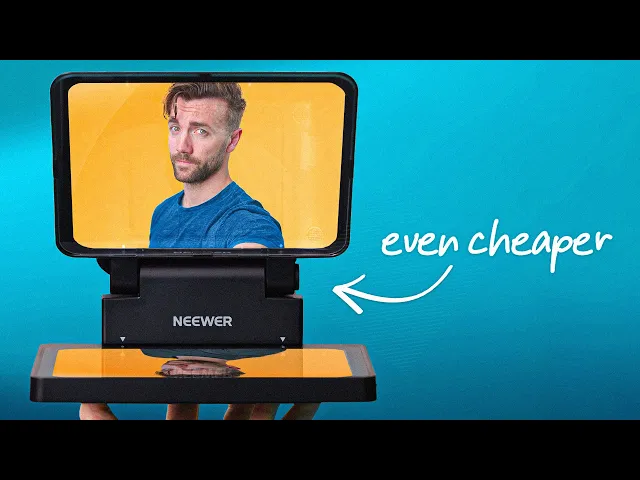
Neewer Teleprompter X11 - Premium Prompter.. for cheap
Senpai
0:00 I love making budget videos.
0:01 They're probably some of my favorite videos to make
0:03 because I think the most important part of my job
0:05 is making sure you guys don't spend money
0:07 that you didn't need to spend in the first place.
0:09 And budget gear was really a great way
0:11 to do that as long as it's good budget gear,
0:14 which is what we're going to talk about today.
0:16 We're going to figure out if this is good.
0:17 We've got a brand new budget teleprompter by the company Neewer.
0:20 And if you're familiar with the Elgato teleprompter, which you probably are,
0:24 it's been a very popular video on this channel.
0:26 This is a teleprompter with a screen built into it that connects
0:28 to your computer and works like
0:30 a second monitor or third monitor fourth monitor.
0:33 It was designed for YouTubers and streamers so you could put your script
0:35 or your live Twitch chat on the screen right in front of your camera,
0:38 but it's also just blown up cuz you can do anything with it.
0:41 You can put your Zoom calls right in front of it.
0:43 I do that three days a week for Japanese lessons.
0:45 It's awesome.
0:46 But here we have another version from a company called Neewer,
0:50 spelled Neewer, pronounced Neewer.
0:51 If you're not familiar with Neewer,
0:52 Neewer is a company that makes a wide variety of high-quality budget devices.
0:58 I've owned a handful of their stuff.
1:00 I've owned their lights.
1:00 I've owned their camera mounts.
1:02 I'm actually using one of their tripods right now.
1:04 This camera actually both cameras are on Neewer tripods right now.
1:08 And they've released the X11 teleprompter, which is in a lot of ways very,
1:12 very similar to the Elgato one,
1:14 but because it's almost a third cheaper there are going to be some compromises.
1:19 We're going to go through it.
1:20 We're going to talk about what those compromises are,
1:22 how this compares to this, in what ways is it a cheaper version of the Elgato,
1:28 and in what ways, cuz there are a couple,
1:29 there actually some positives to this thing compared to the Elgato.
1:33 Now, this teleprompter actually came out a couple months ago
1:35 and I didn't even know about it until they reached
1:37 out and emailed me and told me about it
1:38 and asked if they could sponsor a video on the channel.
1:41 And because I like paying my employees and I like paying my bills,
1:43 I checked to make sure it was a good product and then I gave them a thumbs up.
1:47 But also we're going to do what we always do on sponsored
1:48 videos and I'm going to keep my opinion out of it.
1:50 I'm going to showcase to you what is the good,
1:54 the the the differences, and you're going to come to your own conclusions.
1:57 And let's go over these differences.
1:59 I think starting in the same order
2:01 that I discovered them opening up this product.
2:03 I think we start with the price difference.
2:04 The Elgato Prompter is $299.
2:06 The Neewer X11 is $219.
2:09 I've seen that price vary down to like $190 on Amazon.
2:12 I also think Neewer's going to give me a discount code.
2:14 They just haven't told me what it is yet.
2:15 That will be I'll put that here on the screen
2:17 and in the description down below if you want one.
2:19 When you pull this out of the box, there is a handful of things to assemble.
2:21 It's fairly simple.
2:23 Most things are like snap into place, which makes things simple enough.
2:28 But, there is a slight difference in build
2:30 quality that you will see slightly throughout this.
2:33 Things tend to be a little bit shakier.
2:35 The screen feels like it's a little more
2:36 off-the-shelf with a handful of ports on the side.
2:38 All the things that you kind of expect coming from a well-known budget brand.
2:41 You also get things like Velcro on the back
2:43 instead of like a custom-designed plate that screws in.
2:46 And then, you you know, you get the shrouds like this that stick on like that.
2:52 Although, the shroud situation is actually kind of cool.
2:55 It might not be as elegant, but it works really well.
2:57 For your regular cameras, you got this kind of sock here.
2:59 And again, you Velcro it on there,
3:00 and you put the lens through here instead of a whole shroud that covers the top.
3:04 If you're using a camera that tends to overheat,
3:06 this means that you don't have to trap all the heat around the camera,
3:09 and you still have the flexibility to move the lens in and out.
3:13 They also have a phone mount here.
3:15 And in order to do that, you flip around
3:18 this extra uh smaller hole to cover the light leaks.
3:23 They give you this little clamp here
3:25 with these two little twisty guys on the side.
3:29 And then, you stick your phone right over the hole.
3:32 And you make sure you get as much Velcro sticking on there as you can.
3:35 And there you go.
3:36 Not quite as fancy, but gets the same job done.
3:39 And then, I noticed it actually came with something really cool.
3:41 It's got its own quick release mount,
3:43 which is something that Neewer can do because
3:45 they already make a bunch of things like this.
3:47 If you're not familiar with a quick release mount,
3:49 basically you You a little plate that you put on the bottom of your camera,
3:52 and then it snaps on.
3:55 You push a little button and it comes right off.
3:58 No more screwing and unscrewing a camera to the bottom of this.
4:01 Also, it's a lot easier to set a position
4:04 and keep that exact same position every time.
4:06 This is actually something I bought for about $20 to add to my Elgato Prompter,
4:09 and ironically, it's a newer one.
4:12 It's got these little tightening screws on the bottom,
4:14 which I mean, you can hear Yeah,
4:18 a little plasticky, but allow you to loosen them up and down,
4:22 and also this direction.
4:24 So, you can place your camera wherever it needs to go.
4:26 Connecting this to computer works very similar to an Elgato product,
4:29 but it has some differences that might be a positive or a negative for you.
4:32 The Elgato Prompter uses something called DisplayLink.
4:34 It's a separate display technology that runs
4:36 it through the CPU instead of the GPU,
4:38 which means you can plug it into any regular USB port and it'll work just fine.
4:42 It means you have to have DisplayLink software installed,
4:45 but if you're putting it on a Mac where you're
4:46 limited to the amount of external screens you can have,
4:49 it doesn't count as one of those screens.
4:51 There's a debate about whether or not it
4:52 takes up more CPU resources than a regular screen,
4:55 but personally, I haven't noticed a difference in my usage.
4:57 The newer one has two different options.
4:59 It comes with two different cables, a regular C-to-C cable,
5:01 which if you plug into the USB-C port or one of the two ports,
5:04 it connects to your computer and it
5:05 just powers it on using DisplayPort Alt Mode.
5:07 It actually runs like a normal monitor.
5:10 You don't have to have any software installed, it just works.
5:13 It worked on my Mac mini, it worked on my PC laptop,
5:15 and it worked on my PC desktop when I plugged it into the motherboard
5:18 into one of my USB 4 ports that says DisplayPort on it.
5:21 If you can't do that on your PC,
5:22 maybe you have an older computer without that USB 4 port,
5:25 you can use a second cable that plugs into both HDMI
5:27 and USB-C and then just goes into USB-A on the computer.
5:31 You'll have to install the DisplayLink drivers,
5:32 but then it should work the same way.
5:34 This was a little confusing when I first set it up because it worked really well
5:37 on my Mac and I struggled with it on the PC until I figured out where it went.
5:41 But, this is where I found something interesting.
5:42 For the most part, I feel like the differences have been pretty negligible.
5:45 It's kind of personal preference.
5:47 The monitor on this is considerably brighter
5:51 than the Elgato one, like 50% brighter.
5:53 I know it's hard to tell looking at it,
5:55 the footage in the camera isn't really doing it justice,
5:57 so you're just going to have to trust me.
5:58 The specs on both of these claim that the Elgato
6:00 has 400 nits and the Neewer has 600 nits.
6:04 But I've never really known what to trust because Elgato's Prompter XL also says
6:07 it's 600 nits and I find it to be slightly dimmer than the smaller prompter.
6:12 But regardless, I'd found the Neewer prompter
6:14 to have much brighter whites and more contrast, which made reading text,
6:19 which is kind of what these things are for, a lot easier.
6:21 Another distinction between these two is it feels
6:23 like they were made for a slightly different audience.
6:26 Neewer has made traditional teleprompters before,
6:29 larger ones made for broadcast TV.
6:31 They've got a desktop and a mobile app that let you write
6:33 a script and then automatically scrolls through it as you're reading it.
6:36 Elgato made theirs for content creators, specifically live-streamers in mind,
6:39 which is why it has a dedicated mode for reading live chat of your streams.
6:43 If you wanted to read your live-stream chat on the Neewer teleprompter,
6:46 you can still do that, but you have to pop out
6:48 the chat into a separate window and then full screen it over it.
6:50 And it might not be optimized for reading the same way the Elgato one is.
6:54 But there is also one more interesting advantage of the Neewer one here.
6:57 Because it's a standard monitor, it's not just DisplayLink like the Elgato one,
7:02 you can just plug your phone directly into it and mirror your display.
7:06 You don't have to have an app installed or anything,
7:07 you just plug it in and it mirrors.
7:09 But if you want to go more traditional script style,
7:11 they do have the teleprompter app as well, which is free.
7:15 There's no subscription to it.
7:16 And the rest of the things between these two are pretty similar.
7:18 They both have the exact same size 9-in screen.
7:21 They've both got little cold shoes up on the top
7:23 there for mounting lights or anything that you need.
7:25 And most importantly, when you plug them into a computer,
7:27 they work as separate monitors for that computer,
7:30 so you can really do whatever you want with either of these.
7:33 So, ultimately, those are the trade-offs
7:35 for getting a teleprompter for $80 less.
7:38 I'd love to know what you think
7:40 about those trade-offs and which one you'd prefer.
7:42 I've got my opinions, but I'm going to keep them to myself.
7:44 Personally, I'm just more stoked that there are options.
7:47 I think when you have multiple options, we're the ones who win.
7:50 So, again, I will leave a link to this in the description
7:52 down below with whatever the discount is down there.
7:55 And as always, happy streaming.