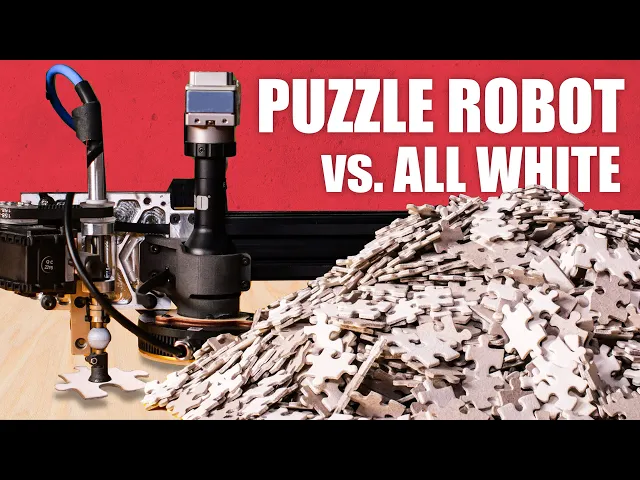
Worlds hardest jigsaw vs. puzzle machine (all white)
Stuff Made Here
0:00 how long do you think it would take you to solve a 5 000 piece all-white
0:04 puzzle I think it would take the average
0:06 person a really long time like years but I
0:09 think that a computer and a robot can do it really fast like less than a day
0:14 if I can get my robot working in my last video I made a robot that can
0:19 assemble puzzles but it's real dumb it couldn't
0:22 do more than maybe 50 pieces so ever
0:25 since I've been working on an algorithm which
0:28 will hopefully allow the robot to take big puzzles
0:31 with like 5 000 pieces figure them out
0:34 and then assemble them quickly all white puzzles are
0:38 really hard because there's no picture that you
0:39 can look at to figure out if pieces will
0:42 fit together if I want to figure out what piece connects to this piece I have
0:46 to pretty much pick up every single piece and test it to see if it fits if
0:51 you do the math this works out to somewhere
0:53 around 30 million comparisons that you would need
0:56 to do and that's why I say it should take a human years I wanted to do
1:01 this project because I love seeing robots do
1:03 something that's hard for humans and I also really
1:06 wanted to talk about computer science so I
1:08 get to do both here's my plan for solving
1:10 the puzzle I'm going to give the robot each piece one at a time so that it
1:14 can get a picture of every piece and then
1:16 it will extract the shape of every piece
1:18 from the photos and then think really really
1:21 hard about all the ways that it could assemble it until it finds the right one
1:25 and then it'll use that plan to actually assemble
1:28 the puzzle when you list it out like
1:30 that it doesn't sound that bad but I've spent
1:32 the last several months trying to solve this problem
1:35 it is without a doubt the hardest project that I've done but it is an awesome
1:41 opportunity to talk about algorithms and software it's
1:45 the reason that I did it so let's get
1:46 into it I made a few Hardware upgrades since
1:49 the last video It's better faster stronger less breakable
1:52 but I'm not going to get into the details of those because I want to focus
1:56 on the software though the key takeaways are number
1:59 one the magazine is gone because it is
2:01 a reliability Nightmare and I made some upgrades
2:03 to the business end that limit the range
2:05 of motion of the robot and it can't physically
2:08 assemble my 5000 piece puzzle anymore so I
2:10 was thinking about it a bit more in five
2:12 thousand piece puzzles are totally overrated what will
2:15 be really hard is a four thousand piece puzzle
2:18 no one makes a four thousand piece all-white
2:20 puzzle so I got a normal puzzle and I
2:23 painted it white with all that done all that's between us and a soft puzzle is
2:27 our imagination and a lot of software except I forgot my lease is up on my shop
2:32 so I have to move all of my stuff this took me so much longer than I was
2:37 expecting like six weeks to move everything clean
2:41 up all the damage at the last shop and get set up at the new place
2:44 moving a very delicate puzzle solving robot is nerve-wracking
2:48 but I only slightly broke it welcome to my new workshop there is a lot of stuff
2:55 it is packed tighter than a neutron star what it doesn't have is a lot of room
3:00 to do stuff but that's okay because I
3:03 have shipping containers that are packed very very
3:06 packed all right let's get back to the robot
3:09 the first step to solving the puzzle is
3:11 getting a picture of every piece I'm going
3:13 to give the robot each piece one at a time it'll take a picture of each piece
3:17 with this very accurate camera with a telecentric lens
3:20 this takes about eight hours thank goodness I
3:23 only have to do it once all right so
3:25 I've got 4 000 pictures of all the pieces but that doesn't really do me any good
3:29 I need to extract the shape of each piece from the photos here's how I do
3:34 that each picture is made up of a bunch
3:36 of pixels that have a color and the pixel
3:38 showing the background are a very different color
3:40 than the piece we can say any pixel
3:43 that's similar to the color of the background
3:44 isn't the puzzle piece and every other pixel is
3:47 the puzzle piece so we've got a blob
3:49 that's the shape of the puzzle piece but what
3:51 we really care about is the shape of the edge
3:54 because that's what does all the connecting so
3:56 the next step is to extract it so all we need to do is look at every
4:00 pixel that's in the piece if that pixel is next to a background pixel we say
4:04 that pixel is part of the edge and if you do this for every pixel in the image
4:08 you get the entire edge of the piece so at this point we can throw away
4:12 the image and treat the pixels as points
4:14 in space that form the edge of a complicated
4:17 polygon we want to do this so that we're
4:19 not constrained to pixels when you think about
4:21 solving a puzzle you're usually not thinking about
4:24 the entire shape of the piece you're thinking about
4:26 the shape of one of the sides so we need to take this perimeter and divide it
4:31 into the four sides for the puzzle piece and once we have those then we can
4:35 start seeing which ones might fit together conceptually
4:38 this is pretty easy you find the corners of the piece and you divide the Contour
4:42 up at every corner but in reality it's pretty
4:44 tricky if we zoom in on the corner it
4:46 isn't perfectly sharp any point along this curve could
4:49 be considered the corner if I'm not rigorous
4:51 about how I Define the corner some edges will
4:54 appear longer or shorter and they will not
4:56 match correctly I start by finding the approximate Corner
5:00 locations and then I grab a little part
5:02 of the polygon on each side of this corner and I fit a curve to it I
5:06 consider the intersection of these two curves the corner
5:09 of the piece and it usually doesn't fall on the polygon so we find the point
5:12 on the polygon that's closest to this corner floating
5:15 out in space and we split it in half
5:17 at that location if you repeat this for every
5:19 corner you get four curves that are
5:21 the shape of each side I'm going to calculate
5:23 this for every piece and it's probably going
5:25 to take a while but I only have to do it once I can save the result
5:29 to my hard drive and then load it way faster than it would take to calculate
5:33 it this is sometimes called pre-processing this is
5:36 going to take a lot longer than I was
5:38 expecting like probably days times like this make
5:41 me really glad to have a super powerful computer
5:43 because instead of trying to make it faster
5:46 I can just throw a more computer at it
5:48 and it'll hopefully be fine so what I'm going to do is split this job into 80
5:52 smaller jobs that I'll run at the same time so hopefully instead of a few days
5:57 it'll get done in a few hours I
5:59 don't think I've ever talked about my computer before
6:01 which is kind of surprising because it's my most
6:03 important tool I've had this thing for about
6:05 a year it's made by a company called Puget systems and it is a beast they asked
6:11 me what specs I thought I needed and I said I need all the ram all
6:14 the CPU and all the GPU and for stuff
6:17 like poorly written programs big cat assemblies and editing
6:21 videos it is astonishing how much time it saves me if you're looking for a beefy
6:26 reliable machine you should check out Puget I'm a big fan I know a lot of people
6:30 are going to tell me that I wouldn't
6:32 have these problems if I didn't write my code
6:34 in Python but if I wrote my code in something like C plus plus I would still
6:38 be writing code so I like this trade now that we know the shape of all
6:46 the edges we need to go through all
6:48 of them and figure out which ones potentially match
6:50 the slow easy way to do this would be to compare every Edge to every other Edge
6:55 but that would be too slow this is where
6:58 we get into software optimization you may have heard
7:00 people talk about this before the general idea
7:03 is that you find some kind of shortcut
7:04 or alternate way of computing something so that it
7:07 goes faster and what we're going to try
7:09 to do is find a way so that we can directly compute which edges match a given
7:15 Edge without having to do any comparisons so
7:18 if I have an edge I can just directly say here's all the edges that are similar
7:22 to that one without having to compare it
7:24 to every possible Edge it's going to get kind
7:26 of weird but also kind of awesome so hold
7:29 on to your butts we can start by grabbing
7:31 one of our edges and making an imaginary
7:34 line from one side to the other and then
7:36 divide this line into some number of equally
7:38 spaced points and then at each point we calculate how far the curve is away
7:43 from the line at that location station this will
7:46 give us a list of numbers that approximates the shape of this curve to make what
7:50 we're about to do easier to understand let's pretend
7:52 that we only took two evenly spaced points
7:55 if I treat the first number as an x-coordinate
7:57 and the second number as a y coordinate we can plot this point on a 2d graph
8:01 if we do this for a bunch of edges ones that are similar will be near each
8:05 other on the graph and ones that aren't
8:07 similar will be far apart unfortunately figuring out what
8:11 points are near a given point requires that we
8:13 compare them which is what we don't want
8:15 to do so we need to go deeper if I take a line and add it
8:19 to this graph we can calculate which side
8:21 of the line any given point falls on then if
8:24 I get a new Edge and I calculate where it goes on the graph I can see
8:28 which side of this line that it falls on and I can ignore any of the points
8:33 that are on the other side of the line I know that it's not going to be
8:36 similar to them without having to compare it
8:38 but this stops being effective if I have points all over the place but if we
8:42 add more lines dividing this graph something really cool
8:44 happens this point is on the left side of this line the right side of this line
8:49 and the left side of this line this sequence of left right left describes a very
8:54 small specific region of this graph and all
8:58 the other regions have their own unique sequence so
9:00 for every point on this graph we can
9:02 calculate the sequence that describes where it is
9:05 on the graph if we keep track of what
9:07 region of the graph each point falls under if we get a new Edge we can just
9:11 calculate where it falls on this graph and directly
9:14 look up what other points are similar without
9:16 doing any comparisons so I did this in 2D
9:19 so that we could visualize it I used 128 dimensional space for my hash the math
9:23 is the same it's just 128 dimensional graph
9:25 and instead of a line you have a hyperplane
9:27 but the math is really the same you just can't visualize it and I did not invent
9:33 this it's called locality sensitive hashing it has nothing
9:36 to do with crypto or medicinal oils and it
9:40 is an amazing technique one other really cool
9:42 thing that it's used for is reverse image search
9:44 we're going to use the hash to find all the similar edges for all of the pieces
9:50 hmm I have been looking at this forever for days and I initially thought that I
9:59 did it wrong which is usually a really
10:00 good guess but in this case it's even worse
10:03 it looks like I did it right but it's still giving me the wrong answer it looks
10:07 like we've got a bad case of what
10:09 programmers call garbage in garbage out when this happens
10:12 it doesn't matter how good your algorithm is
10:14 if you give it garbage data it's going
10:16 to give you garbage results although in my case
10:19 it's very subtle garbage it's like a tiny bit
10:22 of dog poo in your brownies you would know it from just looking at it but it's
10:26 garbage they must have used a very dull
10:29 knife when they cut out the pieces the edges
10:31 are super fuzzy which makes the pieces look
10:34 like a different shape than they actually are
10:36 this thing is a vibratory Bowl tumbler
10:39 and the way it works is there's abrasive grit inside
10:42 of it which it vibrates really hard and if
10:46 you have something that has a lot of rust
10:48 on it or sharp edges you can throw it in here let it run for a few
10:52 hours and when you come back you have a really beautiful part so this thing is
10:56 usually used with metal but I'm hoping with some
10:59 very gentle abrasive I can put cardboard puzzle
11:02 pieces in there and they won't get disintegrated
11:04 into nothing all right this is approximately infinity times
11:11 better all the pieces changed so we have
11:14 to scan them in again this takes about eight
11:16 hours thank goodness I only have to do
11:18 it twice all right let's calculate all the Edge
11:21 matches what all right I am gonna lose my mind so the pieces look good my code
11:31 looks good the results don't look good upon
11:39 closer inspection it looks like the vibratory tumbler
11:42 did a great job of removing all
11:44 of the little fuzzy things and sharp edges but it
11:48 also did a good job of changing the shape of the puzzle pieces by grinding them
11:52 down and when you take pictures of them
11:54 they don't look like they fit together anymore which
11:57 I guess that makes sense but it is
12:00 really unfortunate this is a really annoying problem even
12:04 if I go and buy a higher quality puzzle that doesn't have the rough edges if I
12:09 paint it white I'm going to get paint on the sides of the pieces then I'm
12:12 going to want to put it back in here and it's going to mess it up again
12:15 the only thing I can think to do is make my own puzzle I can get
12:19 the top of it painted white and then I can cut a puzzle out of it it'll have
12:23 really nice clean edges and there won't be any paint on the sides I should have
12:28 done this from the beginning I would have
12:29 saved so much time it's a new puzzle so I have to rescan it which takes about
12:34 eight hours thank goodness I only have to do
12:36 this three times I didn't realize it when
12:38 I was making it but my laser cut puzzle
12:41 has some self intersections on the Contours which
12:44 turns one piece into one really messed up piece
12:48 and an extra little chunk and it looks
12:51 like there's only four of them I could spend
12:53 a bunch of time updating my algorithm
12:55 to support malformed pieces but that really seems like
12:58 a dumb idea I could remake the puzzle
13:01 but that would take me like a day I'm really
13:03 leaning towards option C which is just put
13:06 the pieces into the four missing spots when
13:08 the puzzle is done all right we've got
13:10 new picks new hash third time's the charm okay
13:17 finally believe it or not we are just now getting to the Crux of this problem
13:22 every side of every piece potentially connects to multiple
13:26 other pieces and without any kind of picture on the puzzle the only way to know
13:30 which of these Edge connections is the right one
13:33 is to build more of the puzzle and see if it makes sense if we go back
13:37 to that original piece it has some number
13:39 of potential connections on each side if we pick
13:41 one of the possibilities for each of these sides
13:44 the only way that they work is if they share a mutual piece in between them
13:48 like this otherwise there's no way to connect them
13:51 so even if they fit well to the original
13:53 piece they don't make sense when you consider
13:56 the rest of the puzzle if you do this for every piece it reduces the number
13:59 of possibilities dramatically incidentally doing this also generates all
14:04 of the possible two by two squares of pieces
14:06 that you could use and this is where we go deeper we can pretend that a two
14:10 by two block of pieces is one big complicated puzzle piece if both of the pieces
14:15 on this block connect to both of the pieces
14:18 on another block then it's a valid connection
14:20 we can eliminate possible Json block unless they
14:23 share a mutual block and then you can build
14:25 two by two blocks of two by two blocks which would be a four by four
14:29 block and then keep repeating this until you
14:31 can't go any further this part is actually really
14:34 mind bending and really annoying I spent several
14:38 weeks at this stage I could not get it
14:41 to fully complete and I did have to give it some hints to help it along I
14:46 do think with some more time I could have it run fully autonomously but I'm fine
14:53 I'm okay with that so at the end of this process most of the pieces only have
14:58 one possible connection so then you can go
15:00 through that and assemble the grid of all
15:02 the pieces which the robot can use to actually
15:05 solve the puzzle four thousand pieces is a lot
15:09 of pieces and it is not very fun to feed them in one by one into this robot
15:13 I did want to have an automatic vibratory ball feeder I even built one but it
15:20 had a bunch of issues and I figured it would take me longer to fix those issues
15:24 than it would take for me to feed all the pieces in and so I'm just going
15:29 to do that thank goodness I only have
15:31 to do this four times one other big problem that I really wanted to solve but I
15:35 just don't have time for is that sometimes when
15:37 you put pieces down they won't fit together
15:40 perfectly this sort of has a Cascade effect when
15:44 you click two pieces together it'll shift the pieces
15:47 that it's connecting to and then when you
15:50 try to connect a piece to the shifted pieces it'll get tilted and won't seat all
15:54 the way down and I wanted to be able to scan the pieces that I put down
15:58 which is why I have this other camera it's why the table is orange so that I
16:02 can very clearly see the pieces that I've
16:04 put down and it's why I added this really
16:06 nice light to the cam camera if it can put them in mostly the right spot
16:10 and I just have to nudge them with my finger to make them click together that is
16:14 a complete win by my book so one thing that I like to say is that if
16:19 at first you don't succeed reduce your expectations
16:21 until you're a success I think those are pretty
16:24 good words to live by and that's definitely
16:26 what I'm doing here at least in theory
16:28 the robot now has everything that it needs
16:31 to solve the puzzle if I put it into solve
16:33 mode the robot expects me to load the pieces one by one when it sees a new
16:40 piece it extracts all of its details and then looks up where it needs to go
16:43 using the solution then it rotates the part
16:46 to whatever orientation it needs to be at and then
16:48 moves over and puts it down where it needs to go all right here we go
16:58 that is so satisfying all right well
17:02 with this many pieces you can't expect them all
17:04 to fit together right I already regret not making
17:09 that feeder Bowl work [Music] I didn't see it
17:27 happen but I think a piece stuck up just barely enough to hit I was able
17:32 to get it mostly back to the right spot I think I was gonna wait until the end
17:37 to push the pieces down but that crash
17:39 has me paranoid the cumulative error is really
17:42 adding up in some spots the pieces are in the right spots though so it's an easy
17:46 fix well except for this last row there's a bunch of pieces that do not belong
17:51 that are being stacked on top of each
17:53 other I'm guessing this is a stupid logic error
17:56 but I'll have to look it was a stupid bug I think it's fixed so let's keep
18:01 going all right it's almost there just gotta seat
18:04 these pieces I have no idea why but only
18:10 on this edge of the puzzle some of the pieces are not put in the right
18:14 spot they're stacked randomly on other parts
18:17 of the edge mostly this Edge this is the last
18:20 row in the simulation I'm guessing there's still
18:25 a kind of stupid bug happening there although I
18:29 looked at the code and there's nothing really
18:31 obvious so I thought about spending a ton more
18:35 time trying to get to the bottom of this but I could also just do this I
18:42 don't think anyone would know or even care
18:45 right there's a few other missing pieces this is
18:48 where the messed up self-intersecting pieces would be
18:52 so we can just put those in the right
18:55 spots all right it is done I made this puzzle yet somehow I lost two pieces I
19:13 could laser cut some replacement parts but I
19:15 think there's something poetic about two pieces being
19:18 missing it sort of matches really well
19:20 with my reduced expectations and the journey was the destination
19:24 in any case and I hope that you
19:26 enjoyed it I hope you learned something about algorithms
19:29 if you find this fascinating like I do
19:31 you should consider becoming a programmer if you aren't
19:34 already it is an awesome job where you
19:37 basically explain to a computer in excruciating detail
19:40 how to do stuff like this I'm really curious to see if my wife is as impressed
19:45 with this as I am but before we get to that I want to talk about
19:48 this video sponsor it's a company that I think
19:50 is amazing brilliant people reach out to me all
19:55 the time asking me what it is they need to learn to be able to make
19:58 stuff like I do and whenever they do
20:00 it makes me really happy because I really want
20:02 to inspire people and this is why I
20:05 love brilliant it's a really powerful tool for learning
20:08 math and computer science and a bunch of other
20:10 technical stuff the way it works is it'll take
20:13 a really complicated subject like computer science and they'll
20:16 break it down into a bunch of bite-sized
20:18 lessons which will teach you Concepts and then
20:20 reinforce it by having you work examples which is
20:23 just the best way to learn I've read
20:25 textbooks for years and this is exactly what I
20:27 do and Brilliant is better than a textbook
20:30 could ever be because a lot of the examples
20:32 are interactive it's so much easier to see
20:34 and build intuition for how something works when you
20:37 can directly interact and manipulate it and the fact
20:40 that they're smaller lessons makes it really easy
20:42 to do a little bit every day I try to spend a little bit of time every
20:45 day doing some kind of learning and I'm
20:47 always amazed when I look back at the past year how much progress I make just
20:52 from that little bit every day I've been working
20:54 through their lessons on differential equations I did
20:56 learn this back in college but I never really
20:59 got it and I also forgot everything I knew about them in all the time since
21:03 and I feel like it's starting to click
21:05 which is awesome so if you're interested in building
21:08 technical skill you need to check out brilliant
21:10 it is an amazing tool and it's free
21:13 to get started all you have to do is go to brilliant.org stuff made here you can
21:17 also click on the link in the description
21:19 and the first 200 people to do this will
21:21 get 20 off their annual premium membership and that's
21:24 it thank you brilliant for sponsoring this video
21:26 and thank you for taking the time to check it out all right let's see what
21:29 the wife thinks hey wife wow I thought
21:37 you said it was finished I spend months building
21:42 these projects and I love doing it if
21:44 you enjoyed these videos please consider supporting them subscribing
21:47 to the channel helps me get sponsorships and you
21:49 can also support them directly on patreon thanks [Music]