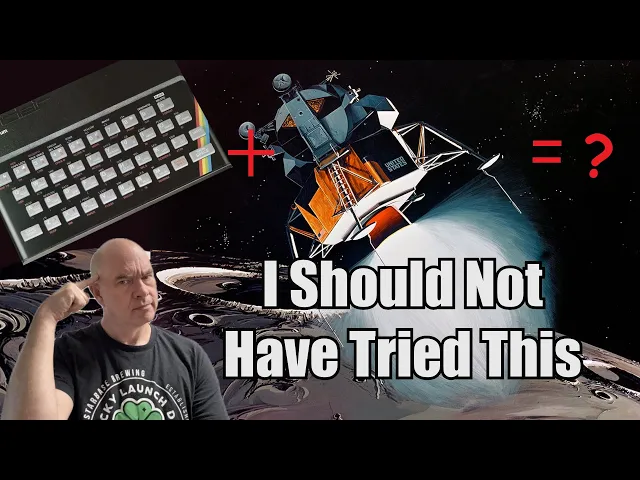
Can My First Computer Control A Spaceship?
Scott Manley
0:04 Hello, it's Scott Manley here.
0:06 Today we are going back into history.
0:08 And I know what you're thinking.
0:09 You're looking at Kerbal Space Program here and you're thinking, "Oh,
0:12 he's going to play some more Kerbal Space Program." Just
0:14 like the good old days of Scott Manley 10 years ago.
0:18 But no, I am going even further back because some of you may have also
0:22 noticed in the top right there is
0:24 a screen showing copyright 1982 Sinclair Research Limited.
0:29 And if you were growing up in Britain in the 80s,
0:31 you may well have seen this many, many times.
0:34 It's what greets you when you turn on a Sinclair ZX Spectrum,
0:38 specifically the 48K version of their lowcost color computer.
0:43 So, that was the first computer that I learned to program on.
0:46 Uh, I'd played games, video games before,
0:48 but this was the first one that actually let me get in and start writing code.
0:52 And I very quickly graduated from Sinclair uh basic to like,
0:57 you know, assembly language.
0:58 and then to other computers that actually had real peripherals.
1:01 But there was some recent discussion recently about um how powerful
1:05 modern hardware is and how it could land on the moon.
1:09 I wondered whether I could make a 1982 ZX
1:13 Spectrum control a spacecraft to land on the moon.
1:16 Now obviously I don't have a real spacecraft to land on the moon.
1:19 So, I'm going to use a simulated lander
1:21 in Kerbal Space Program and it's going to be operated
1:24 by an emulated computer in uh you know using Spectacular
1:28 which is a uh paid you know ZX Spectrum emulator.
1:32 It has serial port support which is really important because you
1:35 wonder how does a 1982 piece of hardware control a spacecraft.
1:39 While the AGC, the Apollo guidance computer in the 1960s may have
1:43 been kind of slow compared to many much hardware that followed it,
1:47 it had a lot of interfaces to talk to all the hardware on here.
1:50 The ZX Spectrum is notoriously austere in terms of its peripherals.
1:56 It had some custom stuff to create graphics,
1:59 but like the sound was literally one
2:02 of the CPU IO legs linked to the audio port, so it could either go high or low.
2:07 you had one bit audio and still amazing programmers
2:10 could do great things with that one bit of audio.
2:13 Similarly, loading stuff from the tape was a leg which would go
2:17 high or low and they would be able to like read that out.
2:20 So, it didn't have a serial port by default, but very soon after its release,
2:25 there was a piece of hardware called interface 1.
2:28 And that was primarily used by people for the micro drive,
2:32 which was Sinclair's proprietary storage system that enabled
2:35 you to load software in seconds rather than minutes.
2:39 But it also included an RS232 port,
2:42 which is a common standard for serial interfaces.
2:45 And that's what I'm going to use on this emulator.
2:47 It took a while to set up,
2:48 but there's a pair of virtual ports here set up on Windows,
2:52 which I'm going to use to talk to the spectrum,
2:55 but uh there is no serial port uh support in Kerbal Space Program.
3:00 So instead, I'm going to have another program that work talks to it.
3:05 So I'm going to use the Kerbal RPC mod,
3:07 which is a much more sensible way of remote controlling Kerbal Space Program.
3:12 It lets you perform remote procedure calls to control the spacecraft,
3:15 read the state and use whatever language you like.
3:18 So I just did the default and used Python.
3:21 So I have a Python bit of code here.
3:23 It imports Kerbal RPC and it connects to it and it reads data.
3:29 It also imports serial and it generates a serial
3:33 port and starts talking to the ZX Spectrum.
3:36 Great.
3:37 So now this is going to act as an intermediary down here.
3:42 It's going to read state from the simulation.
3:45 It's then going to package up a bunch of that data,
3:48 basically altitude, speed, thrust to weight, send that across the wire,
3:52 and then try to read the response in a timely manner,
3:55 and then use that to set attitude and set the throttle.
3:58 That's how this is going to work in theory.
4:00 In practice, boy, um the performance is not there, let's say.
4:05 But we're going to select a tape down here,
4:07 the Lander program, and I'm going to hit load.
4:10 Now, I can actually show you how you would type this on the keyboard.
4:13 To hit the load, you would have to hit the J key,
4:16 and it would like do load, and then you need symbol shift quote.
4:19 Oh, no, actually, [laughter] delete.
4:24 Delete.
4:24 Where's the quote?
4:25 The quote is up here.
4:27 Uh, every key on the ZX Spectrum keyboard did like a dozen different things.
4:31 Well, maybe I'm exaggerating, but it did a lot of different things.
4:34 Anyway, this is it loading off tape.
4:36 Those borders are showing you this carrier signal.
4:40 It's loading the program lander, which is a basic program written in ZX Basic.
4:45 Uh that noise sounds like a modem.
4:48 That's what tape uh sounded like in those days.
4:51 We didn't have a disc drive for the ZX Spectrum until the Plus 3 came along.
4:55 Okay, so it's loaded and I can list this by hitting list K key there,
5:00 list, and hit return.
5:02 And it's going to start scrolling down.
5:04 So you see how this works.
5:05 It has a line number followed by a command and followed by parameters.
5:10 So we're setting variables here for like G, you know,
5:14 gravity of the moon, the lag that we're expecting, their target altitude.
5:18 Then we set the format on the serial port, start reading and writing it,
5:22 and then we separate the data that comes
5:25 across the serial port into a number of variables.
5:28 Then using those parameters,
5:30 we start to compute the attitude and the acceleration that we'd require.
5:35 And there's also a transition to a state where we get to actually land.
5:38 And that will use a slightly different algorithm.
5:41 But this is all pretty easy.
5:43 We can run this by hitting run and hit run.
5:46 Now it is currently listening on the serial port,
5:48 but it's not doing anything because the Python code isn't running.
5:51 So first of all, I'm going to load the state uh into the you know Kerbal thing.
5:58 And it's apparently firing its engines already.
6:01 Let's turn that off and then we're going
6:02 to start the Python code and it's running now.
6:07 Excellent.
6:07 So you can see what's going on here.
6:11 So we're descending towards the moon.
6:13 The numbers to look at here.
6:14 This line here shows the uh string that's being sent across a serial port.
6:19 So this is like altitude, velocity,
6:21 thrust to weight ratio, and the sequence number.
6:23 These are broke out into these first four lines for you know for debugging.
6:27 The next three lines are this is the two times
6:30 uh one is like the time to decelerate in time.
6:34 The other is the time to impact uh assuming 50% thrust for the deceleration.
6:40 And so it tries to keep these two equal and it also tries to get 50% thrust.
6:46 The reason I use 50% thrust is because
6:48 if we have an engine failure we want margin.
6:50 If we say get some bad data, we want to have some margin.
6:55 So anyway, that is working.
6:57 And what you're now going to notice is these numbers are updating pretty slowly.
7:01 First of all, those flashes around the outside are
7:03 very similar to how we loaded stuff off the tape.
7:05 That's because the CPU is basically talking directly to the RS232 port.
7:10 This 3.9 MHz CPU is just bit banging the heck out of this.
7:15 So, it is busy waiting as it's trying to set the values on this 9600 baud line.
7:20 It spends thousands of instructions to read a single
7:23 bite off of the or bit off of this port.
7:27 You'll also notice that this thing gets read in first and then
7:30 there's a bit of a lag before these things show up, right?
7:32 And then another bit of a lag before these things update.
7:35 So that shows you how slow it is to run this under ZX Sinclair basic.
7:41 Now on the Python side what you can see
7:45 is that we're sending over the state which is
7:47 the same thing here and then we are generally
7:50 seeing spectrum says and that's what we're reading back
7:53 and the important thing to see is this final
7:56 number on the sending has a like a single digit
7:59 from 0 to 9 when spectrum says it's the second
8:03 to last number there that it's supposed to repeat back.
8:06 So, it's basically a sequence number to make sure this thing does not
8:10 get out of step because it could very easily get out of step.
8:14 It actually takes a lot of effort for the spectrum to talk to this.
8:18 So, I want to make sure that I'm not
8:20 repeatedly asking it for data when it has none.
8:23 Also, I want to make sure that it's not getting way ahead of me
8:27 in terms of uh you sending it data
8:29 and it getting lagged behind the real simulation.
8:33 This is about as fast as it I could get it to run.
8:35 could definitely get it to run faster,
8:36 but sometimes it would get desynchronized and we'd
8:39 end up slamming into the moon because of lag.
8:41 Uh, this seems a decent compromise.
8:43 So, it's running updates about once every second,
8:46 but sometimes this lag could be about 2 seconds.
8:50 And 2 seconds sounds a lot for a spacecraft which is
8:52 hurtling towards the surface of the moon at hundreds of miles hour.
8:56 But you know what?
8:57 The lunar lander, the Apollo guidance computer,
9:00 it ran on a 2cond cycle where it would you compute some values
9:04 at that rate and you know it would be able to land on the moon
9:09 like that because it would then take those values and hand it off
9:12 to other processors which would you know
9:14 control things with much more local precision.
9:17 It would basically hand off the load of the highle stuff to the lower
9:20 level stuff and you could do that because it had all this extra hardware.
9:25 Uh, now whether this works for me, I don't know.
9:28 Whether it actually hits the moon at a reasonable
9:31 spot or it hits a boulder field, I don't know.
9:34 It has no guidance on there.
9:35 It barely has attitude control.
9:38 The attitude control is entirely being driven by it.
9:41 This asking for certain attitudes rather than actually computing say
9:46 what the surveyor spacecraft did based on multiple radio beams.
9:50 But we're coming down and what you're going
9:52 to see is it should transition into the landing mode.
9:55 It should go into vertical somewhere between 100 m and 30 m up
10:01 it hopefully at that point is the lateral velocity will be relatively low.
10:04 Looks like we got a kind of flat area of the moon here.
10:08 Sometimes it overshoots on its deceleration.
10:11 Uh yeah, it overshot just a little bit.
10:13 So it'll it it'll now descend down until it speed gets back up
10:19 and hopefully it will get down to the surface at a reasonable speed.
10:23 So, at this point, it's using much simpler,
10:26 much smaller changes in the thrust to make sure
10:29 that it doesn't end up going upwards and burn any fuel.
10:33 But that's it.
10:33 Look, it's coming down.
10:35 It's drifting sideways, but you know what?
10:37 We built it with a wide enough base that it should be able to handle this.
10:42 Comes down and contact light, engine shutdown, program stopped, victory.
10:49 Yes, you can in fact land a spacecraft on the moon using 1982 Sinclair BASIC.
10:57 We're talking over a serial port
10:58 to a Python program talking to Kerbal Space Program.
11:02 The lag is terrible.
11:03 The performance could probably be improved by writing this in assembly language.
11:08 And certainly I used to write raw machine code
11:11 into the ZX Spectrum before I ever learned what assembly language was.
11:15 However, I found programming returning to ZX Spectrum Basic
11:21 um was a little bit of nostalgia at first,
11:23 but it very very quickly became incredible amounts of pain.
11:27 And that's why you've only really get half of an implementation here.
11:31 I wanted to have like nice graphs and stuff, and I was like,
11:34 I am not wanting to code much more on this.
11:37 If you want to see like just how difficult
11:39 things could get on this, sometimes when this crashed,
11:43 it would leave the serial port open.
11:44 And initially, I couldn't figure out how to close it.
11:47 So, I would just like hit the reset button, right?
11:48 Cuz reset, nice and easy.
11:51 Bring up a new prompt.
11:52 But I figure out the correct way to do it eventually.
11:55 And it is, it just shows you how difficult it is to use this Sinclair keyboard.
11:59 Again, these were all little red rubber keys.
12:02 Everyone complained about the keyboard quality on this thing,
12:05 but it was cheap and cheerful and it worked.
12:07 The hard thing was that every key had like six functions,
12:11 up to six functions, right?
12:13 And to close the serial port, you need to cause call this close command.
12:17 And to do that, you have to do cap shift symbol shift.
12:20 And that puts us into enhance mode.
12:22 But then we have to hit hit symbol shift again and hit the close button.
12:27 And now you're supposed to close number four.
12:29 But if I hit number four, it's still in shift mode.
12:31 So I have to take it out of symbol shift mode and I have
12:33 to backspace a key right take it out of caps lock mode and hit four
12:38 and finally we have hit the command to close the serial port that I left
12:42 open because you know something crashed literally I
12:45 mean cuz we were of course flying spacecraft.
12:48 Yeah.
12:48 Uh [laughter] the ZX Spectrum uh is an iconic piece of hardware.
12:53 Many programmers including me cut their teeth on it.
12:56 It kept having games develop it for it like a decade after its released.
13:01 Programmers figured out how to squeeze amazing performance out
13:04 of this thing by working close to the metal.
13:06 And I am not anywhere near that.
13:08 I am intentionally using basic to just show how underpowered this hardware is,
13:14 but sure on paper 3.9 MHz is a lot faster than the AGC.
13:19 I'm sure there's ways with the right peripherals that you
13:22 could do something close to the full Apollo guidance stack.
13:27 But as I said, uh, you know, modern hardware is a whole lot faster.
13:30 People pointed out, it was Peter Dman just pointed out that, you know,
13:33 this phone is thousands of times more
13:35 powerful than the AGC that landed the moon.
13:38 In fact, this phone is more powerful than the ASI Red,
13:42 which was the fastest computer in the world in the late 1990s.
13:46 It had broke the one teraflop barrier.
13:49 Now, I responded to Peter Diamandis by saying,
13:53 "That's nothing." You have to realize that the average
13:56 cell phone's charger now has more processing power.
14:00 It's quite common to find chargers that need
14:02 to negotiate power with a USBC devices will
14:06 have the equivalent of an ARM Cortex uh
14:09 CPU in there running faster than the AGC.
14:13 maybe having only 8 kilobyt of memory, 64 kilob of ROM,
14:17 but that is more than enough to land on the moon.
14:19 So maybe, just maybe, there will be a sequel to this where we
14:24 uh land on the moon using something even more ridiculous.
14:27 I'm Scott Manley.
14:28 Fly safe.
14:31 [music]