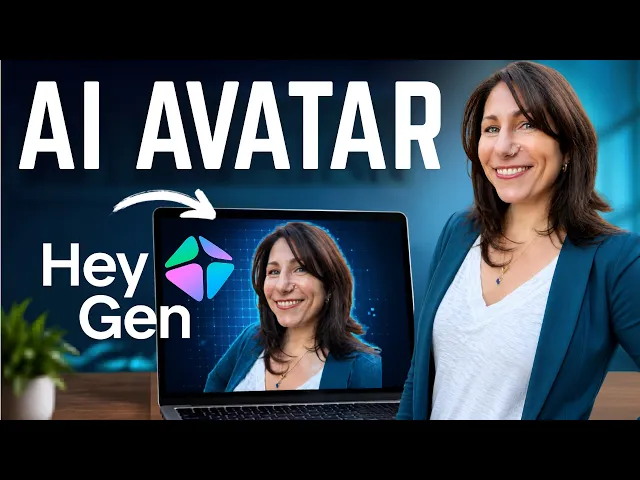
HeyGen AI Tutorial: How to Use AI Avatars & Video Generator
Kevin Stratvert
0:00 Do you get burnt out trying to balance
0:02 life with being camera ready all the time?
0:05 Do you struggle with backgrounds, lighting,
0:07 and knowledge of how to put a production together?
0:10 Or maybe you just have a really small recording space.
0:14 If I'm this tired of seeing myself with this background,
0:17 this could cost me viewers who are also tired of it.
0:20 Do you wish you had another you so you could
0:23 have more time to create and spend less time in production?
0:26 Your wish can be granted when you create a HeyGen
0:30 digital twin avatar that looks like you and sounds like you.
0:34 You can place yourself anywhere in any setting in any clothes.
0:38 And with the latest release of Avatar 5 can
0:41 even use your authentic motion for realism that lets
0:45 you maintain your close relationship with your audience
0:48 while focusing all your creative energy on quality content.
0:52 Jess is out of the office, so she sent me her digital avatar.
0:57 In partnership with HeyGen, I'll show you how you can create more content,
1:01 maintain your personal brand, and scale with HeyGen's digital avatar.
1:06 HeyGen requires 15 seconds of video and a brief recording of your voice.
1:12 From there, you can create full length videos using your digital self.
1:16 Create quick, seamless, eyepopping videos by prompt.
1:20 translate your videos and more.
1:22 No more deciding the lighting is bad, my hair is bad,
1:25 I had something in my teeth the whole time
1:28 and didn't realize or had to reshoot for any reason.
1:31 What's more, as a trainer,
1:33 I know that sometimes the technology I'm teaching could
1:35 be out of date before I even publish a video.
1:38 Reshoots are tough.
1:40 I'd have to get the camera, lighting, outfit,
1:43 everything back in place to redo an updated video.
1:47 Now my avatar can wear the same outfit I was wearing the first
1:51 time and I can add a new video or update an existing one.
1:55 If it takes longer to set up the camera than it does to teach something,
2:00 using a digital avatar is a gamechanger.
2:03 Besides, I'm a trainer.
2:05 I know the subject matter of what I'm training.
2:08 I'm not a production expert.
2:10 What does a typical workflow look like?
2:12 To get started, the first thing you need to do is create your digital avatar.
2:17 On the left hand side, click avatar, then avatars,
2:21 and then on the top right hand side, click create avatar.
2:24 You can choose between creating your personal
2:26 digital clone or a virtual character.
2:28 We're going to create a digital clone first, and in a bit,
2:33 I'll explain why you might want a virtual character.
2:36 Do not worry if you don't have
2:38 all the expensive professional gear to record yourself.
2:41 This is the whole point.
2:43 You can use your computer or laptop's webcam
2:46 or even your phone via this QR code.
2:48 You can also upload existing footage that you have.
2:51 You don't even need a clear background.
2:54 And of course, you can change your outfit
2:56 virtually so what you're wearing doesn't matter.
2:58 What you do need is a reasonable light source so the camera can see you.
3:02 You need room to move your arms around
3:05 so your essence and motion can be captured.
3:08 And most important, you need energy and preparedness
3:11 to bring your likeness to the screen.
3:13 Make sure you are your "youiest".
3:15 You want to be the best that you can bring
3:18 in those 15 seconds to get the most realistic AI avatar.
3:22 Once that's done, you can optionally record your voice likeness,
3:26 which is recommended by HeyGen.
3:28 You can always still record your actual voice as a script for your video,
3:32 and your digital avatar will use your real voice.
3:35 There's no right or wrong way to do it.
3:38 You can also upload existing audio.
3:40 And once it's all done, you can listen to it using different voice engines
3:45 to see which one sounds the most like you.
3:49 Once your avatar is created, the next step is to choose some looks.
3:53 You can choose your base look and HeyGen will use
3:56 that to show you additional looks that you can swap to.
4:00 Alternatively, you can describe a look that you need to suit your project.
4:07 You can have up to 300 looks per avatar.
4:12 15 seconds of recording.
4:14 A few prompts later,
4:15 and now we are ready to put our avatar to work in an actual video project.
4:19 Once your avatar is created,
4:21 you can now use your voice and your likeness with all of your content,
4:26 no matter where it comes from.
4:27 If I want to do some of the editing myself,
4:30 I'll start by selecting a look and choose use in video.
4:34 This is going to open up AI Studio, which lets me fine-tune exactly what I want.
4:41 I'll select the engine to Avatar 5
4:44 to get that authentic motion that makes me me.
4:47 On the left hand side,
4:49 I have the option to let HeyGen do the script writing for me.
4:53 I can also upload existing audio that I have.
4:56 This is a great way to reuse existing content such as a webinar you did.
5:00 You can click down below to add continuous scenes
5:03 and you can change your avatars along the way.
5:06 I can also type a forward slash on the keyboard and record my own audio.
5:11 When you're all done with your video on the top right hand side of the screen,
5:18 click generate to create it.
5:22 But as a creator, you don't always have time for a full-bodied editor.
5:27 For that, you can use Video Agent.
5:29 Video Agent lets you create long- form video by prompt.
5:33 Select Video Agent on the left.
5:36 Select an avatar, and you can also choose from these pre-built
5:41 styles from the community to match what you're thinking for your video.
5:46 Now you can create your video just by a prompt.
5:50 You can click the plus sign and attach
5:53 any additional knowledge to create your video from.
5:56 You can also click options and choose the duration of your video.
6:00 You can decide whether it's portrait or landscape.
6:03 And you can make your prompt as short or as long as it needs to be.
6:09 Both of these methods get the same result.
6:12 It just depends on your personal preference and time.
6:15 Maybe you want to create a complete video based on an agent.
6:19 Or if you'd rather fine-tune it, you can use the full editor instead.
6:23 And what about promoting your video across social media?
6:26 Or if you need to get your message across in a way that will
6:30 captivate and keep your audience's attention
6:32 when you need something not only fast, but also incredibly ambitious.
6:36 For that, there's avatar shots.
6:39 I'll click avatar and go to avatar shots here on the lefth hand side.
6:45 Avatar Shots uses Seedance 2.0 to let
6:49 you create highly cinematic shots complete with scene
6:52 and wardrobe changes all with seamless transitions
6:55 for an eyepopping video up to 15 seconds long.
6:59 So this is amazing for trailers, promos, social media shorts and advertisements.
7:04 I used avatar shots to create that video you saw earlier
7:08 when I introduced that I have been using my video avatar.
7:13 That whole 15-second shot was done by one
7:16 very descriptive prompt that you can see here.
7:19 As content creators, we may not have the camera gear and ideal recording space,
7:24 and maybe we don't have the editing skills either,
7:27 but we do have vision and great script writing skills.
7:30 You are still in control of that vision.
7:33 You can chat your way through changes.
7:36 You can even decide if it's portrait or landscape.
7:39 In fact, if you have content already, you can create a video with it.
7:44 You can reuse existing PDFs and PowerPoint
7:47 presentations to make full length video productions.
7:51 You've created your digital self.
7:53 You've created videos, shorts, and promos.
7:56 Now that you've got all that free time,
7:59 it's time to think bigger and concentrate on scaling your business.
8:02 You may have an idea or new channel subject matter you want to try.
8:06 But as a content creator,
8:08 you know that your brand trust and recognition is built on consistency.
8:12 So to test out new content areas, channels,
8:14 or even if you just want to dive right in with it,
8:17 you can also create a virtual character avatar.
8:22 This way, your explainers and knowledge can be brought to a new
8:31 audience without confusing them in regards to your existing content.
8:38 Finally, scale your content to other countries
8:41 by translating the videos you've already created.
8:44 Click translate on the left hand side and you
8:47 can choose a video that you already have.
8:50 This can help you reach an audience
8:53 that was previously completely out of your grasp.
8:56 Keep brand presence without the burnout.
8:58 I can now create and post my content in short bursts as a reminder
9:03 that I'm here and I'm going to keep creating value for you.
9:07 But I'm just one person.
9:08 I'm going to get sick.
9:10 I'm not going to look like this every day.
9:13 My digital avatar, however, as you can see, does not have these problems.
9:17 So, as content creation becomes a business for you,
9:21 you will realize that your digital avatar can help
9:24 you grow without risking your sanity or your health.
9:28 To sum up, why should creators seriously consider using a HeyGen digital avatar?
9:34 Using an AI version of myself lets me scale while continuing to build trust
9:41 and maintain brand recognition without burnout so I
9:44 can focus on content that's quality for you.
9:48 Once again, this is Jess Stratton's digital avatar reminding you that if
9:53 you like this video that I made in partnership with HeyGen,
9:56 be sure to subscribe to both this channel
9:59 and newsletter so you don't miss a thing.