Advanced CPU Designs: Crash Course Computer Science #9
CrashCourse
0:02 Hi, I’m Carrie Anne and welcome to CrashCourse Computer Science!
0:06 As we’ve discussed throughout the series,
0:07 computers have come a long way from mechanical
0:09 devices capable of maybe one calculation per second,
0:12 to CPUs running at kilohertz and megahertz speeds.
0:15 The device you’re watching this video on right now is almost
0:18 certainly running at Gigahertz speeds- that’s
0:20 billions of instructions executed every second.
0:22 Which, trust me, is a lot of computation!
0:24 In the early days of electronic computing,
0:26 processors were typically made faster by improving
0:28 the switching time of the transistors
0:30 inside the chip- the ones that make up all the logic gates,
0:33 ALUs and other stuff we’ve talked about over the past few episodes.
0:36 But just making transistors faster and more efficient only went so far,
0:40 so processor designers have developed various techniques to boost
0:43 performance allowing not only simple instructions to run fast,
0:46 but also performing much more sophisticated operations.
0:49 INTRO Last episode, we created a small program
1:00 for our CPU that allowed us to divide two numbers.
1:03 We did this by doing many subtractions in a row...
1:06 so, for example, 16 divided by 4 could be
1:08 broken down into the smaller problem of 16 minus 4, minus 4, minus 4, minus 4.
1:13 When we hit zero, or a negative number, we knew that we we’re done.
1:17 But this approach gobbles up a lot of clock cycles,
1:19 and isn’t particularly efficient.
1:20 So most computer processors today have divide as one
1:23 of the instructions that the ALU can perform in hardware.
1:26 Of course, this extra circuitry makes
1:28 the ALU bigger and more complicated to design,
1:30 but also more capable- a complexity-for-speed tradeoff
1:33 that has been made many times in computing history.
1:36 For instance, modern computer processors now have
1:38 special circuits for things like graphics operations, decoding compressed video,
1:42 and encrypting files- all of which are operations that would
1:45 take many many many clock cycles to perform with standard operations.
1:48 You may have even heard of processors with MMX, 3DNow!, or SSE.
1:53 These are processors with additional,
1:55 fancy circuits that allow them to execute additional,
1:57 fancy instructions- for things like gaming and encryption.
2:00 These extensions to the instruction set have grown, and grown over time,
2:03 and once people have written programs to take advantage of them,
2:06 it’s hard to remove them.
2:07 So instruction sets tend to keep getting larger and larger
2:10 keeping all the old opcodes around for backwards compatibility.
2:13 The Intel 4004, the first truly integrated CPU,
2:16 had 46 instructions- which was enough to build a fully functional computer.
2:21 But a modern computer processor has thousands of different instructions,
2:25 which utilize all sorts of clever and complex internal circuitry.
2:28 Now, high clock speeds and fancy instruction sets lead to another
2:32 problem- getting data in and out of the CPU quickly enough.
2:35 It’s like having a powerful steam locomotive,
2:37 but no way to shovel in coal fast enough.
2:40 In this case, the bottleneck is RAM.
2:42 RAM is typically a memory module that lies outside the CPU.
2:45 This means that data has to be transmitted
2:47 to and from RAM along sets of data wires, called a bus.
2:50 This bus might only be a few centimeters long,
2:53 and remember those electrical signals are traveling near the speed of light,
2:55 but when you are operating at gigahertz speeds– that’s billionths
2:58 of a second– even this small delay starts to become problematic.
3:02 It also takes time for RAM itself to lookup the address,
3:05 retrieve the data, and configure itself for output.
3:08 So a “load from RAM” instruction might take dozens of clock cycles to complete,
3:12 and during this time the processor is
3:13 just sitting there idly waiting for the data.
3:16 One solution is to put a little piece of RAM right on the CPU— called a cache.
3:20 There isn’t a lot of space on a processor’s chip,
3:22 so most caches are just kilobytes or maybe megabytes in size,
3:25 where RAM is usually gigabytes.
3:27 Having a cache speeds things up in a clever way.
3:29 When the CPU requests a memory location from RAM,
3:32 the RAM can transmit not just one single value, but a whole block of data.
3:36 This takes only a little bit more time than transmitting a single value,
3:38 but it allows this data block to be saved into the cache.
3:41 This tends to be really useful because
3:43 computer data is often arranged and processed sequentially.
3:45 For example, let say the processor is totalling up daily sales for a restaurant.
3:50 It starts by fetching the first transaction from RAM at memory location 100.
3:54 The RAM, instead of sending back just that one value, sends a block of data,
3:58 from memory location 100 through 200, which are then all copied into the cache.
4:02 Now, when the processor requests the next
4:04 transaction to add to its running total,
4:06 the value at address 101, the cache will say “Oh,
4:09 I’ve already got that value right here, so I can give it to you right away!”
4:12 And there’s no need to go all the way to RAM.
4:14 Because the cache is so close to the processor,
4:16 it can typically provide the data in a single clock cycle— no waiting required.
4:21 This speeds things up tremendously over having to go
4:23 back and forth to RAM every single time.
4:24 When data requested in RAM is already stored
4:26 in the cache like this it’s called a cache hit,
4:29 and if the data requested isn’t in the cache,
4:31 so you have to go to RAM, it’s a called a cache miss.
4:34 The cache can also be used like a scratch space,
4:36 storing intermediate values when performing a longer,
4:39 or more complicated calculation.
4:41 Continuing our restaurant example,
4:42 let’s say the processor has finished totalling up all of the sales for the day,
4:46 and wants to store the result in memory address 150.
4:48 Like before, instead of going back all the way to RAM to save that value,
4:52 it can be stored in cached copy, which is faster to save to, and also
4:56 faster to access later if more calculations are needed.
4:59 But this introduces an interesting problem— the cache’s copy of the data
5:03 is now different to the real version stored in RAM.
5:05 This mismatch has to be recorded,
5:07 so that at some point everything can get synced up.
5:09 For this purpose, the cache has a special
5:11 flag for each block of memory it stores,
5:13 called the dirty bit— which might just be
5:16 the best term computer scientists have ever invented.
5:18 Most often this synchronization happens when the cache is full,
5:21 but a new block of memory is being requested by the processor.
5:24 Before the cache erases the old block to free up space, it checks its dirty bit,
5:28 and if it’s dirty, the old block of data is
5:31 written back to RAM before loading in the new block.
5:33 Another trick to boost cpu performance is called instruction pipelining.
5:37 Imagine you have to wash an entire hotel’s worth of sheets,
5:39 but you’ve only got one washing machine and one dryer.
5:42 One option is to do it all sequentially:
5:43 put a batch of sheets in the washer and wait 30 minutes for it to finish.
5:46 Then take the wet sheets out and put them
5:48 in the dryer and wait another 30 minutes for that to finish.
5:51 This allows you to do one batch of sheets every hour.
5:53 Side note: if you have a dryer that can dry a load of laundry in 30 minutes,
5:57 please tell me the brand and model in the comments,
5:59 because I’m living with 90 minute dry times, minimum.
6:01 But, even with this magic clothes dryer,
6:03 you can speed things up even more if you parallelize your operation.
6:07 As before, you start off putting one batch of sheets in the washer.
6:10 You wait 30 minutes for it to finish.
6:12 Then you take the wet sheets out and put them in the dryer.
6:14 But this time, instead of just waiting 30 minutes for the dryer to finish,
6:18 you simultaneously start another load in the washing machine.
6:21 Now you’ve got both machines going at once.
6:23 Wait 30 minutes, and one batch is now done,
6:25 one batch is half done, and another is ready to go in.
6:28 This effectively doubles your throughput.
6:30 Processor designs can apply the same idea.
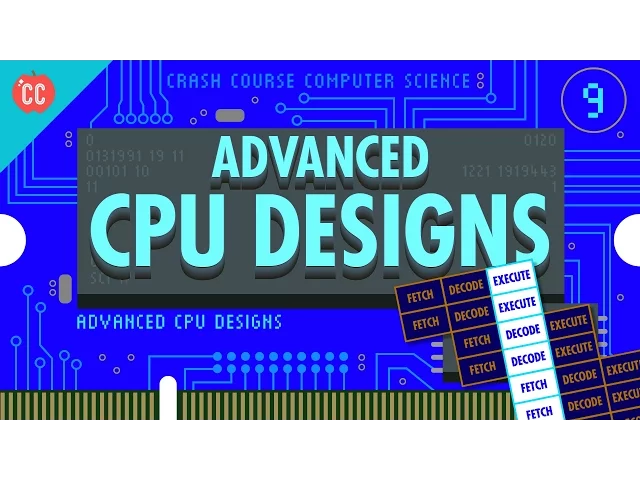
6:32 In episode 7, our example processor performed
6:35 the fetch-decode-execute cycle sequentially and in a continuous loop:
6:40 Fetch-decode-execute, fetch-decode-execute, fetch-decode-execute, and so on.
6:43 This meant our design required three clock cycles to execute one instruction.
6:46 But each of these stages uses a different part of the CPU,
6:49 meaning there is an opportunity to parallelize!
6:51 While one instruction is getting executed,
6:53 the next instruction could be getting decoded,
6:55 and the instruction beyond that fetched from memory.
6:57 All of these separate processes can overlap so that all
7:00 parts of the CPU are active at any given time.
7:02 In this pipelined design, an instruction is executed every single
7:06 clock cycle which triples the throughput.
7:08 But just like with caching this can lead to some tricky problems.
7:11 A big hazard is a dependency in the instructions.
7:14 For example, you might fetch something that the currently
7:16 executing instruction is just about to modify,
7:18 which means you’ll end up with the old value in the pipeline.
7:21 To compensate for this, pipelined processors
7:23 have to look ahead for data dependencies,
7:25 and if necessary, stall their pipelines to avoid problems.
7:28 High end processors, like those found in laptops and smartphones,
7:31 go one step further and can dynamically reorder instructions with dependencies
7:34 in order to minimize stalls and keep the pipeline moving,
7:38 which is called out-of-order execution.
7:40 As you might imagine,
7:41 the circuits that figure this all out are incredibly complicated.
7:44 Nonetheless, pipelining is tremendously effective
7:46 and almost all processors implement it today.
7:49 Another big hazard are conditional jump
7:51 instructions— we talked about one example, a JUMP NEGATIVE, last episode.
7:55 These instructions can change the execution flow
7:57 of a program depending on a value.
7:59 A simple pipelined processor will perform a long
8:01 stall when it sees a jump instruction, waiting for the value to be finalized.
8:05 Only once the jump outcome is known,
8:07 does the processor start refilling its pipeline.
8:09 But, this can produce long delays,
8:11 so high-end processors have some tricks to deal with this problem too.
8:14 Imagine an upcoming jump instruction as a fork in a road- a branch.
8:18 Advanced CPUs guess which way they are going to go,
8:20 and start filling their pipeline with instructions based
8:22 off that guess– a technique called speculative execution.
8:27 When the jump instruction is finally resolved, if the CPU guessed correctly,
8:30 then the pipeline is already full of the correct
8:33 instructions and it can motor along without delay.
8:35 However, if the CPU guessed wrong, it has to discard all its speculative results
8:38 and perform a pipeline flush- sort of like
8:40 when you miss a turn and have to do a u-turn to get back on route,
8:44 and stop your GPS’s insistent shouting.
8:46 To minimize the effects of these flushes,
8:48 CPU manufacturers have developed sophisticated ways
8:51 to guess which way branches will go, called branch prediction.
8:54 Instead of being a 50/50 guess,
8:56 today’s processors can often guess with over 90% accuracy!
8:59 In an ideal case, pipelining lets you
9:01 complete one instruction every single clock cycle,
9:03 but then superscalar processors came along which can
9:06 execute more than one instruction per clock cycle.
9:09 During the execute phase even in a pipelined design,
9:11 whole areas of the processor might be totally idle.
9:14 For example, while executing an instruction that fetches a value from memory,
9:18 the ALU is just going to be sitting there, not doing a thing.
9:21 So why not fetch-and-decode several instructions at once, and whenever possible,
9:25 execute instructions that require different parts
9:27 of the CPU all at the same time!?
9:29 But we can take this one step
9:31 further and add duplicate circuitry for popular instructions.
9:34 For example, many processors will have four, eight or more identical ALUs,
9:38 so they can execute many mathematical instructions all in parallel!
9:42 Ok, the techniques we’ve discussed so far primarily optimize
9:45 the execution throughput of a single stream of instructions,
9:47 but another way to increase performance is to run
9:50 several streams of instructions at once with multi-core processors.
9:54 You might have heard of dual core or quad core processors.
9:57 This means there are multiple independent processing
9:59 units inside of a single CPU chip.
10:01 In many ways, this is very much like having multiple separate CPUs,
10:04 but because they’re tightly integrated,
10:06 they can share some resources, like cache,
10:08 allowing the cores to work together on shared computations.
10:11 But, when more cores just isn’t enough,
10:14 you can build computers with multiple independent CPUs!
10:17 High end computers, like the servers
10:19 streaming this video from YouTube’s datacenter,
10:21 often need the extra horsepower to keep it
10:23 silky smooth for the hundreds of people watching simultaneously.
10:26 Two- and four-processor configuration are the most common right now,
10:28 but every now and again even that much processing power isn’t enough.
10:32 So we humans get extra ambitious and build ourselves a supercomputer!
10:36 If you’re looking to do some really monster calculations– like simulating
10:39 the formation of the universe- you’ll need some pretty serious compute power.
10:43 A few extra processors in a desktop computer just isn’t going to cut it.
10:47 You’re going to need a lot of processors.
10:49 No..
10:50 no...
10:50 even more than that.
10:51 A lot more!
10:52 When this video was made, the world’s fastest computer was located
10:55 in The National Supercomputing Center in Wuxi, China.
10:58 The Sunway TaihuLight contains a brain-melting 40,960 CPUs, each with 256 cores!
11:06 Thats over ten million cores in total...
11:08 and each one of those cores runs at 1.45 gigahertz.
11:11 In total, this machine can process 93 Quadrillion— that’s 93
11:15 million-billions— floating point math operations per second, knows as FLOPS.
11:20 And trust me, that’s a lot of FLOPS!!
11:21 No word on whether it can run Crysis at max settings, but I suspect it might.
11:25 So long story short,
11:26 not only have computer processors gotten a lot faster over the years,
11:30 but also a lot more sophisticated,
11:31 employing all sorts of clever tricks to squeeze
11:33 out more and more computation per clock cycle.
11:36 Our job is to wield that incredible
11:38 processing power to do cool and useful things.
11:40 That’s the essence of programming, which we’ll start discussing next episode.
11:44 See you next week.