What’s New in Google Accessibility | Episode 12
0:00 [voiceover] What’s New in Google Accessibility (light music) Hi everyone!
0:04 It's Perrin Anto, Staff UX Design Lead here
0:07 with another episode of What's New in Google Accessibility.
0:11 Today we'll be discussing some exciting product updates for Android, Pixel,
0:16 Chrome Browser, and YouTube, as well as some tips for Gemini.
0:24 First up, we're excited to share some additions to Android,
0:28 starting with a quick update for those who use
0:30 hearing aids or cochlear implants with their Android devices.
0:34 Independent hearing device presets and ambient volume
0:38 control are now available for each ear,
0:41 allowing you to adjust these settings separately for each side.
0:44 This could be helpful for people who have unequal or fluctuating hearing loss,
0:49 different devices in each ear,
0:51 or for situations where the volume levels of a particular space are unequal.
0:57 Also on Android, users who are blind or have low vision who
1:01 use an external keyboard can now access the TalkBack screen reader via
1:05 a useful shortcut that turns the feature on and off by pressing
1:10 “Action+ Alt+ T.” Note that the action key varies based on the keyboard:
1:16 Windows keyboards use the “Windows” key for these actions,
1:19 and Mac keyboards use the “Command” key.
1:22 Those who find Android's 3-button navigation
1:25 mode easier to use than standard navigation,
1:27 will be happy to know that the order
1:30 of the “Back,” “Home,” and “Recents” buttons is now customizable.
1:35 The “Back” and “Recents” buttons can be
1:38 swapped between the left and right positions.
1:41 This may be helpful for those with mobility issues or for users
1:44 switching from other phones who are used to a different button order.
1:48 This setting preference will also carry over when you set up a new device.
1:53 Also, users who rely on Android's Mouse Keys feature,
1:57 which lets you control your cursor with a physical keyboard rather than a mouse,
2:02 can now experience custom cursor acceleration and speed.
2:06 In another update for Android, Voice Access has introduced a major change
2:11 to how users turn on listening for the feature.
2:15 Before, users had to find and tap
2:18 the silent notification to enable listening mode
2:21 or manage two separate floating shortcuts to activate
2:25 the overall feature and the listening state.
2:28 Now, Voice Access offers a unified Android
2:31 Accessibility shortcut in settings that controls listening mode,
2:35 and the shortcut automatically appears.
2:38 To turn listening on or off, simply tap the floating Voice access shortcut.
2:44 If you don't like the default floating shortcut,
2:46 you can opt to turn listening on or off using volume keys,
2:51 accessibility gesture, or the navigation bar accessibility button instead.
2:57 We've also made improvements on large-screen devices.
3:00 When you have multiple windows open,
3:02 Voice Access will now interact only with the top most application window,
3:07 preventing accidental interactions with hidden content,
3:10 and reducing the number of visual labels on your screen.
3:14 Use the “Show recent apps” command to switch to a different window.
3:22 Moving on to Pixel, we have some exciting updates to share for Guided Frame,
3:26 the camera feature that assists users with blindness
3:29 or low vision to take awesome photos.
3:32 You may recall that Guided Frame leverages Gemini capabilities to provide
3:36 users with a detailed and natural understanding of the scene,
3:40 using real-time descriptive audio and haptic feedback,
3:44 such as vibrations, to guide users to a great shot.
3:47 Now, the scene description feature for Guided Frame can be used offline.
3:52 So whether you're capturing a sunset or a group portrait,
3:56 Guided Frame on Pixel helps you compose
3:58 more accurate shots even without an internet connection.
4:03 This update is available to those with a Pixel 10 series device,
4:06 including the foldable model- with the exception of Pixel 10a.
4:10 In addition, as of the latest update, Guided Frame is now enhanced with Gemini
4:16 to support over 40 additional languages, including Danish, Thai, and Turkish.
4:22 Note that using these additional languages does require an internet connection.
4:30 Switching over to Chrome Browser,
4:32 Caret Browsing on Android devices is now available,
4:36 meaning users can navigate the web using only a keyboard.
4:40 This may be helpful to those who prefer not
4:42 to use a mouse because of blindness or low vision,
4:45 mobility issues, a broken mouse.
4:47 or personal preference.
4:49 Once the feature is turned on, a text caret will appear on web pages;
4:54 users can then move the cursor using the arrow keys on a keyboard,
4:58 as if they are navigating within a text document.
5:01 Users can also activate buttons and links within the text
5:05 by toggling the cursor inside of a button or link,
5:09 and can even select text via the caret by holding down
5:13 the “Shift” key while moving the caret over the desired text.
5:20 Moving on, Voice Boost on YouTube makes dialog more
5:24 clear by filtering out background noise and highlighting speech.
5:28 Available now on select videos,
5:30 this feature can be especially helpful if you are hard of hearing,
5:34 watching YouTube in a noisy room, or learning a new language.
5:38 You can use it now for select videos via your computer or TV.
5:45 Finally, we're excited to share some tips to make
5:48 the most of the latest AI innovations in Gemini.
5:52 We've been partnering closely with the neurodivergent community to better
5:56 understand how AI can show up as a meaningful daily ally.
6:00 We wanted to share a few insights from that collaborative
6:04 research– strategies that can offer needed cognitive load reduction for some,
6:09 and boost focus for everyone.
6:11 To save time and reduce the frustration of having to over-engineer prompts,
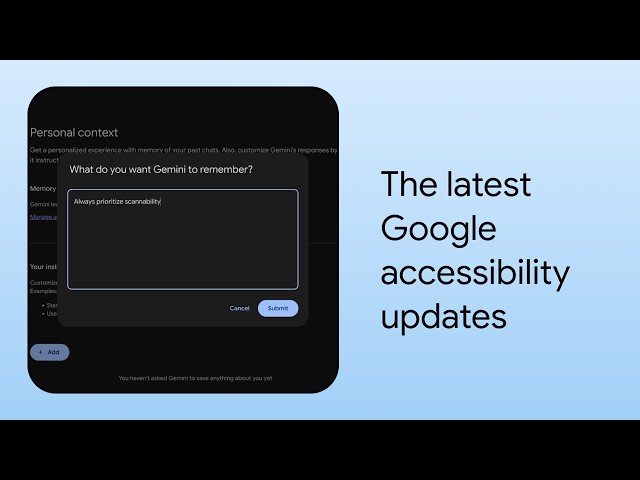
6:16 you can set permanent preferences in Gemini under “Settings”,
6:20 then go to “Instructions for Gemini,” which the AI will apply to every chat.
6:27 For example, if you find blocks of text hard to read,
6:31 tell Gemini to always prioritize scannability.
6:34 With features like bulleted lists, distinct headings,
6:37 and plenty of breathing room and responses.
6:41 You can also leverage the new Personal Contacts feature to let Gemini provide
6:46 even more relevant and personalized responses based on what it knows about you,
6:51 with the option to have Gemini reference past chats
6:54 and even Google apps that you choose to connect.
6:58 So whether you'd like help navigating
7:00 a socially challenging workplace situation or want
7:04 a second set of eyes to coach you through a complex email,
7:07 Gemini can offer advice tailored to you.
7:12 Well, that concludes this episode of “What's
7:15 New in Google Accessibility.” To stay informed,
7:19 sign up for our newsletter at g.co/a11y/news or click
7:26 the link in the description of this video.
7:29 Thanks so much for tuning in.
7:31 See you next time.
7:35 [voiceover] What’s New in Google Accessibility