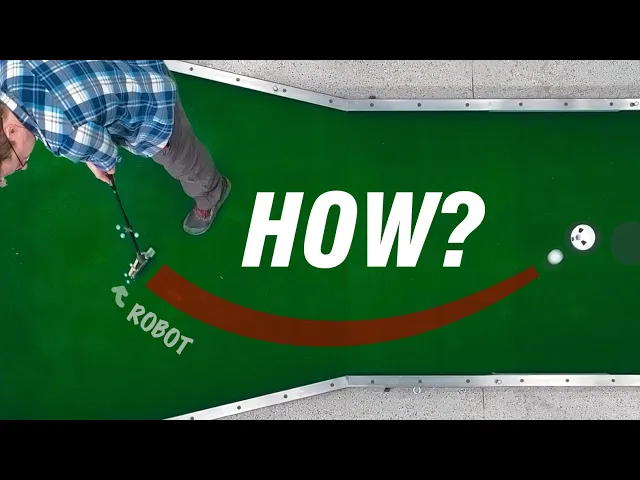
Making an autocorrect mini golf club (part 1)
Stuff Made Here
0:00 When it comes to mini golf,
0:02 my wife looks like a total amateur, but she's a shark.
0:07 Which I was getting tired of.
0:09 So, I decided to spend hundreds of hours
0:11 building this, auto aim for mini [music] golf.
0:14 All you have to do is press this button, swing,
0:18 and it corrects your aim as the club is moving to make the ball go in the hole.
0:23 You could [music] be swinging over here,
0:25 and the club will make the ball go over here.
0:27 It feels like magic.
0:29 Since it's aiming for you, you don't even need to look.
0:32 Heck, you don't even need lights, it'll work in the dark.
0:36 It can also track and hit moving targets.
0:39 It is so cool, [music] but it would have been so much easier just to practice.
0:44 I've made a lot of stuff that tracks balls to make them go into holes,
0:47 and this was just the [music] worst.
0:50 If something could go wrong, it went wrong.
0:54 There's also a lot of side quests, designing stuff that isn't the club,
0:58 but I had to make in order to make the club work.
1:00 But, the real challenge was just the time and precision required.
1:04 You have [music] about the time of a human
1:06 blink to lock onto the club, track the ball,
1:09 calculate how you need to move it to make the ball go in the hole,
1:12 and then actually move it.
1:14 And if it's off by even a degree, [music] it just doesn't work.
1:17 Doing this on a club swung by a person with shaky wrists was a nightmare.
1:22 But, [music] the end results are super cool.
1:24 It'll hopefully allow me to beat my wife at her own game.
1:27 So, join me on my quest to find out [music] what is it going
1:30 to take to turn a noob into a pro with a little bit of technology?
1:35 With with a lot of technology.
1:38 Starting off the top, the fundamental problem we're trying [music] to solve is
1:42 controlling the direction that a ball bounces off a putter.
1:46 And the idea I have to do this is pretty simple.
1:49 So, here's a normal swing where the putter face
1:51 is pointing in the same direction as it's being swung.
1:54 And if I do the same [music] swing, but I change the angle of the club face,
1:57 it's going to go to a completely different place.
1:59 So, if we could make a club that could precisely [music]
2:02 control the angle of the club face as you're swinging it,
2:05 it can control where the ball goes,
2:07 and it should be able to make it go in, at least in theory.
2:12 So, when you swing a putter, it's about 200 milliseconds from when [music]
2:15 the swing starts to when you hit the ball.
2:17 Do you know what else is 200 milliseconds?
2:19 A blink.
2:20 That's this long.
2:22 Just in case you missed it, here it is again.
2:25 That's how long the club will have to figure
2:26 out where you're swinging it, where the hole is,
2:28 where it needs to aim, physically aim this thing,
2:31 correct for any motion my hands, and hit the ball in the right direction.
2:35 It's going to [music] be tough.
2:36 I was originally hoping I could just turn the entire club,
2:40 but it doesn't actually work because of this angle right here.
2:43 If we rotate the club about the shaft,
2:46 the head moves up and down, and would just dig into the ground.
2:49 If we want this to work,
2:51 we're going to pivot around this axis, which is vertical.
2:54 But, that makes things more complicated because we're going to have a mechanism
2:57 and all kinds of stuff down here [music] on the swinging head.
3:00 And I want this to be as close to a golf club as possible.
3:03 I don't want to have a big brick down here that you're swinging.
3:07 But, I think we can sort of split the difference,
3:10 and then put the motor and all the electronics up top out of the way,
3:14 and then connect the motor to the putter head
3:16 with the drive shaft that goes down the middle of the club.
3:19 Although, we can't directly drive the club head
3:21 with the drive shaft because it's just too springy.
3:23 So, I'm planning to solve that with a worm gearbox,
3:26 which is a special kind of gearbox where there's a fairly normal gear,
3:30 which is turned by a spinning screw, which is called the worm.
3:34 [music] And the neat thing about them is they're one-way.
3:36 If I try to turn the big gear, the worm will not spin.
3:40 We can put one of these down at the bottom of the drive shaft.
3:42 When the ball hits the putter head and tries to [music] twist the drive shaft,
3:46 the gearbox will lock up, and it'll be nice and solid.
3:49 And that should be able to move the putter head super fast.
3:52 But, that's going to give us another problem.
3:55 If we try to twist this putter head super fast this way,
3:58 it's going to generate an equal and opposite reaction force,
4:01 which is going to try to twist the entire club in my hands the other way.
4:05 And if that's happening,
4:06 there's just no way that I'm going to be aiming this thing accurately.
4:11 But, the nice thing about equal and opposite reactions is
4:14 that if you have two actions that are opposite of each other,
4:18 they'll generate equal and opposite reactions that cancel out.
4:22 It's a little bit confusing, so imagine you have a guy running on a treadmill.
4:26 When he runs forward, the treadmill moves back.
4:29 If you have two guys running on the same treadmill in opposite directions,
4:33 they're both trying to push the treadmill in opposite ways,
4:37 and it's just not going to move.
4:39 So, in the case of the putter, that means having a second putter head that moves
4:43 in the opposite direction so that the torques cancel out.
4:46 It's going to make a lot more sense when we have the actual thing,
4:48 so let's get it made.
4:50 The putter head is just a match made in heaven for five-axis machining.
4:56 [music] Uh you didn't see that.
4:58 And you definitely didn't see it sooner.
5:02 As you saw, it's hard to hold
5:04 on to, and it's [music] covered in features on every side.
5:12 Aside from hitting the eject button,
5:13 [music] I think that turned out pretty well.
5:16 Other than the club head and a few shafts,
5:18 I somehow managed not [music] to machine any other parts for this.
5:23 All the other parts are made on the water jet or SLS 3D printed out of nylon.
5:29 [music] Oh, that's so awesome.
5:35 I really tried to think through the details of how this would be assembled,
5:38 where the wires go, all that kind of stuff.
5:42 And I think that paid off because it went
5:43 together with almost no filing or drilling extra holes, which is pretty rare.
5:52 All right, we have the tiniest, cutest little golf club ever.
5:57 And don't be alarmed by its small stature.
6:01 I just shortened everything up so it'd be easier to move around
6:04 and have on my desk when I'm writing the code and testing it.
6:08 So, let me give you the tour.
6:09 Up top, we have our motor, a high-torque,
6:11 low-speed BLDC with its position controlled
6:13 by this little board called an ODrive.
6:15 And you can't really see it,
6:16 but there's a drive shaft that's connected to the motor
6:19 that goes down the middle of this outer shaft to our gearbox,
6:22 which turns the putter.
6:24 And the worm drive output is sideways, so we have another set of gears
6:27 that change its direction and turn the putter head.
6:31 And this goofy-looking piece of metal hanging
6:33 off the back is our inertial counterweight.
6:35 It rotates on a second shaft next [music] to the putter head,
6:37 which lets us put a little gear between
6:39 them so they always rotate in opposite directions.
6:42 There's an unfortunate side effect of having all these gears.
6:45 Each set of gears has a little bit of space between their teeth,
6:48 which lets them wiggle back and [music] forth.
6:50 Engineers call this backlash,
6:52 and it's not good because the ball hitting the blade can move it,
6:55 and it just won't be as accurate.
6:57 And I had started to design a whole complicated thing,
7:00 but I realized I can just attach a rubber
7:02 band between the putter head and the counterweight, and that solved the problem.
7:07 And I keep telling myself I'm going to fix it later,
7:09 but we all know that's not going to happen.
7:13 Now, if for some reason you want to try to make this club,
7:16 or you just want to look at it more closely,
7:18 all the design files are available for free.
7:21 They're on Onshape, and there's a link in the description
7:23 where you can sign up and get them.
7:26 All right, it's time to see this baby purr.
7:29 Do babies purr?
7:31 I think it's moving smooth.
7:32 Whoa.
7:33 No, we don't want to don't want to do that.
7:36 Let's try that again.
7:40 [music]
7:42 The whole point of this inertial balance is the club
7:44 head doesn't move around when you move it quickly.
7:46 Right now, the club head is moving around when you move it quickly.
7:50 And I think I know why.
7:52 Oh, I'm such an idiot.
7:55 So, the putter head and counterweight rotate in opposite directions,
7:58 so there's no twisting.
7:59 But, with the counterweight on the back,
8:01 they're accelerating laterally in the same direction, which moves the club.
8:05 But, at least it's not twisting.
8:07 This turned into a series of increasingly
8:08 [music] desperate attempts to hack away the problem,
8:11 but it's very confusing because reality was not matching my calculations,
8:15 and I couldn't figure out why.
8:16 So, I just broke down and built this thing.
8:20 It's a three-axis gimbal that will let
8:21 the club rotate freely in every direction,
8:24 which should make it a lot easier to see what
8:25 the reaction forces are based on how the club is moving.
8:29 So, theoretically, this thing is [music] totally inertially balanced,
8:33 but reality begs to differ.
8:36 The twisting is responding the opposite way
8:39 that I would expect to changes in the counterweight.
8:43 I think I know what's going on here.
8:46 It's the motor.
8:47 So, when the motor accelerates,
8:49 it also tries to twist the club with its reaction torque.
8:52 But, I was ignoring it because the motor's inertia is low.
8:55 But, I failed to consider that the gears make it accelerate 30 times faster,
8:59 which makes it 30 times worse,
9:01 which finally explains why my math didn't match reality because it was garbage.
9:06 But, this is actually really good.
9:08 The motor is trying to turn the club
9:09 in the opposite direction that the putter blade is,
9:12 which means we can use it to cancel out the torque from the putter blade.
9:14 [music] So, I modified the motor to let me add these little rings,
9:17 which add mass to it and increase its inertia.
9:20 And it seems like two rings will make the motor
9:21 perfectly [music] cancel out the reaction torque from the putter head,
9:24 which means we can just get rid of the inertial counterweight.
9:27 But, we do need the putter head to be balanced when it spins.
9:30 So, I'm adding a static balance weight to the back,
9:32 which should keep it from wobbling.
9:34 All right, we've got the motor with the inertia rings.
9:37 We've got the putter head with the counterweight
9:39 so that it's balanced when it spins.
9:41 Look at how good this is.
9:45 It is so much better than my original
9:48 super duper totally [music] incorrectly engineered design.
9:52 There's still a tiny bit of balance shift,
9:54 but there's basically [music] no twist.
9:57 I think this is good enough and it's time
9:59 to turn this little micro club into a full club.
10:03 It's literally the same thing except there's now a grip,
10:06 a button, and some stuff to help us track it.
10:09 But we can't actually do that yet because we don't have any mini golf
10:12 holes to play on and I considered going to a real mini golf course,
10:16 but my experience has taught me I'm going to be sitting
10:20 with this thing for probably at least a month trying to get it working.
10:24 So, I'm just going to make my own holes.
10:26 My plan is to have a set of modular pieces that can connect in different ways.
10:29 This should let me try out all the different
10:31 mini golf shots and [music] they're pretty basic wood construction,
10:34 but I am doing my best to make them flat and consistent,
10:37 [music] which is why the top is MDF.
10:39 I don't want any knots or waviness making the ball move unpredictably.
10:43 The perimeter is thick wall steel tubing so I get maximum bounce
10:47 consistency and on top of the MDF is fake grass turf stuff,
10:51 [music] which is glued down to all the holes so there's no wrinkles or bubbles.
10:55 Building these took way longer than I was expecting, but they are really nice.
10:59 I also made a loop.
11:01 I don't have a good reason for this.
11:02 I just wanted it.
11:05 When you build a mini golf hole,
11:06 you're legally required to just bounce the ball around it for about an hour.
11:10 So, what I've been doing and I noticed something very concerning.
11:14 Every time the ball bounces off the wall,
11:16 it jumps into [music] the air and I'm not going
11:19 to get into the physics of this, but it seems unavoidable.
11:22 And I also noticed something [music] else.
11:23 Watch this.
11:25 The ball should be rolling in a straight line, but it's not.
11:29 So, it [music] turns out I didn't make these holes flat like at all.
11:33 The middle is about a centimeter lower than the edges,
11:37 [music]
11:36 which means the turf is shaped like a ball with a 1 cm drop over not very far.
11:43 I just wanted to have level holes that the ball bounces nicely off the wall,
11:47 but that is completely out the window.
11:49 This is going to make our software that predicts
11:52 where the ball is going to go so much harder.
11:57 We've got the club, got the hole, but can't do anything useful yet because
12:01 our computer doesn't know anything about [music] anything,
12:04 which is a problem because we want it to calculate
12:07 how the club should move to hit the ball correctly.
12:09 To do that, it needs to know precisely where the hole is,
12:12 where the ball is, and how the club
12:14 head is moving and rotating across [music] time.
12:17 Unfortunately, I have the perfect tool for the job.
12:20 You might remember my tracking cameras from the bow or the basketball project.
12:24 [music] They're called OptiTrack cameras and they are
12:26 amazingly good at tracking stuff moving in space.
12:30 So, you set the cameras up around whatever it is
12:32 you want to track and you attach these little reflective balls,
12:34 which are called markers, to the things that you want to locate.
12:37 The cameras send out a bright pulse of infrared light,
12:40 which reflects off the markers back to the cameras [music]
12:43 and they filter out all the light except for infrared.
12:45 So, they're seeing pretty much just the markers and since
12:48 multiple cameras are seeing the marker from multiple different locations,
12:52 they can work out where it must be in space.
12:54 [music] It's kind of like triangulation and they
12:56 do this really fast and very precisely.
12:59 Like right now, they know where this ball is
13:01 within half a millimeter updating 240 times per second.
13:05 I'm attaching a set of markers to the club shaft
13:08 so I can track the path the club is following [music]
13:10 and another set to the putter head so I
13:12 can track its angle and position as I move it.
13:15 Except I can't [music] quite do that with these markers.
13:17 I need to know the exact position of this face and they don't tell me that.
13:21 So, I made this jig which magnets to the putter face
13:25 and you may recall that three points define [music] a plane.
13:28 So, if I know where these three markers are,
13:29 I have a plane that I can offset back to know exactly where the club face is.
13:36 [music] And if I simultaneously measure this jig and the markers,
13:38 I can compute the offset and rotation to go
13:40 from these markers to the front of the club face.
13:43 So, now if we measure where those markers are with my tracking camera, [music]
13:46 we can use the offset and rotation to calculate where the club face must be.
13:51 The ball is another [music] tricky thing
13:53 to track because we can't just have markers hanging
13:56 off the side of the ball and I tried using little reflective dots on the ball,
14:01 but they're just too small and moving too quickly [music]
14:03 for me to get a reliable track.
14:06 So, I decided to just turn the ball into one giant marker
14:09 by cutting out and carefully applying reflective tape to the entire ball.
14:13 And it's not perfectly even.
14:15 It probably won't bounce as consistently as a plain golf ball,
14:18 but it seems to be pretty good.
14:20 I'm not seeing it do anything weird.
14:22 And it tracks really well.
14:23 This is a trace of it jumping in the air after it hit a wall.
14:27 Now that we have the tracking working, we know where everything is,
14:30 but [music] we still need some software that's going to take
14:32 that information and figure out what to do with the [music] head
14:35 of this putter and if we want to do the full mini
14:38 golf bouncing off walls and correcting for the curvature of the turf,
14:43 it's going to get very complicated and [music] I'm going
14:45 to do that, but I just want to see this thing work.
14:48 So, for now I'm going to do the simplest thing I can think
14:51 of, which is point it so that the ball will go straight toward the hole.
14:55 So, this turned out to be not simple at all, but we got it done.
14:59 Using it is [music] pretty straightforward.
15:01 There's only one button.
15:03 It's right under your thumb and I have it because I don't want
15:06 the club going crazy trying to track balls when I'm just carrying it around.
15:11 So, that tells it time to go crazy.
15:14 And when you're in position, you just press the button.
15:18 The computer starts tracking the club looking
15:20 for motion that matches a swing toward the ball.
15:23 And if it sees that, it starts fitting a 6D trajectory to the path
15:27 of the club estimating how it will move and rotate before it reaches the ball.
15:31 And then the club is also speeding up as it approaches the ball.
15:35 So, the computer is also trying to model
15:36 that and predict its speed when it hits the ball.
15:38 And throughout this process, my hands are moving around and tweaking the club.
15:42 So, it's measuring the deviation from its goal coming
15:44 from my hands and adjusting the path in real time.
15:47 So, all of this is working together in perfect harmony
15:50 so that [music] just when the club reaches the ball,
15:54 it hits it in the wrong direction.
15:57 Why?
16:00 I have no idea.
16:01 I do know that we've just arrived at integration hell,
16:04 which is where you try to put everything together and nothing works.
16:09 [music]
16:09 So, here's a little Whitman sampler of some of the problems I worked through.
16:12 The motor had too much cogging, which would make the controller go unstable.
16:15 The reflective metal on the putter
16:17 shaft would occasionally confuse the tracking cameras.
16:20 I accidentally fried the motor controller.
16:22 I zigged when I was supposed to zag.
16:25 I somehow programmed the worm drive gear ratio wrong so
16:28 it was always telling the motor to go too far.
16:30 I possibly had magnetic interference with the motor
16:32 encoder and so so many software bugs.
16:37 But finally, after over [music] a thousand tests, here we go.
16:48 Oh, yeah.
16:49 That looks good.
16:51 Let's see it do it again.
17:00 Ugh.
17:01 Sometimes it just points in the wrong direction and sometimes it does this.
17:06 When I said crazy, this isn't what I was talking about.
17:14 You've got to be kidding me.
17:16 I've zeroed in on a huge issue.
17:19 So, the tracking cameras,
17:20 they're monitored by a separate program and there's a delay
17:24 from when that program sees what the cameras see [music]
17:27 and when it sends it to my program, which controls the club.
17:30 That delay is usually pretty small,
17:32 like 10 milliseconds, but sometimes it's longer,
17:36 which is a big problem because I'm telling the motor to go here and it says,
17:40 "Okay, I'm here." But my tracking cameras [music] are
17:42 sending me old information and say that it's here.
17:46 And the mismatch between these is normal.
17:47 It happens when my hands twist the club.
17:49 So, my software says, "Oh, heck, you must have twisted your wrist.
17:52 We need to move the blade a lot more." Which makes it overshoot.
17:56 And eventually the cameras catch up and say the putter
17:58 head is now over here and my code goes,
18:00 "Whoa, whoa, what is with this guy's wrist?
18:02 Bring it back." Overshooting the other way and on and on that the perfect
18:06 cycle of wrongness repeats perfectly out of phase.
18:09 Which is exactly what I get for running
18:12 this on Windows and writing my code in Python.
18:15 And I know I should just rewrite all the important stuff in C++,
18:20 but I don't have to because I have a hack.
18:22 We're going to trade off future me's frustration
18:25 and anger for quite a lot of instant gratification,
18:28 which I think [music] is a good trade.
18:30 What we're going to do is just ignore
18:33 all of this and fix it [music] in software.
18:35 We're going to track the latency between the two programs.
18:39 If I get [music] information
18:40 from the tracking cameras that's 200 milliseconds old,
18:43 I can just use the information from the motor that's also
18:46 200 milliseconds old and they'll sync up and everything will be stable.
18:50 I am planning to fix it properly, but for right now,
18:53 I just want to see this thing work.
18:56 All right, let's see if this [music] thing can work.
19:07 All right, that's promising.
19:09 But can [music] it do it again?
19:11 It's not even aimed because I shouldn't have to.
19:17 Yes.
19:19 All right.
19:20 It definitely works.
19:20 See if we can do one more.
19:25 Oh, I have to hit a little bit harder if I want it to actually go in, but yes.
19:30 Finally.
19:31 Finally.
19:33 Ugh.
19:34 What a pain.
19:37 [music] Let's aim at that wall and see if it goes in.
19:40 Here we go.
19:47 That's so crazy.
19:48 [music] I can aim at the wall and it goes into the hole.
19:55 [music] It feels completely wrong.
19:57 But it also feels kind of right.
19:58 I don't know.
20:02 [music]
20:26 Even knowing how this thing works, it seems to just [music] defy physics.
20:32 It's like blowing my mind.
20:42 All right, what about one-handed?
20:49 All right, behind the back.
20:56 I can't believe that went in.
21:00 [laughter] All right, blindfolded.
21:04 Sounded right.
21:05 I realized it should be able to hit a moving target,
21:07 which [music] I just had to see.
21:08 So, I made this special hole that can drive back and forth,
21:11 and it has tracking markers.
21:13 So, my software [music] can track it, predict where it's going to go,
21:16 aim at that point, and then That's crazy.
21:23 [music] This thing is [music] so cool.
21:35 But it isn't perfect.
21:37 Between the latency issue I'm just ignoring,
21:39 the camera's sometimes losing tracking,
21:41 and my software not correcting for the turf not being flat,
21:45 it doesn't always go in.
21:46 You also have to hit the ball hard enough,
21:49 and it can't work with extremely short, fast swings.
21:52 In fact, I realized I accidentally developed a super long,
21:56 goofy swing because it just works better when you do that.
22:00 But we are still just hitting balls in straight lines,
22:03 and if we want to do true mini golf, we need to do a lot more.
22:06 I want to be able to bounce off walls and do bank shots, crazy bridges,
22:11 do that weird [music] half loop thing that I built,
22:13 and probably most importantly, beating my wife at her own game.
22:17 And [music] to do all that, it is going to be a major software upgrade.
22:22 We're talking full physics simulation of everything.
22:26 How the ball rolls, friction,
22:28 how it drives up the walls, when it bounces off them.
22:31 And I know this because I've actually done most of it already.
22:34 It's not quite there.
22:35 There's still a few problems.
22:37 One of the biggest ones being it takes 25
22:40 [music] hours to compute between every shot, but details.
22:44 I'm going to get that worked out.
22:45 [music] But there's just so much to it, and this video is already so long.
22:49 I think we need to call this part [music] one,
22:52 and part two should be out a lot sooner than videos normally take,
22:57 cuz I'm pretty far into it.
22:59 If you want to make sure you don't miss it, make sure [music] you're subscribed.
23:02 And if you have any good ideas for things I could make this club do,
23:05 let me know in the comments, but make sure the ideas aren't too good.
23:08 I don't want to spend a month doing something that I didn't plan on doing.
23:12 So, I guess for now,
23:12 the only thing left to do is to see is my wife as impressed as she should be?
23:20 I don't know.
23:22 Projects like this are just the worst.
23:24 [music] They're so hard to get working,
23:26 but they're also the best because they're so
23:28 good at showing the power of engineering and math.
23:31 And if I've done a really good job,
23:32 you're inspired [music] to get out there and learn some stuff.
23:34 And if that's you, I really hope you'll check
23:36 out this video sponsor [music] because it'll help you.
23:39 It's a tool for learning technical stuff called Brilliant.
23:42 So, for the longest time, I didn't think I was a math person.
23:45 [music] It wasn't until I had a good teacher that I realized I am a math person,
23:51 [music] and it's super useful.
23:51 Brilliant is like that good teacher I had.
23:53 It can make you a math person because it teaches [music] in a really smart way.
23:58 It'll take a complex subject like geometric transforms and give you the theory,
24:02 then guide [music] you through using it to solve actual problems.
24:05 So, you're learning by doing, which does something subtle but important.
24:08 It [music] turns theory into a tool that you know how to use,
24:12 and builds your intuition and understanding of how things actually work.
24:16 And then as you [music] learn, it can tell what you're struggling with, and it
24:19 makes problem sets and reviews to focus on that.
24:22 It is so much better than memorizing equations,
24:25 and it's what I mean when I say it's [music] a good teacher.
24:27 And they have thousands of lessons across math, programming, all kinds of stuff.
24:32 And if you're considering goals for the new [music] year,
24:34 a habit of continual learning is one of the most valuable things you can do.
24:38 So, I really hope you check out Brilliant.
24:40 You can learn for free for 30 days.
24:43 [music] Just go to brilliant.org/stuffmadehere, scan the QR code on screen,
24:45 or click the link in the description.
24:47 And Brilliant is also giving our viewers
24:49 20% off an [music] annual premium subscription,
24:51 which will give you unlimited daily access to everything on Brilliant.
24:54 And that's it.
24:55 Thank you, Brilliant, for sponsoring this video,
24:57 and I really hope you get out there and learn some stuff.
25:00 I'm telling you, it's worth it.
25:05 [music] Got the wife.
25:06 She's ready to do some judgement.
25:07 So, what do you think?
25:07 [music] This looks like a Reese's.
25:11 It's got that trademark crinkle edge.
25:14 Patent infringement.
25:15 [music] Some very insightful analysis.
25:19 Seems like a lot of stuff to make this work.
25:22 [music] It's a club, computer, 12 tracking cameras, some tripods,
25:27 some mini golf hole, golf ball, and it's like hardly anything.
25:32 [music] Mhm.
25:32 Just aim somewhere, press the button, swing the club.
25:42 You're really good at mini golf.
25:45 You're really good at mini golf.
25:48 You're really good at mini golf.
25:52 Shoot it, McGavin.
25:54 Can I Can I hit off the sides?
25:56 Uh Sounds like a no.
25:59 In the future.
26:01 They said in the future there'd [music] be flying cars.
26:05 Well, it does need to bounce off walls.
26:06 It's coming.
26:07 It's traditional.
26:08 How many out of 10?
26:10 Six.
26:10 [music] Since it's a work in progress, I won't protest [music] that score,
26:16 although I'm not sure that it's entirely fair.
26:19 You're still offended.
26:20 Just saying.
26:21 Come on.
26:23 You be the judge.
26:30 You're really good at mini golf.
26:33 You're really good at mini golf.
26:41 [music] [music]