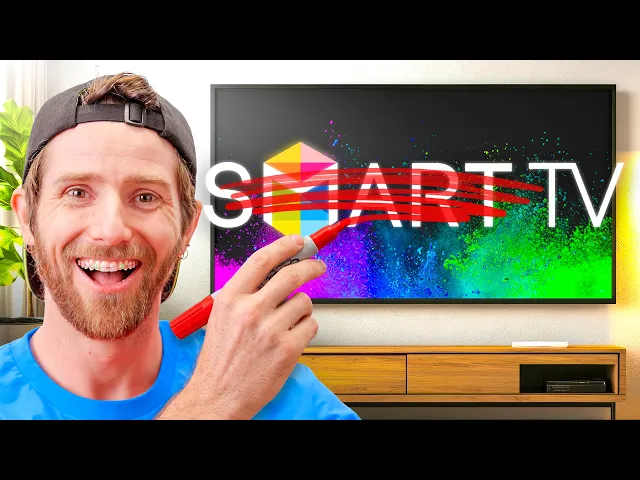
I bought a TV with NO 'Smart' Features...
Linus Tech Tips
0:00 Just about everything is more expensive these days.
0:03 Except [snorts] TVs.
0:05 What's the deal with that?
0:07 Modern TVs are bigger, look better,
0:10 and are more capable than ever before, just like me.
0:14 Inside everyone is a full-blown computer, complete with its own app store.
0:18 They even have games and stuff.
0:20 So, how are they cheaper than ever?
0:23 Well, let me tell you.
0:26 Because TV companies don't sell TVs anymore.
0:30 What do I mean by that?
0:31 Story time.
0:33 Before being acquired by Walmart for $2.3 billion in late 2024,
0:39 TV manufacturer Vizio posted some very interesting quarterly results.
0:43 See, Vizio lost money selling TVs,
0:47 and yet they were able [music] to make $109 million in profits.
0:52 How?
0:53 Well, it was all thanks to their Platform Plus advertising platform.
0:59 And if you need any more evidence
1:00 that televisions are now ad-ovisions, look at this.
1:04 Vizio makes not one mention here of electronics manufacturing.
1:08 Then, to really drive the point home,
1:10 Walmart's press release announcing the deal boasts about
1:13 how this new acquisition will enhance our advertising capabilities.
1:18 And it's not just Vizio.
1:21 TCL, Samsung, LG, name a major TV brand,
1:25 and they have found that the real way to make money is to take
1:29 your data and serve you targeted
1:31 advertisements via their smart operating [music] systems.
1:34 Though, I think we can all agree that the word
1:36 smart doesn't really describe the current state of Tizen OS.
1:41 And that's why, in spite of all the recent enhancements,
1:44 consumers now find themselves yearning for the days when turning on their TV
1:49 just brought them directly to the content
1:51 instead of to an ad-infested home screen.
1:56 Seriously, it's the whole thing.
1:59 This is also Disney Plus, SO IS THIS.
2:05 [laughter] IT'S 80% ADS.
2:06 SO, what options are there for folks who just want a display?
2:10 As it turns out, not many outside of commercial
2:14 displays that as you'd expect, cost a lot more.
2:17 But, there is one.
2:19 After some digging, we found that there
2:22 is still a company proudly making untainted, [music] pure display-only TVs.
2:27 Adam, bring it in.
2:30 It's Scepter, the budget monitor guys.
2:36 [laughter] But, this ain't no monitor, guys.
2:37 It's a 75-in TV that they promise delivers resolution at its finest.
2:43 And we're going to see what you get and what it's like
2:45 to use right after we use this segway to our sponsor, Squarespace.
2:51 Build, personalize, and launch a website for your business today.
2:54 Squarespace makes it easy.
2:55 Just go to squarespace.com/ltt and you'll save 10% on your first purchase.
3:08 Right out of the gate, this is exceeding my expectations.
3:11 I did not think that some random Scepter TV would have HDR support.
3:15 Did you notice it also has 4K support?
3:18 It's true 4K resolution, true 4K input, ultra HD upscaling.
3:23 It's also a 4K UHD series.
3:26 Okay, so it doesn't have a lot going for it.
3:28 But, that's exactly what's going for it.
3:30 Exactly.
3:32 I wouldn't mind if it gave me a little more detail.
3:34 We're talking HDR 10, Dolby Vision.
3:37 But, hey, audio return channel.
3:39 But, wait, there's more.
3:40 It also says here that it supports 4K All right,
3:44 all [laughter] right, we get the bit.
3:46 Um we get three HDMI ports, we get a USB port,
3:50 HDMI 2.0 and HDCP 2.2 [music] and a 1-year limited warranty.
3:55 Wait, Adam, we haven't showed the people the best part.
3:57 Turn it around.
3:59 It won an award.
4:02 The Cinema Award.
4:04 The Scepter Cinema.
4:05 Absolute Scepter Cinema.
4:07 In all seriousness though, how much did we pay for this thing?
4:09 About $800.
4:11 Which for 75 in is [music] a pretty good price.
4:14 Yeah, memes aside, I'm genuinely excited to see it.
4:17 Good packaging all things considered.
4:20 They probably can't can't afford the RMAs.
4:23 Still, that's one of the first things you see companies cheap out on.
4:26 But they've got an extremely rigid screen protector on here.
4:29 There's also like some nice soft Styrofoam for the screen as well.
4:32 Though, some hard foam for structural integrity.
4:35 Yeah, this is not great.
4:37 But probably adequate.
4:38 That is That is one of the remotes.
4:41 That's a old school remote.
4:44 I like this picture of the batteries.
4:46 Yeah, this is the most Temu brand remote I've ever seen.
4:50 Along with the most Temu screwdriver.
4:55 Can I interest you in a bagged TV?
4:57 Oh.
4:59 You know, I would love that.
5:01 Okay.
5:01 I don't know if I trust it though.
5:03 Two persons required to prevent injury.
5:05 Lift this display with both hands.
5:07 I don't know if I've ever seen a bag with lift handles for a TV before.
5:11 Me neither.
5:12 Let's see if it's actually good.
5:15 Oh.
5:17 It's stretching a little.
5:18 Yeah.
5:19 a little scary.
5:21 But it it did the trick.
5:23 It's a heavy TV.
5:26 Where's the stand?
5:27 Um Um I It must be in the top foam in there.
5:34 Okay.
5:36 That's the stand?
5:38 Oh, those are dinky.
5:39 The whole lift bag concept might have been more useful if it
5:42 actually lifted it somewhere where we could put the feet on it.
5:45 It's just Yeah.
5:47 That's fine.
5:47 I got an idea.
5:49 Eh.
5:50 It's nice because unlike all of the stupid skinny OLEDs,
5:54 there's structural integrity to this panel.
5:57 That's one way of saying that it's really thick.
6:00 [laughter] Yeah.
6:00 Really?
6:01 You're going to use that when we
6:02 have so much better screwdrivers on lttstore.com?
6:05 I want the true Sceptre experience, okay?
6:08 Oh, this does suck though.
6:09 Do we have a screw Do you have your screwdriver?
6:11 Yeah, I do.
6:12 Do you have I can I can hold it, yeah.
6:13 Okay, give me a sec.
6:14 Hopefully the TV is better than the screwdriver.
6:17 On the subject of things that are better,
6:18 we've got a great look at the IO while we're up here, and this kind of rocks.
6:22 You got your three HDMIs, all that do 4K 60 Hz, one with ARC.
6:27 You got your coax, USB, and then unlike many modern TVs,
6:31 we've actually got component in, composite,
6:34 as well as optical audio, and headphone jack.
6:37 Pretty much everything you need.
6:39 What?
6:39 It's a good You got the headphone jack.
6:41 You know, my my grandpa uses it for his assisted audio headphones.
6:45 And [music] note the absence of an Ethernet port.
6:48 But again, that's a feature, not a bug.
6:50 What are you doing?
6:51 Well, everything else about this thing has been pretty good so far,
6:55 but I noticed that the power cord [music] appears to be hardwired,
6:59 and so I was seeing if maybe
7:00 behind this little cover there's a better situation.
7:02 There is not.
7:03 What's nice is this is giving me a look at the internals.
7:06 Um [music] if you had any hopes that it was
7:08 so thick because it had full array local dimming,
7:10 for instance, you can put those to rest.
7:14 [music]
7:13 You know what?
7:14 I wasn't worried.
7:15 It's all Phillips.
7:16 Uh I mean, yeah, that's unrelated, but good.
7:19 No, but it's like it seems like you could
7:20 like just take apart this TV yourself if you wanted.
7:22 And put full array local dimming on it yourself?
7:24 Yeah, oh, dude.
7:25 No.
7:26 No?
7:27 You don't want to upgrade the upgrade [music] the Sceptre TV?
7:30 Okay.
7:30 All right.
7:31 World's Listen, write in the comments if you
7:33 want to see the world's best dumb TV mod.
7:34 [music] We got the energy guide on here.
7:37 But also, it's for the N75.
7:40 Oh.
7:41 But I thought that this was the U75.
7:44 Here we go.
7:45 1 2 3 hop.
7:47 Oh, you wanted the other way.
7:48 You you Oh, I thought I said this I'm sorry.
7:52 Oh, okay.
7:52 We're going Oh, I see I see I see I see I see I see.
7:54 We got it.
7:54 We got it.
7:55 We made it.
7:55 We made it.
7:56 Okay.
7:57 When you've been working together as long as me and Adam,
7:59 you still have no idea what each other are talking about, but it's funny.
8:05 [laughter] Oh, wow.
8:04 There's so many peels.
8:08 I'm failing.
8:11 Hey!
8:15 Wow!
8:15 It's big and reflective.
8:17 Wow.
8:18 It's very reflective.
8:20 But quite flat.
8:23 Yeah, you get some you get some like some wiggles there?
8:25 Yeah, a little bit at the top.
8:29 I mean every every time I kill you.
8:32 Huge moment.
8:34 Sorry, I I just looked at the remote just now.
8:37 How could they?
8:37 How could they?
8:38 What?
8:39 F Adele?
8:40 We love Adele.
8:41 She is a generational talent.
8:42 Why would they put that on the remote?
8:44 It says F Adele.
8:46 No, love Adele.
8:47 Did you have to wear a white shirt today?
8:50 I can see you so clearly.
8:52 Whatever, beige boy, okay?
8:54 Hey, at least we both have matching toques from lttstore.com.
8:57 We did not coordinate this today.
8:59 It just happened.
9:00 I got so confused for a second.
9:02 Yeah?
9:02 Cuz I was like, "Oh, hold on.
9:05 How do I get to select the right input
9:07 so I'm on my shield instead of It just went.
9:12 Actually, it was crazy.
9:13 Turn it off again.
9:19 Content.
9:20 That was so quick.
9:21 That is the fastest I've gone from I'd
9:23 like to watch content to watching content in years.
9:26 Yeah, it's like you don't really realize it.
9:28 You have you've gotten so used to like the delay of waiting for your TV to boot.
9:33 Okay, so what is in the menu?
9:36 Okay, picture.
9:38 Picture settings.
9:40 Okay, that's pretty [music] basic.
9:42 What is mild picture mode?
9:44 [laughter] I don't know.
9:47 What I like about it though, is you can see what it's changing.
9:51 Yeah, this is actually a great interface.
9:53 It's like, what what does game mean?
9:56 It means we crank the brightness and the sharpness a little bit
9:59 and we crank the backlight and the contrast is up compared to user.
10:03 And it's crazy cuz the smart TVs could have setting menus like this.
10:06 Like there's no reason that they don't have settings like this.
10:08 They choose not to.
10:09 They choose to have you configure everything and then you
10:11 change inputs and you have to configure it all again.
10:14 And so when we when we're not looking at our content, we just get nothing.
10:19 You get a high piercing blue.
10:21 CEC control on.
10:23 Let's go.
10:25 This is probably the simplest CEC interface that I have ever seen.
10:31 And I'm comparing to devices that in some cases cost 10 times as much.
10:34 I blew bunch of money on that stupid AV receiver for my home
10:37 theater and it has cost me nothing but grief with CEC.
10:41 Uh that was it.
10:44 Now I never need to touch the Temu remote again because theoretically,
10:48 hit the power on the Shield Oh, wait.
10:56 Maybe you do need to use the Temu.
10:57 Turn the Shield back on because the Shield has its own CEC settings.
11:01 There we go.
11:01 There we go.
11:02 Going to reboot.
11:03 Okay, so that was the problem.
11:05 Coming back to our CEC issue,
11:06 we didn't have it enabled on the Shield which to me
11:09 means that from now on we really shouldn't need this again.
11:13 Now that I think about it,
11:13 usually I avoid doing any sleep features on a TV because of how annoying
11:17 the power on cycle is and how long it takes and how confused it gets.
11:20 This thing is actually just going to work.
11:21 Well, maybe.
11:22 Okay, I've got it configured now.
11:24 Big moment.
11:25 Power's off and we power on the Shield.
11:30 TV's on already.
11:31 You can see it.
11:31 Oh my gosh.
11:32 That's awesome.
11:33 you might not like the Nvidia Shield.
11:35 There's, you know, other TV boxes.
11:38 Yeah.
11:38 Plug it into your computer.
11:39 But that's the beauty of this.
11:41 Is that you can use whatever thing you want on it.
11:45 And it doesn't get in your way.
11:46 I never need to look at this ever again.
11:50 This is the one remote I need.
11:51 So convenient.
11:52 Kind of wish I hadn't thrown it at the floor.
11:54 It's like the batteries all came out and everything.
11:56 And it's like underneath the shelf now.
11:58 Okay.
11:58 But we really need to fire up some content
12:00 and see if this thing is even worth having.
12:03 Also, I wanted to know if HDR was working because realistically,
12:07 this is not a full array local dimming backlight.
12:10 So, it's going to be kind of hard to tell.
12:12 It's as simple as pressing the info button.
12:15 Oh my gosh.
12:17 How does every TV not have that?
12:19 Right there.
12:19 Just tell me what mode you're operating in.
12:22 Right there.
12:23 24 hertz?
12:24 That's amazing.
12:24 That's exactly what it's supposed to be for this content right now.
12:28 Oh yeah, you want to Oh you want me to turn it?
12:30 Well, yeah.
12:31 Yeah, the volume is the Scepter logo.
12:34 That's it.
12:35 cute.
12:35 The speakers are bad.
12:37 Hold on.
12:37 Hold on.
12:38 You don't know that yet.
12:39 We haven't heard Crab Rave yet.
12:40 happen.
12:40 That didn't happen.
12:41 That didn't happen.
12:41 Okay, here we go.
12:42 408 million views.
12:43 8 million of them are ours.
12:48 They're supposed to be uh Okay, the speakers are bad.
12:55 In their defense, that's true of most TVs.
12:58 Yeah.
12:59 And in their defense, the TVs that that's not true of are so
13:03 expensive that you should probably be getting off-board speakers anyway.
13:07 Yep.
13:07 But image quality.
13:09 Let us fire up some content.
13:10 And a perfect piece of content to evaluate it would
13:13 obviously be the most perfect piece of content of all time.
13:16 The Ozymandias episode of Breaking Bad.
13:18 Mhm.
13:21 It is very dim.
13:22 It is not a bright display by any means.
13:24 No.
13:25 No, it's not.
13:26 However, in fairness, we have a big light over top of it.
13:31 Yep.
13:31 And it's also not bad.
13:33 I mean, this is a dim scene.
13:34 Let's go to a not dim scene.
13:36 Does that look like a matte painted behind them?
13:38 It's still definitely doing a bit of weird sharpening Yeah.
13:41 that is kind of mucking with the film grain.
13:43 Oh, yeah.
13:43 I think if we just completely lose any
13:45 sharpening that this TV is attempting to do,
13:47 we end up with a way more natural image.
13:49 Those clouds are incredibly blue.
13:51 There's a pretty solid blue tint to the display in general.
13:54 There's like loss of details on the colors of like Skyler's shirt here.
13:57 Yeah.
13:58 But like it's gets the job [music] done.
14:00 I think there's a little bit too much magenta
14:02 in Hal's skin tone there out in the desert.
14:04 But these are the kinds of things that only display dorks people who
14:08 review technology for a living are likely to notice or especially care about.
14:13 Speaking of people who review technology for a living, labs tested this display.
14:17 Oh, did they?
14:18 Yes.
14:20 How'd that go?
14:21 Not great.
14:22 When it comes to the lab results, it's pretty not good.
14:25 The [music] TV, not super bright.
14:27 Peak brightness around 361 nits.
14:29 In SDR, delta E's not so bad.
14:31 In HDR, they are literally off the chart.
14:33 You cannot see how bad the bars go on every single color.
14:37 It is [music] not even close.
14:39 In terms of coverage, it also doesn't do very good,
14:41 but it does what is promised on the manufacturer website, so they didn't lie.
14:46 Cool.
14:47 That's pretty much all.
14:47 It's Did you do any motion performance?
14:49 Motion performance?
14:50 Let me see.
14:50 And it's awful.
14:52 And that's input lag.
14:53 And that's even ignoring the fact that the [music]
14:55 pixel transition response time is also horrible, which normally I can't tell in
15:03 [music] just regular content.
15:03 It's the kind of thing that normally I'd need to play games to notice.
15:06 But I don't even need them.
15:07 Yeah, you can see it a lot when you're using interfaces.
15:10 Also, the other thing is that even at $800,
15:13 there's not a lot of TVs that are 75 in at that price.
15:16 Unless you're buying like stuff that's like deeply discounted.
15:19 It's kind of a no man's land.
15:20 And blown away that they even made a 75-in TV.
15:23 But it's nice.
15:24 You get to avoid all of the ad tracking.
15:25 You get to avoid stuff like automatic content recognition where they take
15:28 a scan of what's on your screen and compare it to a database.
15:31 All that weird stuff.
15:31 It's literally not sophisticated enough to do that.
15:34 [music] And it'll It won't slow down.
15:36 Right?
15:37 Like think about how sluggish older smart TVs
15:40 are now because they care so little about
15:42 the uh user experience for an operating system
15:44 cuz they kind of want you to upgrade.
15:46 It's worth noting that this model specifically is kind of on its way out,
15:50 but they have a new 75-in model that is coming in.
15:53 We'll have that link down below.
15:54 [music] Yeah.
15:55 So, in conclusion, it's a pretty bad TV,
15:58 but they're also not charging a lot of money for it,
16:01 and it comes with benefits that I think could be well
16:04 worth the trade-offs for people who value privacy and [music] simplicity.
16:09 Like watch this.
16:10 I don't want to watch this TV anymore.
16:12 I press one button, it's off.
16:15 And watch this.
16:16 You don't want to watch this YouTube video anymore.
16:18 I press one button, and segue to our sponsor.
16:22 Squarespace.
16:23 Starting a brand or business and don't know where
16:25 to begin or how to get your name out there?
16:27 Well, a website isn't a bad place to start,
16:29 and Squarespace makes it super simple to create something
16:31 that is true to your vision without a ton of work.
16:34 They have tons of templates to get you started,
16:36 but they've even rolled out their design intelligence tool recently,
16:39 which has made the process even more streamlined and personal.
16:43 Just punch in your brand or business name, choose from some moods,
16:46 and you'll have a layout more tailored to your vibes.
16:49 If you need to sell anything on your site,
16:51 Squarespace payments is built right into the platform,
16:54 so you can process transactions from popular
16:56 payment methods including Apple Pay and Klarna.
16:58 There's millions of domain names out there,
17:00 and Squarespace will even help you find the right one for you and your team.
17:03 We've even used Squarespace here at Linus Media Group for our own website.
17:06 Start building your website today and receive
17:08 10% off your first purchase by visiting squarespace.com/ltt.
17:13 Thanks for watching this video.
17:14 If you enjoyed this one,
17:15 how about you check out the dumbest TV I've seen in a minute.
17:18 It's the absolutely massive A wall cob like LED wall.
17:21 It's so big it's dumb.